1. ምርት አብቅቷልview
The Vimtag CP1 is a wireless IP video monitoring surveillance security camera designed for remote home or business monitoring. It features high-definition video, pan/tilt functionality, two-way audio, and night vision capabilities.
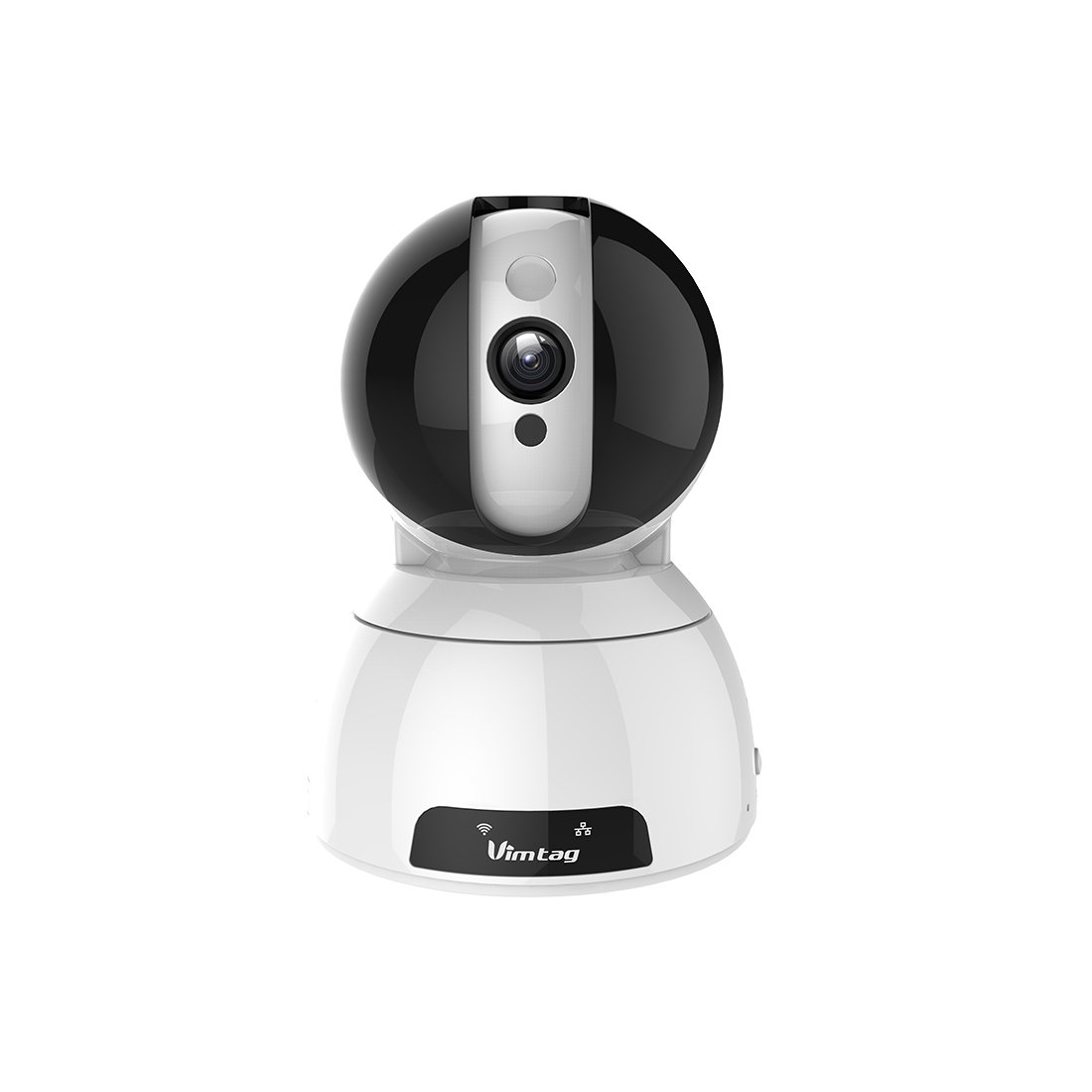
Figure 1: Vimtag CP1 Camera Front View
ቁልፍ ባህሪዎች
- የኤችዲ ቪዲዮ ጥራት፡ 1280 x 720p at 25 frames per second for clear monitoring.
- የፓን እና የዘንበል ተግባር፡ 350-degree horizontal rotation and 100-degree vertical tilt to cover a wide area.
- ባለሁለት መንገድ ኦዲዮ፡- አብሮ የተሰራ ማይክሮፎን እና ድምጽ ማጉያ ለግንኙነት።
- የምሽት እይታ; Infrared LEDs provide clear visibility up to 10 meters in low-light conditions.
- እንቅስቃሴ ማወቂያ፡- Alerts with snapshots and video clips upon detecting movement.
- የአካባቢ እና የደመና ማከማቻ፡ Supports Micro SD cards up to 64GB and optional cloud storage.
- ቀላል ማዋቀር; Quick Wi-Fi setup via the Vimtag የሞባይል መተግበሪያ.

Figure 2: Vimtag CP1 Key Features
2. የማዋቀር መመሪያ
2.1 የጥቅል ይዘቶች
ከመጀመርዎ በፊት ሁሉም እቃዎች በጥቅሉ ውስጥ መኖራቸውን ያረጋግጡ-
- 1 x Vimtag CP1 ካሜራ
- 1 x Camera Rack
- 1 x የኃይል ገመድ
- 1 x የኤተርኔት ገመድ
- 1 x የተጠቃሚ መመሪያ (ይህ ሰነድ)
2.2 የመጀመሪያ ደረጃዎች
- አብራ፡ Connect the power cable to the camera and plug it into a power outlet. The camera will initiate its startup sequence.
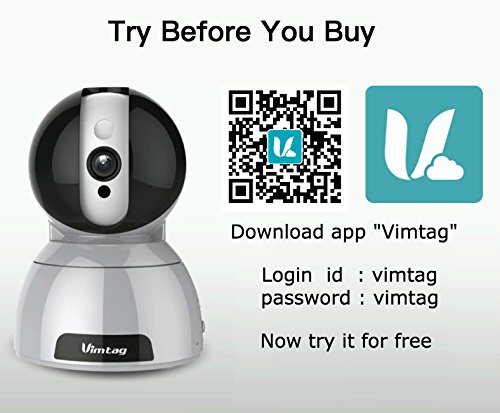
- መተግበሪያውን ያውርዱ፡- Download the free Vimtag ከስማርትፎንዎ የመተግበሪያ መደብር (iOS App Store ወይም Google Play Store) የመጣ መተግበሪያ።
- የመለያ ምዝገባ፡- Open the Vimtag app and register for a new account or log in if you already have one.
- ካሜራ አክል፡ Follow the in-app instructions to add your new CP1 camera. This typically involves scanning a QR code on the camera or entering its device ID.
- የWi-Fi ውቅረት፡- Configure the camera to connect to your Wi-Fi network using the app. Ensure your Wi-Fi network is 2.4GHz, as 5GHz networks may not be supported.
- መጫን (አማራጭ) Use the included camera rack to mount the camera on a wall or ceiling if desired.
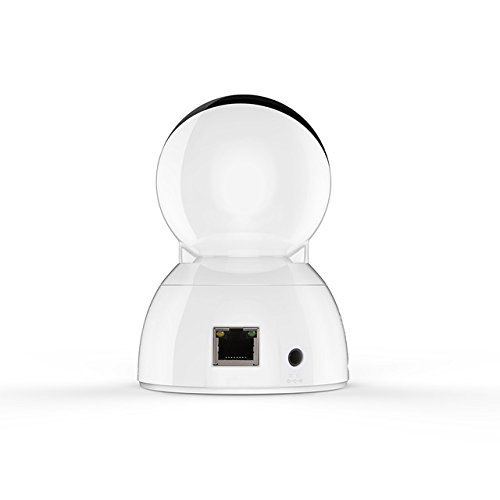
Figure 3: Vimtag CP1 Back View ወደቦች ጋር
For detailed visual guidance, refer to the video tutorials available on the official Vimtag ድጋፍ webጣቢያ.
3. የአሠራር መመሪያዎች
3.1 ቀጥታ ስርጭት View እና የፓን / ዘንበል መቆጣጠሪያ
Once the camera is connected, open the Vimtag app to access the live video feed. Use the on-screen controls to pan the camera horizontally (350 degrees) and tilt it vertically (100 degrees) to adjust the viewአንግል።

Figure 5: Pan and Tilt Control via App
3.2 ባለ ሁለት መንገድ ኦዲዮ
The camera supports two-way audio. Tap the microphone icon in the app to speak through the camera's speaker, and listen to audio from the camera's built-in microphone.
3.3 የምሽት ራዕይ
The CP1 camera automatically switches to night vision mode in low-light conditions, providing clear black and white video up to 10 meters using its infrared LEDs.
3.4 የእንቅስቃሴ ማወቂያ እና ማንቂያዎች
Configure motion detection settings within the Vimtag app. You can set sensitivity levels and define specific areas for detection. When motion is detected, the camera can send instant notifications to your smartphone, including snapshots or short video clips.
3.5 የቪዲዮ ቀረጻ እና ማከማቻ
ካሜራው ሁለት ዋና የማከማቻ ዘዴዎችን ይደግፋል፦
- የማይክሮ ኤስዲ ካርድ Insert a Micro SD card (up to 64GB, not included) into the camera's designated slot for local recording. Recordings can be accessed and managed through the app.
- የደመና ማከማቻ፡ Optional cloud storage services are available through Vimtag for remote backup and access to recorded footage.
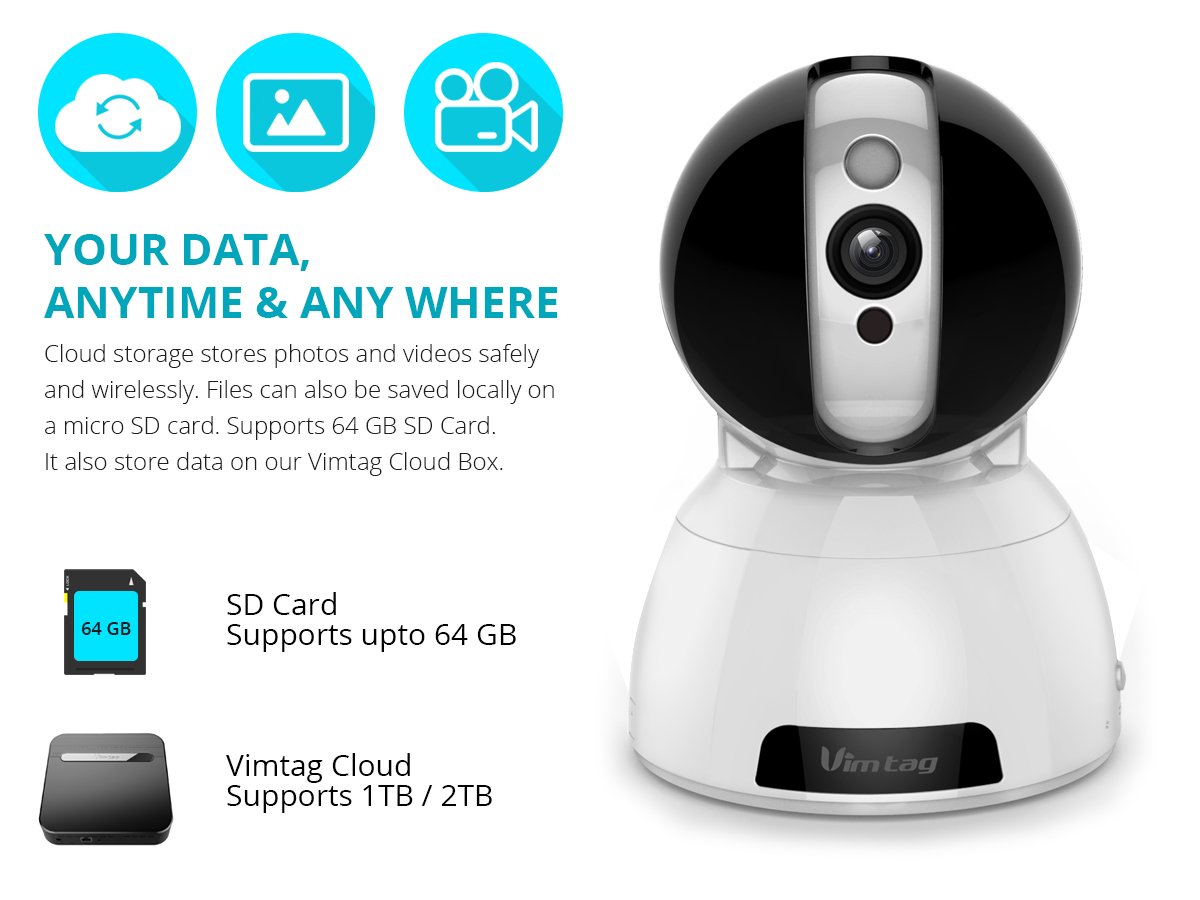
Figure 6: Storage Options for Vimtag ሲፒ1
4. ጥገና
4.1 ጽዳት
To maintain optimal performance, periodically clean the camera's lens and exterior. Use a soft, dry cloth. Avoid abrasive cleaners or solvents that could damage the camera's finish or lens coating.
4.2 የጽኑ ዝማኔዎች
ቪምtag may release firmware updates to improve camera performance, add features, or enhance security. Check the Vimtag app regularly for available updates and follow the in-app instructions to install them. Ensure the camera remains powered during the update process.
4.3 የአካባቢ ግምት
The Vimtag CP1 camera is designed for indoor use. Avoid exposing it to extreme temperatures, direct sunlight, high humidity, or water, as it is not water-resistant.
5. መላ መፈለግ
This section addresses common issues you might encounter with your Vimtag CP1 camera.
5.1 ካሜራ ከWi-Fi ጋር አለመገናኘት።
- የWi-Fi ባንድ ይፈትሹ፦ Ensure your Wi-Fi network is 2.4GHz. The camera may not support 5GHz networks.
- የሲግናል ጥንካሬ፡ Place the camera closer to your Wi-Fi router to ensure a strong signal.
- ትክክለኛ የይለፍ ቃል፡- Double-check that you are entering the correct Wi-Fi password in the app.
- ካሜራ ዳግም አስጀምር Locate the reset button on the camera (often a small pinhole) and press it for 5-10 seconds until the camera resets. Then, attempt the setup process again.
- ራውተር ቅንብሮች Verify that your router's firewall or security settings are not blocking the camera's connection.
5.2 ደካማ የቪዲዮ ጥራት
- የአውታረ መረብ ባንድ ስፋት፡ Ensure your internet connection has sufficient upload speed for streaming HD video.
- የመተግበሪያ ቅንብሮች ፦ Check the video quality settings within the Vimtag app; you might be able to adjust it.
- የሌንስ ንፅህና; የካሜራውን ሌንስን ለስላሳ እና ደረቅ ጨርቅ ያጽዱ.
5.3 የሁለትዮሽ የድምጽ ችግሮች
- የድምጽ ደረጃዎች፡- Check the volume settings on your smartphone and within the Vimtag መተግበሪያ.
- የማይክሮፎን/ድምጽ ማጉያ መዘጋት፡ የካሜራው ማይክሮፎን እና ድምጽ ማጉያው እንዳይደናቀፉ ያረጋግጡ።
- የአውታረ መረብ መዘግየት፡ High network latency can affect audio quality and introduce delays.
5.4 የእንቅስቃሴ ማወቂያ እየሰራ አይደለም
- Enable Feature: Verify that motion detection is enabled in the Vimtag የመተግበሪያ ቅንብሮች.
- ትብነት፡- Adjust the motion detection sensitivity. If it's too low, it might miss events.
- የማወቂያ ዞኖች፡ Ensure the areas you want to monitor are correctly configured as detection zones.
6. ቴክኒካዊ ዝርዝሮች
| የሞዴል ስም | ቪምtag ሲፒ1 |
| የንጥል ሞዴል ቁጥር | 6970167642228 |
| የቪዲዮ ቀረጻ ጥራት | 720 ፒ (1280 x 720 ፒክስል) |
| የፍሬም መጠን | በሰከንድ 25 ፍሬሞች |
| የፓን/የማጋደል ክልል | 350 degrees (Pan) x 100 degrees (Tilt) |
| ዲጂታል ማጉላት | 4x |
| የምሽት ራዕይ ርቀት | እስከ 10 ሜትር (ኢንፍራሬድ) |
| የማከማቻ አማራጮች | ማይክሮ ኤስዲ (እስከ 64 ጊባ)፣ የደመና ማከማቻ |
| ግንኙነት | Wireless (Wi-Fi IEEE802.12b/g/n) |
| የኃይል ምንጭ | AC Power Adapter (7 Watts) |
| ልኬቶች (L x W x H) | 40 x 30 x 40 ሚሊሜትር |
| የእቃው ክብደት | 450 ግራም |
| የቤት ውስጥ / የውጭ አጠቃቀም | የቤት ውስጥ |
| የውሃ መቋቋም ደረጃ | የውሃ መቋቋም አይደለም |
| የመቆጣጠሪያ ዘዴ | App (Android, iOS), Voice |
7. ዋስትና እና ድጋፍ
7.1 የምርት ዋስትና
The Vimtag CP1 camera comes with a የ 6 ወር ምትክ ዋስትና. This warranty covers manufacturing defects and malfunctions under normal use. Please retain your proof of purchase for warranty claims.
7.2 የደንበኛ ድጋፍ
For any queries, technical assistance, or warranty claims, please contact Vimtag customer support. Support is available via telephone, chat, Skype, and email. Refer to the official Vimtag webበጣም ወቅታዊ የእውቂያ መረጃ ለማግኘት ጣቢያ.
Step-by-step setup instructions and video tutorials are also available on the Vimtag support portal to assist you with installation and operation.


