1. መግቢያ
This manual provides instructions for the installation, operation, and maintenance of your Swann 8-Channel 1080p Surveillance Kit. This system is designed to provide high-definition video surveillance for your property, featuring an 8-channel Digital Video Recorder (DVR) and four 1080p cameras.
2. የጥቅል ይዘቶች
እባክዎ የጥቅልዎን ይዘት ያረጋግጡ። ማንኛቸውም ነገሮች ከጠፉ ወይም ከተበላሹ፣ ቸርቻሪዎን ያነጋግሩ።
- Swann 8-Channel 1080p DVR with 1TB Hard Drive
- 4 x 1080p Surveillance Cameras
- ለ DVR እና ካሜራዎች የኃይል አስማሚዎች
- Video Cables for Cameras
- HDMI ገመድ
- የኤተርኔት ገመድ
- የዩኤስቢ መዳፊት
- የመጫኛ ዊንጮች እና መሰኪያዎች
- ፈጣን ጅምር መመሪያ
3. ምርት አብቅቷልview
3.1 ዲጂታል ቪዲዮ መቅጃ (DVR)
DVR የቪዲዮ ቀረጻ፣ ማከማቻ እና አስተዳደር ማዕከላዊ ክፍል ነው።tage from your cameras. It features 8 channels for connecting up to 8 cameras and a pre-installed 1TB hard drive for continuous recording.
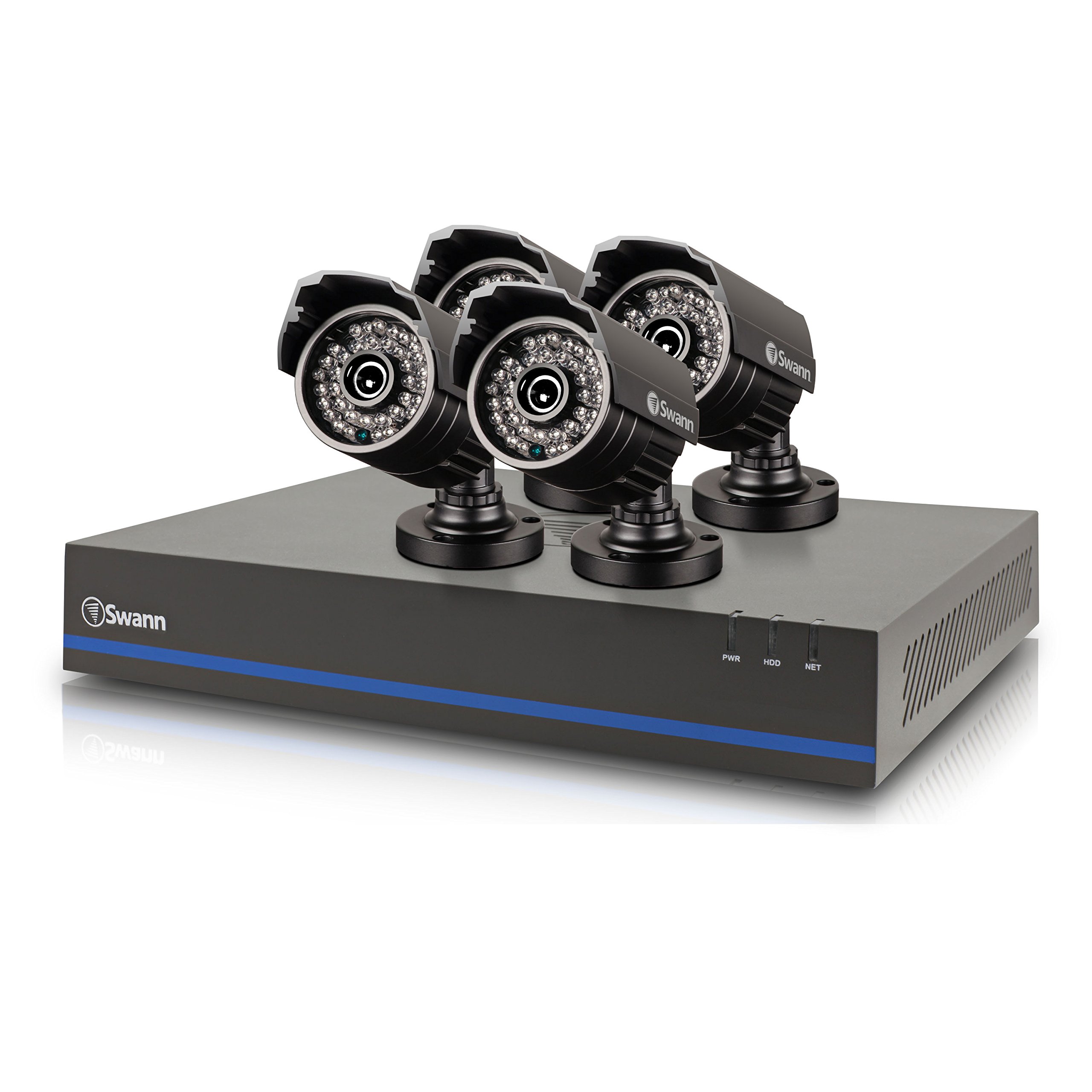
Image 1: Swann 8-Channel DVR (Angled View). This image shows the DVR unit from an angle, highlighting its compact design and front panel indicators.
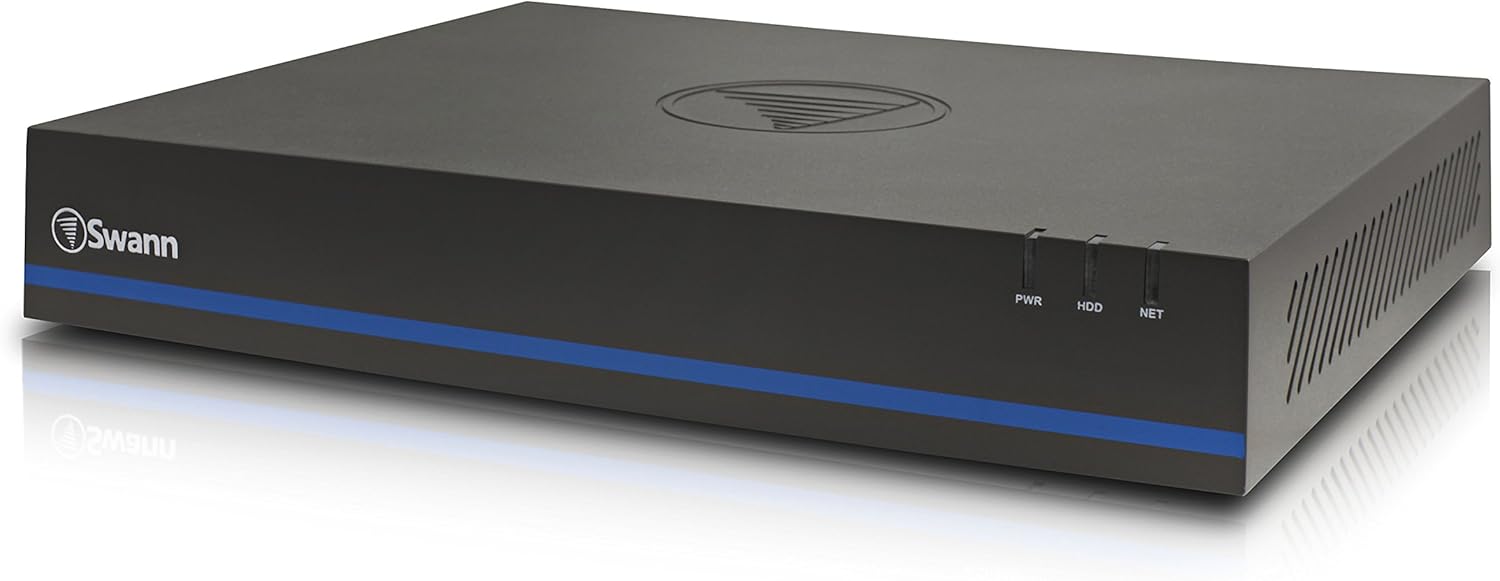
Image 2: Swann 8-Channel DVR (Front View). This image displays the front of the DVR, showing the PWR, HDD, and NET indicator lights.
3.2 Surveillance Cameras
The kit includes four 1080p cameras designed for both indoor and outdoor use. They provide crystal-clear 1920 x 1080 pixel video and are equipped with IR-cut filters for powerful night vision up to 100 feet (30 meters). The cameras have an IP66 weather-resistant rating.
4. ማዋቀር
4.1 የሃርድዌር ጭነት
- Positioning the DVR: Place the DVR in a secure, well-ventilated area, away from direct sunlight and moisture.
- ካሜራዎችን ማገናኘት; Connect each camera to an available video input port on the DVR using the provided video cables. Ensure connections are secure.
- Powering Cameras: Connect the camera power adapters to the cameras and then to a power outlet.
- Connecting to a Monitor: Connect the DVR to a monitor (e.g., HDTV, LCD screen) using the HDMI or VGA cable.
- አይጤን ማገናኘት; የዩኤስቢ መዳፊትን በDVR ላይ ወዳለው የዩኤስቢ ወደብ ይሰኩ።
- የአውታረ መረብ ግንኙነት (አማራጭ ግን የሚመከር)፦ Connect an Ethernet cable from the DVR to your router for remote viewing ችሎታዎች.
- Powering the DVR: Connect the DVR power adapter to the DVR and then to a power outlet. The DVR will power on automatically.
4.2 የመጀመሪያ ሶፍትዌር ውቅር
ለመጀመሪያ ጊዜ ሲበራ፣ DVR በመጀመሪያው የማዋቀሪያ ዊዛርድ ይመራዎታል። በማያ ገጹ ላይ ያሉትን መመሪያዎች ይከተሉ፦
- Set up a password for the administrator account.
- የቀን እና የሰዓት ቅንብሮችን ያዋቅሩ።
- Adjust video output resolution.
- Perform a software update if prompted. (Note: Some users have reported needing to manually check for updates.)
- Configure network settings (if connected to a router).
4.3 የሞባይል መተግበሪያ ማዋቀር
ለሩቅ viewing on your smartphone or tablet (iOS/Android), download the ስዋንView በተጨማሪም app from your device's app store. (Note: The older SwannView app is not compatible with this system.) Follow the in-app instructions to add your DVR using its unique ID or QR code.
5. ስርዓቱን ማስኬድ
5.1 ቀጥታ ስርጭት Viewing
ስርዓቱ አንዴ ከተዋቀረ በኋላ ማድረግ ይችላሉ view ኑ footage from all connected cameras on your monitor or via the SwannView Plus mobile app. Use the USB mouse to navigate the DVR's on-screen interface.
5.2 መቅዳት
DVR የተለያዩ የመቅጃ ሁነታዎችን ይደግፋል፦
- ተከታታይ ቀረፃ ሪከርድስ 24/7፣ የድሮውን ፉ እየጻፈtagሠ ሃርድ ድራይቭ ሲሞላ.
- የእንቅስቃሴ ፍለጋ ቀረጻ Records only when motion is detected by a camera. Sensitivity and recording schedules can be configured.
- የታቀደ ቀረፃ Records during specific times of the day or week.
Access the DVR's menu to configure recording settings for each camera.
5.3 መልሶ ማጫወት
እንደገናview ተመዝግቧል footage:
- Access the DVR's main menu and select the 'Playback' option.
- Choose the date and time range you wish to review.
- Select the camera(s) whose footage ይፈልጋሉ view.
- በፉ ውስጥ ለማሰስ የመልሶ ማጫዎቻ መቆጣጠሪያዎችን (ማጫወት፣ ለአፍታ ማቆም፣ በፍጥነት ወደፊት ማጠንጠን፣ ወደኋላ መመለስ) ይጠቀሙ።tage.
You can also transfer incident video to external storage via USB or network.
5.4 የርቀት መዳረሻ
ስዋንView Plus app allows you to:
- View live camera feeds from anywhere with an internet connection.
- የተቀዳ foo ተመልሰው ይጫወቱtage.
- Receive push notifications for motion detection events.
Ensure your DVR is connected to the internet and the app is correctly configured.
6. ጥገና
- መደበኛ ጽዳት; Keep camera lenses clean for optimal image clarity. Use a soft, damp ጨርቅ.
- የDVR አየር ማናፈሻ፡ Ensure the DVR's ventilation openings are clear to prevent overheating.
- የጽኑዌር ዝማኔዎች ፦ የ Swann ድጋፍን በየጊዜው ያረጋግጡ website for firmware updates for your DVR to ensure optimal performance and security.
- የሃርድ ድራይቭ አስተዳደር፡ የ1ቴባ ሃርድ ድራይቭ በጣም ጥንታዊውን የ foo በራስ-ሰር ይተካዋልtage when full. Back up important footagሠ በመደበኛነት.
7. መላ መፈለግ
| ችግር | ሊሆን የሚችል ምክንያት | መፍትሄ |
|---|---|---|
| No video on monitor | Loose cable connection, incorrect input source on monitor, DVR not powered on. | የኤችዲኤምአይ/ቪጂኤ ኬብል ግንኙነቶችን ያረጋግጡ። ማሳያው በትክክለኛው ግብዓት ላይ መሆኑን ያረጋግጡ። የDVR ኃይልን ያረጋግጡ። |
| የርቀት መቆጣጠሪያ የለም። viewing via app | DVR not connected to network, incorrect app (SwannView Link vs. SwannView Plus), network configuration issues. | Ensure DVR is connected to router. Confirm you are using the ስዋንView በተጨማሪም app. Check DVR network settings. |
| ደካማ የምሽት እይታ ጥራት | Obstructions in front of camera, camera too far from subject, IR lights blocked. | Clear obstructions. Ensure camera is within 82 feet (25 meters) of the area of interest. |
| DVR making loud humming noise | Normal operation of internal fan/hard drive, poor ventilation. | Ensure adequate ventilation around the DVR. If noise is excessive, contact support. |
| False motion alerts (e.g., from insects) | High motion sensitivity, insects near camera at night. | Adjust motion detection sensitivity in DVR settings. Consider scheduling email alerts to avoid notifications during specific times. |
8. ዝርዝሮች
- የምርት ስም፡ ስዋን
- የሞዴል ቁጥር፡- LYSB01LG2GSMY-ELECTRNCS
- የግንኙነት ቴክኖሎጂ; ባለገመድ
- የቪዲዮ ቀረጻ ጥራት፡ 1080 ፒ
- ልዩ ባህሪያት፡ የእንቅስቃሴ ዳሳሽ፣ የምሽት እይታ
- የሰርጦች ብዛት፡- 8
- የማህደረ ትውስታ ማከማቻ አቅም፡ 1 ቴባ (ሃርድ ድራይቭ)
- የኃይል ምንጭ፡- ባለገመድ ኤሌክትሪክ
- የንጥል መጠኖች (L x W x H)፦ 16.5 x 12.6 x 8.3 ኢንች
- የስርዓተ ክወና ተኳኋኝነት; Android, iOS (for mobile app)
- የሚመከሩ አጠቃቀሞች፡- Indoor, Outdoor Surveillance
- የማታ እይታ ክልል: እስከ 82 ጫማ (25 ሜትር)
- Viewአንግል ውስጥ; 90 ዲግሪዎች
- የእቃው ክብደት፡ 12.8 ፓውንድ
- ዩፒሲ፡ 840236117031
9. ዋስትና እና ድጋፍ
For warranty information and technical support, please refer to the documentation included with your product or visit the official Swann webጣቢያ. ለዋስትና ጥያቄዎች የግዢ ደረሰኝዎን እንደ ግዢ ማረጋገጫ ያቆዩት።
የመስመር ላይ መርጃዎች፡-
- Swann Official Webጣቢያ፡ www.swann.com
- Product Support Page: Refer to the Swann website for specific support pages related to your model.


