መግቢያ
ስለገዙ እናመሰግናለንasing the ipega PG-9087S Wireless Game Controller. This device is designed to enhance your mobile gaming experience on Android and iOS smartphones and tablets. Please read this manual carefully before use to ensure proper operation and to maximize the lifespan of your controller.
የደህንነት መረጃ
- መቆጣጠሪያውን ለከፍተኛ ሙቀት፣ እርጥበት ወይም ቀጥተኛ የፀሐይ ብርሃን አያጋልጡት።
- መቆጣጠሪያውን ለጠንካራ ተጽእኖዎች ከመጣል ወይም ከመጫን ይቆጠቡ።
- መቆጣጠሪያውን ለመበተን ወይም ለማሻሻል አይሞክሩ። ይህ ዋስትናውን ውድቅ ያደርገዋል እና ጉዳት ሊያስከትል ይችላል።
- Keep the controller away from children and pets.
- የቀረበውን ወይም የሚመከረውን የኃይል መሙያ ገመድ ብቻ ይጠቀሙ።
የጥቅል ይዘቶች
- ipega PG-9087S Wireless Game Controller
- የዩኤስቢ ባትሪ መሙያ ገመድ
- የተጠቃሚ መመሪያ (ይህ ሰነድ)
ምርት አልቋልview

Figure 1: Controller Layout. This image displays the ipega PG-9087S controller with its various buttons and components labeled, including the Left 3D joystick, D-Pad, TURBO button, battery/mode indicators, Home Button, R1/R2, ABXY Action buttons, Right 3D joystick, START, and SELECT buttons.

ምስል 2: ቁልፍ ባህሪያት. This image highlights specific design elements: a textured rocker for improved grip, LED red button lights for visibility, scrub and non-slip trigger construction for precise control, and a classic cross key design for the D-Pad.
ቁልፍ ባህሪዎች
- የብሉቱዝ 4.0 ግንኙነት፡- Ensures stable and high-speed transmission.
- ሊራዘም የሚችል ክንድ፡ Accommodates devices with a maximum extending size of 6.2 inches (70-158mm) and a thickness of up to 9mm.
- Ergonomic ንድፍ; Provides comfort for extended gaming sessions.
- High Sensitivity Buttons: Designed for quick and accurate responses.
- Custom Function/Button Mapping: Allows users to customize button functions according to personal preferences for various games.
- ባለብዙ ፕላትፎርም ድጋፍ፡ Compatible with Android 6.0 and above, and iOS devices.
ማዋቀር
1. መቆጣጠሪያውን መሙላት
Before first use, fully charge the controller. Connect the provided USB charging cable to the controller's charging port and to a USB power source (e.g., computer, USB wall adapter). The battery charging indicators (1, 2, 3, 4) will illuminate to show charging status and battery level.
2. ማብራት / ማጥፋት

Figure 3: Power Switch and Connection Methods. This image shows the physical on/off switch located at the bottom of the controller and provides visual instructions for Android and iOS direct connection methods.
- ለማብራት፡- Locate the power switch (labeled 'switch:on/off' in Figure 3) on the bottom of the controller and slide it to the 'ON' position.
- ለማጥፋት፡- Slide the power switch to the 'OFF' position.
3. የብሉቱዝ ማጣመር
The PG-9087S supports direct connection without needing to download a separate application.
- ለ iOS መሣሪያዎች መቆጣጠሪያው ሲጠፋ፣ ተጭነው ይያዙት እና ይያዙት Y button + HOME button በተመሳሳይ ጊዜ ለ 2 ሰከንዶች ያህል የአመላካች መብራቱ በፍጥነት እስኪበራ ድረስ።
- ለአንድሮይድ መሳሪያዎች፡- መቆጣጠሪያው ሲጠፋ፣ ተጭነው ይያዙት እና ይያዙት አንድ አዝራር + የመነሻ ቁልፍ በተመሳሳይ ጊዜ ለ 2 ሰከንዶች ያህል የአመላካች መብራቱ በፍጥነት እስኪበራ ድረስ።
Once the indicator light flashes, enable Bluetooth on your mobile device and search for "PG-9087S". Select it to pair. The indicator light will become solid once successfully connected.
4. የመሳሪያ ጭነት
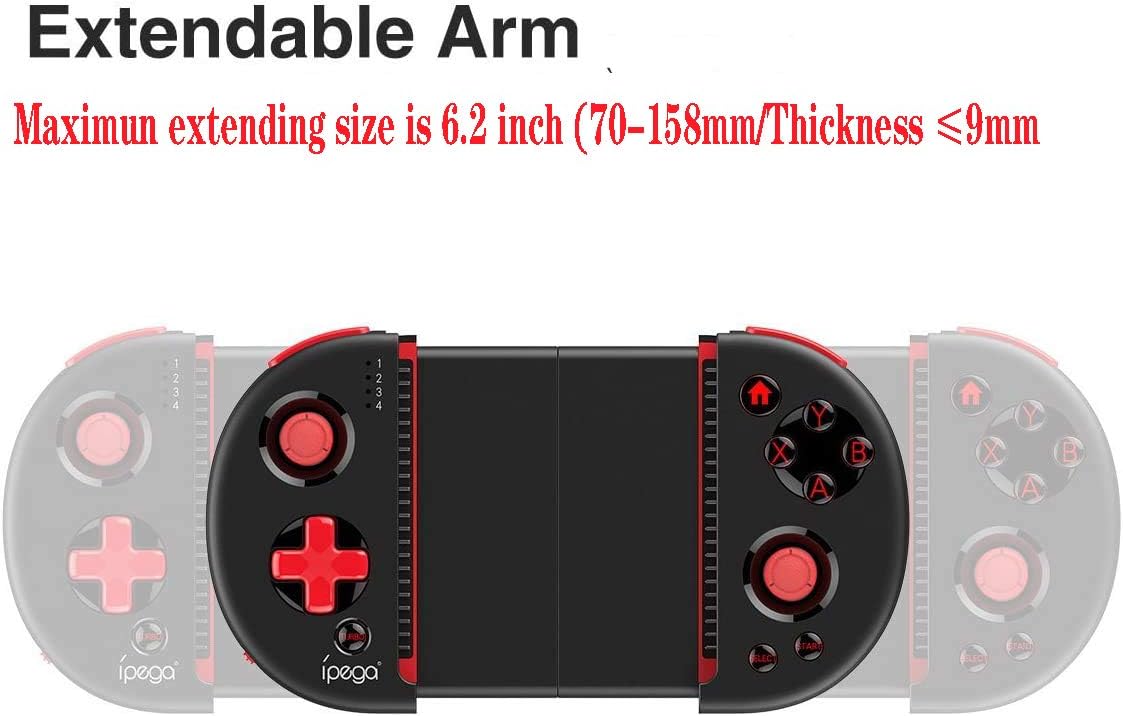
Figure 4: Extendable Arm. This image illustrates the extendable arm feature of the controller, showing its maximum extension size of 6.2 inches (70-158mm) and a maximum device thickness of 9mm.
Gently extend the arms of the controller to fit your smartphone or tablet. Ensure your device is securely seated within the extendable arm. The arm supports devices up to 6.2 inches (158mm) in length and 9mm in thickness.
የአሠራር መመሪያዎች
1. መሰረታዊ ቁጥጥሮች
Refer to Figure 1 for the layout of the buttons and joysticks. The controller features:
- Left/Right 3D Joysticks: ለትክክለኛ እንቅስቃሴ እና የካሜራ ቁጥጥር።
- ዲ-ፓድ (አቅጣጫ ፓድ): ለአቅጣጫ ግብዓት።
- የABXY እርምጃ አዝራሮች፡ መደበኛ የጨዋታ እርምጃ አዝራሮች።
- የL1/L2/R1/R2 ቀስቅሴዎች፡ Shoulder buttons and triggers for various in-game actions.
- የጀምር/ምረጥ አዝራሮች፡ For in-game menu navigation and selections.
- መነሻ አዝራር፡- Returns to the device's home screen or controller menu.
- ቱርቦ አዝራር፡- Activates rapid-fire functionality for assigned buttons.
2. Button Mapping and Customization
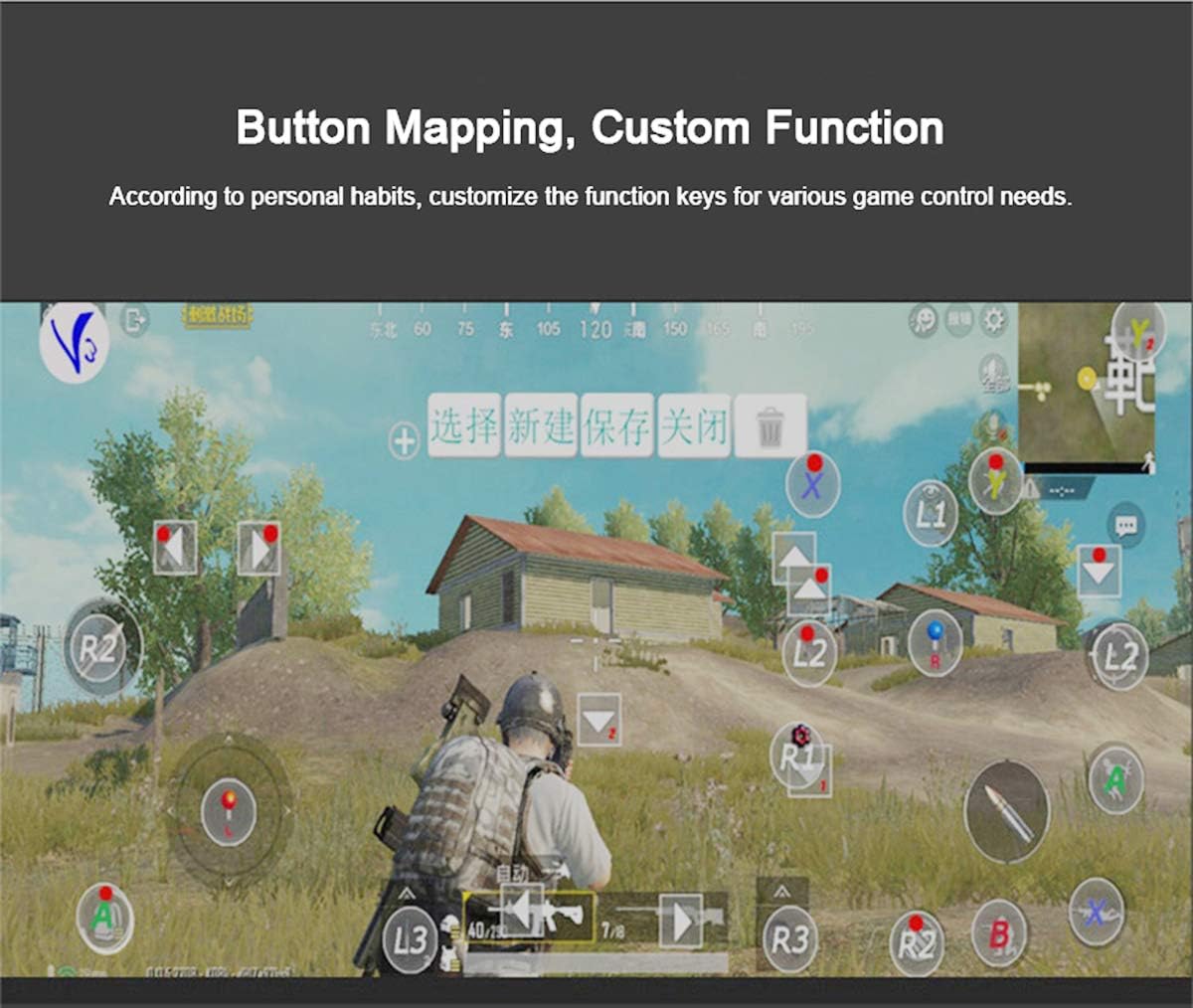
Figure 5: Button Mapping Interface. This image demonstrates the concept of button mapping within a game, allowing users to customize the function keys to suit their individual gaming preferences and needs.
The PG-9087S supports custom function key mapping. This feature allows you to assign specific in-game actions to the controller's buttons according to your personal habits. The method for customizing button functions typically depends on the game or emulator you are using. Refer to the specific game's settings or the emulator's configuration options for detailed instructions on how to remap controls.
3. Screen Orientation Support
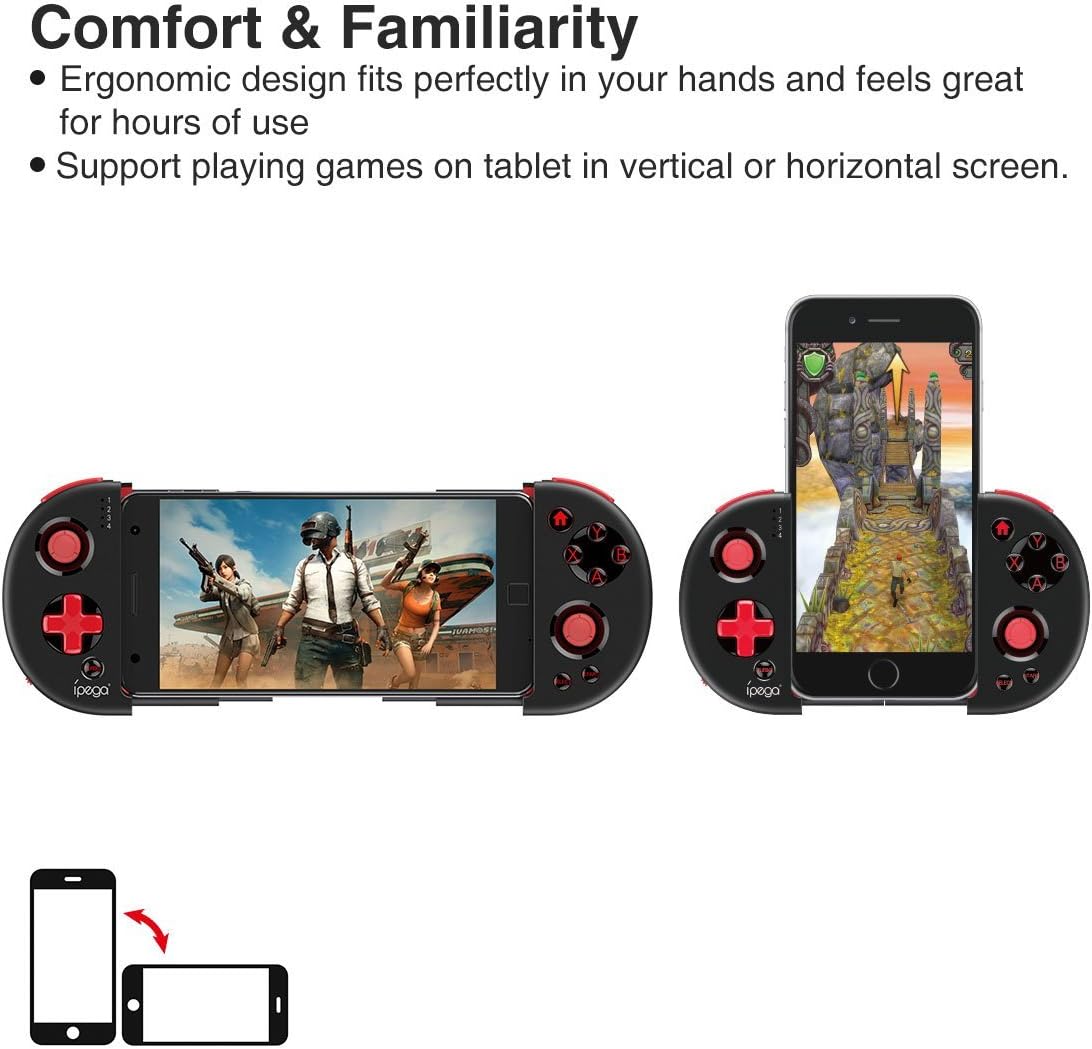
Figure 6: Orientation Support. This image illustrates the controller's ability to support gaming on tablets or smartphones in both vertical (portrait) and horizontal (landscape) screen orientations.
The controller supports playing games on your tablet or smartphone in both vertical (portrait) and horizontal (landscape) screen orientations, providing flexibility for various game types.
ጥገና
- ማጽዳት፡ መቆጣጠሪያውን ለማጽዳት ለስላሳና ደረቅ ጨርቅ ይጠቀሙ። ጠበኛ ኬሚካሎችን ወይም ሻካራ ማጽጃዎችን አይጠቀሙ።
- ማከማቻ፡ መቆጣጠሪያውን በማይጠቀሙበት ጊዜ ከፀሐይ ብርሃን በቀጥታ ራቅ ባለ ቀዝቃዛና ደረቅ ቦታ ያስቀምጡት።
- የባትሪ እንክብካቤ የባትሪውን ዕድሜ ለማራዘም፣ ባትሪውን ሙሉ በሙሉ ደጋግሞ ከመሙላት ይቆጠቡ። መቆጣጠሪያውን በየጊዜው ባትሪ መሙላት፣ ያለማቋረጥ ጥቅም ላይ ባይውልም እንኳ።
መላ መፈለግ
- መቆጣጠሪያው አይበራም: Ensure the battery is charged. Connect the controller to a power source using the USB cable.
- Controller does not pair with device:
- Ensure the controller is in pairing mode (indicator light flashing rapidly).
- የመሣሪያዎን ብሉቱዝ ያጥፉ እና ያብሩት።
- በብሉቱዝ ቅንብሮችዎ ውስጥ መሳሪያውን ይርሱት እና እንደገና ለማጣመር ይሞክሩ።
- Ensure you are using the correct pairing combination (Y+HOME for iOS, A+HOME for Android).
- Buttons are unresponsive or laggy:
- መቆጣጠሪያው ሙሉ በሙሉ መሙላቱን ያረጋግጡ። ዝቅተኛ ባትሪ አፈጻጸምን ሊጎዳ ይችላል።
- ጠንካራ የብሉቱዝ ግንኙነትን ለማረጋገጥ ወደ መሳሪያዎ ይጠጋ።
- መቆጣጠሪያውንም ሆነ ተንቀሳቃሽ መሳሪያዎን እንደገና ያስጀምሩ።
- Check the game's settings to ensure controller input is enabled and correctly configured.
- Device does not fit in the extendable arm: Check the dimensions of your device. The arm supports devices up to 6.2 inches (158mm) in length and 9mm in thickness. Remove any bulky cases from your device.
ዝርዝሮች
| ሞዴል | PG-9087S |
| የምርት ስም | ipega |
| የግንኙነት ቴክኖሎጂ | Bluetooth 4.0, USB (for charging) |
| የመቆጣጠሪያ አይነት | Gamepad, Joystick |
| ተስማሚ መሣሪያዎች | Android (6.0 and above), iOS |
| ባትሪ | 1 የሊቲየም አዮን ባትሪ (አስፈላጊ) |
| Extendable Arm Max Size | 6.2 ኢንች (158 ሚሜ) |
| Extendable Arm Max Thickness | 9 ሚሜ |
| የእቃው ክብደት | 6.9 አውንስ |
| ቀለም | ጥቁር |
| የጥቅል ልኬቶች | 6.8 x 5.15 x 1.6 ኢንች |
ዋስትና እና ድጋፍ
Warranty information for the ipega PG-9087S Wireless Game Controller is typically provided with your purchase or can be found on the manufacturer's official webጣቢያ. ለዋስትና ጥያቄዎች እባክዎ የግዢ ማረጋገጫዎን ያቆዩ።
For technical support or further assistance, please refer to the contact information provided by your retailer or visit the official ipega support channels.


