1. መግቢያ
Welcome to the user manual for your Brother MFC-L8690CDW. This device is a high-performance color laser multifunction printer designed for efficient printing, scanning, and copying. It features an automatic document feeder, A4 paper compatibility, and duplex printing capabilities, making it suitable for various office and home office environments.
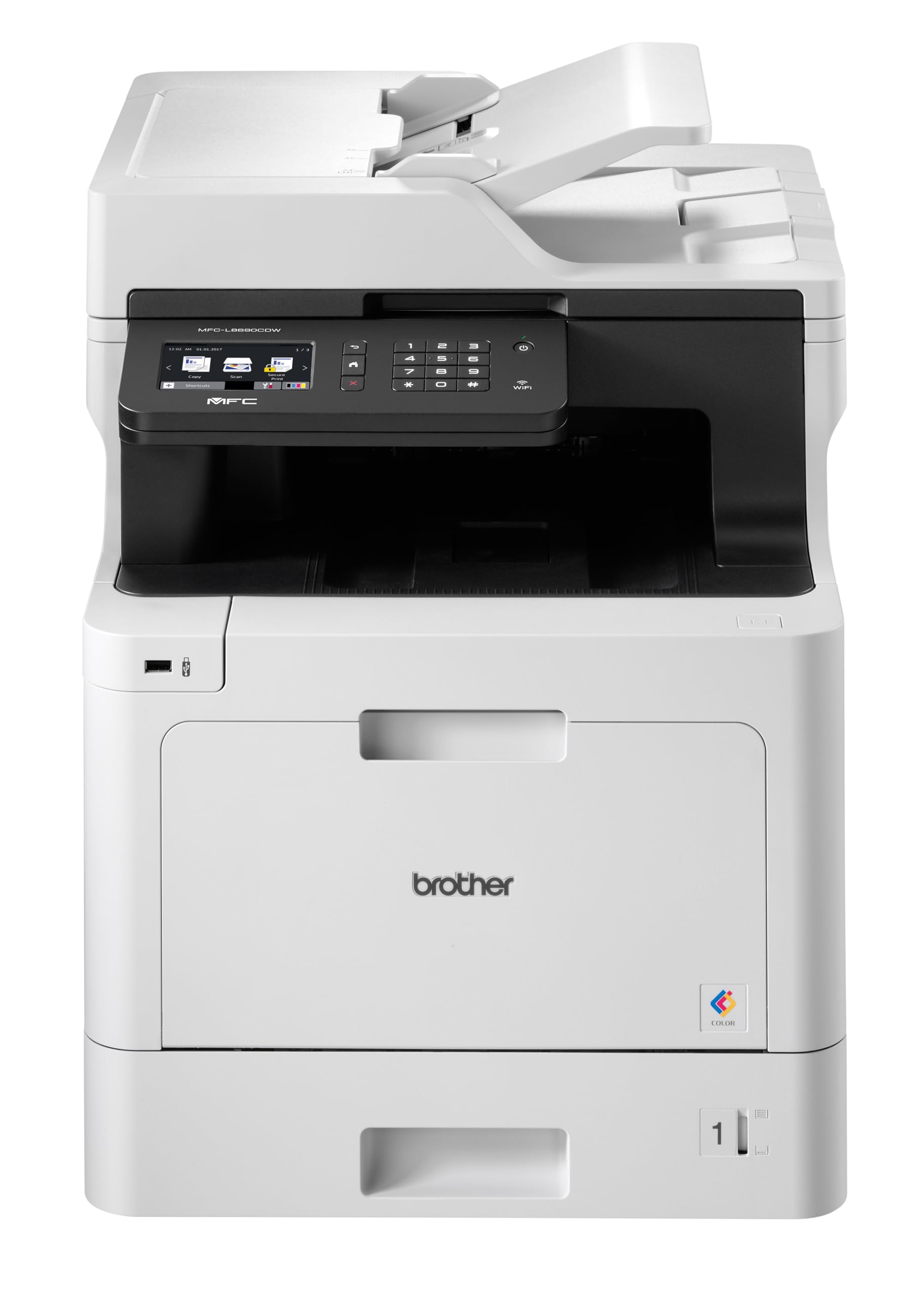
ፊት ለፊት view of the Brother MFC-L8690CDW color multifunction printer, showcasing በውስጡ የታመቀ ንድፍ እና የቁጥጥር ፓነል.
2. ማዋቀር
2.1 ማሸግ እና የመጀመሪያ አቀማመጥ
Carefully remove the printer from its packaging. Ensure all protective tapes and packing materials are removed from the exterior and interior of the device. Place the printer on a stable, level surface with adequate ventilation, away from direct sunlight or heat sources.
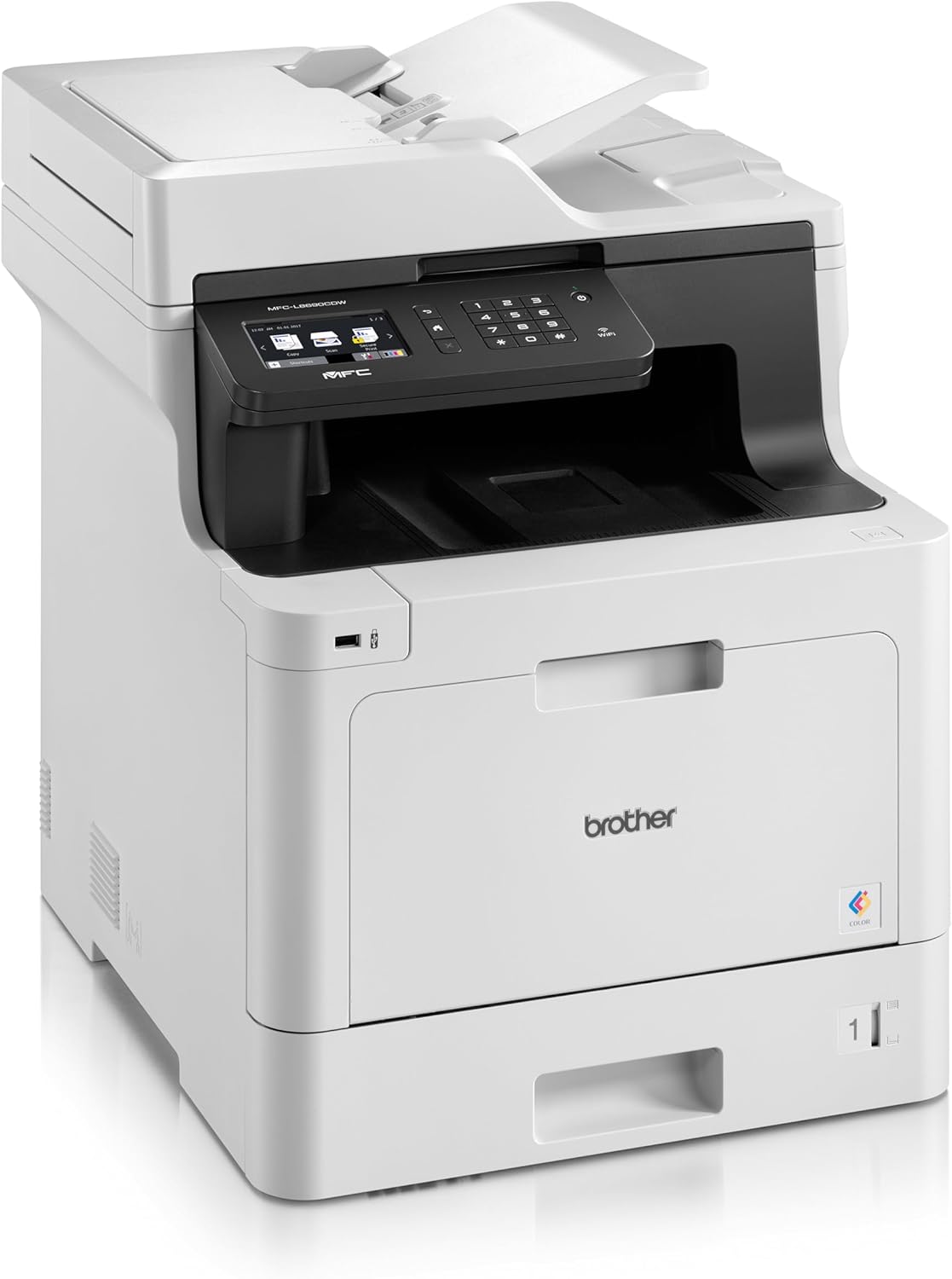
ፊት ለፊት view of the Brother MFC-L8690CDW, showing the control panel and paper output tray.
2.2 የኃይል ግንኙነት
Connect the power cord to the printer's power input and then to a grounded electrical outlet. Do not connect the printer to a power strip or surge protector during initial setup to avoid potential power issues.
2.3 ቶነር ካርቶን መትከል
Open the front cover of the printer. Install the included toner cartridges into their respective color-coded slots. Ensure each cartridge clicks into place. Close the cover securely.
2.4 የወረቀት ጭነት
Open the main paper tray. Load standard A4 paper (or other supported sizes) into the tray, ensuring the print side is facing down. Adjust the paper guides to fit the paper size snugly without bending the paper.

ጎን view of the Brother MFC-L8690CDW printer, illustrating the paper input tray.
2.5 የሶፍትዌር እና የአሽከርካሪ ጭነት
Insert the installation CD into your computer's CD-ROM drive or download the latest drivers and software from the official Brother support website. Follow the on-screen instructions to complete the installation for your operating system.
2.6 የአውታረ መረብ ግንኙነት
The MFC-L8690CDW supports both wired (Ethernet) and wireless (Wi-Fi IEEE 802.11b/g/n) connections.
2.6.1 ባለገመድ ግንኙነት
የኤተርኔት ገመድን ከራውተርዎ ወይም ከአውታረ መረብ ማእከልዎ ከአታሚው ጀርባ ካለው የኤተርኔት ወደብ ጋር ያገናኙ።
2.6.2 ገመድ አልባ ግንኙነት
በአታሚው የቁጥጥር ፓነል ላይ ወደሚከተለው ይሂዱ የአውታረ መረብ ቅንብሮች, ከዚያም WLAN. Select your Wi-Fi network from the list and enter the password when prompted.

የኋላ view of the Brother MFC-L8690CDW printer, highlighting the power input, Ethernet port, and USB port.
3. የአሠራር መመሪያዎች
3.1 መሰረታዊ ማተሚያ
From your computer, open the document you wish to print. Select አትም from the application's menu. Choose ወንድም MFC-L8690CDW as your printer. Adjust settings such as color/monochrome, duplex printing, and paper size as needed in the print dialog box. Click አትም to start the job.
3.2 ሰነዶችን መቅዳት
Place your document face down on the scanner glass or face up in the Automatic Document Feeder (ADF). On the printer's control panel, select ቅዳ. Adjust settings like number of copies, color/monochrome, and reduction/enlargement. Press ጀምር መቅዳት ለመጀመር.
3.3 ሰነዶችን መቃኘት
Place your document on the scanner glass or in the ADF. On the printer's control panel, select ቅኝት. Choose your desired scan destination (e.g., computer, email, network folder). Adjust scan settings like resolution and file format. Press ጀምር to initiate the scan.
4. ጥገና
4.1 ማተሚያውን ማጽዳት
Regularly clean the exterior of the printer with a soft, lint-free cloth. For the scanner glass, use a mild glass cleaner applied to a cloth, not directly to the glass, to avoid streaks or damage.
4.2 የቶነር ካርትሬጅዎችን በመተካት
When a toner cartridge is low or empty, the printer's display will indicate which cartridge needs replacement. Open the front cover, remove the old cartridge, and insert a new Brother genuine toner cartridge. Ensure it is securely seated before closing the cover.
4.3 የወረቀት Jams ማጽዳት
If a paper jam occurs, the printer display will show specific instructions and locations. Carefully open the indicated covers and gently pull out any jammed paper in the direction of the paper path. Avoid tearing the paper to prevent small pieces from remaining inside.
5. መላ መፈለግ
5.1 የተለመዱ ጉዳዮች እና መፍትሄዎች
አታሚ ምላሽ አይሰጥም፡- Check the power connection, USB/network cable, and ensure the printer is online. Restart both the printer and your computer.
ደካማ የህትመት ጥራት፡- Check toner levels. Perform a print quality test from the printer's menu. Clean the drum unit if necessary, following the instructions in the maintenance section.
የወረቀት መጨናነቅ; Follow the on-screen instructions to locate and remove jammed paper. Ensure paper is loaded correctly, not creased, and within the specified weight limits.
የአውታረ መረብ ግንኙነት ጉዳዮች፡- Verify your Wi-Fi password or Ethernet cable connection. Restart your router and printer. Ensure printer firmware is up to date by checking the Brother support webጣቢያ.
6. ቴክኒካዊ ዝርዝሮች
| ባህሪ | ዝርዝር መግለጫ |
|---|---|
| የምርት ልኬቶች | 10D x 48W x 50H ሴንቲሜትር |
| የመቆጣጠሪያ አይነት | አውቶማቲክ |
| ከፍተኛው የሚዲያ መጠን | A4 |
| የኃይል ፍጆታ | 680 ዋት |
| የተካተቱ አካላት | Brother Multifunction Laser MFC-L8690CDW Wifi Network |
| የህትመት ሚዲያ አይነት | ወረቀት (ቀላል) |
| የስካነር አይነት | ራስ-ሰር ሰነድ መጋቢ |
| ከፍተኛው የሉህ አቅም | 100 ሉሆች |
| ከፍተኛው የቅጂ ፍጥነት (ጥቁር እና ነጭ) | 32 ገጾች በደቂቃ |
| ተስማሚ መሣሪያዎች | ዴስክቶፕ ኮምፒውተሮች |
| ከፍተኛ የቀለም ህትመት ጥራት | 1200 x 1200 ዲፒአይ |
| የሉህ መጠን | 210 ሚሊሜትር |
| ከፍተኛው ጥቁር እና ነጭ የህትመት ጥራት | 1200 x 1200 ዲፒአይ |
| የዋስትና ዓይነት | የተወሰነ ዋስትና |
| የቀለም ጥልቀት | 24 ቢፒፒ |
| Duplex ማተሚያ | አዎ |
| የአውሮፓ ህብረት መለዋወጫ አቅርቦት | 2 ዓመታት |
| ከፍተኛ ቅጂዎች በተከታታይ | 32 |
| ኃይል | 3600 (Unit not specified) |
| የምርት ዓይነት | ሁሉም-በአንድ |
| ስርዓተ ክወና | Mac OS 10.15 Catalina (and compatible with other OS) |
| ግንኙነቶች | Bluetooth, Ethernet, Mini USB |
| ማህደረ ትውስታ | 4 (Unit not specified) |
| ጠቅላላ የዩኤስቢ ወደቦች | 1 |
| ባትሪ | 1 ሊቲየም-አዮን ባትሪ ያስፈልጋል |
| የሶፍትዌር ዝማኔዎች ዋስትና ተሰጥቷቸዋል። | ኤፕሪል 13, 2030 |
| የምርት ስም | ወንድም |
| የግንኙነት ቴክኖሎጂ | ብሉቱዝ |
| የህትመት ቴክኖሎጂ | ሌዘር |
| ቀለም | ባለብዙ ቀለም |
| የሞዴል ስም | MFC L 8690 CDW |
| የአታሚ ውፅዓት | ቀለም |
| ከፍተኛ የህትመት ፍጥነት (ቀለም) | 10 ገጾች በደቂቃ |
| ከፍተኛ የህትመት ፍጥነት (ሞኖክሮም) | 10 ገጾች በደቂቃ |
| የእቃው ክብደት | 19 ኪ |
| ASIN | B072C463YX |
| የመጀመሪያ ቀን ይገኛል። | ኤፕሪል 8, 2022 |
| አምራች | ወንድም |
7. ዋስትና እና ድጋፍ
7.1 የምርት ዋስትና
This Brother MFC-L8690CDW printer comes with a limited warranty. Spare parts availability in the EU is guaranteed for 2 years from the date of purchase.
7.2 የሶፍትዌር ዝመናዎች
Software updates for this model are guaranteed until April 13, 2030, ensuring continued compatibility and security enhancements.
7.3 የደንበኛ ድጋፍ
ለቴክኒክ ድጋፍ፣ ለአሽከርካሪዎች ውርዶች እና ለተጨማሪ ድጋፍ፣ እባክዎን ይጎብኙ official Brother support webጣቢያ or contact your local Brother customer service center. Have your model number (MFCL8690CDW) and serial number ready when contacting support.


