መግቢያ
Thank you for choosing the Billboard Bluetooth Wireless Hook Over Earbuds. This manual provides essential information for setting up, operating, and maintaining your new earbuds. Please read these instructions carefully before use to ensure optimal performance and longevity of your device. Keep this manual for future reference.
የጥቅል ይዘቶች
ሁሉም እቃዎች በጥቅሉ ውስጥ መኖራቸውን ያረጋግጡ፡-
- Billboard Bluetooth Wireless Hook Over Earbuds
- የማይክሮ ዩኤስቢ ባትሪ መሙያ ገመድ
- የተጠቃሚ መመሪያ (ይህ ሰነድ)
ምርት አልቋልview
The Billboard Bluetooth Wireless Hook Over Earbuds are designed for comfortable and secure fit, featuring a tangle-free flat cord and integrated controls for music and calls.
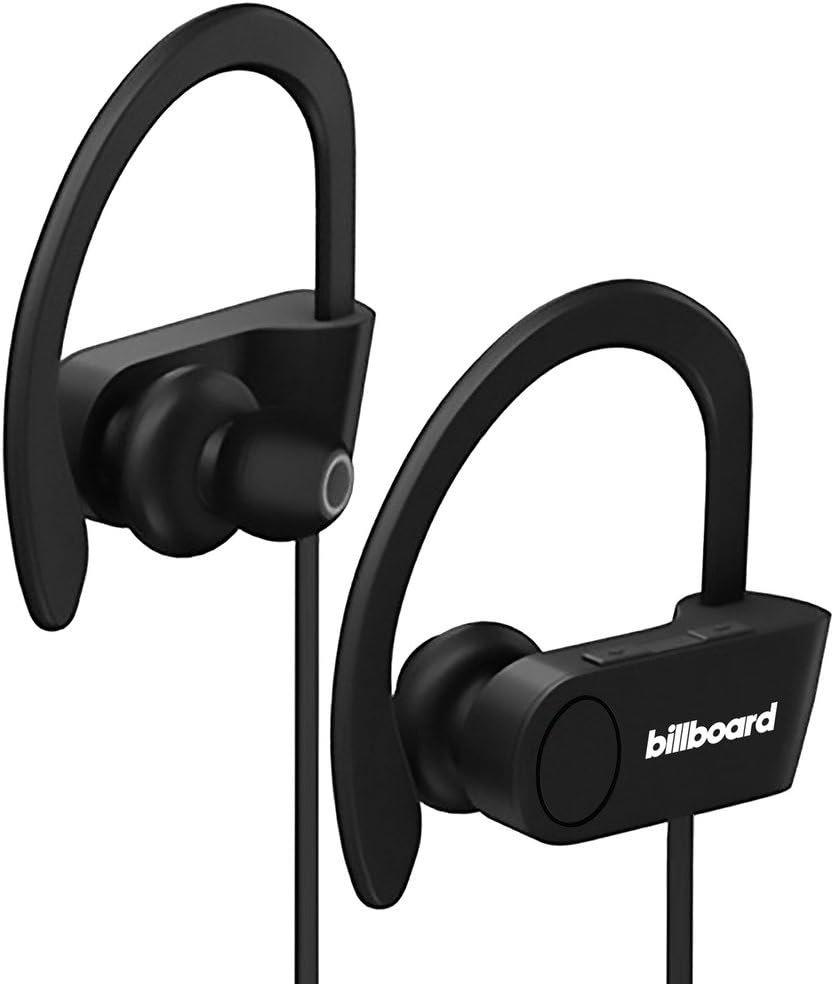
Image: Billboard Bluetooth Wireless Hook Over Earbuds, front view. These black earbuds feature an over-ear hook design for secure placement and a flat cord connecting the two earpieces.

Image: Billboard Bluetooth Wireless Hook Over Earbuds, showing the flat tangle-free cord. The design emphasizes a comfortable fit with the ear hooks and the practical flat cable.
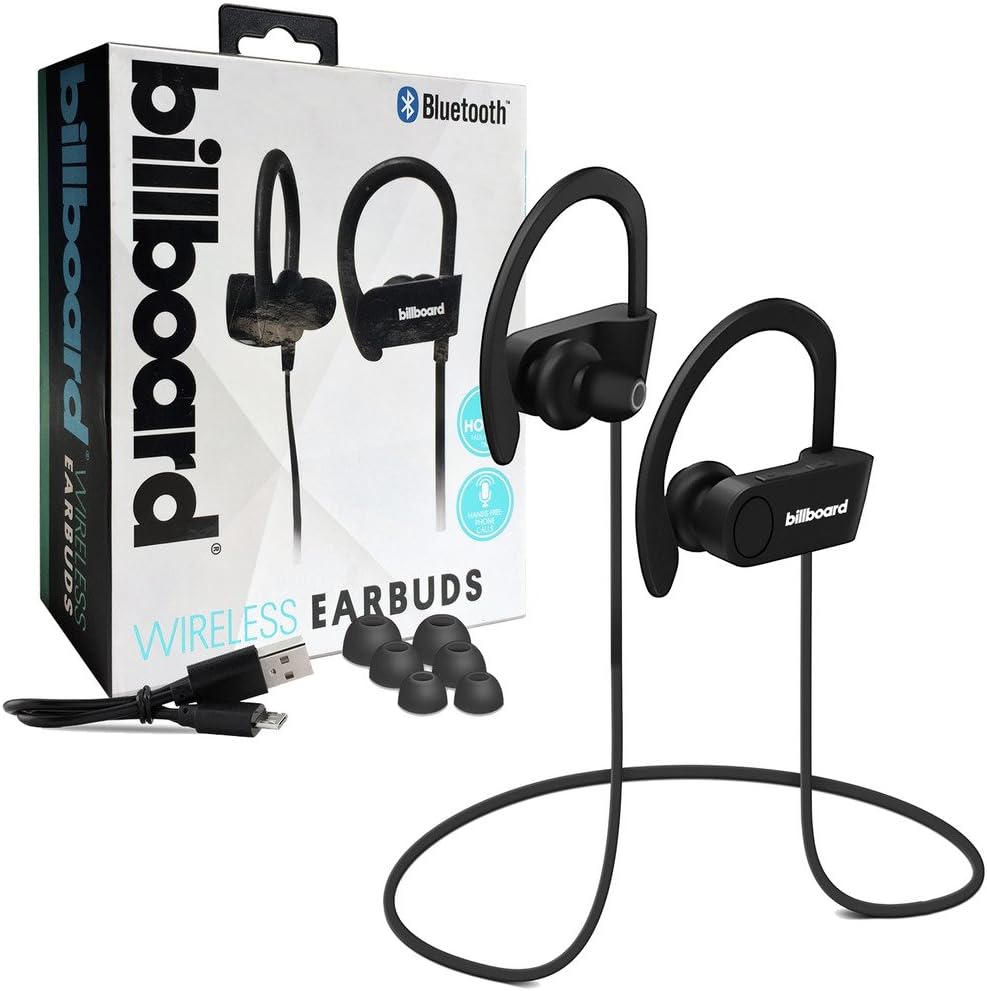
Image: Billboard Bluetooth Wireless Hook Over Earbuds packaging with included accessories. The box displays the earbuds, a charging cable, and additional ear tips, highlighting the product's features.
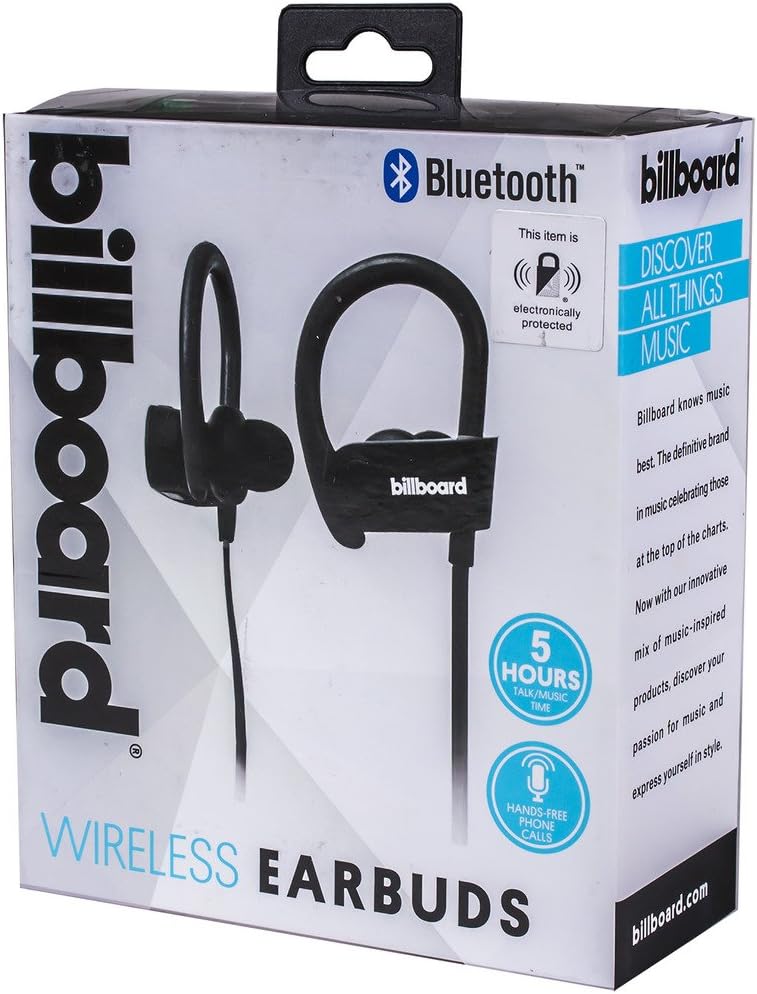
Image: Close-up of Billboard Bluetooth Wireless Hook Over Earbuds packaging, detailing features. The packaging highlights key features such as Bluetooth connectivity, 5 hours of talk/music time, and hands-free phone calls.
ማዋቀር
1. የጆሮ ማዳመጫዎችን መሙላት
- Locate the Micro USB charging port on one of the earbuds (typically on the control module).
- Connect the provided Micro USB charging cable to the earbud's charging port.
- የዩኤስቢ ገመዱን ሌላኛውን ጫፍ ወደ ዩኤስቢ የኃይል ምንጭ ይሰኩት (ለምሳሌ፡ የኮምፒውተር ዩኤስቢ ወደብ፣ የግድግዳ አስማሚ)።
- The LED indicator light will illuminate, typically red, to show that the earbuds are charging.
- Once fully charged, the LED indicator light will change color (e.g., turn blue or off). A full charge usually takes approximately 1-2 hours.
ማስታወሻ፡- Ensure the earbuds are fully charged before first use for optimal battery life.
2. የብሉቱዝ ማጣመር
- አብራ፡ Press and hold the Multi-function button (usually the center button on the control module) for a few seconds until the LED indicator light flashes blue and red alternately, indicating pairing mode.
- ብሉቱዝን ያንቁ፡ በስማርትፎንዎ ወይም በሌላ ብሉቱዝ የነቃለት መሳሪያዎ ላይ፣ ወደ ብሉቱዝ ቅንብሮች ይሂዱ እና ብሉቱዝ መብራቱን ያረጋግጡ።
- ፈልግ መሳሪያዎች፡ Your device will automatically search for nearby Bluetooth devices.
- የጆሮ ማዳመጫዎችን ይምረጡ፦ From the list of available devices, select "Billboard Earbuds" or a similar name.
- ማጣመርን ያረጋግጡ፡ Once successfully paired, the LED indicator light on the earbuds will typically flash blue slowly or turn off, and you will hear an audible confirmation.
- የይለፍ ቃል ከተጠየቁ "0000" (አራት ዜሮዎች) ያስገቡ.
ማስታወሻ፡- The earbuds will automatically attempt to reconnect to the last paired device when powered on, if that device's Bluetooth is active and within range.
የአሠራር መመሪያዎች
መቆጣጠሪያዎች አብቅተዋልview
The control module on the earbud cord typically includes a Multi-function button (MFB) and Volume Up/Down buttons.
- ባለብዙ ተግባር አዝራር (ኤምኤፍቢ)፦ Power On/Off, Play/Pause, Answer/End Call, Reject Call.
- የድምጽ መጠን መጨመር (+): Increase volume, Next track.
- ድምጽ መቀነስ (-): Decrease volume, Previous track.
ኃይል አብራ/ አጥፋ
- አብራ፡ Press and hold the MFB for approximately 3 seconds until the LED flashes blue and you hear a power-on prompt.
- ኃይል ዝጋ: Press and hold the MFB for approximately 3-5 seconds until the LED flashes red and you hear a power-off prompt.
የሙዚቃ መልሶ ማጫወት
- አጫውት/ ለአፍታ አቁም፡ ኤምኤፍቢን አንዴ ይጫኑ።
- ቀጣይ ትራክ፡ የድምጽ መጨመሪያውን (+) ቁልፍ ተጭነው ይያዙ።
- ቀዳሚ ትራክ የድምጽ መጠን ወደ ታች (-) ቁልፍን ተጭነው ይቆዩ።
የጥሪ አስተዳደር
- መልስ/ጥሪ ጨርስ፡ Press the MFB once during an incoming call or during an active call.
- ጥሪን ውድቅ አድርግ፡ Press and hold the MFB for approximately 2 seconds during an incoming call.
- የመጨረሻ ቁጥር Double-press the MFB when no call is active.
የድምጽ መቆጣጠሪያ
- የድምፅ መጠን ይጨምሩ; Press the Volume Up (+) button repeatedly.
- የድምፅ መጠን መቀነስ; Press the Volume Down (-) button repeatedly.
ጥገና
- ማጽዳት፡ Use a soft, dry cloth to clean the earbuds. Do not use abrasive cleaners or solvents.
- ማከማቻ፡ የጆሮ ማዳመጫዎቹን ከፀሐይ ብርሃን እና ከፍተኛ የሙቀት መጠን ራቅ ባለ ቀዝቃዛና ደረቅ ቦታ ያስቀምጡ።
- የባትሪ እንክብካቤ To preserve battery life, charge the earbuds regularly, even if not in frequent use. Avoid fully discharging the battery for extended periods.
- የውሃ መጋለጥ; These earbuds are not waterproof. Avoid exposure to water or excessive moisture.
መላ መፈለግ
| ችግር | መፍትሄ |
|---|---|
| የጆሮ ማዳመጫዎች አይበሩም። | Ensure the earbuds are fully charged. Connect to a power source and check the charging indicator light. |
| ከመሳሪያ ጋር ማጣመር አይቻልም። | Make sure the earbuds are in pairing mode (flashing blue and red). Ensure Bluetooth is enabled on your device and it is within range (typically 10 meters). Try turning both devices off and on again. |
| ምንም ድምጽ ወይም ዝቅተኛ ድምጽ የለም. | Check the volume levels on both the earbuds and your connected device. Ensure the earbuds are properly paired and connected. Try playing different audio sources. |
| የማያቋርጥ ግንኙነት. | Move closer to your connected device. Avoid obstacles between the earbuds and the device. Ensure there is no interference from other wireless devices. |
ዝርዝሮች
- የምርት ስም፡ ቢልቦርድ
- ሞዴል፡ B073CCBSLL
- ቀለም፡ ጥቁር
- የጆሮ አቀማመጥ; In Ear (with Over-Ear Hook)
- የቅጽ ምክንያት፡ ሁለት-ጆሮ
- ግንኙነት፡ የብሉቱዝ ሽቦ አልባ
- የኃይል መሙያ ወደብ; ማይክሮ ዩኤስቢ
- Battery Life (Talk/Music Time): በግምት 5 ሰዓታት
- ተስማሚ መሣሪያዎች Universal/Smartphones
- ባህሪያት፡ Tangle-Free Flat Cord, Built-in Microphone, Integrated Controls
ዋስትና እና ድጋፍ
For warranty information and customer support, please refer to the documentation included with your purchase or visit the official Billboard product support webጣቢያ. ለማንኛውም የዋስትና ጥያቄዎች የግዢ ማረጋገጫዎን ያስቀምጡ።
በዚህ መመሪያ ውስጥ ያልተካተቱ ችግሮች ካጋጠሙዎት፣ እባክዎን ለእርዳታ የደንበኞች አገልግሎትን ያነጋግሩ።


