መግቢያ
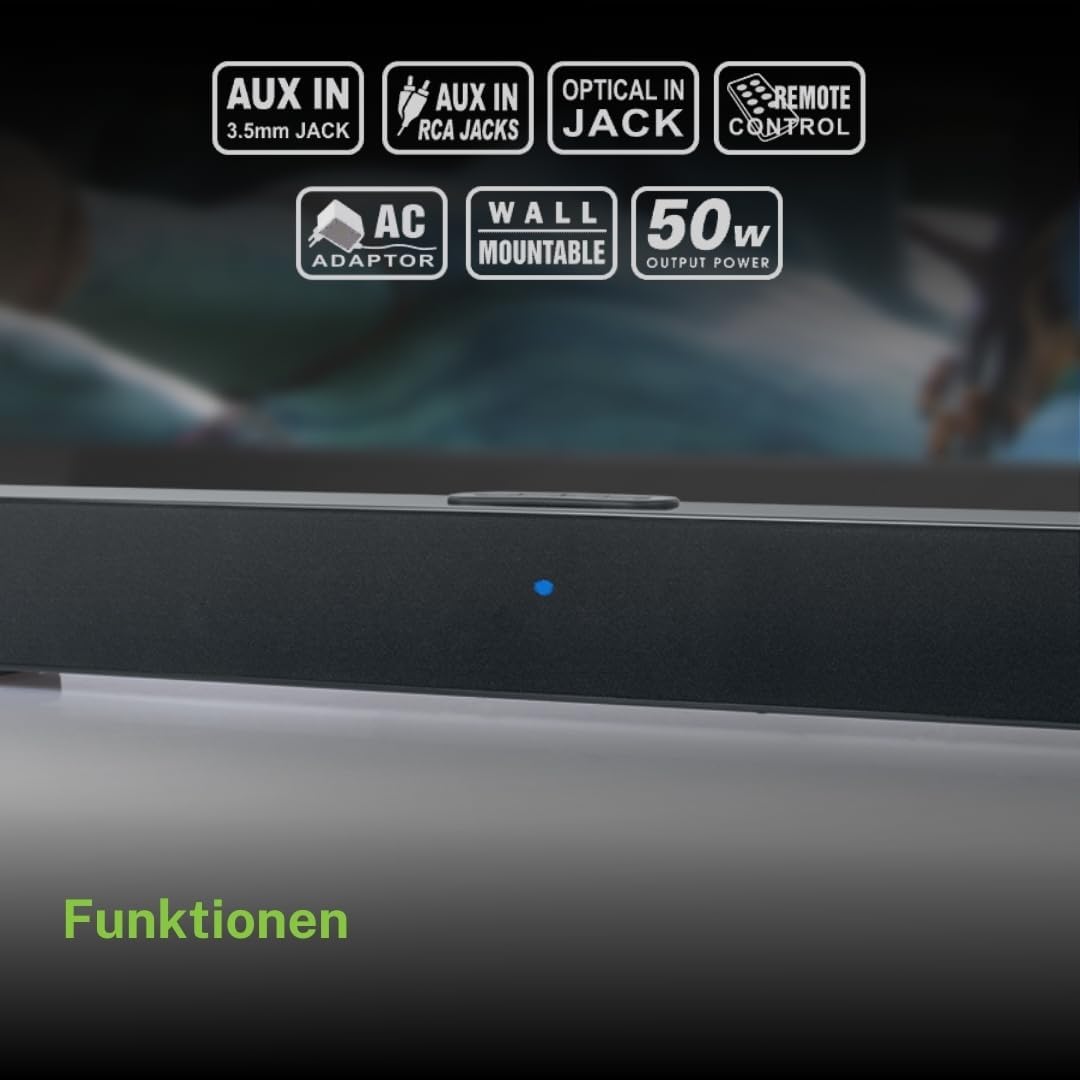
ስለገዙ እናመሰግናለንasing the Muse M-1520 SBT Soundbar. This device is designed to enhance your audio experience with 50W of power and versatile connectivity options including Bluetooth, AUX-IN, RCA, and Optical inputs. Please read this manual carefully before use to ensure proper setup and operation.

The Muse M-1520 SBT Soundbar integrated into a home entertainment setup.
የደህንነት መመሪያዎች
- ክፍሉን ለዝናብ ወይም ለእርጥበት አያጋልጡት።
- ሐ አይክፈቱasinሰ; ሁሉንም አገልግሎቶች ብቁ ለሆኑ ሠራተኞች ያመልክቱ።
- በክፍሉ ዙሪያ ትክክለኛ የአየር ዝውውርን ያረጋግጡ.
- ክፍሉን በቀጥታ ከፀሀይ ብርሀን ፣ ከሙቀት ምንጮች እና ጠንካራ መግነጢሳዊ መስኮች ያርቁ።
- የቀረበውን የኃይል አስማሚ ብቻ ይጠቀሙ።
- Do not place heavy objects on the soundbar.
- ባትሪዎችን በኃላፊነት ያስወግዱ ፡፡
የጥቅል ይዘቶች
እባኮትን ከታች የተዘረዘሩት ሁሉም እቃዎች በጥቅልዎ ውስጥ መካተታቸውን ያረጋግጡ፡
- Muse M-1520 SBT Soundbar
- የኤሲ ኃይል አስማሚ
- RCA ኬብል
- 3.5 mm Aux-In Cable
- የርቀት መቆጣጠሪያ
- 2 x AA ባትሪዎች (ለርቀት መቆጣጠሪያ)

All accessories included with the Muse M-1520 SBT Soundbar.
መቆጣጠሪያዎች እና ግንኙነቶች
የኋላ ፓነል ግንኙነቶች

ዝርዝር view of the soundbar's rear input ports.
- AUX 1 (3.5mm): ውጫዊ የድምጽ መሳሪያዎችን በ3.5ሚሜ የድምጽ ገመድ ያገናኙ።
- AUX 2 (RCA L/R): Connect external audio devices using an RCA stereo cable.
- አማራጭ: Connect to a TV or other device with an optical digital audio output.
- ዲሲ 12 ቪ የቀረበውን የኤሲ የኃይል አስማሚ ያገናኙ።
Top Panel Controls and Indicators
Top panel controls and LED indicator for the soundbar.
The top panel features buttons for power, volume control, and source selection. A blue LED indicator shows the current status or selected input.
ማዋቀር
1. አቀማመጥ
Place the soundbar on a stable, flat surface in front of your television, or mount it on the wall below your TV. Ensure there are no obstructions blocking the sound.
2. የኃይል ግንኙነት
- Connect the AC power adapter to the DC 12V input on the rear of the soundbar.
- የ AC ኃይል አስማሚን ወደ ግድግዳ መውጫ ይሰኩት።
3. የድምጽ ግንኙነት
Choose one of the following methods to connect the soundbar to your audio source (e.g., TV, DVD player):
- የጨረር ግንኙነት; For best audio quality, connect an optical cable (not included) from your TV's optical output to the OPTICAL input on the soundbar.
- የ RCA ግንኙነት Connect the supplied RCA cable from your audio source's RCA L/R output to the AUX 2 (RCA) input on the soundbar.
- 3.5mm AUX-IN Connection: Connect the supplied 3.5mm Aux-In cable from your audio source's headphone jack or AUX output to the AUX 1 (3.5mm) input on the soundbar.
የአሠራር መመሪያዎች
ኃይል አብራ/ አጥፋ
- የሚለውን ይጫኑ ኃይል button on the remote control or the soundbar's top panel to turn the unit on or off.
ምንጭ ምርጫ
- የሚለውን ይጫኑ ምንጭ button on the remote control or the soundbar's top panel repeatedly to cycle through input sources: Bluetooth, AUX 1, AUX 2, Optical.
- The LED indicator will change color or pattern to indicate the selected source.
የድምጽ መቆጣጠሪያ
- የሚለውን ይጫኑ ቮል+ or ድምጽ- buttons on the remote control or the soundbar's top panel to adjust the volume.
የብሉቱዝ ማጣመር
- Turn on the soundbar and select the Bluetooth input source. The LED indicator will flash, indicating it is in pairing mode.
- በተንቀሳቃሽ መሣሪያዎ ላይ ብሉቱዝን ያንቁ (ስማርትፎን ፣ ታብሌት ፣ ወዘተ)።
- ፈልግ available Bluetooth devices. The soundbar will appear as "M-1520 SBT".
- Select "M-1520 SBT" to pair. Once connected, the LED indicator will stop flashing and remain solid.
- አሁን በድምጽ አሞሌው በኩል ከመሳሪያዎ ላይ ድምጽ ማጫወት ይችላሉ።
ማስታወሻ፡- የይለፍ ቃል ከተጠየቁ "0000" ያስገቡ.
የግድግዳ መጫኛ
The Muse M-1520 SBT Soundbar is designed to be wall-mountable. Mounting hardware (screws, anchors) is not typically included and must be purchased separately based on your wall type.
ጠቃሚ፡- Ensure the wall can support the weight of the soundbar (approximately 1.2 kg). Consult a professional if you are unsure about wall mounting.
ጥገና
- ማጽዳት፡ የድምፅ አሞሌውን ገጽታ ለማጽዳት ለስላሳ እና ደረቅ ጨርቅ ይጠቀሙ. ፈሳሽ ማጽጃዎችን ወይም ቆሻሻ ቁሳቁሶችን አይጠቀሙ.
- ማከማቻ፡ ክፍሉን ረዘም ላለ ጊዜ ካስቀመጠው ከኃይል ማከፋፈያው ያላቅቁት እና በቀዝቃዛና ደረቅ ቦታ ያስቀምጡት.
መላ መፈለግ
| ችግር | ሊሆን የሚችል ምክንያት | መፍትሄ |
|---|---|---|
| ኃይል የለም | Power adapter not connected or wall outlet not active. | Ensure the power adapter is securely connected to the soundbar and a working wall outlet. |
| ድምጽ የለም። | Incorrect input source selected, volume too low, or audio cable not connected properly. | Select the correct input source. Increase the volume. Check all audio cable connections. Ensure the TV/source audio output is enabled. |
| የብሉቱዝ ማጣመር አልተሳካም። | የድምፅ አሞሌ በማጣመር ሁነታ ላይ አይደለም፣ መሳሪያው በጣም ሩቅ ነው፣ ወይም ጣልቃ ገብነት የለም። | Ensure the soundbar is in Bluetooth pairing mode (flashing LED). Move your device closer to the soundbar. Turn off other Bluetooth devices to reduce interference. |
| የርቀት መቆጣጠሪያ አይሰራም | Batteries are dead or inserted incorrectly, or line of sight is blocked. | Replace the batteries (2 x AA). Ensure batteries are inserted with correct polarity. Remove any obstructions between the remote and the soundbar. |
ዝርዝሮች
| የሞዴል ስም | M-1520 SBT |
| የውጤት ኃይል | 50 ዋት |
| ግንኙነት | Bluetooth, AUX-IN (3.5mm), RCA, Optical |
| ገመድ አልባ ቴክኖሎጂ | ብሉቱዝ |
| ተስማሚ መሣሪያዎች | TV, smartphone, PC, tablet |
| ልኬቶች (L x W x H) | 66 x 6 x 5.9 ሴሜ (25.98 x 2.36 x 2.32 ኢንች) |
| ክብደት | 1.2 ኪግ (2.65 ፓውንድ) |
| የመቆጣጠሪያ ዘዴ | የርቀት መቆጣጠሪያ |
| የኃይል ምንጭ | AC Adapter (12V DC) |
| ቀለም | ጥቁር |

Dimensional diagram of the Muse M-1520 SBT Soundbar.
ዋስትና እና ድጋፍ
Specific warranty information for the Muse M-1520 SBT Soundbar is not available in the provided product details. Please refer to the warranty card included in your product packaging or contact your retailer for details regarding warranty coverage and customer support.


