መግቢያ
This manual provides detailed instructions for the installation, operation, and maintenance of your ANNKE 5MP Lite H.265+ 8CH Surveillance DVR and 1080p AHD Outdoor CCTV Wired PT Camera System. Please read this manual thoroughly before using the product to ensure proper setup and optimal performance. Keep this manual for future reference.
የደህንነት መረጃ
- Ensure all power connections are secure and correctly polarized to prevent electrical hazards.
- Do not expose the DVR or camera to extreme temperatures, humidity, or corrosive environments.
- DVRን በቀጥታ የፀሐይ ብርሃን ወይም በሙቀት ምንጮች አቅራቢያ ከማስቀመጥ ይቆጠቡ።
- Only use power adapters specified for this device.
- ምርቱን ለመበተን ወይም ለማሻሻል አይሞክሩ። ሁሉንም አገልግሎቶች ለብቃት ላላቸው ሰራተኞች ያመልክቱ።
- Keep cables organized to prevent tripping hazards and damage.
ምርት አልቋልview
The ANNKE Surveillance System features an 8-channel DVR and 1080p Pan-Tilt (PT) cameras designed for comprehensive security monitoring. Key features include:
- AI Motion Detection 2.0: Advanced human and vehicle detection, line crossing, and region entrance detection for accurate alerts.
- H.265+ Video Format: Efficient video compression for extended recording times and reduced storage usage.
- 1080p Full HD Camera: Captures clear video with a 92° Field of View (FOV)።
- 350° ፓን እና 90° ዘንበል፡ Remotely adjust camera view for wide area coverage.
- 100 ጫማ IR የሌሊት እይታ በዝቅተኛ ብርሃን ሁኔታዎች ውስጥ የተሻሻለ ታይነት።
- IP65 የአየር ሁኔታ መከላከያ; Suitable for both indoor and outdoor use, operating from -40°F to 140°F (-40°C to 60°C).
- የርቀት መዳረሻ፡ Monitor your property from anywhere using the DVR's mobile application.
ማዋቀር
1. Camera Installation and Wiring
Mount the PT camera in your desired indoor or outdoor location. Ensure the mounting surface is stable. The camera uses an advanced coaxial protocol, allowing video feeds and pan/tilt commands to be transmitted over a single cable.

Image: Easy Setup - This diagram illustrates how to connect the camera to the DVR using a single coaxial cable for both video and pan/tilt commands, along with power connections.
2. የDVR ግንኙነት
Connect the coaxial cables from your cameras to the corresponding video input ports on the back of the DVR. Connect the DVR to a monitor using an HDMI or VGA cable. Connect a mouse to the DVR's USB port for navigation. Finally, connect the DVR to a power source.
3. የሃርድ ድራይቭ ጭነት (አማራጭ)
While the system supports a 2TB hard drive, it may not be included. If you wish to install a hard drive for local storage, refer to the specific instructions provided with your DVR model for opening the casing and connecting the SATA data and power cables to a 3.5-inch mechanical hard disk.
4. የDVR ተኳሃኝነት
This camera is compatible with ANNKE DVRs that support coaxial protocol. It is not compatible with DVRs that support RS485 protocol only. Ensure your DVR model is listed as compatible.

Image: Wide ANNKE Compatibility - This image details the compatibility of the camera with various ANNKE DVR models (4CH, 8CH, 16CH, 32CH) and emphasizes the requirement for coaxial protocol support.
የአሠራር መመሪያዎች
1. የመጀመሪያ ኃይል-አፕ እና ውቅር
After connecting all components, power on the DVR. Follow the on-screen prompts to complete the initial setup, including setting up an administrator password, date/time, and network settings.
2. የፓን እና ዘንበል መቆጣጠሪያ
The camera offers 350° pan and 90° tilt capabilities. You can control the camera's movement directly through the DVR interface using the connected mouse, or remotely via the ANNKE mobile application on your smartphone.
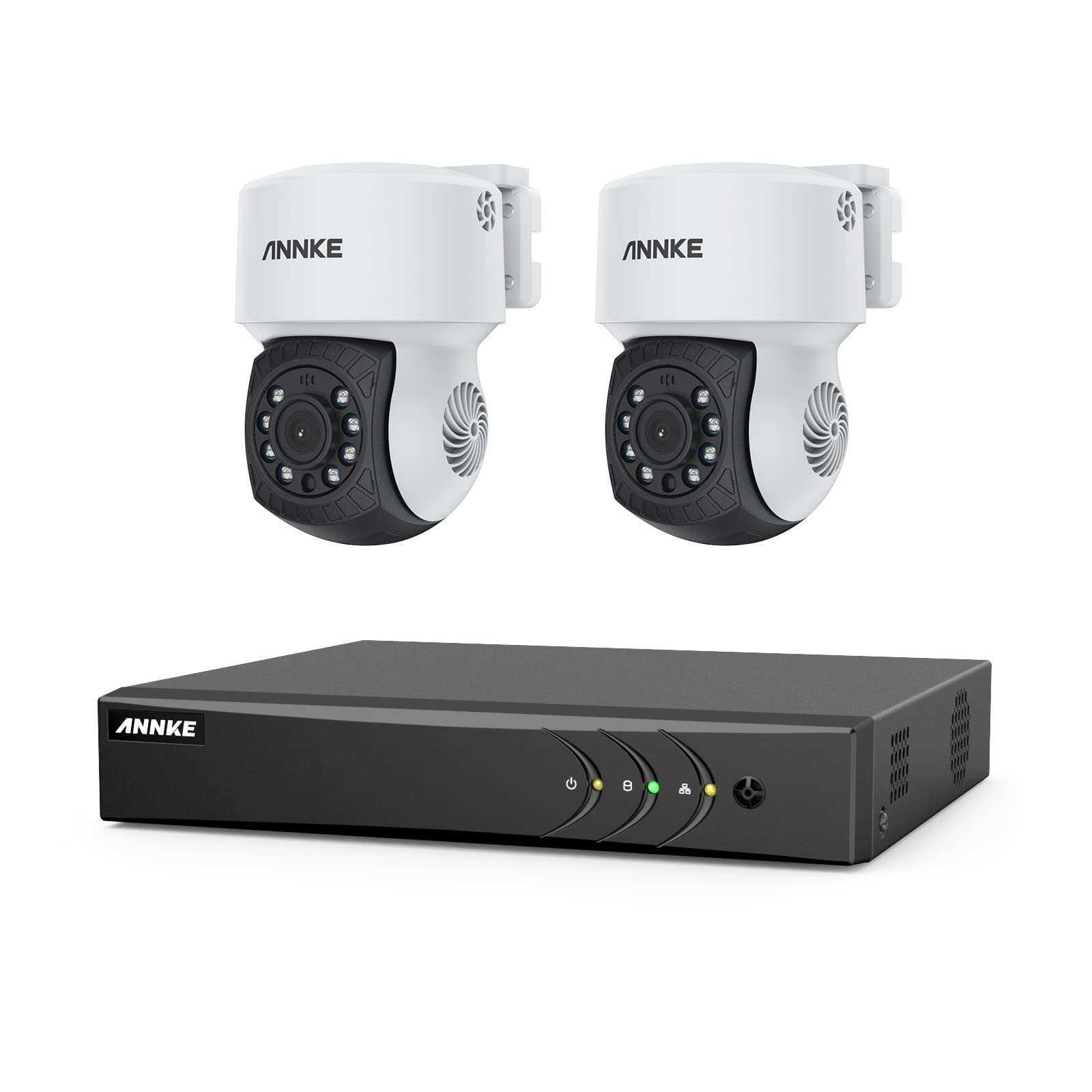
Image: Pan & Tilt, All Is Viewed - This image demonstrates the camera's ability to pan 350 degrees and tilt 90 degrees, allowing for comprehensive area monitoring.

Image: Check by Clicking / Taping - This image shows how to control the camera's pan and tilt functions and view ኑ footage using the DVR's mobile application.
3. AI Motion Detection 2.0
Configure AI Motion Detection settings through the DVR menu. This feature allows for precise detection of human and vehicle movement, reducing false alarms. You can set up specific detection zones, line crossing alerts, and region entrance/exit detections. Smart search functions are available for quickly locating relevant events in recordings.
4. የምሽት ራዕይ
The camera automatically switches to infrared (IR) night vision mode in low-light conditions, providing clear black-and-white video up to 100 feet (30 meters).

Image: 100Ft IR Night Vision - This image highlights the camera's infrared night vision capability, providing clear surveillance up to 100 feet in darkness.
5. የርቀት መዳረሻ
Download the official ANNKE mobile application from your device's app store. Follow the in-app instructions to add your DVR system, enabling live view, playback, and PT control from your smartphone or tablet.
ጥገና
1. ማጽዳት
የካሜራ ሌንስንና መያዣውን በለስላሳ፣ ዲ አዘውትረው ያጽዱamp cloth. Do not use harsh chemicals or abrasive cleaners. Ensure the camera is powered off before cleaning.

Image: IP65 Weatherproof - This image illustrates the camera's IP65 rating, confirming its durability and ability to withstand outdoor weather conditions like rain.
2. የጽኑ ዝማኔዎች
Check the ANNKE official website periodically for firmware updates. Keeping your DVR and camera firmware updated ensures optimal performance, security, and access to new features. Follow the provided instructions carefully when performing updates.
3. የሃርድ ድራይቭ አስተዳደር
If a hard drive is installed, ensure it is functioning correctly. The H.265+ compression helps maximize storage, but regular review of storage capacity and automatic overwriting settings is recommended. Back up important footagሠ እንደ አስፈላጊነቱ.
መላ መፈለግ
- ምንም የቪዲዮ ምልክት የለም፡ Check all cable connections (coaxial, power). Ensure the camera is powered on and the DVR input channel is correctly selected. Verify DVR compatibility with the camera's protocol.
- በርቀት መድረስ አይቻልም፦ Ensure the DVR is connected to the internet. Check network settings on the DVR and your router. Verify the mobile app is correctly configured and updated.
- የእንቅስቃሴ ማወቂያ የማያነሳሳ፡ Review motion detection zone settings and sensitivity. Ensure the camera lens is clean and unobstructed.
- ደካማ የሌሊት እይታ; Check for obstructions near the camera's IR LEDs. Ensure the camera is receiving adequate power.
- ፓን/ዘንበል ያለ ምላሽ አይሰጥም፡ Verify the coaxial cable connection is secure. Ensure the camera is receiving sufficient power. Check for any physical obstructions to camera movement.
ዝርዝሮች
| ባህሪ | ዝርዝር |
|---|---|
| የምርት ስም | አንኬ |
| ሞዴል | 5MP Lite 8CH DVR & 1080p PT Camera System (B0759L8PBX) |
| የካሜራ ጥራት | 1080p ሙሉ ጥራት |
| የፓን/የማጋደል ክልል | 350° ፓን፣ 90° ዘንበል |
| የቪዲዮ መጭመቂያ | H.265 + |
| የምሽት ራዕይ ክልል | እስከ 100 ጫማ (30ሜ) |
| የአየር ሁኔታ መከላከያ ደረጃ | IP65 |
| የአሠራር ሙቀት | -40°F እስከ 140°F (-40°ሴ እስከ 60°ሴ) |
| ልዩ ባህሪያት | AI Motion Sensor (Human/Vehicle Detection), Night Vision, Remote Access |
| የዲቪአር ቻናሎች | 8 ቻናሎች |
| የሃርድ ዲስክ ድጋፍ | 3.5-inch Mechanical Hard Disk (up to 2TB, not included) |
| የግንኙነት ቴክኖሎጂ | SATA (for HDD), Coaxial (for camera), Ethernet (for network) |
ዋስትና እና ድጋፍ
ANNKE products come with a limited warranty. For specific warranty terms and conditions, please refer to the warranty card included with your product or visit the official ANNKE website. For technical support, troubleshooting assistance, or service inquiries, please contact ANNKE customer support through their official webበምርት ማሸጊያዎ ውስጥ የቀረበው ጣቢያ ወይም የእውቂያ መረጃ።
ኦፊሴላዊ Webጣቢያ፡ www.annke.com


