መግቢያ
ስለገዙ እናመሰግናለንasing the OttLite Creative Curve LED Desk Lamp. ይህ lamp is designed to provide clear, natural daylight illumination for various tasks, including reading, crafting, and office work. It features four brightness levels, a flexible neck for adjustable lighting, and a convenient USB charging port. Please read this manual thoroughly before use to ensure proper operation and maintenance.
የደህንነት መመሪያዎች
- ሁልጊዜ l ያረጋግጡamp ጫፍን ለመከላከል በተረጋጋና ጠፍጣፋ መሬት ላይ ይደረጋል.
- ኤልን አታጋልጡamp ወደ ውሃ ወይም ከመጠን በላይ እርጥበት.
- Use only the provided power adapter. Using an incorrect adapter may damage the lamp ወይም የደህንነት አደጋን ያመጣሉ.
- ኤልን ለመበተን ወይም ለማሻሻል አይሞክሩampሁሉንም አገልግሎት ለሚገባቸው ባለሙያዎች አስተላልፍ።
- ኤልን አቆይamp ከሙቀት ምንጮች እና በቀጥታ የፀሐይ ብርሃን.
- ኤልን ይንቀሉamp ከማጽዳትዎ በፊት ወይም ለረጅም ጊዜ ጥቅም ላይ በማይውልበት ጊዜ ከኃይል መውጫው።
- Avoid looking directly into the LED light source for prolonged periods, as it may cause eye strain.
የጥቅል ይዘቶች
እባክዎን ጥቅሉን ለሚከተሉት ነገሮች ያረጋግጡ፡
- OttLite Creative Curve LED Desk Lamp (Model A30WGC)
- የኃይል አስማሚ
- የትምህርት መመሪያ (ይህ ሰነድ)
ማዋቀር
- ኤልን ይክፈቱamp: ሁሉንም ንጥረ ነገሮች ከማሸጊያው ውስጥ በጥንቃቄ ያስወግዱ.
- የኤልamp: ኤልን ያስቀምጡamp on a stable, flat surface where you intend to use it. Ensure the base (5.25 inches) has adequate space.
- የግንኙነት ኃይል; Insert the power adapter plug into the power input port located on the back of the lamp base. Plug the other end of the power adapter into a standard electrical outlet.
- ቁመትን አስተካክል; The flexible neck allows you to adjust the lamp's height from 11.25 inches to 23.75 inches. Position the light head to your desired angle for optimal illumination.

የአሠራር መመሪያዎች
የኃይል ማብራት/ማጥፋት እና የብሩህነት ማስተካከያ
Lamp ለቀላል ቀዶ ጥገና ንክኪ-sensitive መቆጣጠሪያዎችን ያቀርባል።
- ለማብራት፡- Lightly touch the power icon on the lamp መሠረት. ኤልamp will turn on at the lowest brightness setting.
- ብሩህነትን ለማስተካከል; Continue to lightly touch the power icon to cycle through the four available brightness levels.
- ለማጥፋት After cycling through all four brightness levels, touch the power icon one more time to turn the lamp ጠፍቷል።
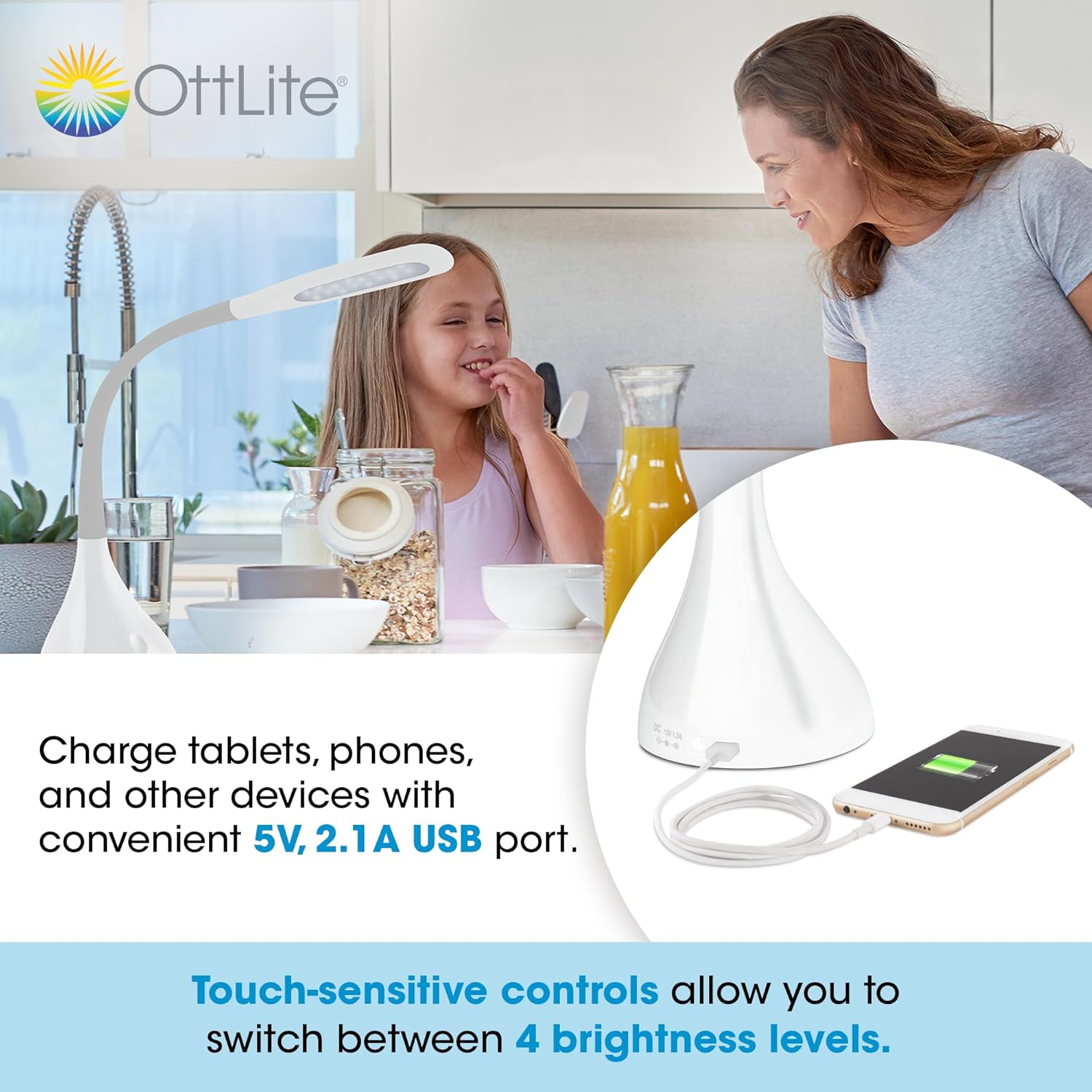
የዩኤስቢ ኃይል መሙያ ወደብ በመጠቀም
Lamp is equipped with a 5V, 2.1A USB charging port located on the base, allowing you to charge compatible devices such as smartphones and tablets.
- መሣሪያን ያገናኙ; Plug your device's USB charging cable into the USB port on the lamp መሠረት.
- በመሙላት ላይ፡ Your device will begin charging automatically. The USB port functions whether the lamp መብራት እስከ 1 ድረስ በርቷል ወይም ጠፍቷል፣amp በኃይል መውጫ ላይ ተሰክቷል።
Optimal Lighting for Tasks
The OttLite Creative Curve LED Desk Lamp is designed to deliver natural daylight indoors, which helps reduce eyestrain and allows you to see fine print and colors clearly and comfortably with low glare.


ጥገና
- ማጽዳት፡ ኤልን ያረጋግጡamp is unplugged before cleaning. Use a soft, dry cloth to wipe the lamp's surfaces. Do not use abrasive cleaners or solvents, as they may damage the finish.
- የ LED ዕድሜ- The energy-efficient LEDs in this lamp are designed to last up to 40,000 hours under normal use, requiring no replacement.
መላ መፈለግ
| ችግር | ሊሆን የሚችል ምክንያት | መፍትሄ |
|---|---|---|
| Lamp አይበራም። | Not plugged in, power outlet issue, or power adapter fault. | የኃይል አስማሚው ደህንነቱ በተጠበቀ ሁኔታ በሁለቱም l ውስጥ መገናኘቱን ያረጋግጡamp and a working electrical outlet. Try a different outlet. |
| የዩኤስቢ ኃይል መሙያ ወደብ እየሰራ አይደለም። | Lamp not powered, device cable issue, or device incompatibility. | ኤልን ያረጋግጡamp is plugged into a power outlet. Try a different USB cable or device to confirm the issue is not with the cable or device. |
| ብርሃን ብልጭ ድርግም ይላል ወይም ወጥነት የለውም። | Unstable power connection or internal component issue. | Check all power connections. If the problem persists, discontinue use and contact customer support. |
ዝርዝሮች
- ሞዴል፡ A30WGC
- አምራች፡ Ottlight Technologies
- ልኬቶች (L x W x H)፦ 13.34 x 13.34 x 28.58 ሴሜ (5.25 x 5.25 x 11.25 ኢንች)
- ተስተካካይ ቁመት: 11.25-23.75 ኢንች
- ክብደት፡ 1.4 ኪግ (3.09 ፓውንድ)
- የብርሃን ምንጭ፡- የተቀናጀ LED
- የብሩህነት ደረጃዎች; 4
- ከፍተኛ Lumens: እስከ 375 lumens
- የዩኤስቢ ኃይል መሙያ ወደብ 5V፣ 2.1A
- የመሠረት ቁሳቁስ፡ ላስቲክ
- የማጠናቀቂያ ዓይነት: ለስላሳ
ዋስትና እና ድጋፍ
This OttLite product is covered by a limited warranty. For detailed warranty information, please refer to the warranty card included with your purchase or visit the official OttLite website. If you encounter any issues or require technical assistance, please contact OttLite customer support through their official channels.
OttLite Official Webጣቢያ፡ www.ottlite.com


