1. መግቢያ
The NETGEAR GS116PP Unmanaged Power over Ethernet (PoE) Switch is designed for desktop or rackmount installations. It features 16 Gigabit Ethernet ports, including 16 PoE+ ports with a total power budget of 183 watts. This switch offers simple plug-and-play functionality without requiring software installation or complex configuration, making it suitable for various networking environments.
2. የጥቅል ይዘቶች
ጥቅልዎ የሚከተሉትን ንጥሎች መያዙን ያረጋግጡ፡-
- 16-port Gigabit Ethernet PoE+ Unmanaged Switch (GS116PP)
- Power adapter (External 200W)
- ፈጣን የመጫኛ መመሪያ
- መደርደሪያ-ማፈናጠጥ ኪት
- የግድግዳ ማያያዣ ስብስብ
3. አካላዊ ከመጠን በላይview
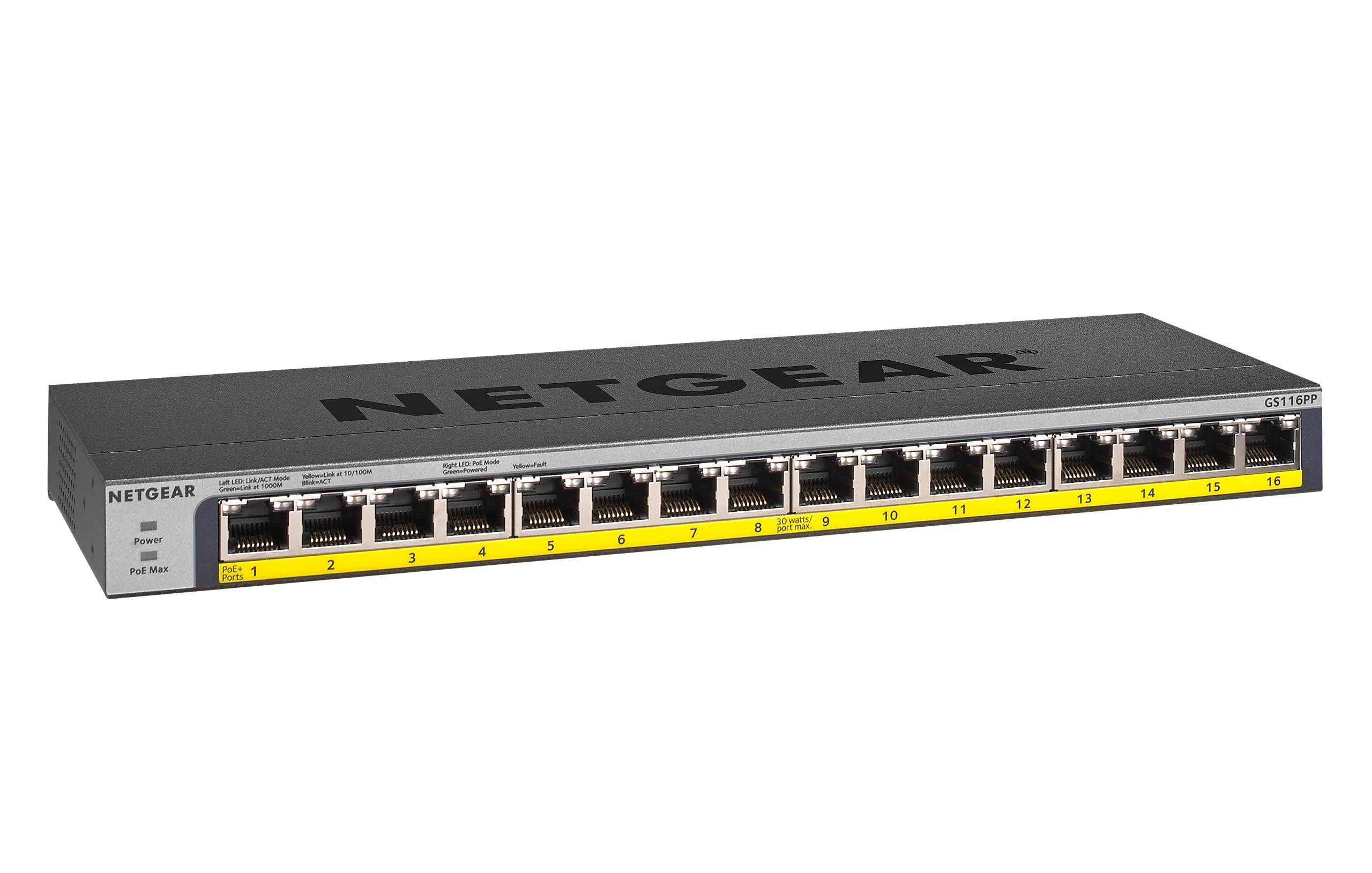
ምስል 1፡ ፊት ለፊት view of the NETGEAR GS116PP Switch.

ምስል 2፡ Close-up of the front panel with 16 Gigabit Ethernet PoE+ ports.

ምስል 3፡ የኋላ view of the NETGEAR GS116PP Switch, showing the power input and ventilation.

ምስል 4፡ Dimensions of the NETGEAR GS116PP Switch (11.3"L x 4"W x 1.1"H).
4. ማዋቀር
4.1 ማሸግ እና አቀማመጥ
Carefully remove the switch and all accessories from the packaging. The GS116PP supports desktop, wall-mount, or rack-mount placement. Ensure adequate ventilation around the device and avoid placing it near heat sources or in enclosed spaces.
4.2 የኃይል ግንኙነት
- Connect the provided external 200W power adapter to the power input port on the rear of the switch.
- Plug the power adapter into a standard electrical outlet. The power LED on the front panel will illuminate, indicating the switch is powered on.
4.3 የአውታረ መረብ ግንኙነት
The GS116PP is an unmanaged switch, offering simple plug-and-play connectivity. No software installation or configuration is required.
- Connect your network router or main network device to any of the 16 Gigabit Ethernet ports on the switch using a standard Ethernet cable.
- Connect your network devices (computers, IP cameras, VoIP phones, wireless access points, etc.) to the remaining ports.
- For PoE-powered devices, simply connect them to any of the 16 PoE+ ports. The switch will automatically detect and provide power to compatible devices.
ቪዲዮ 1 አበቃview of Power over Ethernet (PoE) switching concepts and applications.
5. ማብሪያ / ማጥፊያውን በመሥራት ላይ
5.1 መሠረታዊ አሠራር
The NETGEAR GS116PP operates as a standard unmanaged network switch. It automatically detects the speed and duplex mode of connected devices and adjusts accordingly. Data is forwarded efficiently between connected devices at Gigabit speeds.
5.2 Power over Ethernet (PoE+) Functionality
All 16 ports on the GS116PP support PoE+ (802.3at) and standard PoE (802.3af). This allows you to power compatible devices directly through the Ethernet cable, eliminating the need for separate power adapters and simplifying cable management.
- ጠቅላላ የኃይል በጀት፡- The switch provides a total power budget of 183W across all 16 PoE+ ports.
- Per-Port Power: Each PoE+ port can deliver up to 30W of power to a connected device.
- ራስ-ሰር ማወቂያ፡ The switch automatically detects if a connected device is PoE-compatible and supplies the necessary power. Non-PoE devices can also be connected safely, as the switch will not supply power to them.
ቪዲዮ 2 A brief demonstration of the NETGEAR 16-Port Gigabit Ethernet Unmanaged PoE Switch (GS116PP) and its PoE capabilities.
6. ባህሪያት
- 16 ጊጋቢት ኢተርኔት ወደቦች Provides high-speed wired connections for all your network devices.
- 16 PoE+ Ports with 183W Budget: Powers compatible devices like IP cameras, VoIP phones, and wireless access points directly through the Ethernet cable.
- ተሰኪ-እና-ጨዋታ ማዋቀር፡- No software to install or configuration needed for immediate use.
- ተጣጣፊ የመጫኛ አማራጮች፡- Supports desktop, wall-mount, or rack-mount placement with included hardware.
- ኃይል ቆጣቢ ንድፍ; Compliant with IEEE802.3az for reduced power consumption.
- ጸጥ ያለ አሠራር; Fanless design makes it ideal for noise-sensitive environments.
- ክልላዊ ተኳሃኝነት፡ Made for use in U.S. & CA only.
7. ዝርዝሮች
| ባህሪ | ዝርዝር መግለጫ |
|---|---|
| የሞዴል ቁጥር | GS116PP-100NAS |
| የወደብ ብዛት | 16 Gigabit የኤተርኔት ወደቦች |
| PoE+ ወደቦች | 16 (IEEE 802.3at/af) |
| ጠቅላላ PoE ኃይል በጀት | 183 ዋ |
| የውሂብ ማስተላለፍ ፍጥነት | 1 ጊጋቢት በሰከንድ |
| የምርት ልኬቶች (LxWxH) | 11.3" x 4" x 1.1" (28.7 ሴሜ x 10.16 ሴሜ x 2.79 ሴሜ) |
| የእቃው ክብደት | 1.94 ፓውንድ (0.88 ኪ.ግ) |
| የጉዳይ ቁሳቁስ | ብረት |
| ጥራዝtage | 240 ቮልት |
| የአሠራር ሙቀት | እስከ 130 ዲግሪ ፋራናይት (54.4°ሴ) |
8. ጥገና
To ensure optimal performance and longevity of your NETGEAR GS116PP switch, follow these maintenance guidelines:
- ንጽህናን ይጠብቁ; Regularly clean the exterior of the switch with a soft, dry cloth. Avoid using liquid or aerosol cleaners.
- የአየር ማናፈሻን ማረጋገጥ; Do not block the ventilation openings on the switch. Proper airflow prevents overheating.
- የኬብል አስተዳደር የሲግናል መበላሸትን ለመከላከል የኔትወርክ ኬብሎችን በተደራጀ ሁኔታ ያስቀምጡ እና ከመጠምዘዝ ወይም ከመጠን በላይ መታጠፍ ነፃ ያድርጉ።
- የኃይል ዑደት (አስፈላጊ ከሆነ): If the switch or connected devices are experiencing issues, a simple power cycle (unplugging and replugging the power adapter) can often resolve minor problems.
9. መላ መፈለግ
If you encounter issues with your GS116PP switch, consider the following troubleshooting steps:
- ኃይል የለም፡
- የኃይል አስማሚው ከማብሪያ / ማጥፊያው እና ከሚሰራው የኤሌክትሪክ ሶኬት ጋር ደህንነቱ በተጠበቀ ሁኔታ መገናኘቱን ያረጋግጡ።
- በፊት ፓነል ላይ ያለውን ኃይል LED ያረጋግጡ; መብራት አለበት.
- ምንም የአውታረ መረብ ግንኙነት የለም፡
- Verify that Ethernet cables are securely plugged into both the switch and the connected devices.
- Check the link/activity LEDs on the switch ports; they should be lit or blinking for active connections.
- Ensure your router or upstream network device is functioning correctly.
- የ PoE መሣሪያ እየበራ አይደለም፡-
- Confirm that the connected device is PoE-compatible (IEEE 802.3af or 802.3at).
- Check the PoE status LED for the specific port; it should indicate power delivery.
- Ensure the total power consumption of all connected PoE devices does not exceed the 183W budget. If the budget is exceeded, the switch may prioritize power to certain ports or disable power to others.
- Try connecting the PoE device to a different port.
- ቀርፋፋ የአውታረ መረብ ፍጥነት፡
- ሁሉም የተገናኙ መሳሪያዎች እና ኬብሎች Gigabit Ethernet ን ለተመቻቸ አፈጻጸም መደገፋቸውን ያረጋግጡ።
- Check for faulty cables by testing with known good cables.
- Avoid network loops by ensuring cables are not connected in a way that creates a circular path.
10. ዋስትና እና ድጋፍ
The NETGEAR GS116PP Switch comes with a Lifetime Limited Hardware Warranty. This includes Next Business Day Replacement for eligible hardware failures.
For technical assistance and support, NETGEAR offers 24/7 chat support with a NETGEAR expert. Please refer to the official NETGEAR website or the quick install guide for detailed support contact information and warranty terms.


