መግቢያ
The LAUNCH X431 CRP919X is an advanced automotive diagnostic tool designed for comprehensive vehicle system analysis and maintenance. This device offers a wide range of functions, including ECU coding, bi-directional control, and over 35 reset services, making it suitable for both professional technicians and advanced DIY enthusiasts. It supports a vast array of vehicle models from 1996 to 2025, incorporating modern protocols like CAN FD and DoIP, and providing access to FCA SGW.

በሣጥኑ ውስጥ ያለው
Upon unboxing your LAUNCH X431 CRP919X, verify that all components are present:
- 2025 LAUNCH ELITE CRP919X OBD2 Scanner x 1
- OBD2 Diagnostic Cable x 1
- DC 5V Charging Cable x 1
- US/UK/EU Plug Adapter x 1
- Multilingual Quick Start Guide x 1

ማዋቀር እና የመጀመሪያ አጠቃቀም
- መሣሪያውን መሙላት; Connect the DC 5V Charging Cable to the scanner and a power outlet using the provided adapter. Ensure the device is fully charged before first use.
- አብራ፡ Press and hold the power button to turn on the scanner.
- የWi-Fi ግንኙነት፡- Navigate to the settings menu and connect the device to a stable Wi-Fi network. This is crucial for software updates and online functions.
- የሶፍትዌር ማሻሻያ After connecting to Wi-Fi, check for and install any available software updates to ensure optimal performance and access to the latest features and vehicle coverage.
- ከተሽከርካሪ ጋር መገናኘት; Locate the vehicle's OBD2 port (usually under the dashboard). Connect the OBD2 Diagnostic Cable from the scanner to the vehicle's OBD2 port.
የአሠራር መመሪያዎች
1. ሙሉ የስርዓት ምርመራዎች
The CRP919X provides OE-level full system diagnostics, allowing you to scan all available electronic control units (ECUs) in the vehicle. This includes systems such as Engine, ABS, Airbag, Transmission, TPMS, and more. The tool can read and clear Diagnostic Trouble Codes (DTCs), display live data streams, and access ECU information.
- ራስ-ሰር የቪን ቅኝት፦ This feature automatically identifies the vehicle's VIN (Vehicle Identification Number) for quick and accurate vehicle identification. For older models without Auto VIN capability, manual selection is available.
- ኮዶችን ያንብቡ የአሁኑን፣ በመጠባበቅ ላይ ያሉ እና ዘላቂ የምርመራ ችግር ኮዶችን ያግኙ።
- ኮዶችን አጽዳ፡ Erase DTCs from the vehicle's memory after repairs are completed.
- የቀጥታ የውሂብ ዥረት View real-time data parameters from various sensors and components. The 8-in-1 graphing feature allows for simultaneous display of multiple data streams for detailed analysis.


2. የኢሲዩ ኮድ
The CRP919X supports advanced ECU coding, a feature typically found in professional OEM scanners. This allows for customization and modification of pre-programmed options within the vehicle's ECUs. Functions include:
- Uncovering Hidden Features: Activate features not enabled at the factory.
- Disabling Unwanted Functions: Turn off features like seatbelt reminder chimes or daytime running lights.
- Coding Retrofitted Components: Integrate new components into the vehicle's system.
- Variant Coding (Offline Programming): Program specific variants or options in ECUs.
- Adaptive Data Resets: Reset learned values for various components.
- የክፍሎች ማመሳሰል፡ Match new modules (e.g., ECM, TCM) to the vehicle.
Caution: Always back up the ECU data before performing any coding operations.


3. Bi-directional Control (Active Tests)
This function allows the scanner to send commands to vehicle ECUs to perform specific tests and verify component functionality. This significantly reduces diagnostic time by pinpointing faulty components without disassembly.
Common active tests include:
- የሚለምደዉ Headlamp ማስተካከል
- A/C Configuration
- Window Wipers operation
- Doors and Sunroof operation
- Mirrors and Interior Lights control
- Wheel Heating activation
- Horn Assessment
- ABS Pump Motor activation
- Modulating Throttle
- Injector Buzz Test
- Radiator Fan activation


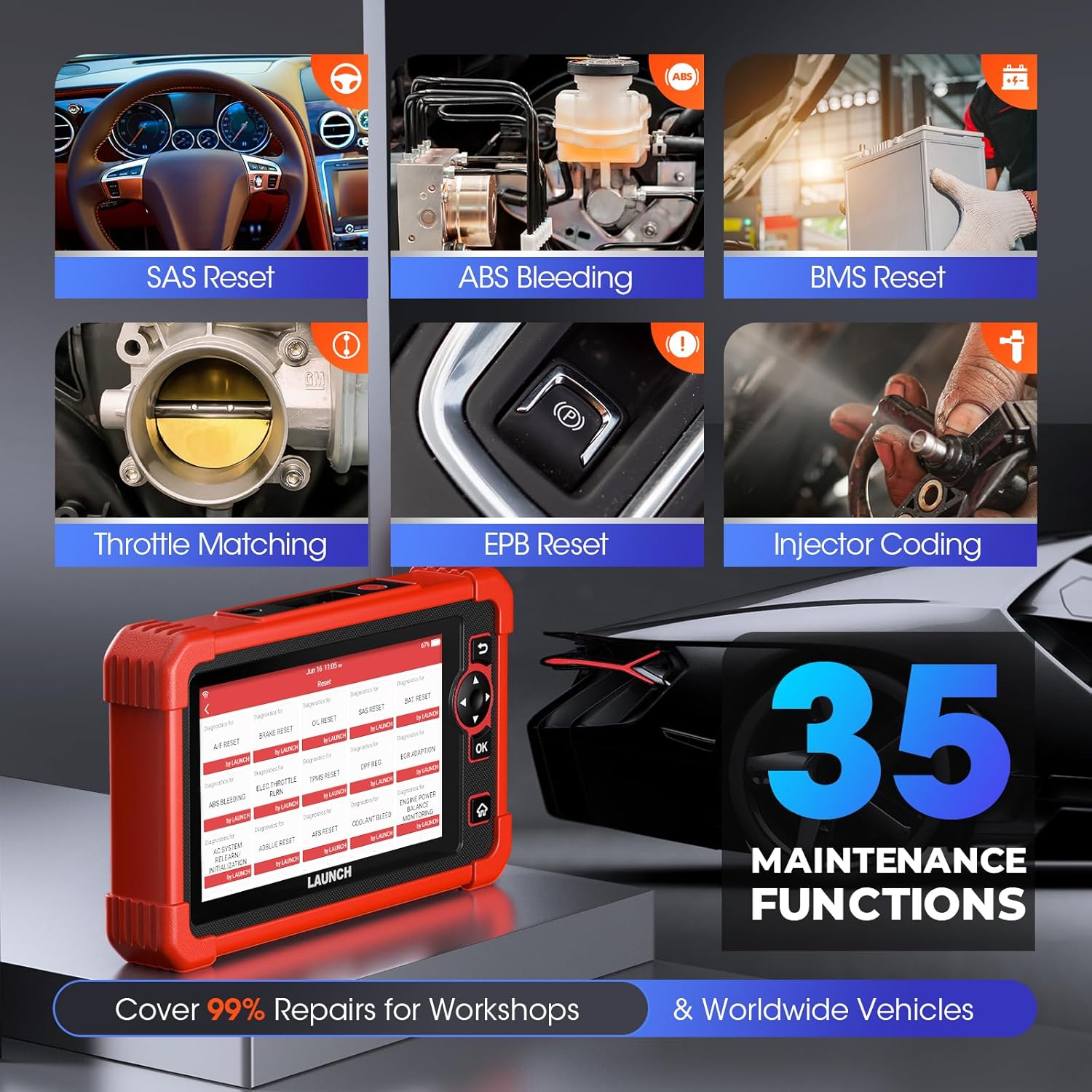
4. Special Functions (35+ Reset Services)
The CRP919X provides access to over 35 commonly used maintenance and reset functions, covering a wide range of vehicle services:
- የዘይት ጥገና ዳግም ማስጀመር
- የ Injector Coding
- EPB (Electronic Park Brake) Reset
- ኤኤስኤስ ደም መፋሰስ
- SAS (የመሪ አንግል ዳሳሽ) መለኪያ
- ስሮትል እንደገና ይማሩ
- የቢኤምኤስ (የባትሪ አስተዳደር ስርዓት) ዳግም ማስጀመር
- የዲፒኤፍ (የዲሴል ቅንጣቢ ማጣሪያ) እንደገና መወለድ
- የኤርባግ ጥገና
- የቲኤምኤስ (የጎማ ግፊት መቆጣጠሪያ ስርዓት) ዳግም ማስጀመር
- Air/Fuel Reset
- የAdBlue ዳግም ማስጀመር
- AFS (Adaptive Front-Lighting System) Reset
- NOX Sensor Reset
- Tire Reset
- የመጓጓዣ ሁነታ
- Air Level Calibration
- የዊንዶውስ መለኪያ
- CCS (Cruise Control System) Calibration
- Seat Occupancy Calibration
- የፀሃይ ጣሪያ ማስጀመር
- AC Initialization
- Crankshaft Position Sensor Adaptive Relearn
- የማርሽ ቦክስ ማዛመድ
- የኃይል ሚዛን
- ከፍተኛ ጥራዝtage Battery Detection
- የቋንቋ ለውጥ
- FRM Reset
- የኢቫፕ ሙከራ
- Seat Standardization
- A/T Code Reset
- VIN Registration (Write)
- የመቆጣጠሪያ ክፍልን ዳግም አስጀምር
- EGR Adaptation (New)
- GPF (Gas Particular Filter) Regeneration (New)
- Cylinder Power Balance Test (New)

5. Advanced Protocol Support
- የCAN FD: Supports GM models from 2019 and later, eliminating the need for separate CAN FD adapters and offering 6X faster data transfer rates.
- ዶአይፒ፡ Integrates with BMW (F&G chassis), Volvo (2018+), Land Rover, and Jaguar (2017+) models, enabling higher data rates via UDS over TCP/IP and Ethernet.
- FCA AutoAuth SGW፡ Provides access to FCA vehicles (Chrysler, Jeep, Dodge, Fiat, etc.) produced after 2017 for code clearance, bi-directional control, and special functions. Note: An AutoAuth account must be procured independently.

6. Extended Modules (Optional)
The CRP919X can be expanded with optional modules for enhanced diagnostic capabilities:
- Battery Tester (BST360): For efficient battery and electrical system health assessments.
- TPMS (X431 TSGUN): For sensor activation, programming, and relearning.
Note: These add-on tools (BST360/X431 TSGUN) are available for separate purchase.
7. Diagnostic Report Sharing & Printing
Upon completion of a scan, the CRP919X generates a comprehensive diagnostic report in PDF format. This report can be easily shared via email or printed, facilitating communication between mechanics and clients.

ጥገና
- የሶፍትዌር ማሻሻያ Regularly connect the device to Wi-Fi and check for software updates. These updates provide new features, expanded vehicle coverage, and performance improvements.
- ማጽዳት፡ ለስላሳ ይጠቀሙ, መamp cloth to clean the device. Avoid abrasive cleaners or solvents.
- ማከማቻ፡ ስካነሩን ቀዝቃዛና ደረቅ ቦታ ላይ ያስቀምጡት፣ ከፀሐይ ብርሃን እና ከፍተኛ የሙቀት መጠን ራቅ ያድርጉት።
- የባትሪ እንክብካቤ ለተሻለ የባትሪ ዕድሜ፣ ባትሪውን ሙሉ በሙሉ ደጋግመው ከማላቀቅ ይቆጠቡ። መሳሪያውን በየጊዜው ቻርጅ ያድርጉ፣ በተለይም ለረጅም ጊዜ የሚከማች ከሆነ።
መላ መፈለግ
This section addresses common issues you might encounter with your LAUNCH X431 CRP919X.
| ችግር | ሊሆን የሚችል ምክንያት | መፍትሄ |
|---|---|---|
| መሣሪያው አይበራም። | Low battery; Power button not held long enough; Device malfunction. | Charge the device for at least 30 minutes. Press and hold the power button for 3-5 seconds. If issue persists, contact customer support. |
| ከተሽከርካሪው ጋር መገናኘት አልተቻለም። | OBD2 cable not securely connected; Vehicle ignition off; Vehicle not supported; Faulty OBD2 port. | Ensure cable is firmly connected. Turn vehicle ignition to ON position (engine off). Verify vehicle compatibility. Test with another vehicle if possible. |
| የሶፍትዌር ዝማኔ አልተሳካም። | Unstable Wi-Fi connection; Insufficient storage; Server issues. | Ensure strong Wi-Fi signal. Clear some data/apps if storage is low. Try updating again later. |
| Specific function not working (e.g., ECU Coding). | Vehicle not supported for that function; Software not updated; Incorrect procedure. | Verify vehicle compatibility for the specific function. Ensure software is up to date. Refer to the on-screen instructions or contact support for detailed procedures. |
For issues not listed here or if solutions do not resolve the problem, please refer to the support section.
ዝርዝሮች
| ባህሪ | ዝርዝር |
|---|---|
| የምርት ስም | አስጀምር |
| ሞዴል | LAUNCH CRP919X |
| ስርዓተ ክወና | አንድሮይድ 10.0 |
| የማሳያ ጥራት | 1024x600 |
| የእቃው ክብደት | 6.27 ፓውንድ |
| የምርት ልኬቶች | 12.8 x 11.14 x 5.31 ኢንች |
| የባትሪ አቅም | 6100mAh (approx. 12 hours continuous operation) |
| ራም | 4 ጊባ |
| ROM | 64 ጊባ |
| ግንኙነት | Dual 2.4G & 5GHz WiFi, 5G WiFi communication |
| የሚደገፉ ፕሮቶኮሎች | CAN FD, DoIP, OBD2 (all 10 modes) |
| የተሽከርካሪ ሽፋን | 150+ brands, 100,000+ models (1996-2025) |
ዋስትና እና ድጋፍ
LAUNCH is committed to providing high-quality products and excellent customer service.
- ነፃ ዝማኔዎች፡ Benefit from 2 years of free software updates from the date of purchase (since September 2022).
- Quality Undertaking: The product comes with a 5-Year Quality Undertaking.
- Return & Replacement: A 60-Day Return & Replacement policy is available.
- Post-sale Service: 24/7 post-sale service is provided.
- የመስመር ላይ ግብረመልስ፦ You can submit diagnostic queries online to LAUNCH for expert analysis and troubleshooting.
- የርቀት እርዳታ፡ The device supports remote assistance via TeamViewer for swift issue resolution.
For further assistance, please refer to the official LAUNCH support channels or the contact information provided in your quick start guide.


