መግቢያ
This user manual provides comprehensive instructions for the setup, operation, maintenance, and troubleshooting of your Alienware M15 Gaming Laptop. Please read this manual thoroughly to ensure optimal performance and longevity of your device. For additional support, refer to the official Alienware support resources.
ምርት አልቋልview
ቁልፍ ባህሪያት
- 8th Generation Intel Core i7-8750H (6-Core, 9MB Cache, up to 4.1GHz w/ Turbo Boost)
- 15.6" FHD (1920 x 1080) 60Hz Anti-glare IPS, 300-nits 72% Color gamut, narrow-border Display
- 16GB, 2x8GB, DDR4, 2666MHz RAM
- 128GB PCIe M.2 SSD + 1TB (+8GB SSHD) Hybrid Drive
- Nvidia GeForce GTX 1060 with 6GB GDDR5 Graphics Card
- ዊንዶውስ 10 የቤት ውስጥ ኦፕሬቲንግ ሲስተም
የአካል ክፍሎች

ምስል 1፡ ፊት ለፊት view of the Alienware M15 laptop, showcasing the display with the Alienware logo.

ምስል 2፡ ከላይ ወደታች view of the open Alienware M15 laptop, highlighting the keyboard layout and touchpad.

ምስል 3፡ በግራ በኩል view of the Alienware M15 laptop, showing various ports such as USB 3.0.
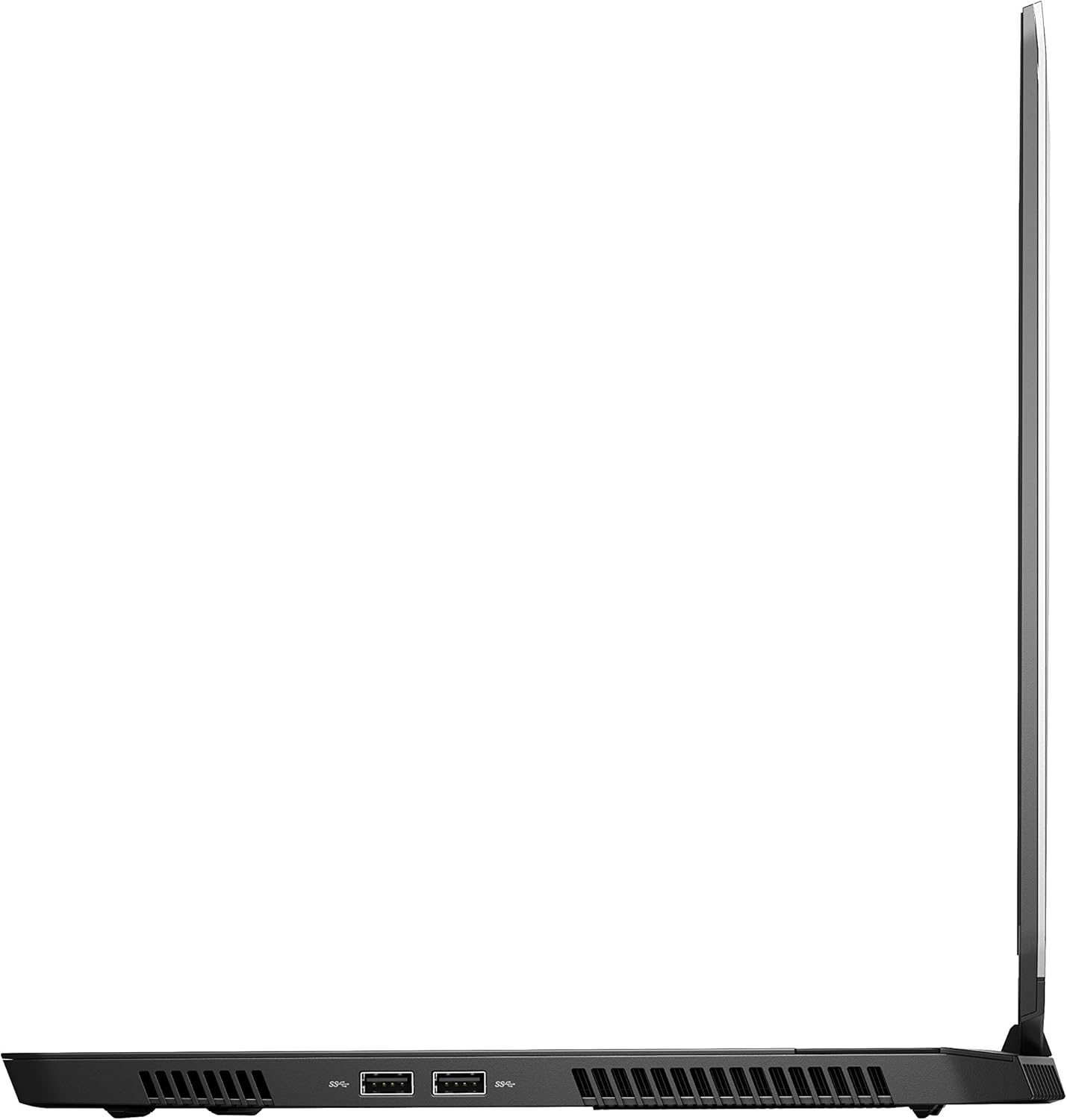
ምስል 4፡ የቀኝ ጎን view of the Alienware M15 laptop, displaying additional ports and ventilation.

ምስል 5፡ ፈነዳ view illustrating the internal cooling system of the Alienware M15 laptop, including fans and heat sinks.
ማዋቀር
ማሸግ
ሁሉንም ንጥረ ነገሮች ከማሸጊያው ውስጥ በጥንቃቄ ያስወግዱ. የሚከተሉት እቃዎች መኖራቸውን ያረጋግጡ:
- Alienware M15 Gaming Laptop
- የኃይል ገመድ
- 180 ዋ የኃይል አስማሚ
የመጀመሪያ ኃይል-በ
- የኃይል አስማሚውን ከላፕቶፑ የኃይል ግብዓት ወደብ ጋር ያገናኙ።
- የኃይል ገመዱን ወደ ግድግዳ መውጫ ይሰኩት.
- Open the laptop lid and press the power button, typically located on the top right of the keyboard deck or a dedicated button on the chassis.
- የዊንዶውስ 10 መነሻ ማዋቀር ሂደትን ለማጠናቀቅ የማያ ገጽ ላይ መመሪያዎችን ይከተሉ፣ የቋንቋ ምርጫን፣ የአውታረ መረብ ግንኙነትን እና የተጠቃሚ መለያ መፍጠርን ጨምሮ።
የአሠራር መመሪያዎች
መሰረታዊ ኦፕሬሽን
Your Alienware M15 laptop runs on Windows 10 Home. Familiarize yourself with the operating system's interface. The keyboard features customizable backlighting via Alienware's software. The touchpad supports multi-touch gestures for navigation.
የጨዋታ አፈጻጸም
The Alienware M15 is designed for high-performance gaming. For optimal gaming experience, ensure the laptop is connected to the power adapter. This allows the system to utilize its full power capabilities for the CPU and GPU. While gaming, the laptop may generate significant heat; this is normal for high-performance hardware. Consider using a cooling pad for extended gaming sessions to enhance thermal management.
ጥገና
ማጽዳት
- ስክሪን፡ ለስላሳ፣ ከቆሸሸ ነፃ የሆነ ጨርቅ በትንሹ ተጠቀምampበውሃ ወይም በስክሪን ማጽጃ የታሸገ። ኃይለኛ ኬሚካሎችን ያስወግዱ.
- የቁልፍ ሰሌዳ እና ቻሲስ; Use a soft brush or compressed air to remove dust from keys and vents. Wipe surfaces with a microfiber cloth.
- ወደቦች፡ Use compressed air to clear dust from USB, HDMI, and other ports.
የሶፍትዌር ዝማኔዎች
Regularly update your Windows operating system, graphics drivers (NVIDIA GeForce), and Alienware software. Updates often include performance improvements, security patches, and bug fixes. Access Windows updates through Settings > Update & Security. Graphics drivers can be updated via the NVIDIA GeForce Experience application.
የባትሪ እንክብካቤ
To maximize battery lifespan, avoid consistently discharging the battery completely. For prolonged use while plugged in, consider using battery management features (if available in Alienware Command Center) to limit charging to 80-90% capacity.
መላ መፈለግ
This section addresses common issues you might encounter with your Alienware M15 laptop.
| ችግር | ሊሆን የሚችል ምክንያት / መፍትሄ |
|---|---|
| Laptop gets excessively hot during use. | High-performance components generate heat. Ensure ventilation vents are clear. Use a cooling pad. Update graphics drivers. |
| "No media present" error or SSD/HDD not detected. | This can sometimes be a temporary software glitch. Try restarting the laptop. If persistent, ensure the power cable is securely connected and try a hard reboot (unplug power, hold power button for 15 seconds, then reconnect and power on). If the issue persists, contact support. |
| Wi-Fi connection drops frequently. | Ensure Wi-Fi drivers are up to date. Check for interference from other devices. Restart your router and the laptop. If the issue persists, consider reinstalling Wi-Fi drivers or contacting support. |
| System performance is slow or lagging. | Ensure the laptop is plugged into power for full performance. Close unnecessary background applications. Check for malware. Ensure sufficient free space on the SSD/HDD. |
ዝርዝሮች
Detailed technical specifications for the Alienware M15 Gaming Laptop (Model: AWM15-7830SLV-PUS).
| ባህሪ | ዝርዝር |
|---|---|
| የማያ ገጽ ማሳያ መጠን | 15.6 ኢንች |
| የማያ ጥራት | 1920 x 1080 ፒክስል |
| ከፍተኛው ማያ ገጽ ጥራት | 1920x1080 ፒክስል |
| ፕሮሰሰር | 4.1 GHz core_i7_8750h |
| ራም | 16 ጊባ DDR4 |
| የማህደረ ትውስታ ፍጥነት | 2666 ሜኸ |
| ሃርድ ድራይቭ | 1000 GB 128GB PCIe M.2 SSD + 1TB (+8GB SSHD) Hybrid Drive |
| ግራፊክስ ኮፕሮሰሰር | NVIDIA GeForce GTX 1060 |
| ቺፕሴት ብራንድ። | NVIDIA |
| የካርድ መግለጫ | የተሰጠ |
| ግራፊክስ ካርድ ራም መጠን | 6 ጊባ |
| የገመድ አልባ አይነት | 802.11a/b/g/n |
| የዩኤስቢ 3.0 ወደቦች ብዛት | 3 |
| የምርት ስም | Alienware |
| ተከታታይ | AWm15-7830SLV-PUS |
| የንጥል ሞዴል ቁጥር | AWM15-7830SLV-PUS |
| ስርዓተ ክወና | ዊንዶውስ 10 መነሻ |
| የእቃው ክብደት | 4.8 ፓውንድ |
| የምርት ልኬቶች | 10.8 x 14.3 x 0.8 ኢንች |
| ቀለም | ጥቁር |
| ፕሮሰሰር ብራንድ | ኢንቴል |
| የአቀነባባሪዎች ብዛት | 6 |
| የኮምፒውተር ማህደረ ትውስታ አይነት | DDR4 SDRAM |
| የፍላሽ ማህደረ ትውስታ መጠን | 16 |
| የሃርድ ድራይቭ በይነገጽ | ጠንካራ ግዛት |
| የሃርድ ድራይቭ የማሽከርከር ፍጥነት | 5400 ራፒኤም |
| የኦፕቲካል ድራይቭ ዓይነት | የኦፕቲካል ድራይቭ የለም |
| ጥራዝtage | 240 ቮልት |
| ባትሪዎች | 1 ሊቲየም ሜታል ባትሪዎች ያስፈልጋሉ። (ተካቷል) |
| የመጀመሪያ ቀን ይገኛል። | ጥር 5 ቀን 2019 |
| የሞዴል ስም | AWm15-7830SLV-PUS |
| የስክሪን መጠን | 15.6 ኢንች |
| የሃርድ ዲስክ መጠን | 1000 ጊባ |
| የሲፒዩ ሞዴል | ኮር i7 8750H |
| ራም ማህደረ ትውስታ የተጫነ መጠን | 16 ጊባ |
| ልዩ ባህሪ | ፀረ-ግላር ሽፋን |
ዋስትና እና ድጋፍ
For detailed warranty information, please refer to the documentation included with your purchase or visit the official Alienware support website. For technical assistance, driver downloads, and further resources, please visit the Alienware support portal.
ይፋዊ የተጠቃሚ መመሪያ (ፒዲኤፍ) ለማውረድም አለ፡- የተጠቃሚ መመሪያ ፒዲኤፍ ያውርዱ


