1. መግቢያ
This manual provides detailed instructions for the setup, operation, and maintenance of your One For All URC4811 Universal Replacement Learning Remote Control. This remote is designed to be compatible with all LG Televisions, including LCD, LED, OLED, and Plasma models, offering a seamless replacement for your original LG remote.
2. ምርት አብቅቷልview
The One For All URC4811 remote control is engineered for ease of use and broad compatibility with LG televisions. Key features include:
- ቀጥተኛ ተኳሃኝነት፦ Functions like your original LG television remote. For most LG TVs, no setup is required; simply insert batteries and it is ready to use.
- Learning Feature: Allows customization of the remote to your specific needs by copying functions from your original remote.
- የመተግበሪያ አቋራጭ ቁልፎች፡- Provides direct access to your favorite streaming services.
- የቁልፎች ብዛት፡- 50.
- የርቀት መቆጣጠሪያ ቴክኖሎጂ; Infrared (IR).
የምርት ምስሎች


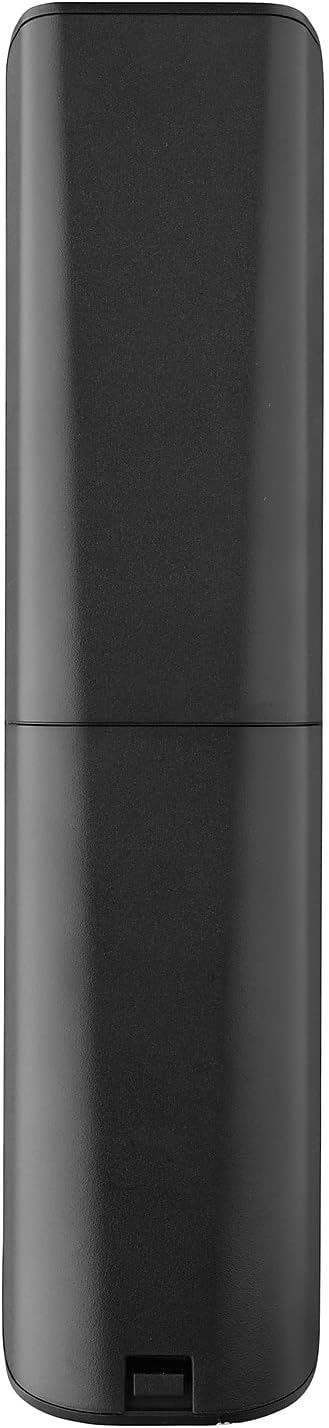


3. ማዋቀር
3.1. የባትሪ ጭነት
The remote requires 2 AAA batteries (not included). To install the batteries:
- Remove the battery compartment cover located on the back of the remote.
- Insert 2 AAA batteries, ensuring correct polarity (+ and - terminals).
- ደህንነቱ በተጠበቀ ሁኔታ ወደ ቦታው ጠቅ እስኪያደርግ ድረስ የባትሪውን ክፍል ሽፋን ይተኩ።
3.2. Initial Pairing / Codeless Setup
For most LG Televisions, the One For All URC4811 remote control is ready to use immediately after battery installation, requiring no additional setup. Simply point the remote at your LG TV and begin using it. If your TV does not respond, refer to the 'Learning Feature' section for advanced setup options.
4. የአሠራር መመሪያዎች
4.1. መሰረታዊ ተግባራት
The remote provides all standard functions of an LG TV remote, including:
- ማብራት/ማጥፋት፡ Use the dedicated power button to turn your TV on or off.
- የድምጽ መቆጣጠሪያ፡- Adjust volume up or down using the +/- buttons.
- የሰርጥ ዳሰሳ፡- Change channels using the CH +/- buttons or direct number input.
- የመተግበሪያ አቋራጮች የወሰኑ አዝራሮች ለታዋቂ የዥረት አገልግሎቶች ፈጣን መዳረሻ ይሰጣሉ።
4.2. የመማሪያ ባህሪ
The learning feature allows you to copy specific functions from your original LG remote control to your One For All URC4811 remote. This is useful if a particular function is not pre-programmed or if you prefer a custom button layout. Refer to the Quick Setup Guide included with your remote for detailed steps on using the learning feature.
4.3. ይፋዊ የምርት ቪዲዮ
5. ጥገና
የርቀት መቆጣጠሪያዎ ረጅም ዕድሜ እና ጥሩ አፈጻጸም ለማረጋገጥ፡
- ማጽዳት፡ የርቀት መቆጣጠሪያውን ለስላሳና ደረቅ ጨርቅ ይጥረጉ። ፈሳሽ ማጽጃዎችን ወይም የማጽጃ ቁሳቁሶችን ከመጠቀም ይቆጠቡ።
- የባትሪ እንክብካቤ Replace batteries when the remote's performance degrades. Remove batteries if the remote will not be used for an extended period to prevent leakage.
- ማከማቻ፡ የርቀት መቆጣጠሪያውን በቀጥታ ከፀሀይ ብርሀን እና ከከፍተኛ ሙቀት ርቆ በቀዝቃዛና ደረቅ ቦታ ያከማቹ።
6. መላ መፈለግ
If you encounter issues with your remote control, try the following steps:
- የርቀት ምላሽ የማይሰጥ፡ ባትሪዎቹ በትክክል መግባታቸውን እና በቂ ክፍያ እንዳላቸው ያረጋግጡ። አስፈላጊ ከሆነ ይተኩዋቸው.
- የእይታ መስመር፡ በርቀት መቆጣጠሪያው እና በቴሌቪዥኑ IR መቀበያ መካከል ምንም እንቅፋት አለመኖሩን ያረጋግጡ።
- የማይሰሩ የተወሰኑ ተግባራት፡ Use the learning feature to re-program the affected buttons from your original LG remote.
- TV Not Responding After Battery Change: For some LG models, the remote may require re-pairing or a quick setup process after battery replacement. Refer to the Quick Setup Guide.
7. ዝርዝሮች
| ባህሪ | ዝርዝር መግለጫ |
|---|---|
| የምርት ልኬቶች | 8.03 x 2.01 x 0.94 ኢንች |
| የእቃው ክብደት | 2.72 አውንስ |
| የንጥል ሞዴል ቁጥር | URC4811 |
| ባትሪዎች ያስፈልጋሉ። | 2 AAA ባትሪዎች (አልተካተተም) |
| የምርት ስም | አንድ ለሁሉም |
| ልዩ ባህሪ | ሁለንተናዊ፣ የመማር ተግባር |
| ቀለም | ጥቁር |
| የሚደገፉ መሳሪያዎች ከፍተኛ ቁጥር | 1 (specifically for LG TVs) |
| ተስማሚ መሣሪያዎች | LG Televisions (LCD, LED, OLED, Plasma) |
8. ዋስትና እና ድጋፍ
For warranty information and technical support, please refer to the documentation included with your product or visit the official One For All webጣቢያ. ለማንኛውም የዋስትና የይገባኛል ጥያቄዎች የግዢ ደረሰኝዎን እንደ ግዢ ማረጋገጫ ያቆዩት።


