1. በላይview
The Rollei Compactline Pocket Digital Camera is designed for ease of use and portability, allowing you to capture high-quality photos and videos on the go. Featuring a 50-megapixel sensor and 16x digital zoom, it delivers clear and vibrant images. Its compact design makes it an ideal companion for travel and everyday moments, ensuring you are always ready to capture memories in 2.7K video resolution.
2. በሳጥኑ ውስጥ ያለው
Carefully unpack your Rollei Compactline Pocket Digital Camera and ensure all items are present. If any items are missing or damaged, please contact customer support.
- Rollei Compactline Pocket Camera
- ሊቲየም-አዮን ባትሪ
- የእጅ አንጓ
- የ USB-C ገመድ
- የተሸከመ ቦርሳ
- የተጠቃሚ መመሪያ

Image: Contents of the Rollei Compactline Pocket package, including the camera, battery, USB-C cable, wrist strap, and carrying pouch.
3. የካሜራ ክፍሎች እና መቆጣጠሪያዎች
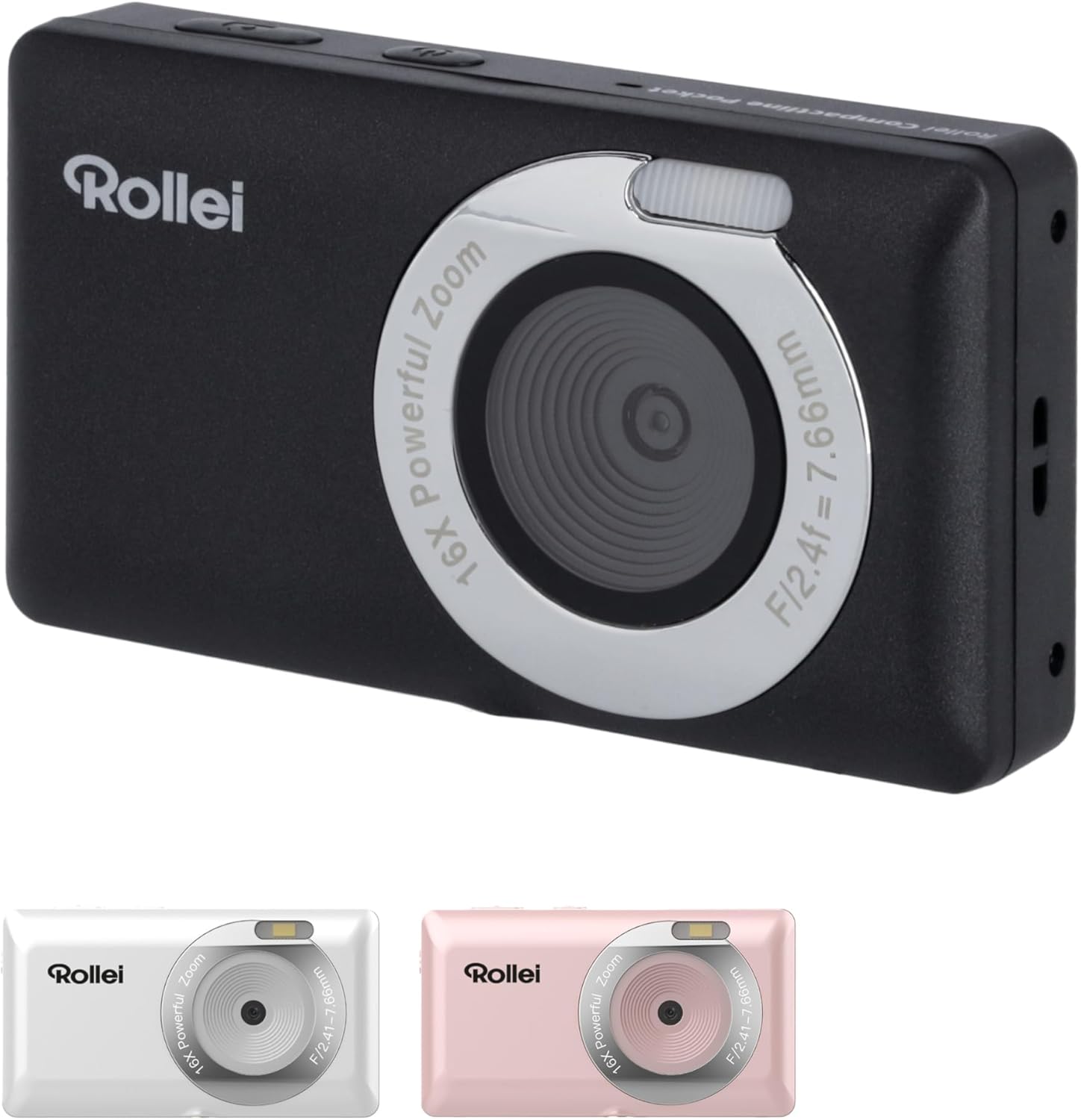
ፊት ለፊት View

ምስል፡ ፊት ለፊት view of the Rollei Compactline Pocket camera, showing the lens, flash, and Rollei branding.
- መነፅር ምስሎችን እና ቪዲዮዎችን ይይዛል።
- ብልጭታ፡- በዝቅተኛ ብርሃን ሁኔታዎች ውስጥ ብርሃን ይሰጣል.
- ማይክሮፎን ቪዲዮ በሚቀረጽበት ጊዜ ድምጽ ይቀርፃል።
የኋላ View
ምስል: የኋላ view of the Rollei Compactline Pocket camera, displaying the 2.4-inch IPS screen and control buttons.
- ባለ 2.4 ኢንች አይፒኤስ ማሳያ; ለ viewing live images, playback, and menu navigation.
- የኃይል ቁልፍ፡- ካሜራውን ያበራል ወይም ያጠፋል።
- የመዝጊያ ቁልፍ፡- ፎቶዎችን ያነሳል ወይም የቪዲዮ ቀረጻ ይጀምራል/ያቆማል።
- የማጉላት አዝራሮች (W/T): Controls digital zoom (Wide/Telephoto).
- Directional Pad (Up/Down/Left/Right) with OK Button: ምናሌዎችን ይዳስሳል እና ምርጫዎችን ያረጋግጣል።
- የምናሌ አዝራር፡- የካሜራ ቅንብሮችን ይደርሳል።
- DISP አዝራር፡- የማሳያ መረጃን ይለውጣል.
- የመልሶ ማጫወት አዝራር፡- ወደ መልሶ ማጫወት ሁነታ ይገባል view ፎቶዎች እና ቪዲዮዎች.
4. ማዋቀር
4.1. የባትሪ ጭነት
- የባትሪውን ክፍል በካሜራው ግርጌ ላይ ያግኙት።
- ሽፋኑን ለመክፈት መከለያውን ያንሸራትቱ።
- Insert the Lithium-ion battery according to the polarity indicators (+/-).
- የባትሪውን ክፍል ክዳን ደህንነቱ በተጠበቀ ሁኔታ እስኪጫን ድረስ ይዝጉ።
4.2. የማህደረ ትውስታ ካርድ ጭነት
ፎቶዎችን እና ቪዲዮዎችን ለማከማቸት የማይክሮ ኤስዲ ካርድ (ያልተካተተ) ያስፈልጋል።
- የባትሪውን ክፍል ክዳን ይክፈቱ.
- የማይክሮ ኤስዲ ካርድ ማስገቢያውን ያግኙ።
- Insert the microSD card with the metal contacts facing down until it clicks into place.
- የባትሪውን ክፍል ሽፋን ይዝጉ.
4.3. ባትሪውን በመሙላት ላይ
- Connect the small end of the USB-C cable to the camera's USB-C port.
- Connect the large end of the USB-C cable to a USB power adapter (not included) or a computer's USB port.
- የኃይል መሙያ አመልካች መብራቱ ይበራል። ኃይል መሙላት ሲጠናቀቅ ይጠፋል ወይም ቀለሙን ይለውጣል።
5. ካሜራውን መስራት
5.1. ማብራት / ማጥፋት
- ለማብራት፡- ማያ ገጹ እስኪበራ ድረስ የኃይል አዝራሩን ተጭነው ይያዙት።
- ለማጥፋት፡- ማያ ገጹ እስኪጠፋ ድረስ የኃይል አዝራሩን ተጭነው ይቆዩ።
5.2. ፎቶዎችን ማንሳት
- ካሜራውን ያብሩ። በተለምዶ በፎቶ ሁነታ ይጀምራል።
- ባለ 2.4-ኢንች አይፒኤስ ማሳያን በመጠቀም ሾትህን ፍሬም አድርግ።
- Press the Shutter button halfway down to focus. The focus indicator will confirm when focus is achieved.
- Press the Shutter button fully down to capture the photo.
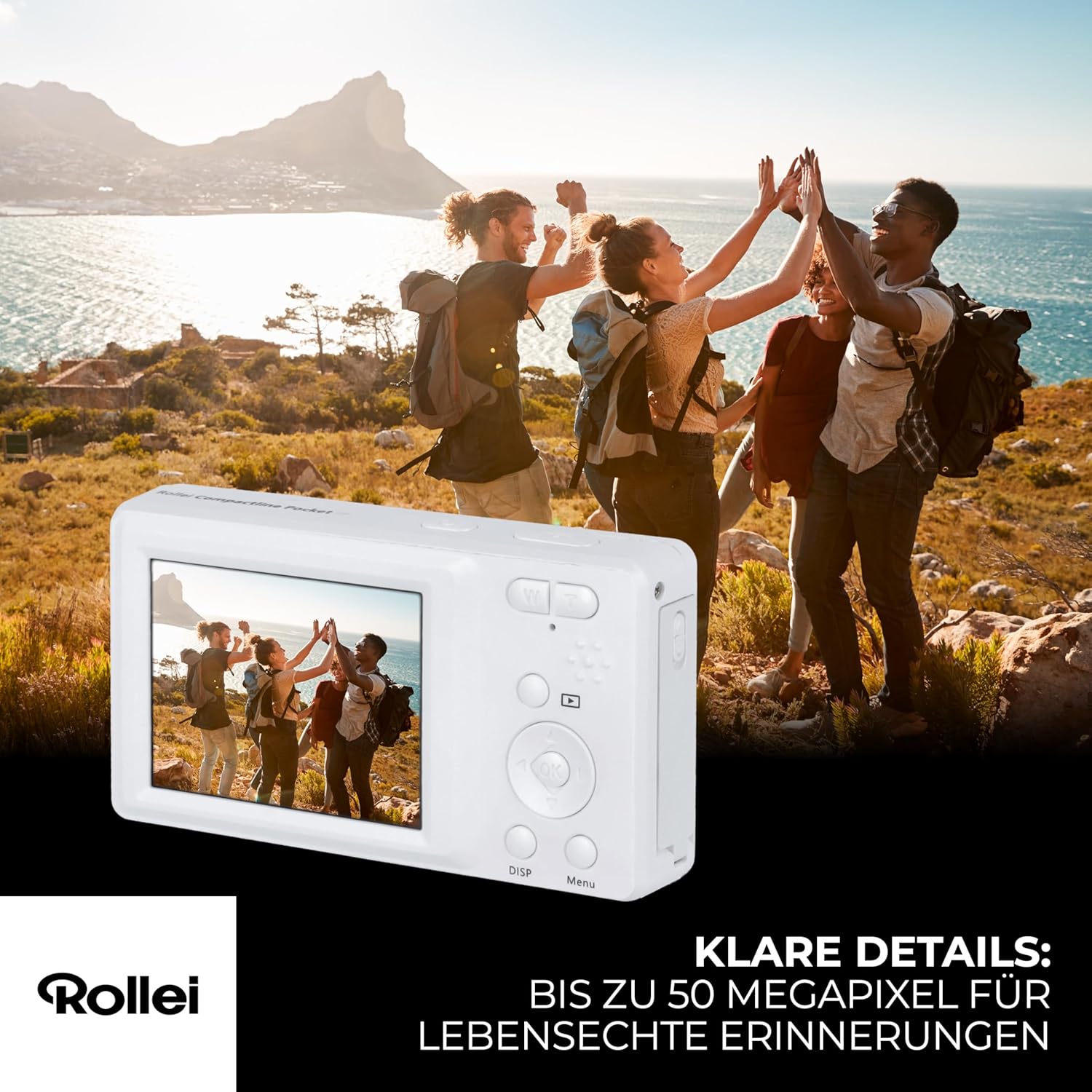
Image: A person holding the Rollei Compactline Pocket camera, demonstrating how to frame a shot for photography.
5.3. ቪዲዮዎችን መቅዳት
- ካሜራውን ያብሩ።
- Switch to video mode (refer to the camera's on-screen menu or a dedicated button if available).
- Frame your video.
- መቅዳት ለመጀመር የመዝጊያ አዝራሩን ይጫኑ። ሰዓት ቆጣሪ ወይም አመልካች በማያ ገጹ ላይ ይታያል።
- መቅረጽን ለማቆም የ Shutter ቁልፍን እንደገና ይጫኑ።

Image: The Rollei Compactline Pocket camera's screen showing a vibrant video scene of people enjoying a beach, illustrating video recording capability.
5.4. መልሶ ማጫወት
- የመልሶ ማጫወት ሁነታን ለማስገባት የመልሶ ማጫወት አዝራሩን ይጫኑ።
- Use the Left/Right directional buttons to navigate through your photos and videos.
- ለማድረግ እሺ የሚለውን ቁልፍ ተጫን view ቪዲዮ ወይም ፎቶን ማጉላት።
- Press the Playback button again to exit playback mode.
5.5. የምናሌ ዳሰሳ
- Press the Menu button to access camera settings.
- Use the Up/Down directional buttons to scroll through menu options.
- Use the Left/Right directional buttons to change settings within an option.
- ምርጫን ለማረጋገጥ እሺ የሚለውን ቁልፍ ተጫን።
- ከምናሌው ለመውጣት የሜኑ አዝራሩን እንደገና ይጫኑ።
5.6. ከኮምፒዩተር ጋር መገናኘት
- ካሜራው መጥፋቱን ያረጋግጡ።
- Connect the camera to your computer using the provided USB-C cable.
- ካሜራውን ያብሩት። በኮምፒውተርዎ ላይ እንደ ተነቃይ ዲስክ ድራይቭ መታየት አለበት።
- አሁን ፎቶዎችን እና ቪዲዮዎችን ወደ ኮምፒውተርዎ ማስተላለፍ ይችላሉ።
6. ጥገና
- ሌንስን ማጽዳት; ለካሜራ ሌንሶች በተለይ የተነደፈ ለስላሳ፣ ከላጣ ነፃ የሆነ ጨርቅ ይጠቀሙ። ጠንከር ያሉ ኬሚካሎችን አይጠቀሙ።
- ሰውነትን ማጽዳት; የካሜራውን አካል ለስላሳ እና ደረቅ ጨርቅ ይጥረጉ። ለግትር ቆሻሻ፣ በትንሹ መampጨርቁን በውሃ.
- ማከማቻ፡ ካሜራውን ከቀጥታ የፀሐይ ብርሃን እና ከፍተኛ የሙቀት መጠን ራቅ ባለ ቀዝቃዛና ደረቅ ቦታ ያስቀምጡ። ለረጅም ጊዜ ከተከማቸ ባትሪውን ያውጡት።
- የውሃ መቋቋም; ይህ ካሜራ ውሃ የማያሳልፍ አይደለም። ለውሃ ወይም ለከፍተኛ እርጥበት መጋለጥን ያስወግዱ።
7. መላ መፈለግ
Camera Will Not Turn On
- ባትሪው በትክክል መግባቱን እና ሙሉ በሙሉ መሙላቱን ያረጋግጡ።
- ባትሪውን ቢያንስ ለ30 ደቂቃዎች ለመሙላት ይሞክሩ።
ደካማ የምስል ጥራት
- ሌንሱ ንፁህ እና ከቆሻሻ ወይም ከአቧራ የጸዳ መሆኑን ያረጋግጡ።
- Ensure there is adequate lighting for your shot.
- Avoid excessive digital zoom, which can reduce image clarity.
የማህደረ ትውስታ ካርድ ስህተት
- የማህደረ ትውስታ ካርዱ በትክክል መጫኑን ያረጋግጡ።
- የማህደረ ትውስታ ካርዱን ቅርጸት ለመስራት ይሞክሩ (ይህ ሁሉንም መረጃዎች ያጠፋል፣ ስለዚህ መጀመሪያ ምትኬ ያስቀምጡ)።
- Test with a different, compatible microSD card.
ባትሪ እየሞላ አይደለም።
- Verify the USB-C cable is securely connected to both the camera and the power source.
- Try using a different USB power adapter or computer USB port.
- Ensure the battery is not damaged.
8. ዝርዝሮች
| ባህሪ | ዝርዝር መግለጫ |
|---|---|
| የምርት ስም | ሮሌይ |
| የሞዴል ስም | የታመቀ ኪስ |
| የሞዴል ቁጥር | 10858 |
| ውጤታማ አሁንም ጥራት | 52 ሜጋፒክስል |
| የቪዲዮ ጥራት | 2160 ፒ (2.7ኬ) |
| ዲጂታል ማጉላት | 16x |
| የጨረር ማጉላት | 1x (ቋሚ ሌንስ) |
| ማሳያ | 2.4 ኢንች አይፒኤስ ማያ ገጽ |
| Aperture | F2.8 |
| የትኩረት ርዝመት | 16 ሚሜ |
| የ ISO ክልል | 100 ወደ 6400 |
| ምስል ማረጋጊያ | አዎ |
| የባትሪ ዓይነት | ሊቲየም-አዮን |
| ግንኙነት | ዩኤስቢ |
| የእቃው ክብደት | 100 ግራም |
| የምርት ልኬቶች (L x W x H) | 11 x 9 x 7 ሴ.ሜ |
| የውሃ መቋቋም ደረጃ | የውሃ መከላከያ አይደለም |
9. ዋስትና እና ድጋፍ
የዋስትና መረጃ
The Rollei Compactline Pocket Digital Camera comes with a 24-Month Exchange Guarantee ከተገዛበት ቀን ጀምሮ. ለዋስትና ጥያቄዎች እባክዎ የግዢ ማረጋገጫዎን ያቆዩ።
የደንበኛ ድጋፍ
Our experts are available to assist you with any questions or issues you may encounter.
- የስልክ ድጋፍ፡ +49 40 270 750 277
- የስራ ሰዓታት፡- ከሰኞ እስከ አርብ፣ ከጠዋቱ 10:00 እስከ ምሽቱ 4:00 (CET)


