መግቢያ
This manual provides detailed instructions for setting up, operating, maintaining, and troubleshooting your Alienware Low-Profile RGB Gaming Keyboard AW510K. Designed for performance, this full-featured gaming keyboard offers programmable keys, dedicated volume control, and customizable AlienFX RGB lighting.
የምርት ባህሪያት
- Cherry MX Low Profile Red Switches: Experience linear switching characteristics, low actuation force, and shorter travel for quick and smooth key presses.
- AlienFX Per-Key RGB LED Color Backlighting: Customize lighting with 16.8 million colors via Alienware Command Center.
- Fully Programmable Keys & Macros: Assign macros and custom key functions.
- ልዩ የሚዲያ መቆጣጠሪያዎች፡ Conveniently manage audio with a volume roller and media keys.
- የዩኤስቢ ማለፊያ፡ Connect additional peripherals directly through the keyboard.
- Slim & Ergonomic Design: Provides enhanced ergonomics for comfortable use.
- ዘላቂ ግንባታ; Features a 100 million keystroke life cycle and switches mounted directly onto a metal top plate.

Image: Alienware AW510K keyboard showcasing its asymmetrical shape and Cherry MX Low Profile Red switches.
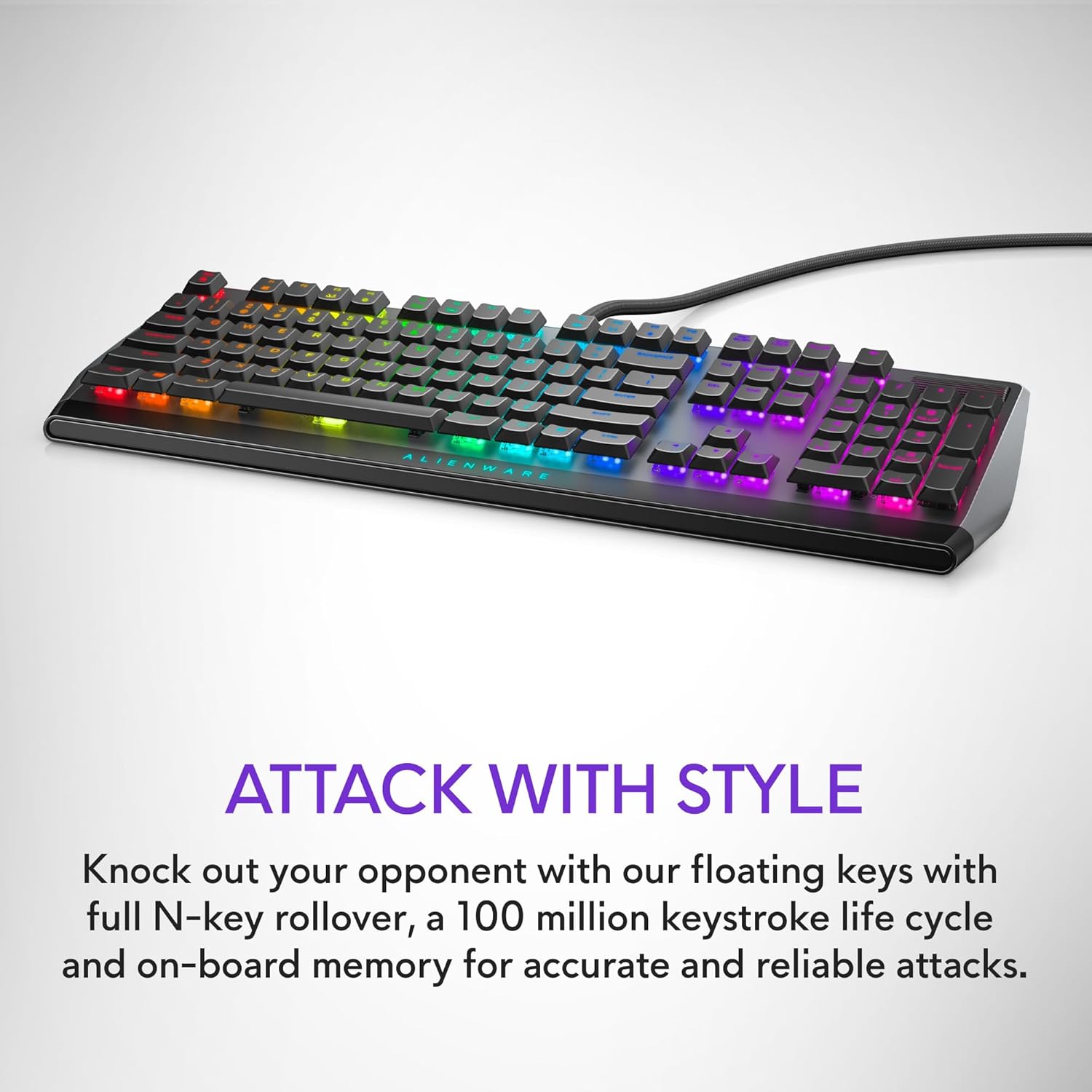
Image: Alienware AW510K keyboard displaying its floating key architecture and vibrant RGB lighting, emphasizing its stylish and durable design.

ምስል: የጎን ፕሮfile of the Alienware AW510K keyboard, highlighting its slim form factor and ergonomic design for comfortable palm posture.

ምስል፡ ከላይ ወደ ታች view of the Alienware AW510K keyboard, illustrating its fully programmable keys for macros and custom assignments.

Image: Close-up of the Alienware AW510K keyboard showcasing its customizable per-key AlienFX RGB lighting with a rainbow effect.

Image: Diagram illustrating the dimensions of the Alienware AW510K keyboard, showing its length, width, and height.
ማዋቀር
የቁልፍ ሰሌዳዎን በማገናኘት ላይ
- Connect the keyboard's USB cable to an available USB port on your computer. The keyboard features two USB connectors: one for keyboard functionality and another for the integrated USB passthrough port.
- (Optional) If using a wired mouse or other USB peripheral, connect it to the USB passthrough port located on the keyboard.
- The keyboard is plug-and-play compatible with Windows 10. Drivers should install automatically.
የቁልፍ ሰሌዳ አንግል ማስተካከል
The keyboard features two-tier adjustable feet on the underside. Gently flip out the desired tier of feet to adjust the typing angle for optimal comfort.
Video: This video demonstrates the physical features of the Alienware AW510K keyboard, including the USB passthrough port located at the back and the two-tier adjustable feet on the underside, allowing users to customize the typing angle.
ኦፕሬሽን
መሰረታዊ ተግባራት
የሚዲያ መቆጣጠሪያዎች
The keyboard includes dedicated media controls for convenient audio management.
- የድምጽ ሮለር፡ Located on the top right, roll it up or down to adjust system volume.
- የሚዲያ ቁልፎች (F9-F12)፦ Use these keys for track backward, play/pause, stop, and track forward functions.
AlienFX RGB Lighting Customization
Personalize your keyboard's lighting effects using the Alienware Command Center software.
- Install Alienware Command Center on your Windows 10 PC.
- Launch the software and navigate to the "FX" tab.
- Select your keyboard to access lighting options. You can choose from various effects like Static Color, Pulse, Morph, Breathing, Spectrum, Single Color Wave, and Rainbow Wave.
- Customize colors, brightness, and tempo for each effect. You can apply effects to individual keys, groups of keys (e.g., WASD, number row), or the entire keyboard.
- Save your customized themes to the device for quick access.
Video: This official product video showcases the Alienware Low-Profile RGB Gaming Keyboard, highlighting its customizable AlienFX RGB lighting effects and the functionality of its dedicated media controls, including the volume roller.
Video: This video provides a demonstration of the Alienware AW510K Gaming Keyboard's sleek design, responsive Cherry MX Low Profile Red switches, and customizable RGB lighting. It also emphasizes the quiet operation of the keys.
Programmable Keys and Macros
Utilize the Alienware Command Center to assign custom macros and key functions to enhance your gaming and productivity. Settings are stored in the onboard memory.
ጥገና
የቁልፍ ሰሌዳዎን ማጽዳት
The floating keycap design of the Alienware AW510K makes it easier to clean.
- የቁልፍ ሰሌዳውን ከኮምፒዩተርዎ ያላቅቁት።
- ከቁልፎቹ መካከል አቧራ እና ፍርስራሾችን ለማስወገድ የታመቀ አየር ይጠቀሙ።
- For stubborn dirt, carefully remove keycaps (refer to specialized tools if needed) and clean the switches and keycaps separately with a soft, damp ጨርቅ. እንደገና ከመገጣጠምዎ በፊት ሁሉም ክፍሎች ደረቅ መሆናቸውን ያረጋግጡ።
መላ መፈለግ
የተለመዱ ጉዳዮች
የቁልፍ ክዳን መተካት
Finding replacement keycaps for this specific low-profile mechanical keyboard can be challenging due to its unique design. It is recommended to contact Alienware support for official replacement parts.
የሶፍትዌር ጉዳዮች
If experiencing issues with Alienware Command Center (e.g., lighting synchronization, macro programming), ensure the software is updated to the latest version. Restarting the software or your computer may resolve minor glitches.
ዝርዝሮች
ቴክኒካዊ ዝርዝሮች
| የምርት ስም | Alienware |
| ተከታታይ | AW 510K |
| የንጥል ሞዴል ቁጥር | AW510K |
| የሃርድዌር መድረክ | PC |
| ስርዓተ ክወና | ዊንዶውስ 10 |
| የእቃው ክብደት | 14.6 አውንስ |
| የምርት ልኬቶች | 6.1 x 18.4 x 1.2 ኢንች |
| የግንኙነት ቴክኖሎጂ | ዩኤስቢ |
| የቁልፍ ሰሌዳ መግለጫ | ጨዋታ |
| ለምርት የሚመከር አጠቃቀሞች | ጨዋታ |
| ልዩ ባህሪ | የኋላ ብርሃን |
| የቁልፍ ሰሌዳ የጀርባ ብርሃን ቀለም ድጋፍ | አርጂቢ |
| አምራች | ዴል |
| ቋንቋ | እንግሊዝኛ |
ዋስትና እና ድጋፍ
የዋስትና መረጃ
For detailed warranty information, please refer to the documentation included with your product or visit the official Alienware support webጣቢያ.
የደንበኛ ድጋፍ
ለቴክኒክ ድጋፍ ወይም ለተጨማሪ ጥያቄዎች እባክዎን ይጎብኙ የአሊየንዌር መደብር በአማዞን ላይ or the official Dell/Alienware support portal.


