መግቢያ
ስለገዙ እናመሰግናለንasing the MUSE M-152 RC Retro Cassette Recorder. This device combines a classic cassette player/recorder with an FM/MW radio tuner and an AUX input, offering versatile audio playback and recording options. This manual provides essential information for safe and efficient use of your new device. Please read it thoroughly before operation and retain it for future reference.

ምስል 0፡ The MUSE M-152 RC Retro Cassette Recorder.
ጠቃሚ የደህንነት መረጃ
- የኃይል ምንጭ፡- የኃይል አቅርቦቱን ጥራዝ ያረጋግጡtage matches the requirements specified on the unit. Use only the provided AC adapter.
- የባትሪ አጠቃቀም፡- If using batteries, ensure they are inserted with correct polarity. Do not mix old and new batteries, or different types of batteries. Remove batteries if the unit will not be used for an extended period.
- ውሃ እና እርጥበት; መሳሪያውን ለዝናብ፣ ለእርጥበት ወይም ለሚያንጠባጥብ/ለሚያረጭ ፈሳሽ አያጋልጡት። እንደ የአበባ ማስቀመጫዎች ባሉ ፈሳሾች የተሞሉ ነገሮችን በመሳሪያው ላይ አያስቀምጡ።
- የአየር ማናፈሻ; የአየር ማናፈሻ ክፍተቶችን አይዝጉ። በመሳሪያው ዙሪያ በቂ የአየር ዝውውር እንዲኖር ያድርጉ።
- ሙቀት፡ ክፍሉን ከሙቀት ምንጮች ለምሳሌ ራዲያተሮች፣ ሙቀት መመዝገቢያዎች፣ ምድጃዎች ወይም ሌሎች መሳሪያዎችን (ያጠቃልላል) ያርቁ ampማሞቂያዎች) ሙቀትን ያመነጫሉ.
- ማጽዳት፡ ከማጽዳትዎ በፊት ክፍሉን ከግድግዳው መውጫ ያላቅቁት. ለስላሳ እና ደረቅ ጨርቅ ይጠቀሙ. ፈሳሽ ማጽጃዎችን ወይም የአየር ማጽጃዎችን አይጠቀሙ.
- አገልግሎት መስጠት፡ ይህንን ምርት እራስዎ ለማገልገል አይሞክሩ። ሁሉንም አገልግሎት ወደ ብቃት ላለው የአገልግሎት ሠራተኛ ያማክሩ።
- ውጫዊ አጠቃቀም: This device is designed for external use.
የምርት ባህሪያት
The MUSE M-152 RC offers a range of functionalities for audio enthusiasts:
- Integrated Cassette Player and Recorder
- AM/FM Radio Tuner with telescopic antenna
- AUX Input for connecting external audio devices
- Built-in Microphone for direct voice recording
- Portable design with optional battery operation
- Auto Stop function for cassette playback
- Rotary controls for Volume and Tuning
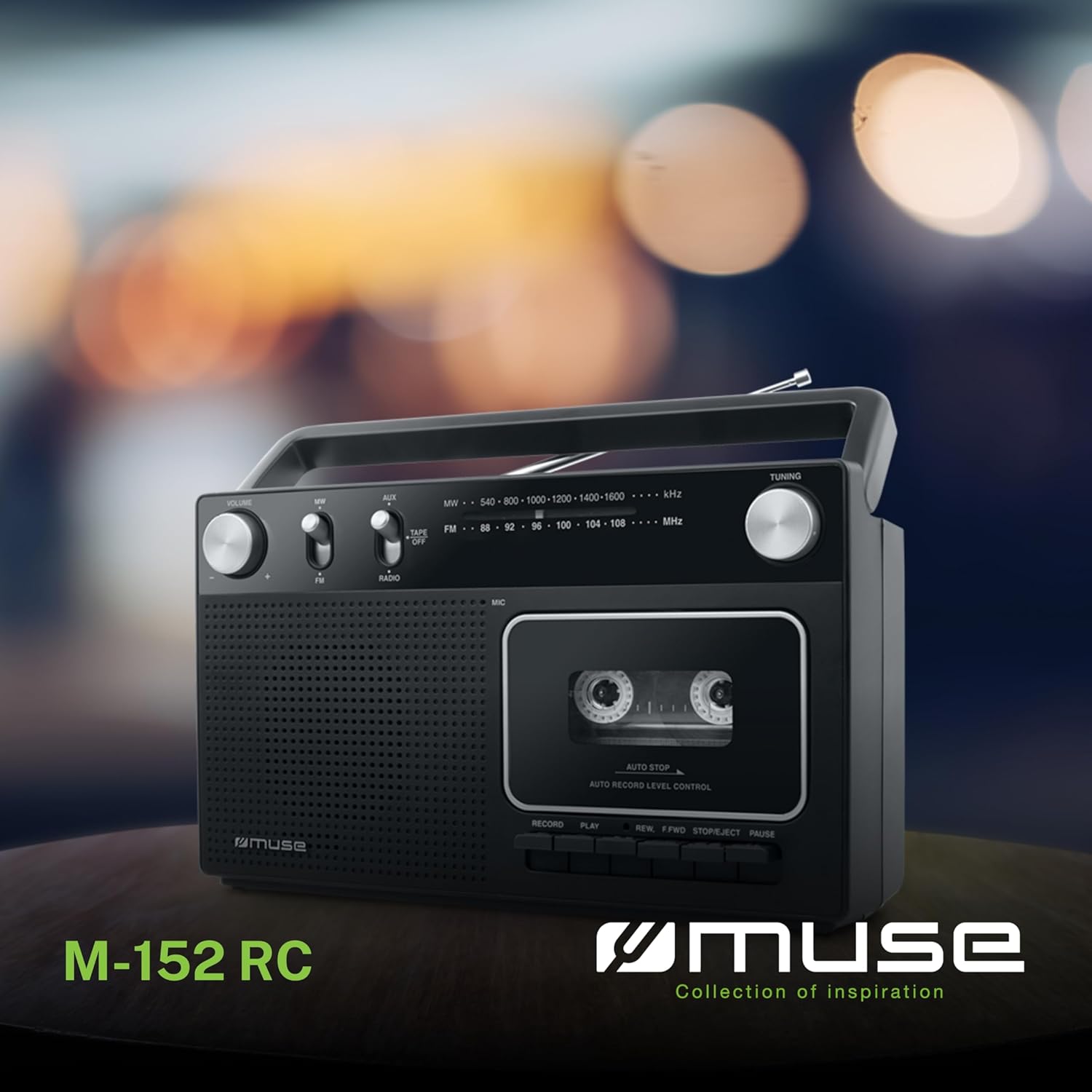
ምስል 1፡ አልቋልview of the MUSE M-152 RC highlighting its main features like cassette recording, rotary controls, good sound quality, and FM/MW radio capabilities.
ማዋቀር
1. ክፍሉን ኃይል መስጠት
The M-152 RC can be powered by either AC mains or batteries.
- የኤሲ ኃይል Connect the supplied AC power adapter to the DC IN jack on the unit and then plug the adapter into a standard 220V AC wall outlet.
- የባትሪ ሃይል፡- Open the battery compartment cover on the back of the unit. Insert 4 x 'C' size batteries (not included), ensuring correct polarity (+/-) as indicated inside the compartment. Close the cover securely.
2. የአንቴና ማስተካከያ
For optimal FM radio reception, fully extend the telescopic antenna. For MW (AM) reception, the unit has a built-in ferrite bar antenna, so no external adjustment is needed, but rotating the unit might improve reception.
የአሠራር መመሪያዎች
1. የሬዲዮ ኦፕሬሽን
- Set the function switch to "RADIO".
- Select the desired band (FM or MW) using the FM/MW switch.
- አሽከርክር ማስተካከል knob to search for a radio station.
- አስተካክል። ድምጽ ወደሚፈልጉት የማዳመጥ ደረጃ የሚወስደውን ቁልፍ ይጫኑ።
- For FM, extend and adjust the telescopic antenna for best reception. For MW, rotate the unit for optimal signal.
2. የካሴት መልሶ ማጫወት
- Set the function switch to "TAPE/OFF".
- የሚለውን ይጫኑ አቁም/አስወጣ የካሴት ክፍሉን ለመክፈት አዝራር.
- Insert a cassette tape with the open edge facing upwards and the tape side facing the unit. Close the compartment door firmly.
- የሚለውን ይጫኑ ተጫወት መልሶ ማጫወት ለመጀመር አዝራር።
- የሚለውን ተጠቀም REW (Rewind) or ኤፍ.ኤፍ.ዲ (Fast Forward) buttons to navigate the tape. Press አቁም/አስወጣ to stop winding.
- የሚለውን ይጫኑ ለአፍታ አቁም button to temporarily stop playback. Press it again to resume.
- የሚለውን ይጫኑ አቁም/አስወጣ button to stop playback and eject the cassette.
- አስተካክል። ድምጽ እንደ አስፈላጊነቱ ቁልፉን ይጫኑ።

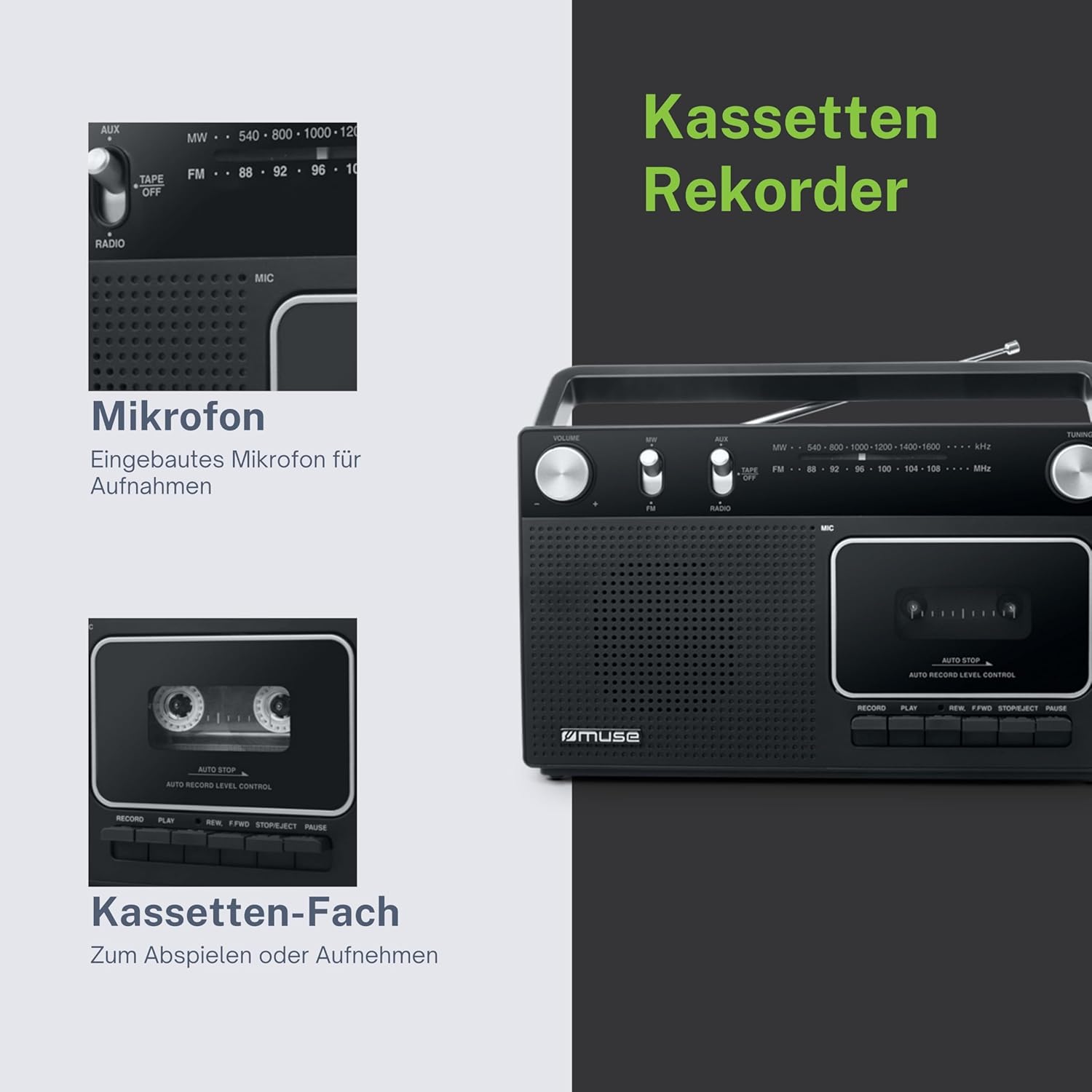
ምስል 2፡ Detail of the cassette compartment and the integrated microphone for recording.
3. Cassette Recording
The M-152 RC allows recording from the radio or via its built-in microphone.
ከሬዲዮ ቀረጻ፡
- Insert a blank cassette tape into the compartment.
- Set the function switch to "RADIO" and tune to the desired station.
- የሚለውን ይጫኑ መዝገብ አዝራር (ቀይ ቁልፍ) በተመሳሳይ ጊዜ ከ ተጫወት button. The recording will begin.
- ቀረጻውን ለማቆም የ አቁም/አስወጣ አዝራር።
Recording with Built-in Microphone:
- Insert a blank cassette tape into the compartment.
- Set the function switch to "TAPE/OFF".
- የሚለውን ይጫኑ መዝገብ አዝራር (ቀይ ቁልፍ) በተመሳሳይ ጊዜ ከ ተጫወት button. The recording will begin from the built-in microphone.
- Speak clearly into the microphone located on the front of the unit.
- ቀረጻውን ለማቆም የ አቁም/አስወጣ አዝራር።

ምስል 3፡ The built-in microphone allows for direct voice recording onto a cassette tape.
4. AUX ግብዓት
ውጫዊ የድምጽ መሳሪያ (ለምሳሌ፣ MP3 ማጫወቻ፣ ስማርት ስልክ) ከ AUX IN መሰኪያ ጋር በ3.5ሚሜ የድምጽ ገመድ (አልተካተተም) ያገናኙ።
- የተግባር መቀየሪያውን ወደ "AUX" ያቀናብሩ።
- በውጫዊ መሣሪያዎ ላይ መልሶ ማጫወት ይጀምሩ።
- አስተካክል። ድምጽ knob on the M-152 RC and on your external device for the desired sound level.
ጥገና
- ክፍሉን ማጽዳት; የቤቱን ውጫዊ ክፍል ለስላሳና ደረቅ ጨርቅ ይጥረጉ። የማጽጃ ማጽጃዎችን ወይም ሟሟቶችን አይጠቀሙ።
- የካሴት ጭንቅላትን ማጽዳት; Periodically clean the tape head, pinch roller, and capstan using a cotton swab lightly moistened with isopropyl alcohol. This helps maintain sound quality and prevents tape damage. Ensure the unit is powered off and unplugged before cleaning.
- ማከማቻ፡ When not in use for extended periods, store the unit in a dry, dust-free environment. Remove batteries if using battery power.
መላ መፈለግ
| ችግር | ሊሆን የሚችል ምክንያት | መፍትሄ |
|---|---|---|
| ኃይል የለም | AC adapter not connected properly; Batteries depleted or incorrectly inserted. | የኤሲ አስማሚውን ግንኙነት ይፈትሹ፤ ባትሪዎቹን ይተኩ ወይም ትክክለኛውን ፖላራይት ያረጋግጡ። |
| ደካማ የሬዲዮ አቀባበል | አንቴናው አልተዘረጋም/አልተስተካከለም፤ ደካማ ምልክት። | Fully extend and adjust the telescopic antenna (FM); Rotate the unit (MW). |
| Cassette not playing/poor sound | Tape incorrectly inserted; Tape head dirty; Tape damaged. | Re-insert tape correctly; Clean tape head; Try a different tape. |
| ቀረጻ የለም | RECORD and PLAY not pressed simultaneously; Tape write-protect tab removed. | Ensure both buttons are pressed together; Cover the write-protect tab with tape. |
ዝርዝሮች
- ሞዴል፡ M-152 RC
- የኃይል ምንጭ፡- AC 220V / 4 x 'C' size batteries (DC 6V)
- የሬዲዮ ባንዶች FM (88-108 MHz), MW (540-1600 kHz)
- ግንኙነቶች፡ AUX-In (3.5mm jack)
- ልዩ ባህሪያት፡ Portable, Built-in Microphone, Auto Stop
- ልኬቶች (L x W x H)፦ በግምት 27 ሴሜ x 9.3 ሴሜ x 16 ሴ.ሜ
- ቀለም፡ ጥቁር
ምስል 4፡ Dimensional drawing of the MUSE M-152 RC.
ዋስትና እና ድጋፍ
For warranty information and technical support, please refer to the warranty card included with your product or contact your local MUSE distributor or retailer. Keep your proof of purchase for any warranty claims.


