1. መግቢያ
ስለገዙ እናመሰግናለንasing the ELECTROPRIME Digital Voice Recorder. This device is designed for high-quality audio recording and playback, functioning as both a dictaphone and an MP3 music player. Please read this manual carefully to ensure proper use and optimal performance.
የጥቅል ይዘቶች፡-
- ELECTROPRIME Digital Voice Recorder (Model: ASHA20BEBUBEB16153)
- የዩኤስቢ ገመድ
- የተጠቃሚ መመሪያ
2. ምርት አብቅቷልview
ከመሳሪያው ክፍሎች እና መቆጣጠሪያዎች ጋር እራስዎን ይወቁ።
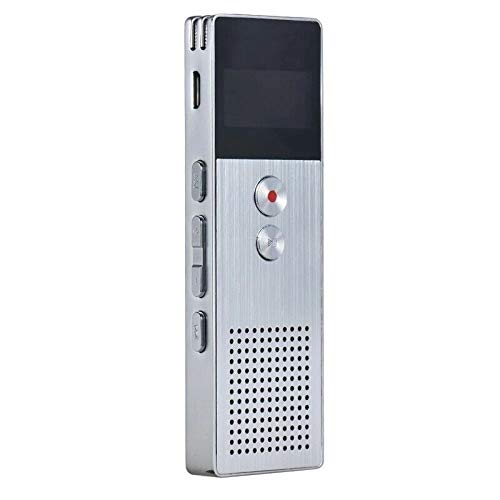
ምስል 2.1፡ ፊት ለፊት view of the ELECTROPRIME Digital Voice Recorder. This image displays the device's screen, the prominent red record button, and other control buttons on the front panel, along with the speaker grille at the bottom.
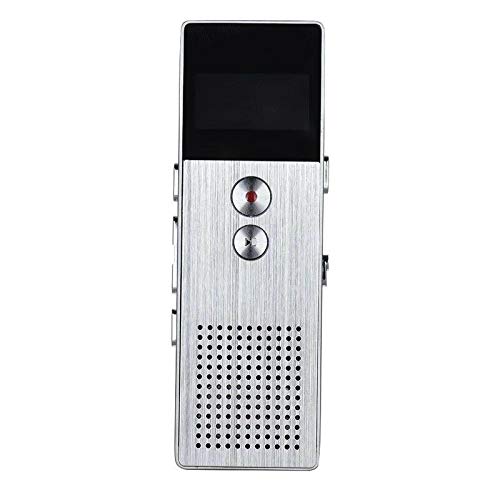
ምስል 2.2፡ ጎን view of the ELECTROPRIME Digital Voice Recorder. This image highlights the side controls, including the power switch, volume buttons, and the USB charging/data transfer port. The device's compact design is visible.
የመሣሪያ ክፍሎች:
- ማሳያ ማያ: የቀረጻ ሁኔታን፣ ጊዜን፣ የባትሪ ደረጃን እና የምናሌ አማራጮችን ያሳያል።
- የመዝገብ አዝራር፡- የድምጽ ቀረጻን ያስጀምራል እና ያቆማል።
- አጫውት/አፍታ አቁም አዝራር፡- Starts and pauses playback of audio files.
- የድምጽ አዝራሮች (+/-): የመልሶ ማጫወት መጠንን ያስተካክላል።
- የምናሌ/የሁኔታ አዝራር፡- Navigates through menus and switches operating modes.
- የዩኤስቢ ወደብ፡ ለኃይል መሙላት እና ውሂብ ወደ ኮምፒውተር ለማስተላለፍ።
- ማይክሮፎን Built-in stereo microphone for audio input.
- ተናጋሪ፡- ለቀጥታ የድምጽ መልሶ ማጫወት።
- የጆሮ ማዳመጫ ጃክ ለግል ማዳመጥ።
- የኃይል መቀየሪያ መሣሪያውን ያበራል ወይም ያጠፋል.
3. ማዋቀር
3.1 መሳሪያውን መሙላት
Before first use, fully charge the device. Connect the recorder to a computer's USB port or a USB wall adapter (not included) using the provided USB cable. The battery indicator on the screen will show charging status. A full charge typically takes 2-3 hours.
3.2 ማብራት / ማጥፋት
- ለማብራት፣ ያንሸራትቱ የኃይል መቀየሪያ ወደ ON ሁኔታ.
- ለማጥፋት፣ ያንሸራትቱ የኃይል መቀየሪያ ወደ OFF ቦታ.
3.3 የመጀመሪያ ቅንጅቶች
Upon first power-on or after a reset, you may need to set the date, time, and language. Use the navigation buttons to select options and confirm with the Play/Pause button.
4. የአሠራር መመሪያዎች
4.1 የድምጽ ቀረጻ
The device supports high-quality stereo recording in .WAV format, offering up to 23 hours of continuous recording with its 8GB internal memory.
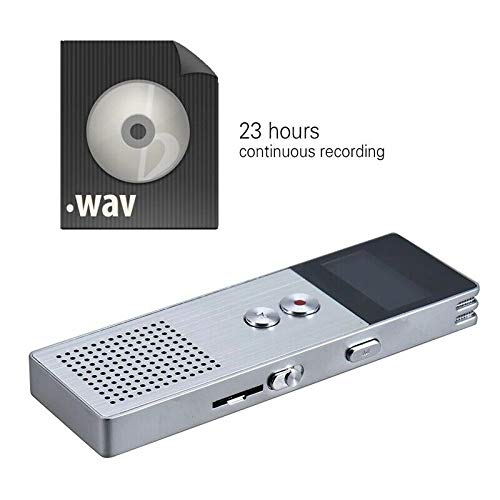
ምስል 4.1፡ The recorder's capability to record in .WAV format and its impressive 23-hour continuous recording capacity are highlighted in this image, alongside the device itself.
- መሣሪያው መብራቱን ያረጋግጡ።
- የሚለውን ይጫኑ የመዝገብ አዝራር (red circle) to start recording. The screen will display a recording indicator and elapsed time.
- ቀረጻውን ባለበት ለማቆም፣ የሚለውን ይጫኑ አጫውት/ ለአፍታ አቁም አዝራር. ለመቀጠል እንደገና ይጫኑት።
- መቅዳትን ለማቆም እና ለማስቀመጥ file, የሚለውን ይጫኑ የመዝገብ አዝራር እንደገና። የ file በራስ-ሰር ይድናል.
ጠቃሚ ምክር፡ For best recording quality, ensure the microphone is not obstructed and the device is placed on a stable surface.
4.2 መልሶ ማጫወት
- In the main menu, navigate to the "Recordings" or "Music" folder using the navigation buttons.
- የተፈለገውን ይምረጡ file እና ይጫኑ አጫውት/ ለአፍታ አቁም አዝራር መልሶ ማጫወት ለመጀመር.
- በመልሶ ማጫወት ጊዜ፣ ይጠቀሙ የድምጽ አዝራሮች (+/-) ድምጹን ለማስተካከል.
- የሚለውን ይጫኑ አጫውት/ ለአፍታ አቁም አዝራር to pause playback, and again to resume.
- መልሶ ማጫዎትን ለማቆም የ የማቆሚያ ቁልፍ (if available, otherwise navigate out of playback mode).
4.3 MP3 Music Player Functionality
The device can also function as an MP3 player. Transfer MP3 files to the device via USB connection to your computer.
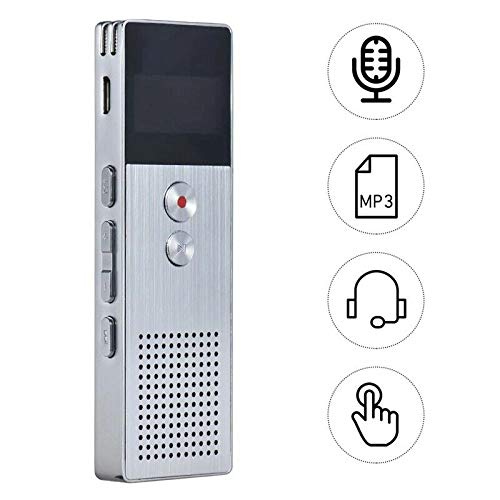
ምስል 4.2፡ This image illustrates the multi-functional capabilities of the device, including its use as a voice recorder (microphone icon), an MP3 player (MP3 icon), and its compatibility with headphones (headphone icon). The touch icon suggests ease of interaction.
- የዩኤስቢ ገመድ ተጠቅመው መሣሪያውን ከኮምፒዩተርዎ ጋር ያገናኙት።
- The device will appear as a removable disk. Copy your MP3 files into the "Music" folder on the device.
- መሣሪያውን ከኮምፒዩተርዎ በጥንቃቄ ያስወጡት።
- On the recorder, navigate to the "Music" menu and select your desired MP3 file ለማጫወት።
4.4 File Management (Connecting to PC)
To transfer, delete, or organize files, connect the recorder to your computer using the USB cable. The device will be recognized as a mass storage device. You can then drag and drop files as you would with any USB drive.
5. ጥገና
- መሳሪያውን ደረቅ አድርገው ያስቀምጡት። እርጥበት የውስጥ ሰርክዩቶችን ሊጎዳ ይችላል።
- ከፍተኛ የሙቀት መጠንን ያስወግዱ.
- መሳሪያውን ለጠንካራ ተጽእኖዎች አይጣሉት ወይም አይጣሉት.
- መሳሪያውን ለስላሳና ደረቅ ጨርቅ ያጽዱ። ጠጣር ኬሚካሎችን ወይም ሳሙናዎችን አይጠቀሙ።
- Regularly back up important recordings to your computer.
6. መላ መፈለግ
መሣሪያው አይበራም፦
- ባትሪው መሙላቱን ያረጋግጡ። ከኃይል ምንጭ ጋር ይገናኙ እና እንደገና ይሞክሩ።
- የኃይል ማብሪያ / ማጥፊያው በበራ ቦታ ላይ መሆኑን ያረጋግጡ።
መቅዳት አይቻልም፡
- Check available memory. If full, transfer files to a computer and delete them from the device.
- ማይክሮፎኑ እንዳይሸፈን ያረጋግጡ።
- Verify the device is in recording mode.
በመልሶ ማጫወት ጊዜ ምንም ድምፅ የለም፡
- Adjust the volume using the Volume Buttons.
- Ensure headphones are properly connected if using them.
- ኦዲዮው ካለ ያረጋግጡ file ተበላሽቷል.
መሳሪያው በኮምፒውተር አይታወቅም፦
- የተለየ የዩኤስቢ ወደብ ወይም የዩኤስቢ ገመድ ይሞክሩ።
- Ensure the device is powered on when connected.
- ኮምፒተርዎን እንደገና ያስጀምሩ.
7. ዝርዝሮች
| የምርት ስም | ኤሌክትሮፕራይም |
| የሞዴል ቁጥር | ASHA20BEBUBEB16153 |
| የማህደረ ትውስታ ማከማቻ | 8 ጊባ |
| ቀረጻ ቅርጸት | WAV |
| የመልሶ ማጫወት ቅርጸቶች | MP3 ፣ WAV |
| ማይክሮፎን | ስቴሪዮ |
| ቀጣይነት ያለው ቀረጻ | እስከ 23 ሰዓታት ድረስ |
| ግንኙነት | ዩኤስቢ |
8. ዋስትና እና ድጋፍ
For warranty information or technical support, please refer to the product packaging or contact ELECTROPRIME customer service through their official website or the retailer where the product was purchased. Please have your model number (ASHA20BEBUBEB16153) and purchase details ready.