መግቢያ
This manual provides detailed instructions for the setup, operation, maintenance, and troubleshooting of your Bushnell 119938m Low Glow Trail Camera. This camera is designed for reliable outdoor surveillance, capturing high-quality images and videos of wildlife or property. It features 24-megapixel resolution, low-glow infrared LEDs for discreet night vision, and adjustable trigger intervals to suit various monitoring needs.
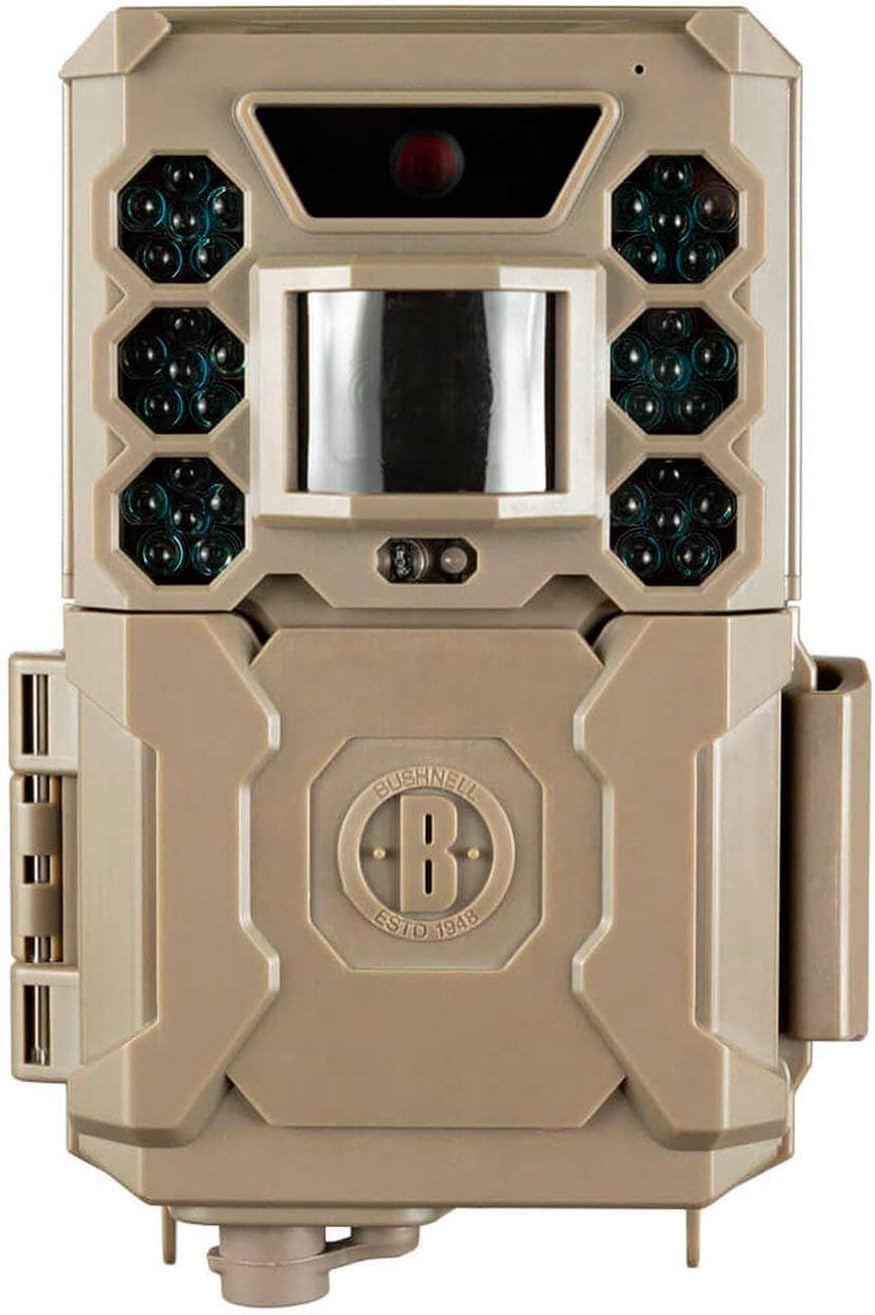
ምስል፡ ፊት ለፊት view of the Bushnell 119938m Low Glow Trail Camera, showing the lens, PIR sensor, and infrared LEDs.
ማዋቀር
1. የባትሪ ጭነት
- የባትሪውን ክፍል በካሜራው ላይ ያግኙት።
- Open the compartment. Note that the battery housing may be delicate; exercise caution during opening and closing.
- Insert 6 AA batteries, ensuring correct polarity (+/-) as indicated inside the compartment. Batteries are not included with the camera.
- የባትሪውን ክፍል በጥንቃቄ ይዝጉ።
2. የ SD ካርድ ጭነት
- Locate the SD card slot, typically found near the battery compartment or on the side of the camera.
- Insert a compatible SD card (up to 32GB, not included) into the slot until it clicks into place. Ensure the card is inserted in the correct orientation.
3. ካሜራውን መትከል
- Identify a suitable location for camera placement, considering the desired monitoring area and potential obstructions.
- Use the provided mounting strap to secure the camera to a tree or post. Thread the strap through the camera's mounting points and tighten it firmly.
- Adjust the camera's angle to ensure optimal coverage of the target area.
የአሠራር መመሪያዎች
1. ማብራት / ማጥፋት
- To power on the camera, slide the power switch to the 'ON' position.
- ለማጥፋት፣ ማብሪያ/ማጥፊያውን ወደ 'ጠፍቷል' ቦታ ያንሸራትቱት።
2. የምናሌ ዳሰሳ እና ቅንብሮች
The camera features an easy-to-navigate menu system. Use the directional buttons (Up, Down, Left, Right) and the 'OK' button to browse and select options on the display.
- ሁነታ ምርጫ፡- Choose between 'Photo' for still images, 'Video' for video clips, or 'Hybrid' for both.
- የፎቶ ቅንብሮች Adjust image resolution (default 24MP), photo burst (1-3 images per trigger).
- የቪዲዮ ቅንጅቶች Set video length (5-60 seconds) and resolution (1080p).
- ቀስቅሴ ክፍተት፡- Configure the delay between triggers, ranging from one second to 60 minutes.
- ትብነት፡- Adjust the PIR sensor sensitivity to prevent false triggers or missed events.
- ሰዓት እና ቀን ትክክለኛውን ሰዓት ለማግኘት የአሁኑን ሰዓት እና ቀን ያዘጋጁampየተያዙ ሚዲያዎችን ማሰማራት።
- Automatic Day/Night Sensor: The camera automatically adjusts for optimal image capture in varying light conditions.
3. Retrieving Media
- ለ view captured images and videos, power off the camera and remove the SD card.
- Insert the SD card into a computer or compatible device to access the files.
ጥገና
1. ማጽዳት
- Gently wipe the camera lens and PIR sensor window with a soft, lint-free cloth to remove dirt or smudges.
- Clean the camera casing ከማስታወቂያ ጋርamp ጨርቅ እንደ አስፈላጊነቱ። ጠበኛ ኬሚካሎችን ወይም ሻካራ ቁሳቁሶችን ከመጠቀም ይቆጠቡ።
2. የባትሪ አስተዳደር
- የባትሪውን ደረጃ በመደበኛነት ያረጋግጡ፣ በተለይም ከማራዘሙ በፊት።
- Replace all batteries simultaneously with fresh, high-quality AA batteries to ensure consistent performance.
- Remove batteries if the camera will be stored for a prolonged period to prevent leakage.
3. ማከማቻ
- ካሜራውን በቀጥታ ከፀሀይ ብርሀን እና ከከፍተኛ ሙቀት ርቆ በቀዝቃዛና ደረቅ ቦታ ያከማቹ።
- Ensure the camera is clean and dry before storage.
መላ መፈለግ
- ካሜራ አይበራም፦
- Ensure batteries are correctly installed with proper polarity and are fully charged. Check that the power switch is in the 'ON' position.
- Poor image or video quality:
- Clean the camera lens and ensure it is free from dirt or condensation. Verify that the camera settings (resolution, mode) are appropriate for the lighting conditions. Ensure the camera is within optimal range (up to 5 meters).
- False triggers or excessive recordings:
- Adjust the PIR sensor sensitivity to a lower setting. Reposition the camera to avoid areas with moving branches, tall grass, or direct sunlight that can cause false detections.
- No images or videos captured:
- Check if the SD card is properly inserted and has sufficient free space. Ensure the camera is in the correct operating mode (Photo or Video). Verify that the trigger interval is not set too long.
- Sound issues in videos:
- Some users have reported sound issues. Ensure the microphone port is clear of obstructions. If issues persist, contact customer support.
- Battery housing is fragile:
- Exercise extreme care when opening and closing the battery compartment to prevent damage to the plastic housing.
ዝርዝሮች
| የሞዴል ስም | 119938ሜ |
| የንጥል ሞዴል ቁጥር | BN119936M |
| የምርት ስም | ቦንሄልል |
| ጥራት | 24 ሜጋፒክስል |
| የቪዲዮ ቀረጻ ጥራት | 1080 ፒ |
| የፍሬም መጠን | በሰከንድ 30 ፍሬሞች |
| የማሳያ መጠን | 3.9 ሴ.ሜ |
| የምርት ልኬቶች (L x W x H) | 6.5 x 10.5 x 15 ሴ.ሜ |
| የእቃው ክብደት | 309 ግ |
| ባትሪዎች ያስፈልጋሉ። | 6 AA ባትሪዎች (አልተካተተም) |
| ቁሳቁስ | ፕላስቲክ |
| ቀለም | Sand Brown |
| ክልል | 5 ሜትር |
| ዋትtage | 1 ዋት |
| ጥራዝtage | 12 ቮልት |
የዋስትና መረጃ
Bushnell products are manufactured to high standards and are backed by a manufacturer's warranty. For specific details regarding the warranty period and coverage for your Bushnell 119938m Low Glow Trail Camera, please refer to the warranty card included with your product or visit the official Bushnell webጣቢያ.
የደንበኛ ድጋፍ
If you encounter any issues not covered in this manual or require further assistance, please contact Bushnell customer support. Contact information, including phone numbers and email addresses, can typically be found on the official Bushnell webጣቢያ ወይም በምርት ማሸጊያው ውስጥ.