መግቢያ
This manual provides essential instructions for the safe and efficient use of your Redmi 10000mAh Power Bank (Model PB100LZm). Please read this manual thoroughly before using the product and retain it for future reference.
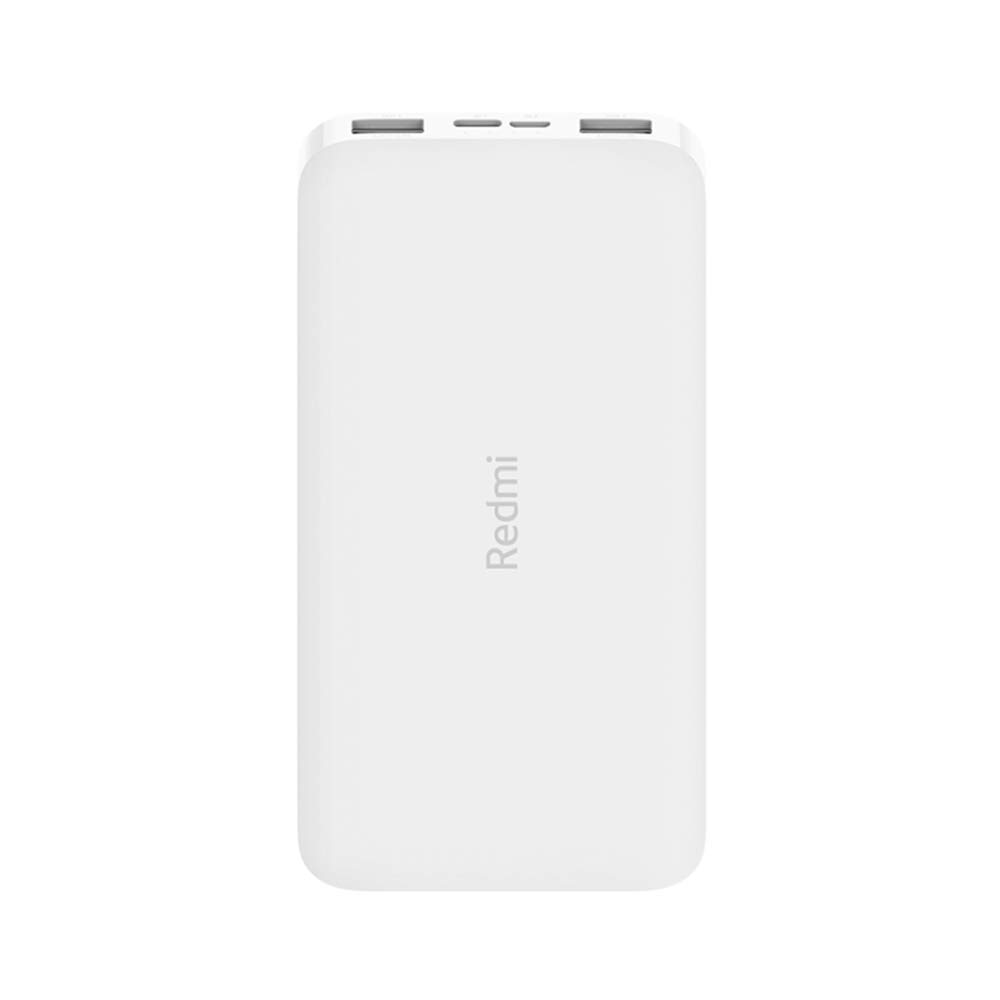
ምስል: አንግል view of the white Redmi 10000mAh Power Bank.
የደህንነት መረጃ
To prevent injury, damage to the product, or damage to property, observe the following safety precautions:
- የኃይል ባንኩን አይበታተኑ፣ አይጠግኑ ወይም አይቀይሩ።
- የኃይል ባንኩን ለእሳት፣ ለከፍተኛ ሙቀት ወይም ለቀጥታ የፀሐይ ብርሃን አያጋልጡት።
- ከውሃ ወይም ከሌሎች ፈሳሾች ጋር ንክኪን ያስወግዱ ፡፡
- የኃይል ባንኩን ለጠንካራ ንዝረት አይጣሉ፣ አይነኩ ወይም አያጋልጡ።
- ልጆች በማይደርሱበት ቦታ ያስቀምጡ.
- ተኳኋኝ የኃይል መሙያ ገመዶችን እና አስማሚዎችን ብቻ ይጠቀሙ።
- በአካባቢው ደንቦች መሰረት የኃይል ባንኩን ያስወግዱ.
ምርት አልቋልview
Familiarize yourself with the components of your Redmi 10000mAh Power Bank.

Image: Close-up of the power bank's top edge showing two USB-A output ports (OUT1, OUT2), one Micro-USB input port (IN1), one USB-C input port (IN2), and four LED battery level indicators.
- USB-A Output Ports (OUT1, OUT2): ውጫዊ መሳሪያዎችን ለመሙላት የሚያገለግል።
- Micro-USB Input Port (IN1): Used to charge the power bank.
- USB-C Input Port (IN2): Used to charge the power bank.
- የ LED አመልካቾች Four small lights indicating the remaining battery level.
- የኃይል ቁልፍ፡- Located on the side, used to check battery level or activate charging.

ምስል: ጎን view of the power bank highlighting the power button.
ማዋቀር
የኃይል ባንክ የመጀመሪያ ክፍያ
Before first use, fully charge your Redmi 10000mAh Power Bank.
- Connect a compatible USB cable to either the Micro-USB (IN1) or USB-C (IN2) input port on the power bank.
- የኬብሉን ሌላኛውን ጫፍ ከዩኤስቢ ኃይል አስማሚ (ያልተካተተ) ወይም ከኮምፒዩተር ዩኤስቢ ወደብ ጋር ያገናኙ።
- የኤልኢዲ አመልካቾች ያበራሉ፣ የኃይል መሙያ ሂደቱን ያሳያሉ። አራቱም ኤልኢዲዎች ሙሉ በሙሉ ሲሞሉ ጠንካራ ይሆናሉ።
መሣሪያዎችን በማገናኘት ላይ
The power bank is compatible with mobile phones and other USB-powered devices.
- Use the appropriate charging cable for your device.
- Connect one end of the cable to one of the USB-A output ports (OUT1 or OUT2) on the power bank.
- የኬብሉን ሌላኛውን ጫፍ ከመሳሪያዎ የኃይል መሙያ ወደብ ጋር ያገናኙ።
የአሠራር መመሪያዎች
ውጫዊ መሳሪያዎችን በመሙላት ላይ
Once a device is connected, the power bank should automatically begin charging. If not, press the power button once to initiate charging.

Image: The power bank connected via a USB cable to charge a mobile phone, resting on a wooden table.
- The LED indicators will show the power bank's remaining battery level during charging.
- You can charge two devices simultaneously using both USB-A output ports.
የባትሪ ደረጃን በመፈተሽ ላይ
Press the power button once to check the remaining battery level. The LED indicators will light up for a few seconds:
- 1 LED: 0-25% ቀሪ ባትሪ
- 2 LEDs: 25-50% ቀሪ ባትሪ
- 3 LEDs: 50-75% ቀሪ ባትሪ
- 4 LEDs: 75-100% ቀሪ ባትሪ
ጥገና
- ማጽዳት፡ የኃይል ባንኩን ለስላሳና ደረቅ ጨርቅ ይጥረጉ። ጠጣር ኬሚካሎችን ወይም ሻካራ ቁሳቁሶችን አይጠቀሙ።
- ማከማቻ፡ የኃይል ባንኩን በቀጥታ ከፀሀይ ብርሀን እና ከከፍተኛ ሙቀት ርቆ በቀዝቃዛና ደረቅ ቦታ ያከማቹ።
- የባትሪ እንክብካቤ For optimal battery life, avoid fully discharging the power bank frequently. Recharge it when the battery level is low. If not used for extended periods, charge it to about 50% every three months.
መላ መፈለግ
| ችግር | ሊሆን የሚችል መፍትሄ |
|---|---|
| የኃይል ባንክ እየሞላ አይደለም. |
|
| መሣሪያ ከኃይል ባንክ እየሞላ አይደለም። |
|
| ቀስ ብሎ መሙላት። |
|
ዝርዝሮች
| የምርት ስም | Xiaomi |
| የሞዴል ቁጥር | PB100LZm |
| አቅም | 10000 ሚአሰ |
| ቀለም | ነጭ |
| የባትሪ ዓይነት | ሊቲየም ፖሊመር |
| የግቤት ወደቦች | 1x Micro-USB, 1x USB-C |
| የውጤት ወደቦች | 2x USB-A (5.1V=2.4A each) |
| ተስማሚ መሣሪያዎች | Mobile Phones and other USB-powered devices |
| መጠኖች | 15.8 x 8 x 2 ሴ.ሜ |
| ክብደት | 276 ግራም |
ዋስትና እና ድጋፍ
Based on the provided product information, this product is indicated as having ዋስትና የለም. For any product-related inquiries or technical support, please refer to the official Xiaomi support channels or your point of purchase.