መግቢያ
This manual provides detailed instructions for the installation, operation, and maintenance of your ESX VN1015-MA-DAB-1DIN 1-DIN Touchscreen Navigation System. This advanced car multimedia unit features a 10.1-inch multi-angle touchscreen, Android operating system, DAB+ digital radio, Bluetooth hands-free and audio streaming, GPS navigation, and extensive media connectivity. Please read this manual thoroughly before using the device to ensure proper operation and to maximize your user experience.
ማዋቀር እና መጫን
Proper installation is crucial for the optimal performance of your ESX navigation system. It is recommended that installation be performed by a qualified professional.
1. ማሸግ እና መፈተሽ
- ሁሉንም ንጥረ ነገሮች ከማሸጊያው ውስጥ በጥንቃቄ ያስወግዱ.
- ሁሉም የተዘረዘሩ መለዋወጫዎች መኖራቸውን ያረጋግጡ።
- የጉዳት ምልክቶችን ለማግኘት መሳሪያውን ይመርምሩ።
2. የወልና ግንኙነቶች
Refer to the wiring diagram for detailed connections. Ensure all connections are secure to prevent malfunctions.
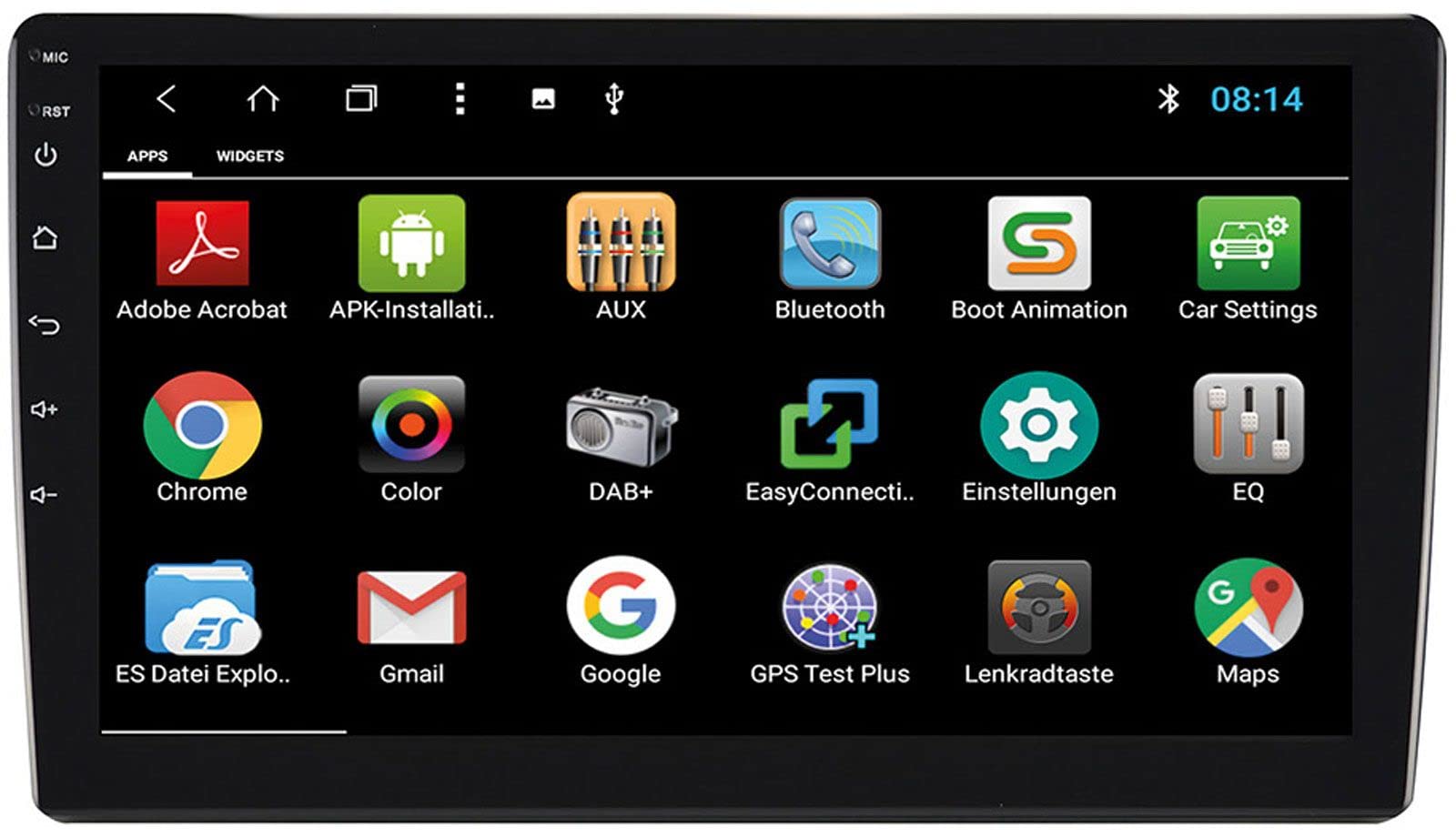
Image: Rear Connection Ports. This image displays the rear panel of the ESX VN1015-MA-DAB-1DIN unit, highlighting the various input and output ports. Key connections visible include GPS antenna input, WiFi antenna input, microphone input, USB ports, AV inputs, and the main power/speaker harness connector. A DAB+ antenna input is also present, along with a "PASSED" quality control sticker.
- የኃይል ግንኙነት; Connect the main power harness to your vehicle's power supply (constant 12V, ignition 12V, and ground).
- የድምጽ ማጉያ ግንኙነቶች; የድምጽ ማጉያዎቹን ሽቦዎች ከተሽከርካሪዎ ድምጽ ማጉያዎች ጋር ያገናኙ፣ ይህም ትክክለኛውን ፖላራይቲ ያረጋግጣል።
- የጂ ፒ ኤስ አንቴና Connect the GPS antenna to the dedicated GPS input. Position the antenna in a location with a clear view ለተመቻቸ የምልክት መቀበያ የሰማይ.
- DAB+ አንቴና፦ Connect the included DAB+ antenna to the DAB+ input. Ensure proper placement for best digital radio reception.
- የ WiFi አንቴና Connect the WiFi antenna for internet connectivity via a mobile hotspot.
- የዩኤስቢ ወደቦች፡ የሚዲያ መልሶ ማጫወት ወይም የስማርትፎን ባትሪ መሙላት የዩኤስቢ መሳሪያዎችን ያገናኙ።
- ማይክሮፎን Connect the internal microphone or an optional external microphone (VNA-MIC-AND) for Bluetooth hands-free calling.
- AUX/Video Input: ውጫዊ የድምጽ/ቪዲዮ ምንጮችን ያገናኙ።
- የካሜራ ግቤት፡ ከኋላ ያገናኙview camera to the camera input. The system supports adjustable parking lines.
- ቅድመ-amp ውጤቶች፡ ውጫዊውን ያገናኙ ampየፊት፣ የኋላ እና የሱፍ ሰሪ ቻናሎች ሊፋየሮች።
- የተሽከርካሪ መቆጣጠሪያ; If your vehicle supports steering wheel controls, an optional adapter may be required. Connect the steering wheel control wires as per the adapter's instructions.
3. ክፍሉን መትከል
- Install the 1-DIN chassis into your vehicle's dashboard opening.
- Attach the 10.1-inch touchscreen display to the chassis. The display is multi-angle adjustable (height and viewing angle) for optimal visibility.
- Secure the unit firmly to prevent movement during driving.
4. የመጀመሪያ ኃይል-በ
- After all connections are made, turn on your vehicle's ignition.
- The unit should power on and display the ESX logo.
- እንደ ቋንቋ ምርጫ እና የጊዜ ሰቅ ያሉ ለመጀመሪያ ጊዜ ማዋቀር በማያ ገጽ ላይ ያሉ ማናቸውንም ጥያቄዎች ይከተሉ።
የአሠራር መመሪያዎች
Your ESX navigation system runs on an Android operating system, offering a familiar and intuitive user interface.
1. Touchscreen በይነገጽ
The 10.1-inch high-resolution touchscreen allows for easy control of all functions. Tap, swipe, and pinch-to-zoom gestures are supported.
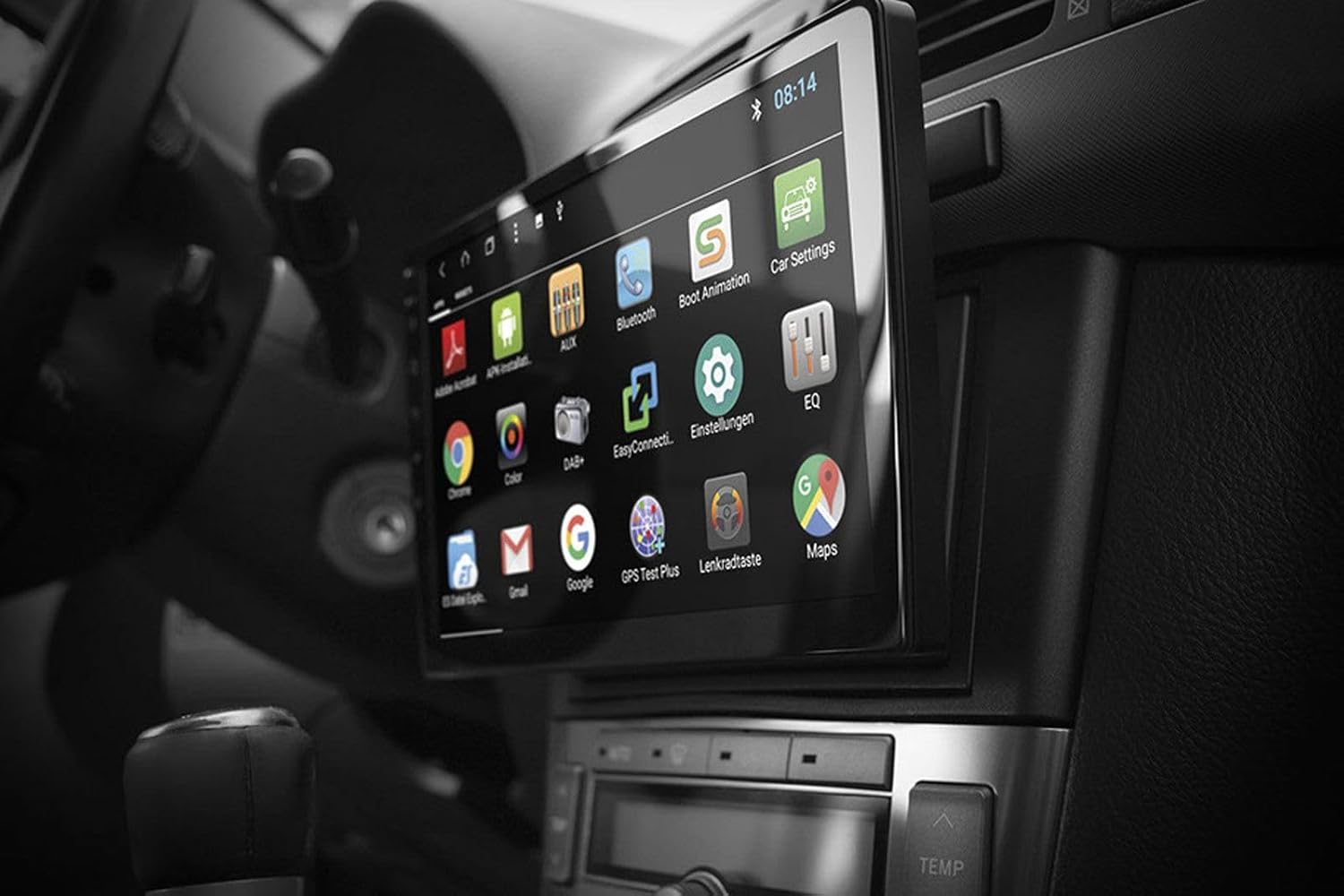
Image: Android App Interface. This image shows the ESX VN1015-MA-DAB-1DIN unit installed in a car, with its screen displaying a grid of Android application icons. Visible apps include Bluetooth, DAB+, EQ, Google, Maps, and various system settings, indicating the unit's smart functionality.
2. አሰሳ (ጂፒኤስ)
- The system uses Google Maps for navigation, supporting both online and offline modes.
- የጂፒኤስ አንቴናው በትክክል መገናኘቱን እና መቀመጡን ያረጋግጡ።
- For offline maps, download the required map data via a WiFi connection.
- To start navigation, open the Maps application and enter your destination.

Image: Navigation Display. This image illustrates the ESX VN1015-MA-DAB-1DIN unit's screen showing a detailed navigation map. The map displays street names and routes, indicating active GPS guidance within a vehicle's interior.
3. Radio Functions (DAB+/AM/FM)
- DAB+ ዲጂታል ሬዲዮ፡ Access high-quality digital radio broadcasts. The system displays station logos. Ensure the DAB+ antenna is connected.
- AM/FM ሬዲዮ፡ Tune into analog radio stations. RDS (Radio Data System) functionality provides station information.
- To switch between radio modes, select the appropriate option in the radio application.
- Scan for stations and save your favorites for quick access.

Image: Radio Interface. This image shows the ESX VN1015-MA-DAB-1DIN unit's screen displaying the FM radio interface. It features a frequency tuner, station presets, and controls for functions like REG, TA, AF, and PTY, indicating comprehensive radio capabilities.
4. የብሉቱዝ ግንኙነት
- ማጣመር፡ Go to the Bluetooth settings on the unit and your smartphone. ፈልግ available devices and select "ESX VN1015-MA-DAB-1DIN" (or similar). Enter the PIN if prompted (usually 0000 or 1234).
- ከእጅ ነጻ ጥሪ፡ Once paired, you can make and receive calls directly from the unit. Use the internal microphone or an optional external microphone for clear communication.
- የድምጽ ዥረት (A2DP)፦ Stream music from your smartphone to the unit wirelessly.
5. የሚዲያ መልሶ ማጫወት
- ዩኤስቢ/ማይክሮ ኤስዲ፦ Insert USB drives or MicroSD cards containing audio or video files into the respective ports. The system will automatically detect and allow playback through the media player application.
- AUX ግቤት፡ Connect external audio/video devices via the AUX input.
- የስማርትፎን ግንኙነት፡- Connect Android or iPhone devices via USB for charging. Some Android devices may support mirroring or data transfer depending on the phone and app.
6. የስርዓት ቅንብሮች
- Access the Android settings menu to customize various aspects of the unit, including display, sound, network, and system information.
- You can adjust display brightness, sound equalizer settings, and connect to a WiFi hotspot for internet access.
- Customize boot logos and background images from the settings.
ጥገና
Regular maintenance ensures the longevity and optimal performance of your ESX navigation system.
- ማያ ገጹን ማጽዳት; የሚዳሰሰውን ስክሪኑን በቀስታ ለማጽዳት ለስላሳ፣ ከተሸፈነ ጨርቅ ነጻ የሆነ ጨርቅ ይጠቀሙ። ለግትር ማጭበርበሮች በትንሹ መampጨርቁን በውሃ ወይም በስክሪኑ ደህንነቱ የተጠበቀ ማጽጃ። ኃይለኛ ኬሚካሎችን ወይም ገላጭ ቁሳቁሶችን ያስወግዱ.
- የሶፍትዌር ማሻሻያ በየጊዜው ከአምራቹ የሶፍትዌር ዝመናዎችን ያረጋግጡ webጣቢያ ወይም በዩኒቱ የስርዓት ቅንብሮች (ካለ) በኩል። ዝመናዎች አፈፃፀምን ሊያሻሽሉ እና አዳዲስ ባህሪያትን ሊጨምሩ ይችላሉ።
- አጠቃላይ እንክብካቤ መሳሪያውን ለከፍተኛ ሙቀት፣ ለረጅም ጊዜ በቀጥታ ለፀሐይ ብርሃን ወይም ከመጠን በላይ እርጥበት እንዳያጋልጡ ያድርጉ። በመሳሪያው ዙሪያ በቂ የአየር ዝውውር እንዲኖር ያድርጉ።
መላ መፈለግ
If you encounter issues with your ESX navigation system, refer to the following common problems and solutions.
| ችግር | ሊሆን የሚችል መፍትሄ |
|---|---|
| ዩኒት ኃይል የለውም። | Check all power connections (constant 12V, ignition 12V, ground). Verify the vehicle's fuse box and the unit's inline fuse. Ensure the ignition is on. |
| ድምጽ የለም። | Check speaker connections. Ensure volume is not muted or set too low. Verify ampየሊፋየር ግንኙነቶች ውጫዊ ከሆኑ amplifiers are used. Check audio source selection. |
| የጂፒኤስ ምልክት ደካማ ወይም አይገኝም። | የጂፒኤስ አንቴና ደህንነቱ በተጠበቀ ሁኔታ መገናኘቱን እና ግልጽ በሆነ ቦታ ላይ መቀመጡን ያረጋግጡ view of the sky (e.g., dashboard, under windshield). Avoid obstructions. |
| Bluetooth not connecting or unstable. | Ensure Bluetooth is enabled on both the unit and your smartphone. Delete previous pairings and try re-pairing. Move the phone closer to the unit. Restart both devices. |
| የDAB+ ሬዲዮ አቀባበል ደካማ ነው። | Check the DAB+ antenna connection and its placement. Ensure you are in an area with DAB+ coverage. Rescan for stations. |
| የንክኪ ማያ ገጽ ምላሽ አይሰጥም። | Perform a soft reset of the unit (refer to the system settings for a reset option, or press and hold the power button if available). Ensure the screen is clean and free of debris. |
ዝርዝሮች
Key technical specifications for the ESX VN1015-MA-DAB-1DIN navigation system:
- ማሳያ፡- 10.1-inch high-resolution multi-angle LCD touchscreen
- ስርዓተ ክወና፡ አንድሮይድ
- አሰሳ፡ Google Maps (online and offline)
- ግንኙነት፡ WiFi Hotspot (requires compatible smartphone), Bluetooth (hands-free, audio streaming), USB (2 ports), MicroSD card slot (for navigation and media), AUX/Video input, AUX/Audio input
- ሬዲዮ፡ DAB+ Digital Radio (with station logos, DAB antenna included), AM/FM Radio (with RDS function)
- የድምጽ ውጤቶች ፦ Front/Rear/Subwoofer pre-amp ውጤቶች
- ግብዓቶች፡- 1 Camera input (adjustable lines), 1 AUX/Video input, 1 AUX/Audio input
- ልዩ ባህሪያት፡ Adjustable boot logos and background images, Internal microphone, Connector for optional external microphone (VNA-MIC-AND), Steering wheel control support (optional adapter required)
- የመቆጣጠሪያ ዘዴ፡- የንክኪ ማያ ገጽ
- የተሽከርካሪ አገልግሎት ዓይነት፡- መኪና
- አምራች፡ ኢኤስኤክስ
- የትውልድ ሀገር፡- ቻይና
የዋስትና መረጃ
The ESX VN1015-MA-DAB-1DIN unit includes a Certificate of Authenticity. For specific warranty terms and conditions, please refer to the documentation provided with your purchase or contact your retailer. Information regarding spare parts availability and guaranteed software updates is not explicitly provided.
የደንበኛ ድጋፍ
If you require further assistance or have questions not covered in this manual, please contact your authorized ESX dealer or the retailer from whom you purchased the product. They can provide specialized support and service.


