1. መግቢያ
This manual provides essential instructions for the installation, operation, and maintenance of your Comelit ET5001 Extra Series 4+N Audio Outdoor Panel. Please read this manual carefully before installation and use to ensure proper function and safety. Keep this manual for future reference.
2. የደህንነት መረጃ
- የኤሌክትሪክ ደህንነት; Installation must be performed by qualified personnel in accordance with local electrical codes and regulations. Disconnect power before performing any wiring or maintenance.
- የአካባቢ ሁኔታዎች; The outdoor panel is designed for outdoor use. Ensure it is installed in a location protected from extreme weather conditions if possible, and within its specified operating temperature range.
- አያያዝ፡ Handle the unit with care to avoid damage. Do not expose to excessive force or impact.
- ማጽዳት፡ ለስላሳ ይጠቀሙ, መamp ለማጽዳት ጨርቅ. ገላጭ ማጽጃዎችን ወይም ፈሳሾችን አይጠቀሙ.
3. የጥቅል ይዘቶች
ሁሉም እቃዎች በጥቅሉ ውስጥ መኖራቸውን ያረጋግጡ፡-
- Comelit ET5001 Extra Series 4+N Audio Outdoor Panel (1-button)
- Mounting screws and wall plugs (may vary)
- የተጠቃሚ መመሪያ (ይህ ሰነድ)
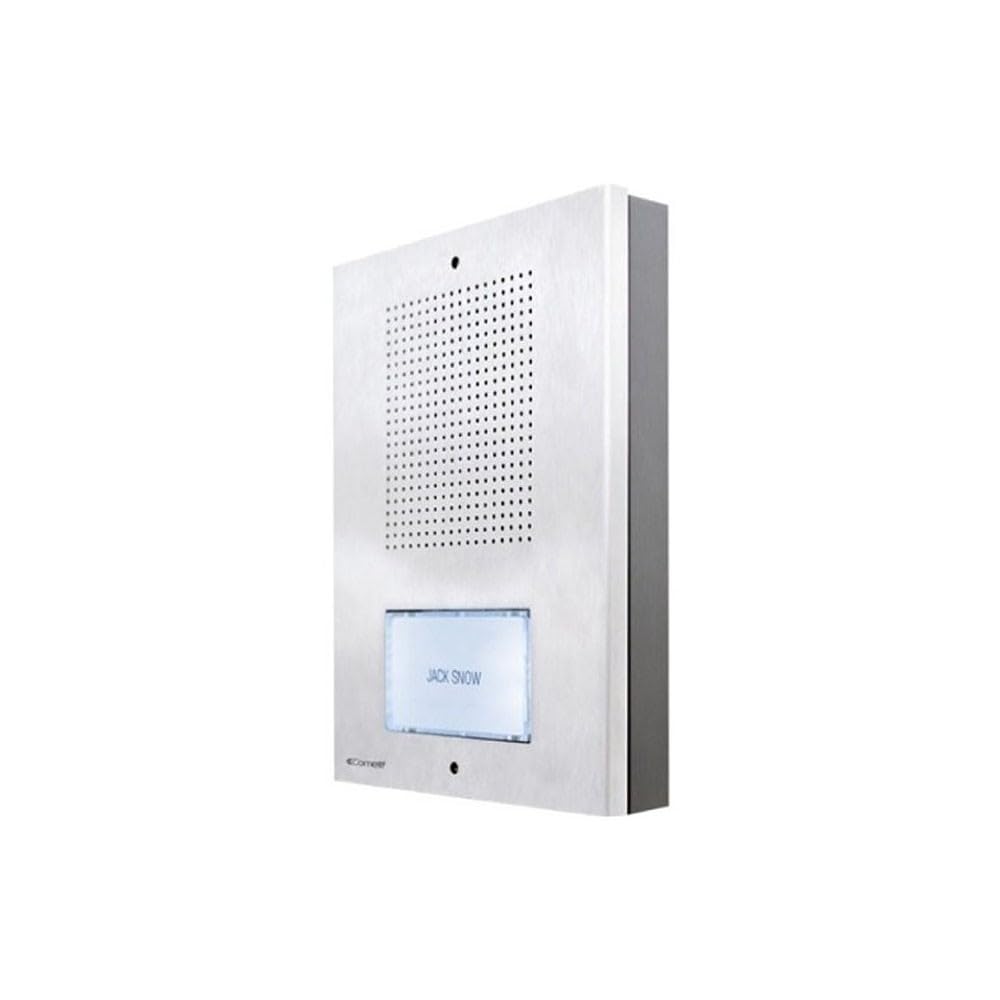
የፊት ገጽታውን የሚያሳይ ምስል view of the Comelit ET5001 Extra Series 4+N audio outdoor panel, featuring a single call button and speaker grille.
4. ማዋቀር እና መጫን
This section outlines the general steps for installing the ET5001 outdoor panel. Refer to the detailed wiring diagrams provided with your complete intercom system for specific connections.
4.1 Mounting the Outdoor Panel
- ቦታ ይምረጡ፡- Select a suitable location near the entrance, ensuring it is at an appropriate height for users and protected from direct heavy rain if possible.
- ሽቦ ማዘጋጀት; Ensure the necessary 4+N wiring (4 common wires + N call wires, where N is the number of buttons) is routed to the installation point.
- የመሰርሰሪያ ነጥቦችን ምልክት ያድርጉ፡ Use the panel as a template to mark the drilling points on the wall.
- ጉድጓዶች ቁፋሮ; Drill holes for the mounting screws and insert wall plugs if necessary.
- ደህንነቱ የተጠበቀ ፓነል Mount the panel securely to the wall using the provided screws.
4.2 Wiring Connections (4+N System)
The ET5001 panel operates on a 4+N wiring system. This typically involves:
- Common Wires (4): These typically include audio common, speech common, power supply, and lock release common.
- Call Wire (N=1 for ET5001): A dedicated wire for the call button, connecting to the corresponding indoor unit.
ጠቃሚ፡- Always refer to the specific wiring diagram supplied with your Comelit intercom system for accurate connection details. Incorrect wiring can damage the unit or the entire system.
5. የአሠራር መመሪያዎች
The Comelit ET5001 is designed for simple and intuitive operation.
- ጥሪ ማድረግ፡- To call the indoor unit, press the single call button located on the front of the outdoor panel.
- የድምጽ ግንኙነት Once the indoor unit answers, you can communicate hands-free through the speaker and microphone integrated into the outdoor panel.
- የበር መልቀቂያ፦ If connected to a door lock release system, the indoor unit operator can activate the door release function.
6. ጥገና
Regular maintenance ensures the longevity and optimal performance of your outdoor panel.
- ማጽዳት፡ Periodically clean the exterior of the panel with a soft, slightly damp cloth. Do not use harsh chemicals, abrasive cleaners, or solvents, as these can damage the finish or electronic components.
- ምርመራ፡- Occasionally check for any visible damage to the panel or wiring. If damage is found, contact a qualified technician for repair.
- የተግባር ማረጋገጫ፡- Test the call button and audio communication periodically to ensure proper operation.
7. መላ መፈለግ
If you encounter issues with your ET5001 outdoor panel, refer to the following common problems and solutions:
| ችግር | ሊሆን የሚችል ምክንያት | መፍትሄ |
|---|---|---|
| No audio from outdoor panel | Incorrect wiring; faulty speaker/microphone; power issue. | Check wiring connections (refer to system diagram). Ensure power supply is active. Contact support if problem persists. |
| Call button not working | Incorrect wiring; faulty button; indoor unit not powered. | Verify call button wiring. Check power to indoor unit. Test button continuity if possible. |
| ደካማ የድምጽ ጥራት | Interference; damaged wiring; faulty components. | Check for sources of electrical interference. Inspect wiring for damage. Contact support. |
For issues not listed here or if solutions do not resolve the problem, please contact Comelit technical support.
8. ዝርዝሮች
- የምርት ስም፡ ኮሜሊት
- ሞዴል፡ ET5001
- ዓይነት፡- Audio Outdoor Panel
- ስርዓት፡ Extra Series 4+N
- አዝራሮች፡- 1
- የአምራች ማመሳከሪያ፡- ET5001
- ASIN: B083ZNSP14
- የመለዋወጫ እቃዎች መገኘት; መረጃ አይገኝም
- ዋስትና ያለው የሶፍትዌር ማሻሻያ እስከ፡- መረጃ አይገኝም
- መጀመሪያ ቀን Amazon.com.be ላይ ይገኛል፡- ጥር 18 ቀን 2020
9. ዋስትና እና ድጋፍ
For warranty information, please refer to the warranty card included with your product or visit the official Comelit website. For technical support, service, or spare parts, please contact your local Comelit distributor or customer service department.
Comelit Official Webጣቢያ፡ www.comelitgroup.com


