መግቢያ
This manual provides essential instructions for the installation, operation, and maintenance of your Swann Master-Series 4K HD 8 Camera 8 Channel NVR Security System, model SWNVK-876808-US. This system is designed to provide high-definition surveillance for your property, featuring 4K resolution cameras and an 8-channel Network Video Recorder (NVR) for reliable recording and monitoring.
Please read this manual thoroughly before setting up and using your security system to ensure proper functionality and to maximize its performance and longevity.
በሣጥኑ ውስጥ ያለው
Carefully unpack all components and verify that you have received all items listed below. If any items are missing or damaged, please contact Swann customer support.
- Swann 8-Channel Network Video Recorder (NVR)
- 8 x 4K HD Security Cameras
- የኢተርኔት ኬብሎች (ለካሜራ ግንኙነት)
- Power Adapters (for NVR and cameras)
- የዩኤስቢ መዳፊት
- የመጫኛ ዊንጮች እና መሰኪያዎች
- Security Warning Stickers
- HDMI ገመድ
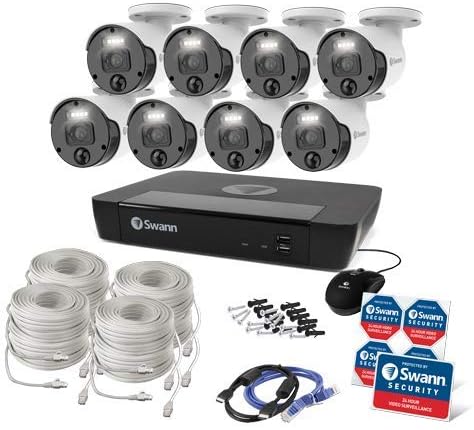
ምስል 1፡ Complete contents of the Swann Master-Series 4K HD 8 Camera 8 Channel NVR Security System kit, including the NVR, eight cameras, various cables, a USB mouse, and security stickers.
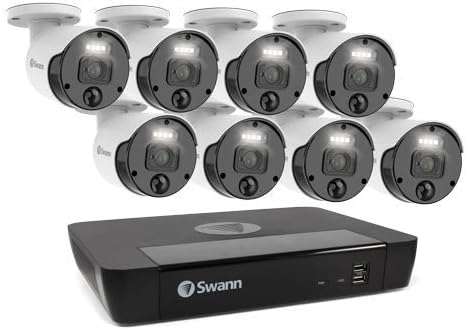
ምስል 2፡ The Swann Network Video Recorder (NVR) unit, which serves as the central recording and management hub for the security system.
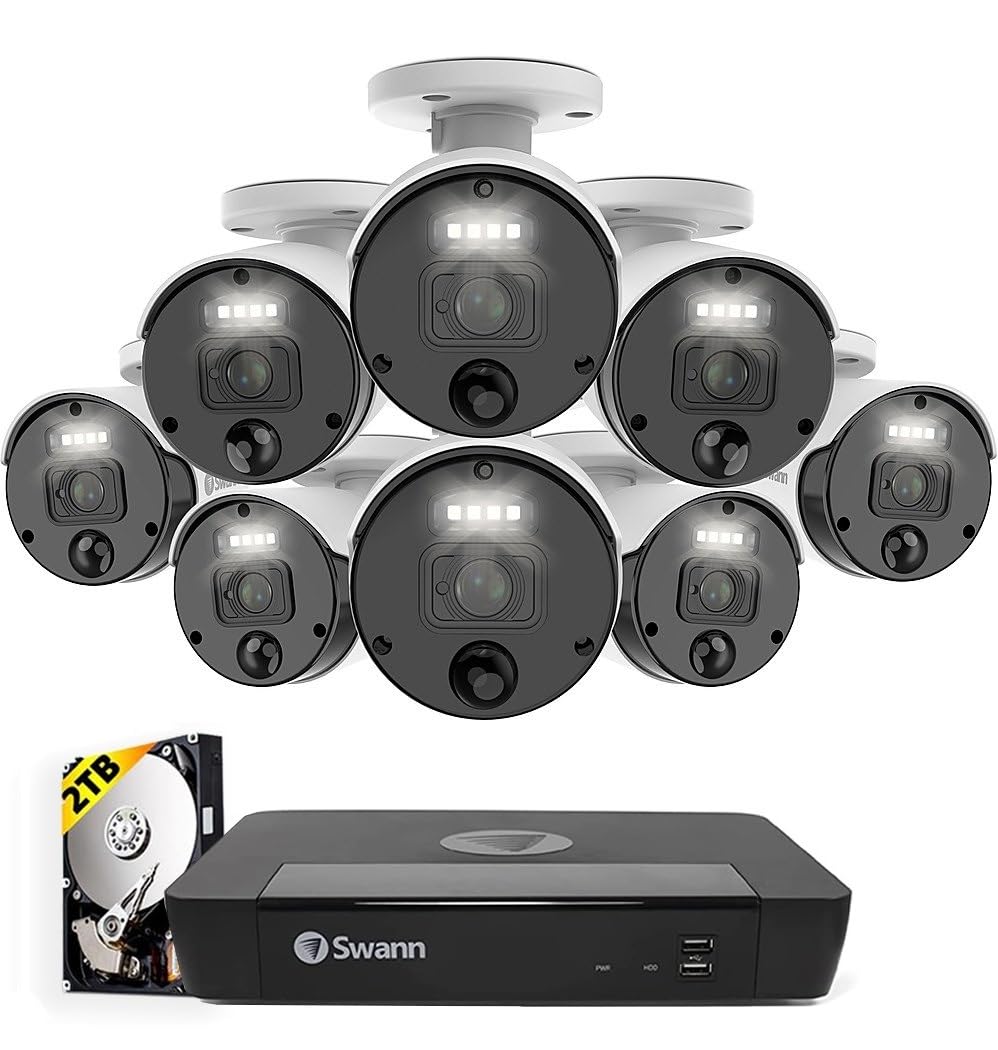
ምስል 3፡ The Swann Master-Series NVR unit shown with eight 4K HD security cameras, illustrating the core components of the surveillance system.
ማዋቀር
1. የNVR ግንኙነት
- ከአንድ ማሳያ ጋር ይገናኙ፡ የNVRን HDMI ውፅዓት ወደብ ከአንድ ማሳያ ወይም ቲቪ ጋር ለማገናኘት የቀረበውን የኤችዲኤምአይ ገመድ ይጠቀሙ።
- የዩኤስቢ መዳፊትን ያገናኙ፡ የዩኤስቢ መዳፊትን በNVR ላይ ካሉት የዩኤስቢ ወደቦች ወደ አንዱ ይሰኩት።
- ከአውታረ መረብ ጋር ይገናኙ; Connect an Ethernet cable from the NVR's LAN port to your router or network switch for internet access and remote viewing ችሎታዎች.
- የግንኙነት ኃይል; Plug the NVR's power adapter into the DC IN port and then into a power outlet. The NVR will power on automatically.
2. የካሜራ ጭነት
- ካሜራዎችን መጫን፡ ለካሜራዎችዎ ተስማሚ ቦታዎችን ይምረጡ፣ ግልጽ የሆነ የካሜራ መስክ እንዳላቸው ያረጋግጡ view and are protected from direct weather exposure. Use the provided screws and plugs to securely mount each camera.
- ካሜራዎችን ከNVR ጋር ያገናኙ፡ Connect each camera to an available Ethernet port on the NVR using the provided Ethernet cables. The NVR will automatically detect and power the cameras (Power over Ethernet - PoE).
3. የመጀመሪያ ውቅር
- የመጀመሪያ ጊዜ የማዋቀር አዋቂ፦ Upon first power-up, the NVR will display a setup wizard on the connected monitor. Follow the on-screen prompts to configure basic settings such as language, date/time, and network settings.
- የአስተዳዳሪ የይለፍ ቃል ያዘጋጁ፡ Create a strong, unique password for the administrator account. This is crucial for system security.
- ሃርድ ድራይቭ ማስጀመር፡ The wizard may prompt you to initialize the hard drive. Confirm to prepare it for recording.
ስርዓቱን በማንቀሳቀስ ላይ
ቀጥታ View
ከመጀመሪያው ማዋቀር በኋላ NVR ቀጥታውን ያሳያል view በሞኒተሩ ላይ ካሉ ሁሉም የተገናኙ ካሜራዎች። በነጠላ ካሜራ መካከል መቀያየር ይችላሉ view፣ ባለብዙ ካሜራ ፍርግርግ view, and sequence view using the NVR's interface and mouse.
መቅዳት
- ተከታታይ ቀረፃ The system is typically configured for continuous recording by default.
- የእንቅስቃሴ ፍለጋ ቀረጻ Configure specific cameras to record only when motion is detected within their field of view. Adjust sensitivity and detection zones as needed.
- የታቀደ ቀረፃ Set specific times for recording, allowing for customized surveillance schedules.
መልሶ ማጫወት
Access the playback menu on the NVR to review ተመዝግቧል footage. You can search by date, time, and event type (e.g., motion detection). Use the timeline and controls to navigate through recordings.
Remote Access (Swann Security App)
ለሩቅ viewing and management, download the official Swann Security app on your smartphone or tablet. Follow the in-app instructions to pair your NVR system. This allows you to view live feeds, play back recordings, and receive alerts from anywhere with an internet connection.
ጥገና
- የካሜራ ማጽዳት፡ በየጊዜው የካሜራ ሌንሶችን ለስላሳ፣ መamp የምስል ጥራትን ለማረጋገጥ ጨርቅ። ገላጭ ማጽጃዎችን ያስወግዱ.
- የNVR አየር ማናፈሻ፡ Ensure the NVR unit has adequate ventilation to prevent overheating. Keep vents clear of obstructions.
- የጽኑዌር ዝማኔዎች ፦ Regularly check for and install firmware updates for your NVR and cameras. Updates often include security enhancements and new features. Refer to the Swann support webለቅርብ ጊዜ firmware ጣቢያ።
- የሃርድ ድራይቭ አስተዳደር፡ The NVR's hard drive will automatically overwrite the oldest footage when it becomes full. Ensure your recording settings (e.g., continuous, motion detection) align with your storage needs.
- የይለፍ ቃል ደህንነት; Change your administrator password periodically and use strong, unique passwords to protect your system from unauthorized access.
መላ መፈለግ
No Video Display on Monitor
- Check if the NVR is powered on and its power adapter is securely connected.
- Verify the HDMI cable connection between the NVR and the monitor.
- Ensure the monitor is set to the correct input source (e.g., HDMI 1).
Cameras Not Showing Live View / No Recording
- Check that each camera is securely connected to the NVR's Ethernet port.
- Ensure the Ethernet cables are not damaged.
- Verify that the NVR's hard drive is initialized and has sufficient space.
- Check camera settings within the NVR interface to ensure they are enabled and configured for recording.
Remote Access Issues
- Ensure the NVR is connected to your router and has an active internet connection.
- Verify your smartphone or tablet has an active internet connection.
- Confirm that the NVR is correctly paired with the Swann Security app.
- Check your router's firewall settings; some may block NVR access.
የምሽት ራዕይ አይሰራም
- Ensure there are no obstructions directly in front of the camera lens blocking the infrared (IR) LEDs.
- Check camera settings to ensure night vision (IR) is enabled.
- Verify the camera is receiving adequate power.
ዝርዝሮች
| ባህሪ | ዝርዝር መግለጫ |
|---|---|
| የምርት ስም | ስዋን |
| የሞዴል ቁጥር | SWNVK-876808-US |
| የግንኙነት ቴክኖሎጂ | Wired (Ethernet/PoE) |
| የቪዲዮ ቀረጻ ጥራት | 2160p (4K Ultra HD) |
| ልዩ ባህሪ | የምሽት ራዕይ |
| የሰርጦች ብዛት | 8 |
| የኃይል ምንጭ | ባለገመድ ኤሌክትሪክ |
| የNVR ልኬቶች (ሊትር x ወርድ x ኤች) | 10 x 2 x 2.7 ኢንች |
| ተስማሚ መሣሪያዎች | Swann IP Cameras |
| ዝቅተኛ ብርሃን ቴክኖሎጂ | የምሽት ራዕይ |
| የፍሬም መጠን | 15, 24, 30 fps (variable by resolution/settings) |
| የመቅዳት ሁነታ | Continuous, Event (Motion Detection), Scheduled |
| የቪዲዮ ግቤት | Ethernet (for IP Cameras) |
| የእቃው ክብደት | 21.2 ፓውንድ (ጠቅላላ ጥቅል) |
| ዩፒሲ | 840236127788 |
Note: While the provided data listed 'BNC' for Video Input, this NVR system primarily uses Ethernet for IP cameras. Please refer to the product packaging or Swann's official webበጣም ትክክለኛ እና ወቅታዊ ዝርዝሮችን ለማግኘት ጣቢያ።
ዋስትና እና ድጋፍ
Your Swann Master-Series 4K HD 8 Camera 8 Channel NVR Security System is covered by a manufacturer's warranty. For specific warranty terms, duration, and conditions, please refer to the warranty card included with your product or visit the official Swann webጣቢያ.
For technical support, troubleshooting assistance, or to access the latest software and firmware updates, please visit the Swann support portal on their official webጣቢያ. ለደንበኞች አገልግሎት የእውቂያ መረጃን እዚያ ማግኘት ይችላሉ።


