1. ምርት አብቅቷልview
The Baseus W09 TWS Wireless Earphones (Model: Encok W09) are designed for convenient audio playback and communication. These in-ear earphones feature touch control and connect wirelessly via Bluetooth, offering a stereo bass sound experience.

Image 1: The Baseus W09 TWS Wireless Earphones securely placed within their charging case. The case is open, revealing both earbuds.
2. ማዋቀር
2.1 የጆሮ ማዳመጫውን እና መያዣውን መሙላት
Before initial use, ensure both the earphones and the charging case are fully charged. The charging case contains a built-in Lithium Ion battery.
- የጆሮ ማዳመጫዎቹን ወደ ቻርጅ መሙያው ውስጥ ያስገቡ።
- Connect the charging case to a power source using a compatible charging cable (not specified, assume USB).
- ሙሉ ክፍያ በተለምዶ 1.5 ሰአታት ይወስዳል።
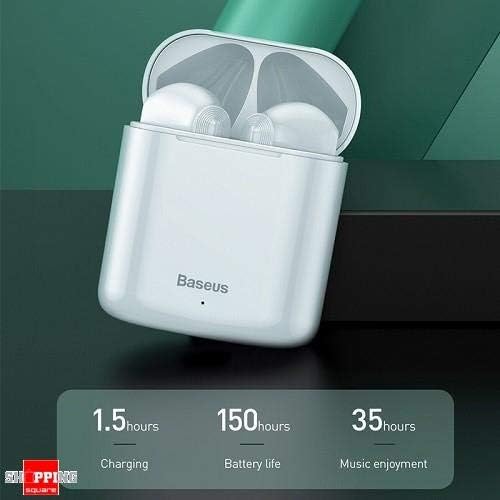
Image 2: The Baseus W09 charging case, illustrating its charging time of 1.5 hours, a standby battery life of 150 hours, and 35 hours of music enjoyment.
2.2 የብሉቱዝ ማጣመር
The Baseus W09 earphones are designed for quick and instant connection.
- የጆሮ ማዳመጫዎች መሙላታቸውን ያረጋግጡ።
- የኃይል መሙያ መያዣውን ይክፈቱ.
- የጆሮ ማዳመጫዎቹን ከመሙያ መያዣው ያስወግዱት። እነሱ በራስ-ሰር የማጣመር ሁነታን ያስገባሉ።
- በመሳሪያዎ (ስማርትፎን፣ ታብሌት፣ ወዘተ) ላይ ብሉቱዝን አንቃ እና የሚገኙ መሳሪያዎችን ፈልግ።
- Select "Baseus Encok W09" or a similar name from the list to connect.
- አንዴ ከተገናኘ በኋላ የድምጽ መጠየቂያ ይሰማል፣ እና የጆሮ ማዳመጫዎቹ ለአገልግሎት ዝግጁ ይሆናሉ።
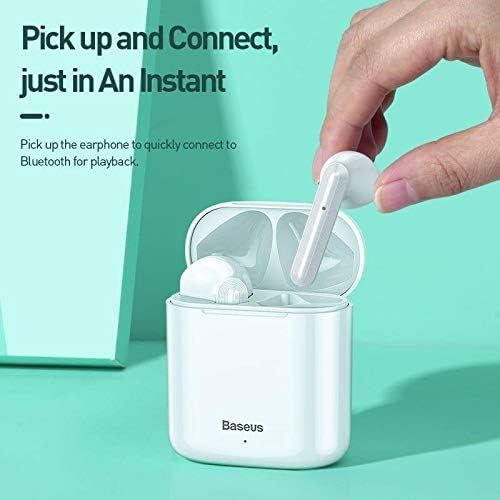
Image 3: A hand demonstrating the "Pick up and Connect" feature, showing an earphone being removed from its charging case, initiating quick Bluetooth connection.
3. የአሠራር መመሪያዎች
3.1 የጆሮ ማዳመጫዎችን መልበስ
Gently insert each earphone into the corresponding ear canal (L for left, R for right). Adjust them for a comfortable and secure fit to ensure optimal sound quality and stability.
3.2 የንክኪ መቆጣጠሪያ ተግባራት
The Baseus W09 earphones feature intelligent touch controls for various functions. Specific gestures may vary; please refer to the product packaging or the official Baseus website for detailed touch control instructions.
- አጫውት/ ለአፍታ አቁም፡ Typically a single tap on either earphone.
- መልስ/ጥሪ ጨርስ፡ Usually a single tap during an incoming call.
- ቀጣይ / ቀዳሚ ትራክ Often a double or triple tap on a specific earphone.
- የድምፅ ረዳት አግብር May involve a long press or specific tap sequence.
3.3 የባትሪ ህይወት
The Baseus W09 earphones and charging case offer extended usage times:
- Music Enjoyment: Up to 35 hours (with charging case).
- የመጠባበቂያ ጊዜ፡- እስከ 150 ሰዓታት ድረስ.
4. ጥገና
4.1 ጽዳት
- የጆሮ ማዳመጫዎቹን እና የኃይል መሙያ መያዣውን ለማጽዳት ለስላሳ፣ ደረቅ፣ ከንጣፍ ነፃ የሆነ ጨርቅ ይጠቀሙ።
- ሻካራ ማጽጃዎችን፣ አልኮልን ወይም ኬሚካዊ ፈሳሾችን አይጠቀሙ።
- Ensure no moisture enters the earphone speakers or charging ports.
4.2 ማከማቻ
- ጥቅም ላይ በማይውልበት ጊዜ የጆሮ ማዳመጫዎቹን ለመጠበቅ እና ኃይል እንዲሞሉ ለማድረግ በእነሱ ቻርጅ ውስጥ ያከማቹ።
- ከፀሀይ ብርሀን እና ከከፍተኛ ሙቀት ርቆ በቀዝቃዛና ደረቅ ቦታ ያከማቹ።
5. መላ መፈለግ
If you encounter issues with your Baseus W09 earphones, try the following steps:
- ድምጽ የለም፡ Ensure earphones are charged, connected to your device, and volume is up on both the earphones and your device.
- ማጣመር አይቻልም፡ Make sure Bluetooth is enabled on your device and the earphones are in pairing mode. Try turning Bluetooth off and on again on your device.
- የሚቆራረጥ ግንኙነት; Ensure there are no obstructions between the earphones and your device. Try moving closer to your device.
- የመሙላት ጉዳዮች፡- Check the charging cable and power adapter. Ensure the charging contacts on the earphones and case are clean.
- ዳግም ማስጀመር If issues persist, try resetting the earphones. Refer to the official Baseus website or product packaging for specific reset instructions.
6. ዝርዝሮች
| ባህሪ | ዝርዝር |
|---|---|
| የምርት ስም | ቤዝየስ |
| የሞዴል ቁጥር | ኤንኮክ W09 |
| ዓይነት | በጆሮ ውስጥ |
| የግንኙነት ቴክኖሎጂ | ገመድ አልባ (ብሉቱዝ) |
| የመቆጣጠሪያ ዘዴ | ንካ |
| ማይክሮፎን ተካትቷል። | አዎ |
| የድምጽ መሰረዝ | አይ |
| የባትሪ ዓይነት | ሊቲየም አዮን (ተጨምሯል) |
| የኃይል መሙያ ጊዜ | በግምት. 1.5 ሰዓታት |
| Music Enjoyment Time | እስከ 35 ሰዓታት (ከኃይል መሙያ መያዣ ጋር) |
| የመጠባበቂያ ጊዜ | እስከ 150 ሰዓታት ድረስ |
| ጋር ተኳሃኝ | ሁሉም በብሉቱዝ የነቁ መሣሪያዎች |
| ቀለም | ነጭ |
| የጥቅል ልኬቶች | 14.6 x 11 x 4 ሴ.ሜ |
| የእቃው ክብደት | 170 ግ |
7. ዋስትና እና ድጋፍ
For warranty information, technical support, or further assistance, please refer to the documentation included with your product or visit the official Baseus webጣቢያ. ለዋስትና ጥያቄዎች የግዢ ማረጋገጫዎን ያስቀምጡ።


