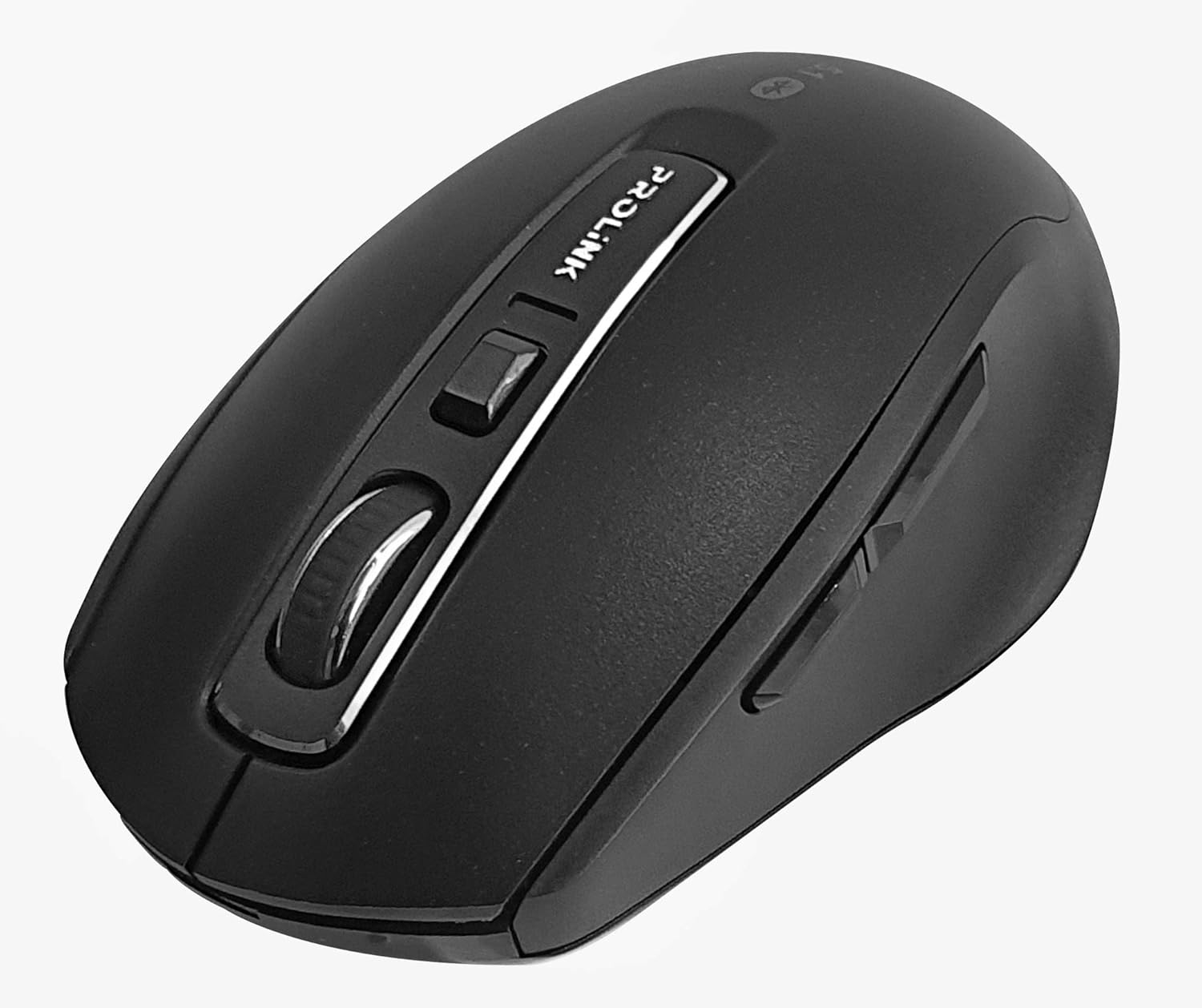
ምስል፡ ከላይ ወደ ታች view of the Prolink PMB8502 Bluetooth Wireless Optical Mouse.
1. መግቢያ እና በላይview
The Prolink PMB8502 Bluetooth Mouse is designed for seamless wireless control of your desktop, laptop, or tablet. It features Bluetooth 5.2 connectivity, an ergonomic design, and adjustable DPI settings for personalized comfort and precision. This manual provides detailed instructions for setup, operation, maintenance, and troubleshooting.
ቁልፍ ባህሪዎች
- Bluetooth 5.2 connectivity (backward compatible with 5.1/5.0/4.2/4.1/4.0)
- Up to 27 months battery life (based on supplied batteries)
- የሚስተካከል ዲፒአይ - 800/1200/1600
- 6-button design including back and forward buttons
- ምቹ አጠቃቀም Ergonomic ንድፍ
- Operating range of up to 10 meters

Image: Prolink PMB8502 mouse highlighting its Bluetooth 5.2, battery life, DPI, and range features.
2. የጥቅል ይዘቶች
- Prolink PMB8502 Bluetooth Wireless Optical Mouse
- 1 x AA ባትሪ (ቀድሞ የተጫነ ወይም ለብቻው የተካተተ)
- የተጠቃሚ መመሪያ (ይህ ሰነድ)
3. የማዋቀር መመሪያዎች
3.1. የባትሪ ጭነት
- በመዳፊት ስር ያለውን የባትሪ ክፍል ሽፋን ያግኙ።
- ክፍሉን ለመክፈት ሽፋኑን በቀስታ ያንሸራትቱ ወይም ያንሱት.
- አንድ AA ባትሪ ያስገቡ፣ አወንታዊው (+) እና አሉታዊ (-) ተርሚናሎች በክፍሉ ውስጥ ካሉ ምልክቶች ጋር በትክክል መገጣጠም።
- ደህንነቱ በተጠበቀ ሁኔታ ወደ ቦታው ጠቅ እስኪያደርግ ድረስ የባትሪውን ክፍል ሽፋን ይተኩ።
3.2. የብሉቱዝ ማጣመር
Before pairing, ensure your device (computer, laptop, tablet) has Bluetooth enabled.
- Turn on the mouse using the On/Off switch located on the underside.
- Press and hold the Bluetooth 'Connect' button (usually located near the On/Off switch or within the battery compartment) for 3-5 seconds until the LED indicator on the mouse begins to flash, indicating it is in pairing mode.
- በመሳሪያዎ ላይ ወደ የብሉቱዝ ቅንብሮች ይሂዱ።
- ፈልግ new devices. The mouse should appear as "Prolink PMB8502" or similar.
- Select the mouse from the list to complete the pairing process. The LED indicator on the mouse will stop flashing and remain solid for a few seconds, then turn off, indicating a successful connection.

ምስል፡ ፊት ለፊት view of the Prolink PMB8502 mouse, showing its ergonomic shape.
4. የአሠራር መመሪያዎች
4.1. የአዝራር ተግባራት
- የግራ ጠቅታ አዝራር፡- መደበኛ ምርጫ እና ማግበር።
- በቀኝ ጠቅ ያድርጉ አዝራር; የአውድ ምናሌዎችን ይደርሳል።
- የማሽከርከር ጎማ፡ የሸብልል ሰነዶች እና web pages vertically. Can also be pressed for middle-click functionality.
- የዲፒአይ ማስተካከያ አዝራር፡- Located below the scroll wheel. Press to cycle through DPI settings (800/1200/1600).
- አስተላልፍ አዝራር፡- ወደ ውስጥ ወደፊት ይሄዳል web አሳሾች ወይም file አሳሾች.
- ተመለስ አዝራር፡- ወደ ውስጥ ወደ ኋላ ይመራል። web አሳሾች ወይም file አሳሾች.

ምስል: ጎን view of the Prolink PMB8502 mouse, illustrating the placement of the back and forward navigation buttons.
4.2. የዲፒአይ ማስተካከያ
The mouse offers three DPI (Dots Per Inch) settings: 800, 1200, and 1600. Press the DPI button located below the scroll wheel to switch between these sensitivities. A higher DPI setting results in faster cursor movement across the screen.
4.3. የኃይል አስተዳደር
- ማብሪያ / ማጥፊያ To conserve battery life, turn off the mouse using the switch on its underside when not in use for extended periods.
- ራስ-ሰር የእንቅልፍ ሁነታ; The mouse automatically enters a sleep mode after more than 10 minutes of inactivity. To wake it up, simply move the mouse or click any button.
5. ጥገና
5.1. ማጽዳት
አይጡን ለማጽዳት ለስላሳ፣ ደረቅ፣ ከቆሻሻ ነፃ የሆነ ጨርቅ ይጠቀሙ። ለጠንካራ ቆሻሻ፣ ትንሽampen the cloth with water or a mild cleaning solution. Avoid using harsh chemicals, abrasive cleaners, or spraying liquids directly onto the mouse.
5.2. የባትሪ መተካት
When the mouse performance degrades or the LED indicator suggests low battery, replace the AA battery following the steps in Section 3.1. Dispose of used batteries responsibly according to local regulations.
6. መላ መፈለግ
- Mouse not connecting or erratic movement:
- መዳፊት መብራቱን ያረጋግጡ።
- የባትሪውን ደረጃ ይፈትሹ እና አስፈላጊ ከሆነ ይተኩ.
- በመሳሪያዎ ላይ ብሉቱዝ መንቃቱን ያረጋግጡ።
- Try re-pairing the mouse with your device (refer to Section 3.2).
- የቦታ ችግሮችን ለማስወገድ መዳፊቱን ወደ መሳሪያዎ ያቀራርቡት።
- Ensure there are no other strong wireless signals interfering with the Bluetooth connection.
- Cursor not moving smoothly:
- በመዳፊት ስር ያለውን የኦፕቲካል ዳሳሽ ያፅዱ።
- መዳፊቱን በንጹህ፣ በማያንጸባርቅ ወለል ላይ ይጠቀሙ።
- የዲፒአይ ቅንብሩን ለእርስዎ ፍላጎት በሚስማማ ደረጃ ያስተካክሉ።
- ምላሽ የማይሰጡ አዝራሮች፡-
- የባትሪውን ደረጃ ይፈትሹ.
- Ensure the mouse is properly connected via Bluetooth.
- ኮምፒተርዎን ወይም መሳሪያዎን እንደገና ያስጀምሩ.
7. ዝርዝሮች
| ባህሪ | ዝርዝር |
|---|---|
| አዝራሮች | 6 |
| ዳሳሽ | ኦፕቲካል |
| የዲፒአይ ጥራት | 800/1200/1600 ዲፒአይ |
| በይነገጽ | Bluetooth 5.2 (backward compatible with Bluetooth 5.1/5.0/4.2/4.1/4.0) |
| የዩኤስቢ ሪፖርት ደረጃ | 125Hz |
| FPS | 2400 ጊዜ / ሰከንድ |
| የሚሰራ እርጥበት | 30%RH - 95%RH |
| የአሠራር ሙቀት | -20°ሴ - +60°ሴ |
| ስርዓተ ክወና | Windows 7 / 10 / 11, Mac OS 10.2 above |
| ልኬቶች (L x W x H) | 108 ሚሜ x 66.7 ሚሜ x 40.2 ሚሜ |
| ክብደት | 69.2 ግ (ምርት ብቻ) |
| የባትሪ ዓይነት | 1 x AA ባትሪ |

Image: Graphic displaying the technical specifications of the Prolink PMB8502 mouse.
8. ዋስትና እና ድጋፍ
The Prolink PMB8502 Bluetooth Wireless Optical Mouse typically comes with a የ 3 ዓመት ዋስትና from the date of purchase. Please refer to your purchase receipt or the official Prolink website for specific warranty terms and conditions applicable in your region.
For technical support, troubleshooting assistance, or warranty claims, please visit the official Prolink website or contact their customer service department. Contact information can usually be found on the product packaging or the Prolink official webጣቢያ.
የመስመር ላይ መርጃዎች፡-

Image: Prolink PMB8502 mouse with a "3 Year Warranty" label, indicating product assurance.