መግቢያ
This manual provides comprehensive instructions for the installation, operation, and maintenance of your Ring Video Doorbell Wired. Please read this manual thoroughly before installation and use to ensure proper functionality and safety.
ምን ይካተታል
Your Ring Video Doorbell Wired package includes the following items:
- የቀለበት ቪዲዮ የበር ደወል ገመድ አሃድ
- የመጫኛ መሳሪያዎች እና ዊንጮች
- የተጠቃሚ መመሪያ (ይህ ሰነድ)
- ፈጣን ጅምር መመሪያ
- የደህንነት ተለጣፊዎች
ማዋቀር እና መጫን
The average installation time for the Ring Video Doorbell Wired is approximately 15 minutes. This device requires hardwiring to an existing doorbell system, a Ring plug-in adapter, or a compatible transformer.
መስፈርቶች፡
- Standard doorbell system, Ring plug-in adapter, or transformer with 10-24 VAC, 40VA max, 50/60Hz or 24VDC, 0.5A, 12W.
- ከፍተኛ ፍጥነት ያለው የበይነመረብ ግንኙነት.
- 802.11 b/g/n Wi-Fi connection at 2.4 GHz.
የመጫኛ ደረጃዎች
- ኃይል ያጥፉ; ከመጀመርዎ በፊት፣ አሁን ባለው የበር ደወል ስርዓትዎ ላይ ያለው ኃይል በብሬክተሩ ላይ መጥፋቱን ያረጋግጡ።
- አሁን ያለውን የበር ደወል ያስወግዱ፦ Disconnect and remove your old doorbell button.
- Connect Ring Doorbell: Connect the wires from your existing doorbell system to the terminals on the back of the Ring Video Doorbell Wired. Ensure a secure connection.
- የበሩን ደወል ይጫኑ፦ Secure the Ring Video Doorbell Wired to your wall using the provided screws and tools.
- ኃይልን ወደነበረበት መመለስ; ኃይሉን በሰባሪው ላይ መልሰው ያብሩት።
- የውስጠ-መተግበሪያ ማዋቀር፦ Download the Ring app on your smartphone or tablet and follow the on-screen instructions to connect your doorbell to your Wi-Fi network and complete the setup process.

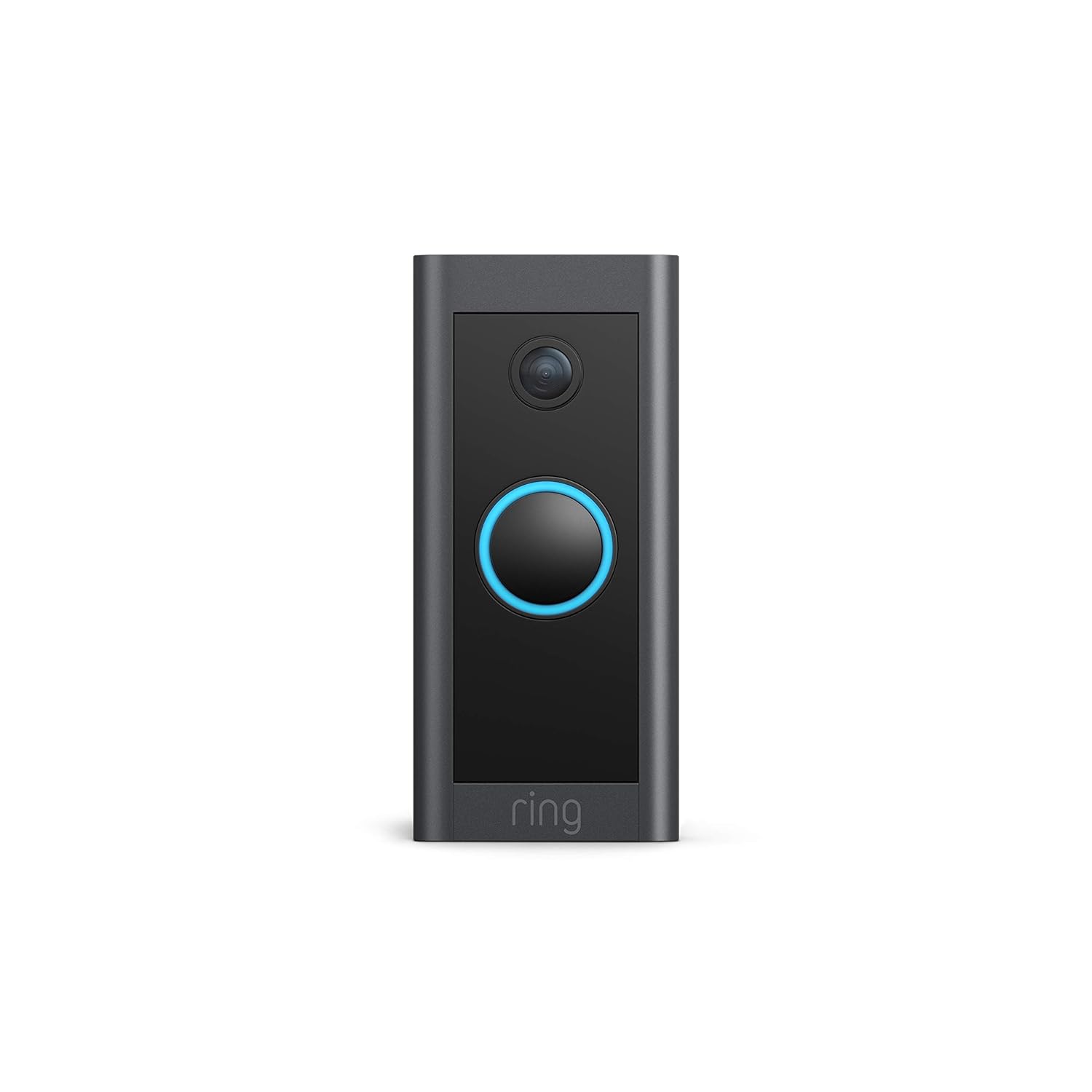
የአሠራር መመሪያዎች
The Ring Video Doorbell Wired offers various features to enhance your home security and communication.
ቁልፍ ባህሪዎች
- 1080p HD ቪዲዮ፡ Provides clear, high-definition video with Live View and Night Vision for monitoring your front door.
- የሁለት መንገድ ንግግር፡- Communicate with visitors at your door from anywhere using the Ring app. Features noise cancellation for clear audio.
- የላቀ እንቅስቃሴ ማወቂያ፡- Customizable motion zones allow you to receive alerts when motion is detected in specific areas.
- የእውነተኛ ጊዜ ማንቂያዎች፡- Get instant notifications on your phone when someone rings the doorbell or motion is detected.
- የምሽት እይታ; በዝቅተኛ ብርሃን ሁኔታዎች ውስጥም ቢሆን ግልጽ የሆነ ታይነትን ያረጋግጣል።
- አሌክሳ ውህደት Connects with Alexa-enabled devices to hear alerts or view a live feed on screens.


Using the Ring App:
The Ring app is essential for managing your Video Doorbell. Through the app, you can:
- View የቀጥታ ቪዲዮ ምግብ.
- Engage in two-way talk with visitors.
- Customize motion detection settings and zones.
- Access recorded videos (with a Ring Protect subscription).
- Manage device settings and privacy options.
ጥገና
የሪንግ ቪዲዮ በር ደወልዎ ጥሩ አፈጻጸም እና ረጅም ዕድሜ እንዲኖርዎት የሚከተሉትን የጥገና ምክሮች ያስቡበት፦
- ማጽዳት፡ የካሜራውን ሌንስ እና የበር ደወሉን ውጫዊ ክፍል በለስላሳ፣ d በየጊዜው ይጥረጉamp አቧራና ቆሻሻን ለማስወገድ ጨርቅ። ሻካራ ማጽጃዎችን ያስወግዱ።
- የሶፍትዌር ማሻሻያ Ensure your Ring app and doorbell firmware are always up to date. Updates often include performance improvements and security enhancements.
- የግንኙነት ፍተሻ; Regularly check your Wi-Fi signal strength in the Ring app to ensure a stable connection.
- የአካባቢ ሁኔታዎች; The doorbell is weather-resistant, designed to operate between -20°C to 50°C (-5°F to 120°F). Ensure it is not exposed to conditions outside this range.
መላ መፈለግ
If you encounter issues with your Ring Video Doorbell Wired, try the following troubleshooting steps:
- ኃይል የለም/የማይበራ፡
- የበር ደወል ስርዓትዎ ኃይል በብሬክተሩ ላይ መብራቱን ያረጋግጡ።
- ደህንነታቸው የተጠበቀ መሆኑን ለማረጋገጥ የገመድ ግንኙነቶችን ያረጋግጡ።
- የኃይል ምንጭዎ የሚያስፈልጉትን መስፈርቶች (10-24 VAC፣ 40VA ቢበዛ፣ 50/60Hz ወይም 24VDC፣ 0.5A፣ 12W) ማሟላቱን ያረጋግጡ።
- Poor Video Quality/Offline:
- Check your Wi-Fi connection and signal strength in the Ring app.
- Ensure your internet service is active and stable.
- የእርስዎን Wi-Fi ራውተር እንደገና ያስጀምሩ።
- የካሜራውን ሌንስ ያጽዱ.
- የእንቅስቃሴ ማወቂያ ጉዳዮች፡-
- Adjust motion sensitivity and customize motion zones in the Ring app.
- ሴንሰሩን የሚከለክሉ ምንም እንቅፋቶች አለመኖራቸውን ያረጋግጡ view.
- Two-Way Talk Problems:
- Check your device's microphone and speaker settings in the Ring app.
- የስማርትፎንዎ ድምጽ መጨመሩን ያረጋግጡ።
- የተረጋጋ የበይነመረብ ግንኙነት ያረጋግጡ።
For further assistance, refer to the support section or contact Ring customer service.
ዝርዝሮች
| ባህሪ | ዝርዝር |
|---|---|
| አማካይ የመጫኛ ጊዜ | ~ 15 ደቂቃዎች |
| ቪዲዮ | 1080p HD ቪዲዮ፣ ቀጥታ ስርጭት View፣ የምሽት እይታ |
| መስክ የ View | 155 ° አግድም ፣ 90 ° አቀባዊ |
| እንቅስቃሴ ማወቂያ | የላቀ እንቅስቃሴ ማወቂያ ሊበጁ ከሚችሉ የእንቅስቃሴ ዞኖች ጋር |
| ኦዲዮ | ባለ ሁለት መንገድ ኦዲዮ ከድምጽ ስረዛ ጋር |
| ኃይል | ጠንካራ ገመድ ያለው (10-24 VAC፣ 40VA ቢበዛ፣ 50/60Hz ወይም 24VDC፣ 0.5A፣ 12W) |
| የበይነመረብ መስፈርቶች | ከፍተኛ ፍጥነት ያለው ኢንተርኔት |
| ግንኙነት | 802.11 b/g/n የዋይ ፋይ ግንኙነት @ 2.4 GHz |
| የአሠራር ሁኔታዎች | -20°C to 50°C (-5°F to 120°F), weather resistant |
| የሚገኙ ቀለሞች | ጥቁር |
| መጠኖች | 101ሚሜ x 45.7ሚሜ x 22.4ሚሜ (3.98 ኢንች x 1.81 በ x 0.88 ኢንች) |
| ትውልድ | የቀለበት ቪዲዮ የበር ደወል ሽቦ ያለው 1ኛ ትውልድ - 2021 የተለቀቀ |
ዋስትና እና ድጋፍ
ዋስትና፡- The Ring Video Doorbell Wired comes with a 1-year limited warranty. Use of the Ring Video Doorbell is subject to the terms found on the official Ring webጣቢያ.
ድጋፍ፡ For more information and assistance, please visit the official Ring Video Doorbell Wired support page. You can typically find this by searching for "Ring Video Doorbell Wired support" on the Ring website or your preferred search engine.


