መግቢያ
This manual provides detailed instructions for the operation and maintenance of your GTMEDIA Z3 Portable DAB+/FM RDS Radio. Please read this manual thoroughly before using the device to ensure proper functionality and to maximize your listening experience.
ጠቃሚ የደህንነት መረጃ
- መሳሪያውን ለዝናብ፣ ለእርጥበት እና ለከፍተኛ ሙቀት አያጋልጡት።
- መሳሪያውን ለጠንካራ ተጽእኖዎች ከመጣል ወይም ከማስገዛት ተቆጠብ።
- ክፍሉን እራስዎ ለመበተን ወይም ለመጠገን አይሞክሩ. ሁሉንም አገልግሎቶች ብቁ ለሆኑ ባለሙያዎች ያመልክቱ።
- የተገለጸውን የኃይል መሙያ ገመድ እና የኃይል አስማሚን ብቻ ይጠቀሙ።
- ልጆች በማይደርሱበት ቦታ ያስቀምጡ.
የጥቅል ይዘቶች
ሁሉም እቃዎች በጥቅሉ ውስጥ መኖራቸውን ያረጋግጡ፡-
- 1 x GTMEDIA Z3 DAB+/FM Radio
- 1 x የዩኤስቢ ባትሪ መሙያ ገመድ
- 1 x የተጠቃሚ መመሪያ

Image: The GTMEDIA Z3 radio, its retail box, USB charging cable, and user manual.
ምርት አልቋልview
The GTMEDIA Z3 is a portable DAB+/FM RDS radio featuring a 2.4-inch TFT-LCD screen. It supports 60 preset stations for both DAB+ and FM, and includes functions such as clock, alarm, and sleep timer. The device is powered by a rechargeable 18650 lithium battery.
የፊት ፓነል መቆጣጠሪያዎች እና ማሳያ
- ኃይል/ተጠባባቂ አዝራር፡- Turns the radio on/off or puts it in standby mode.
- የቃኝ አዝራር፡- Initiates station scanning.
- የDAB/FM አዝራር፡ በDAB+ እና በኤፍኤም ሁነታዎች መካከል ይቀያይራል።
- የምናሌ አዝራር፡- ወደ ዋናው ሜኑ ይደርሳል።
- ኢኩኪ ቁልፍ አመጣጣኝ ቅንብሮችን ያስተካክላል።
- ቅድመ-ቅምጥ አዝራር፡- Accesses preset stations.
- Volume/Select Knob: Adjusts volume and navigates/selects menu options.
- 2.4-inch TFT-LCD Display: የጣቢያ መረጃን፣ ጊዜን እና የምናሌ አማራጮችን ያሳያል።
Rear Panel and Ports
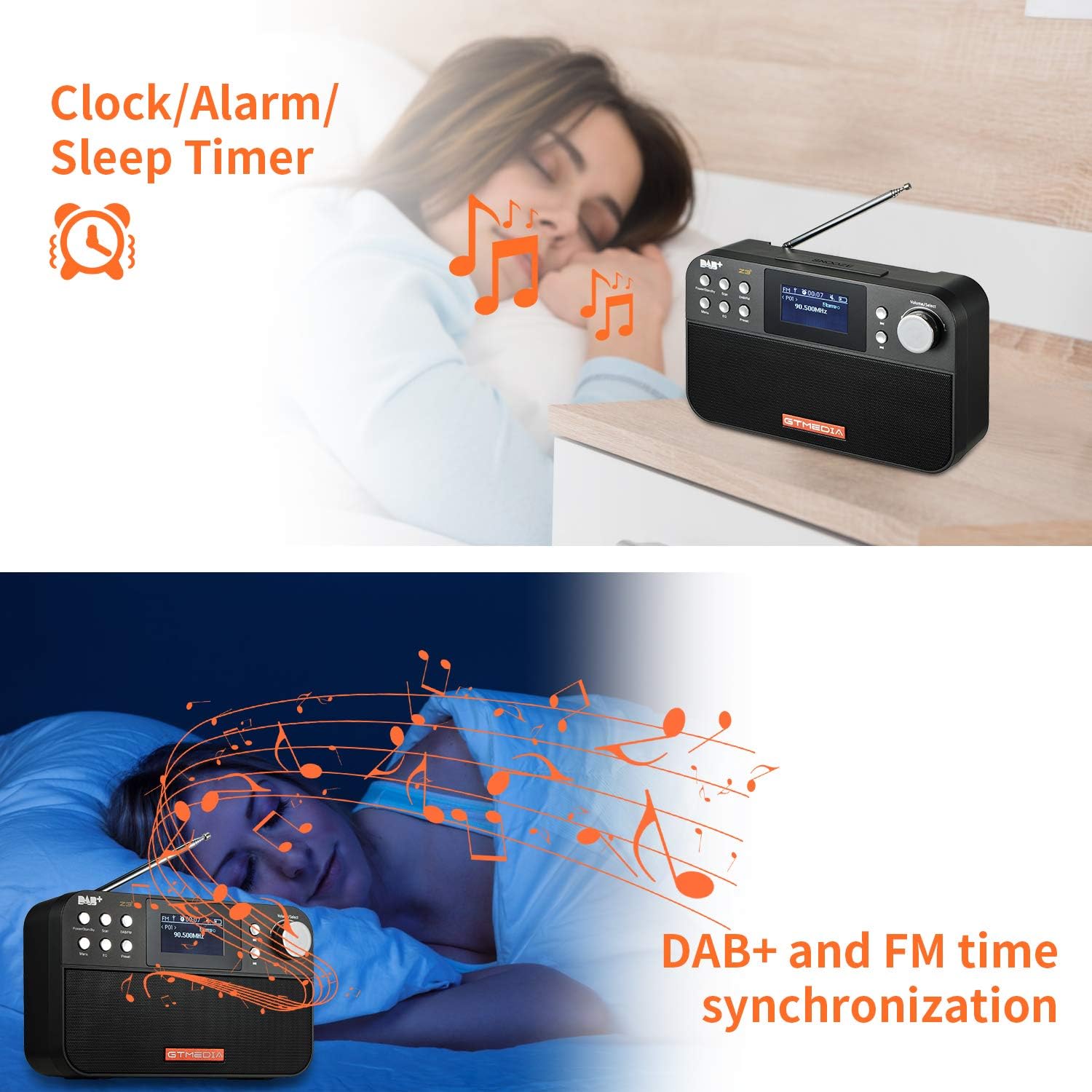
Image: The back of the GTMEDIA Z3 radio, highlighting the 18650 lithium battery compartment and the DC 5V USB charging port.
- 18650 Lithium Battery Compartment: ዳግም ሊሞሉ የሚችሉ ባትሪዎችን ያስቀምጣል።
- DC 5V USB Charging Port: መሣሪያውን ለመሙላት.
የማዋቀር መመሪያ
1. ባትሪውን በመሙላት ላይ
- Locate the USB charging port on the rear of the radio.
- Connect the provided USB charging cable to the radio and to a compatible USB power adapter (DC 5V, ≥1500mA) or a computer USB port.
- The battery indicator on the display will show charging status. A full charge typically provides 4-7 hours of operation.
Image: The GTMEDIA Z3 radio's rear panel, illustrating the USB charging port and battery specifications.
2. የመጀመሪያ የኃይል ማብሪያ እና የቋንቋ ምርጫ
- ተጭነው ይያዙት። ኃይል/ተጠባባቂ ሬዲዮን ለማብራት አዝራር.
- Upon first use, you may be prompted to select a language. Use the Volume/Select knob to navigate and press to confirm your choice. English is the default language.
3. የጊዜ ማመሳሰል
The clock can be set manually or synchronized automatically with DAB+ or FM signals.
- ራስ-ሰር ማመሳሰል; When tuned to a DAB+ or FM station that broadcasts time information, the radio will automatically update its clock.
- በእጅ ማስተካከያ; Access the system settings via the ምናሌ button to manually set the time and date.
የአሠራር መመሪያዎች
1. Radio Modes (DAB+/FM)
የመቀየሪያ ሁነታዎች፡-
የሚለውን ይጫኑ DAB / FM በDAB+ እና በኤፍኤም የሬዲዮ ሁነታዎች መካከል ለመቀያየር አዝራር።
ጣቢያዎችን መቃኘት፡
- ራስ-ሰር ቅኝት (ኤፍኤም): በኤፍ ኤም ሞድ ውስጥ, ይጫኑ ቅኝት የሚገኙ ጣቢያዎችን በራስ-ሰር ለመፈለግ እና ለማከማቸት የሚያስችል አዝራር።
- Local Scan (DAB+): በ DAB+ ሁነታ፣ ን ይጫኑ ቅኝት button to perform a local scan for DAB+ stations. Manual tuning is also supported.
ቅድመ ዝግጅት ጣቢያዎች፡
The radio supports 60 preset stations for both FM and DAB+ (10 quick access presets). To save a station:
- ወደሚፈለገው ጣቢያ ያቀናብሩ።
- ተጭነው ይያዙት። ቅድመ ዝግጅት አዝራር።
- የሚለውን ተጠቀም Volume/Select knob to choose a preset number and press to confirm.
አስቀድሞ የተቀመጠ ጣቢያን ለማስታወስ በአጭሩ ይጫኑ ቅድመ ዝግጅት አዝራር እና ተጠቀም Volume/Select ለመምረጥ ቁልፍ.
FM RDS Station Name Display:
When tuned to an FM station broadcasting RDS (Radio Data System) information, the 2.4-inch TFT-LCD screen will display the station name and other relevant data.
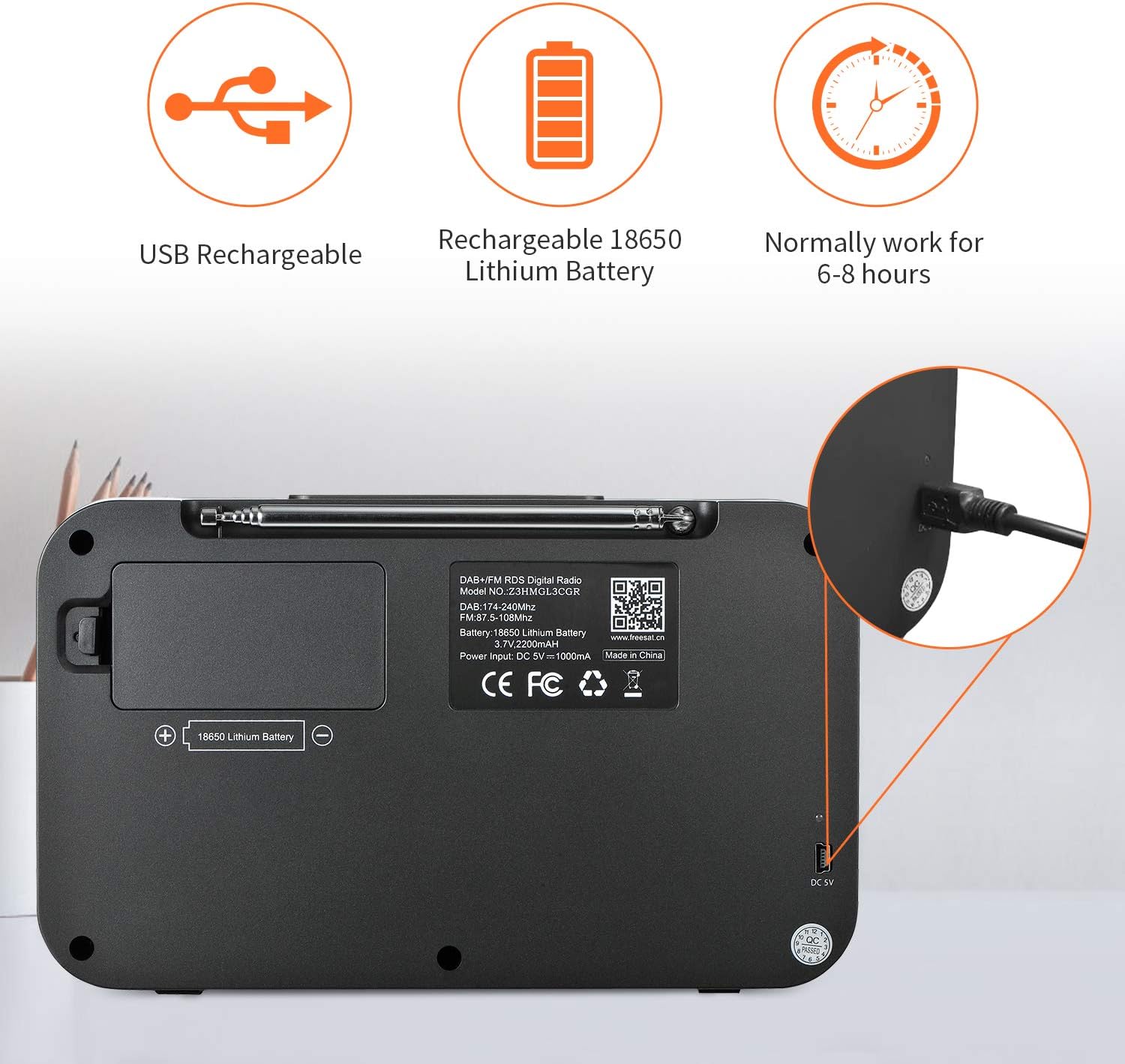
Image: The GTMEDIA Z3 radio's display showing "FM" and "90.500MHz" along with a station name, demonstrating the RDS feature.
2. Clock, Alarm, and Sleep Timer
The GTMEDIA Z3 radio includes integrated clock, alarm, and sleep timer functions for enhanced convenience.

Image: The GTMEDIA Z3 radio with icons representing clock, alarm, and sleep timer functions, depicted in a bedroom setting.
ማንቂያውን በማዘጋጀት ላይ;
- የሚለውን ይጫኑ ምናሌ button and navigate to the "Alarm" settings.
- የሚለውን ተጠቀም Volume/Select knob to set the alarm time, duration, and alarm source (e.g., buzzer, DAB+, FM).
- ቅንብሮችዎን ያረጋግጡ።
የእንቅልፍ ሰዓት ቆጣሪን ማቀናበር;
- የሚለውን ይጫኑ ምናሌ button and navigate to the "Sleep Timer" settings.
- የሚለውን ተጠቀም Volume/Select knob to choose the desired sleep duration (e.g., 15, 30, 60 minutes).
- ሬዲዮው ከተዘጋጀው ጊዜ በኋላ በራስ-ሰር ይጠፋል።
3. የሙዚቃ መልሶ ማጫወት
The GTMEDIA Z3 supports playback of various music formats including MP3, FLAC, and WAV. Playback modes include single play, repeat, and shuffle. Specific instructions for accessing and controlling music playback are typically found within the device's menu system.
ጥገና
ማጽዳት፡
- ሬዲዮውን ለስላሳና ደረቅ ጨርቅ ይጥረጉ።
- ፈሳሽ ማጽጃዎችን ወይም ቆሻሻ ቁሳቁሶችን አይጠቀሙ.
የባትሪ እንክብካቤ
- የባትሪ ዕድሜን ለማራዘም በተደጋጋሚ ባትሪውን ሙሉ በሙሉ ከመሙላት ይቆጠቡ።
- ሬዲዮው በተደጋጋሚ ጥቅም ላይ የማይውል ቢሆንም እንኳ ባትሪውን በየጊዜው ይሙሉት።
- ሬዲዮውን ለረጅም ጊዜ ጥቅም ላይ በማይውልበት ጊዜ ቀዝቃዛና ደረቅ ቦታ ያስቀምጡ።
መላ መፈለግ
| ችግር | ሊሆን የሚችል ምክንያት | መፍትሄ |
|---|---|---|
| ኃይል የለም | ባትሪ ተለቅቋል። | የቀረበውን የዩኤስቢ ገመድ ተጠቅመው ባትሪውን ይሙሉ። |
| ደካማ የሬዲዮ አቀባበል | ደካማ ምልክት; አንቴና አልተራዘመም. | Extend the telescopic antenna fully. Try repositioning the radio. Perform a new scan for stations. |
| ድምጽ የለም። | Volume too low; Mute activated. | በመጠቀም ድምጹን ይጨምሩ Volume/Select knob. Check if mute is active in settings. |
| ማሳያው ግልጽ አይደለም | የብሩህነት ቅንብር በጣም ዝቅተኛ ነው። | Adjust LCD brightness in the system settings. |
ዝርዝሮች
| ባህሪ | ዝርዝር |
|---|---|
| የምርት ስም | GTMEDIA |
| ሞዴል | Z3 |
| መቃኛ ቴክኖሎጂ | DAB Plus, FM RDS |
| የሚደገፉ የሬዲዮ ባንዶች | DAB+ (174.92-239.20 MHz), FM (87.5-108 MHz) |
| ማሳያ | 2.4-inch TFT-LCD (240 x 320 pixels) |
| ቅድመ ዝግጅት ጣቢያዎች | 60 FM፣ 60 DAB+ |
| የኃይል ምንጭ | በባትሪ የተጎላበተ |
| የባትሪ ዓይነት | 18650 Lithium Battery (3.7V 2200mAh) |
| የስራ ሰዓቶች | 4-7 hours (typical) |
| ግብአት በመሙላት ላይ | DC 5V, ≥1500mA (via USB) |
| የግንኙነት ቴክኖሎጂ | ዩኤስቢ |
| ልዩ ባህሪ | Portable, Clock, Alarm, Sleep Timer, USB Upgradeable |
| የእቃው ክብደት | 620 ግ |
| የምርት ልኬቶች | 20 x 5 x 12 ሴ.ሜ |
| የአሠራር ሙቀት | 0 ~ + 45 ° ሴ |
| የማከማቻ ሙቀት | -10 ~ + 60 ° ሴ |
| የሙዚቃ ቅርጸቶች | MP3፣ FLAC፣ WAV |

Image: Dimensions of the GTMEDIA Z3 radio, showing approximate measurements of 200mm x 120mm x 50mm.
የጽኑ ትዕዛዝ አሻሽል።
The GTMEDIA Z3 radio supports firmware upgrades via a USB connection to a PC. For the latest firmware and detailed instructions, please visit the official support webጣቢያ.

Image: The GTMEDIA Z3 radio connected to a laptop via a USB cable, indicating its upgradeable feature.
ዋስትና እና ድጋፍ
For technical support, warranty information, or any questions regarding your GTMEDIA Z3 radio, please visit the official GTMEDIA support webጣቢያ፡


