1. መግቢያ
This manual provides essential information for the safe and efficient use of your Amazon Fire HD 10 tablet (2021 release). Please read it thoroughly before operating your device.
ቁልፍ ባህሪያት
- Fast and Responsive: Powered by an octa-core processor and 3 GB RAM, offering 50% more RAM than the previous generation.
- ለረጅም ጊዜ የሚቆይ ባትሪ; Up to 12 hours of battery life for reading, browsing, video, and music.
- ግልጽ ማሳያ፡ 10.1-inch 1080p Full HD display, 10% brighter than the previous generation, with over 2 million pixels.
- Ampማከማቻ፡ Available with 32 GB or 64 GB internal storage, expandable up to 1 TB with a microSD card (sold separately).
- የመተግበሪያ ተኳኋኝነት Access to popular apps like Netflix, Facebook, Disney+, Instagram, TikTok, and more via Amazon’s Appstore.
- ምርታማነት መሳሪያዎች፡- Supports apps like Microsoft Office, OneNote, and Dropbox for enhanced productivity.
- ዘላቂ ንድፍ; Thinner and lighter than the previous generation, with a screen strengthened by aluminosilicate glass.
- የተከፈለ ስክሪን ተግባራዊነት፡ Allows two compatible apps to be open side-by-side for multitasking.
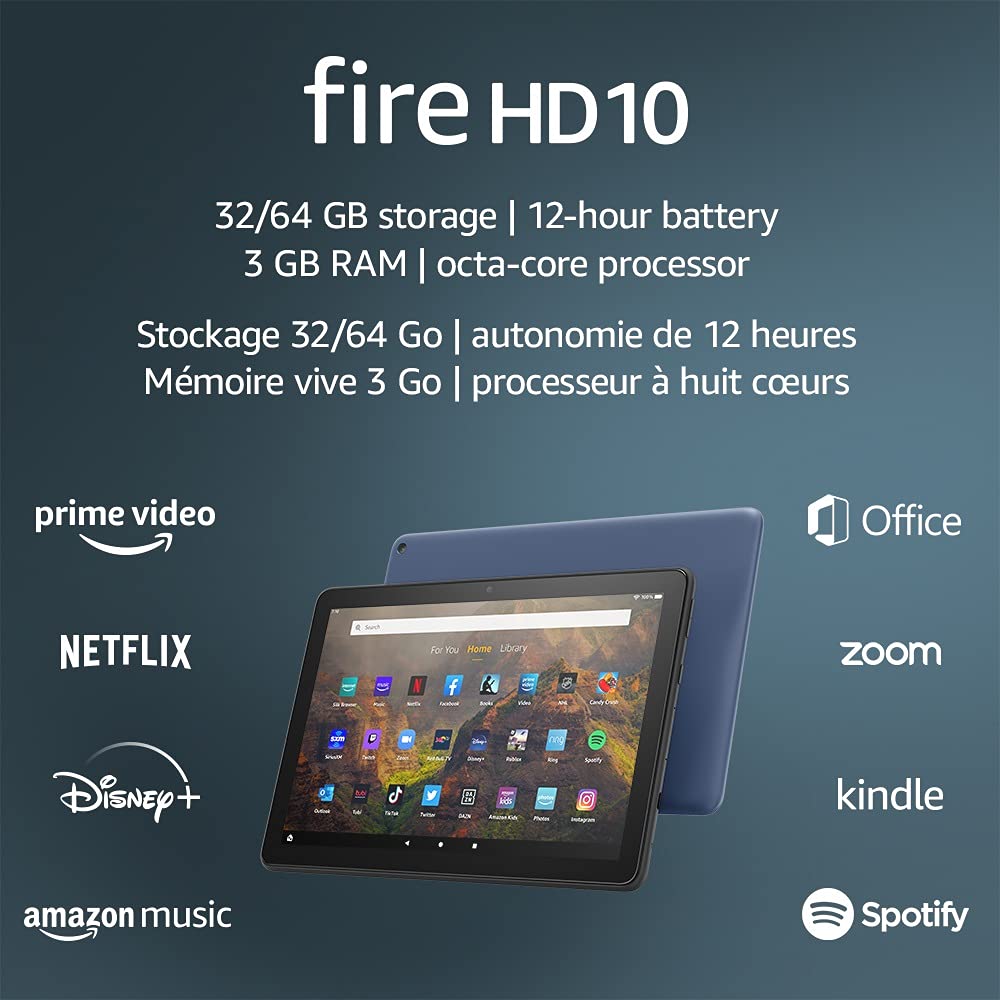
Image 1.1: The Amazon Fire HD 10 tablet highlighting its 32/64 GB storage, 12-hour battery, 3 GB RAM, and octa-core processor, alongside logos of supported applications such as Prime Video, Netflix, Disney+, Amazon Music, Office, Zoom, Kindle, and Spotify.
2. ማዋቀር
2.1 Unboxing እና የመጀመሪያ ክፍያ
Upon receiving your Fire HD 10 tablet, carefully remove all components from the packaging. Before first use, it is recommended to fully charge the device.
- Connect the provided USB-C (2.0) cable to the tablet's USB-C port.
- Plug the other end of the USB-C cable into the 9W power adapter.
- የኃይል አስማሚውን ወደ ግድግዳ መውጫ ይሰኩት.
- A full charge from 0% to 100% typically takes approximately 4 hours while the device is in standby mode.
2.2 ማብራት / ማጥፋት
- ለማብራት፡- Press and hold the power button located on the side of the tablet until the Amazon logo appears on the screen.
- ለማጥፋት፡- Press and hold the power button until a power options menu appears. Select 'Power Off'.
- ዳግም ለመጀመር፡- ከኃይል አማራጮች ምናሌ ውስጥ 'ዳግም አስጀምር' ን ይምረጡ።
2.3 የ Wi-Fi ግንኙነት
To access online content and services, connect your Fire HD 10 to a Wi-Fi network.
- የፈጣን ቅንጅቶች ፓነልን ለመክፈት ከመነሻ ስክሪን ላይ ከላይ ወደ ታች ያንሸራትቱ።
- የWi-Fi አዶውን ይንኩ።
- ከሚገኙት አውታረ መረቦች ዝርዝር ውስጥ የሚፈልጉትን የ Wi-Fi አውታረ መረብ ይምረጡ።
- ከተጠየቁ የአውታረ መረብ ይለፍ ቃል ያስገቡ እና 'Connect' የሚለውን ይንኩ።
- The tablet supports 2.4 GHz and 5.0 GHz networks. Ad-hoc (peer-to-peer) Wi-Fi networks are not supported.
2.4 መለያ ማዋቀር
During the initial setup process, you will be guided to register your Fire HD 10 to an Amazon account. This is necessary to download apps, access Amazon content, and utilize cloud services.
- Follow the on-screen prompts to sign in with an existing Amazon account or create a new one.
- Ensure your account details are accurate for full functionality.
3. የአሠራር መመሪያዎች
3.1 በይነገጹን ማሰስ
The Fire HD 10 tablet features a touch-sensitive display for interaction.
- መታ ያድርጉ፡ አንድን ንጥል ለመምረጥ መተግበሪያን ይክፈቱ ወይም አንድ ቁልፍ ያግብሩ።
- ያንሸራትቱ To scroll through pages, lists, or switch between home screens.
- መቆንጠጥ-ለማጉላት፡ ምስሎችን ለማጉላት ወይም ለማሳነስ፣ web pages, or documents.
- ሎንግ ፕሬስ የአውድ ምናሌዎችን ለመድረስ ወይም የመተግበሪያ አዶዎችን ለማንቀሳቀስ።
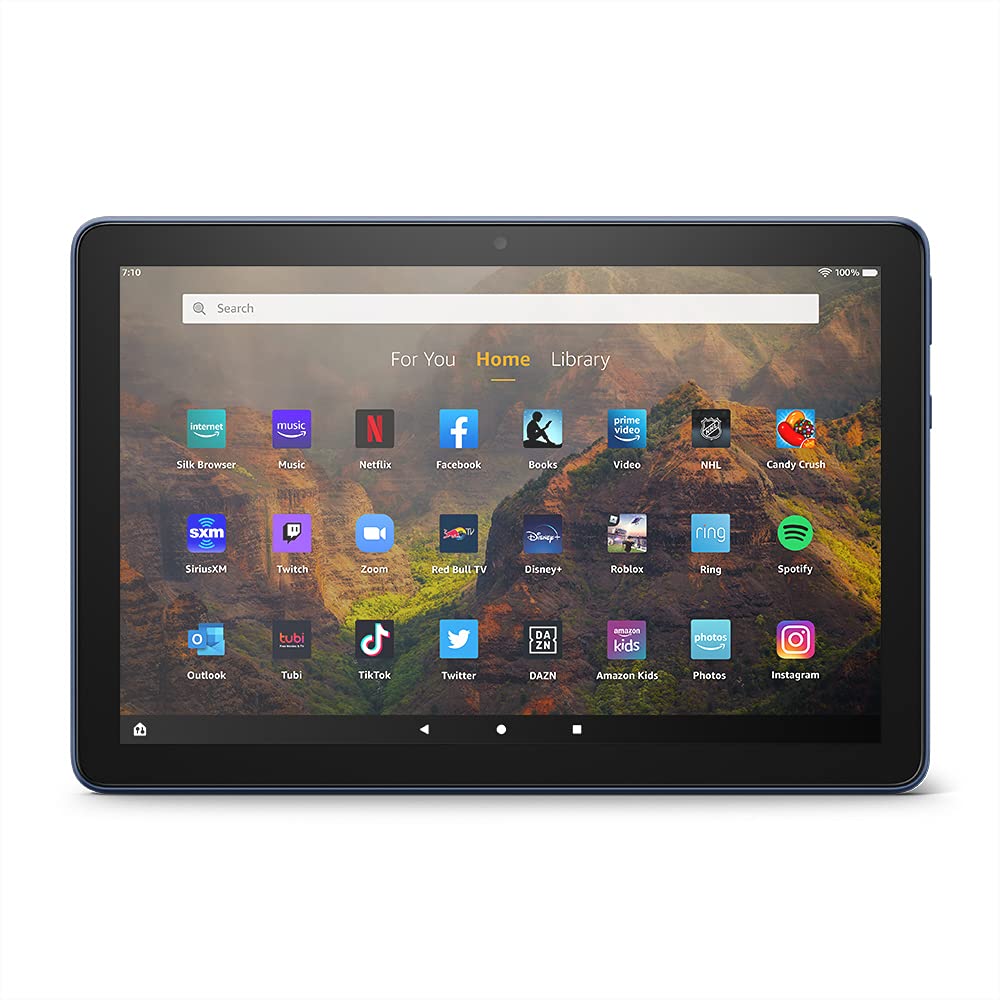
Image 3.1: The Amazon Fire HD 10 tablet's home screen, showcasing a grid of application icons including Silk Browser, Music, Netflix, Facebook, Books, Video, NHL, Candy Crush, SiriusXM, Twitch, Zoom, Red Bull TV, Disney+, Roblox, Ring, Spotify, Outlook, Tubi, TikTok, Twitter, DAZN, Amazon Kids, Photos, and Instagራንደም አክሰስ ሜሞሪ.
3.2 መተግበሪያዎችን መጠቀም
Applications can be downloaded from the Amazon Appstore. Google Play is not supported.
- Tap an app icon on the Home screen to launch it.
- To find new apps, open the 'Appstore' application.
- Some apps may require a subscription for full access.

Image 3.2: A collage of content available on the Amazon Fire HD 10 tablet, featuring book covers like 'The Silent Patient', Amazon Original series and movies such as 'The Wilds', 'Coming to America', 'The Expanse', 'Dune', 'Hanna', 'One Night in Miami', 'Sound of Metal', 'The Marvelous Mrs. Maisel', 'Upload', and 'The Boys', alongside social media app logos for TikTok, Facebook, and Twitter.
3.3 Split Screen Multitasking
The Fire HD 10 supports split screen functionality, allowing two compatible applications to run side-by-side.
- ሊጠቀሙበት የሚፈልጉትን የመጀመሪያውን መተግበሪያ ይክፈቱ።
- Swipe up from the bottom of the screen to reveal the navigation bar.
- Long-press the icon of the first app in the recent apps view.
- Select 'Split Screen' from the options.
- Choose a second compatible app from your recent apps or app drawer to fill the other half of the screen.

Image 3.3: The Amazon Fire HD 10 tablet, shown with an optional Bluetooth keyboard case, demonstrating its split-screen capability. Two applications are open simultaneously: a calendar app on the left and a messaging app on the right, illustrating enhanced productivity.
3.4 የካሜራ አጠቃቀም
The tablet is equipped with a 2 MP front-facing camera and a 5 MP rear-facing camera, both capable of 720p HD video recording.
- Open the 'Camera' app from your Home screen or app drawer.
- ፎቶ ለማንሳት የመዝጊያ አዝራሩን መታ ያድርጉ።
- የካሜራ መቀየሪያ አዶን በመጠቀም ከፊት እና ከኋላ ካሜራዎች መካከል ይቀያይሩ።
- ቪዲዮዎችን ለመቅረጽ የቪዲዮ ሁነታን ይምረጡ።
3.5 Audio and Bluetooth
The Fire HD 10 includes dual integrated speakers and a 3.5 mm stereo jack for headphones. It also supports Bluetooth 5.0 LE.
- Connect wired headphones or external speakers via the 3.5 mm jack.
- To pair Bluetooth devices (headphones, speakers, microphones, LE accessories):
- Go to 'Settings' > 'Connected Devices' > 'Bluetooth'.
- ብሉቱዝ እንደበራ ያረጋግጡ።
- መሳሪያዎን ካሉ መሳሪያዎች ዝርዝር ውስጥ ይምረጡ እና የማጣመሪያ መመሪያዎችን ይከተሉ።
3.6 የማከማቻ አስተዳደር
Your Fire HD 10 comes with either 32 GB or 64 GB of internal storage. You can expand this by up to 1 TB using a microSD card.
- To insert a microSD card: Locate the microSD slot on the side of the tablet, open the cover, and gently insert the card until it clicks into place.
- Manage storage by going to 'Settings' > 'Storage'. Here you can view usage and move compatible apps or media to the microSD card.
4. ጥገና
4.1 የባትሪ እንክብካቤ
- Avoid exposing the tablet to extreme temperatures, as this can degrade battery performance.
- ባትሪውን ለረጅም ጊዜ እንዲያቆይ፣ ባትሪውን ሙሉ በሙሉ ከማጥፋት ወይም ለረጅም ጊዜ 100% ቻርጅ ከማድረግ ይቆጠቡ።
- Use only the provided 9W power adapter and USB-C cable for charging.
4.2 መሳሪያውን ማጽዳት
- ከማጽዳቱ በፊት ጡባዊውን ያጥፉ.
- ስክሪኑን እና አካሉን በቀስታ ለማጽዳት ለስላሳ፣ ከላጣ ነፃ የሆነ ጨርቅ ይጠቀሙ።
- ለግትር ማጭበርበሮች በትንሹ መampen the cloth with water. Avoid using harsh chemicals, abrasive cleaners, or aerosol sprays.
4.3 የሶፍትዌር ዝመናዎች
Amazon periodically releases software updates to improve performance and add new features. Ensure your device is connected to Wi-Fi to receive these updates.
- Updates are typically downloaded and installed automatically.
- You can manually check for updates by going to 'Settings' > 'Device Options' > 'System Updates'.
5. መላ መፈለግ
5.1 መሳሪያ ምላሽ አይሰጥም
- መሣሪያው ከቀዘቀዘ ወይም ምላሽ የማይሰጥ ከሆነ የኃይል ቁልፉን ለ20 ሰከንዶች ያህል ተጭነው ይያዙት እና እንደገና እንዲጀመር ያስገድዳል።
- Ensure the device has sufficient battery charge. Connect it to the charger and try powering it on again.
5.2 የ Wi-Fi ግንኙነት ጉዳዮች
- Verify that Wi-Fi is enabled in Quick Settings or 'Settings' > 'Wireless'.
- የWi-Fi ራውተርዎ ክልል ውስጥ መሆንዎን ያረጋግጡ።
- የእርስዎን Wi-Fi ራውተር እና ሞደም እንደገና ያስጀምሩ።
- Forget the network in 'Settings' > 'Wireless' and reconnect, re-entering the password if necessary.
5.3 መተግበሪያዎች እየሰበሩ ወይም እየጫኑ አይደሉም
- ዝጋ እና መተግበሪያውን እንደገና ይክፈቱ።
- Clear the app's cache: Go to 'Settings' > 'Apps & Games' > 'Manage All Applications', select the problematic app, and tap 'Clear Cache'.
- የጡባዊዎ ሶፍትዌር ወቅታዊ መሆኑን ያረጋግጡ።
- ችግሩ ከቀጠለ፣ መተግበሪያውን ማራገፍ እና እንደገና መጫን ያስቡበት።
5.4 አጭር የባትሪ ህይወት
- የስክሪን ብሩህነት ቀንስ።
- ከበስተጀርባ የሚሰሩ ጥቅም ላይ ያልዋሉ መተግበሪያዎችን ዝጋ።
- አገልግሎት ላይ በማይሆንበት ጊዜ ዋይፋይ ወይም ብሉቱዝ ያጥፉ።
- ለመተግበሪያዎች የጀርባ ውሂብ አጠቃቀምን ይገድቡ።
- Check 'Settings' > 'Battery' to identify apps consuming the most power.
6. ዝርዝሮች
| ባህሪ | ዝርዝር |
|---|---|
| ትውልድ | 11ኛ ትውልድ፣ 2021 ተለቀቀ |
| ማሳያ | አንጸባራቂ 10.1 ኢንች 1080p ማሳያ (1920 x 1200) ከ2 ሚሊዮን ፒክሰሎች (224 ፒፒአይ) በላይ። |
| መጠን | 247mm x 166mm x 9.2 ሚሜ |
| ክብደት | 465 grams (Actual size and weight may vary) |
| ሲፒዩ እና ራም | Octa-core 2.0 GHz ከ 3 ጊባ ራም ጋር |
| ማከማቻ | 32 GB (24.2 GB available) or 64 GB (55.0 GB available) internal storage. Expandable up to 1 TB with microSD card. |
| የባትሪ ህይወት | Up to 12 hours of mixed usage (reading, web, video, music). Varies by settings and usage. |
| ክፍያ ጊዜ | Approx. 4 hours (0-100%) with provided 9W adapter in standby. |
| የ WiFi ግንኙነት | Supports 2.4 GHz and 5.0 GHz networks. Does not support ad-hoc networks. |
| ወደቦች | USB-C (2.0) for charging, microSD slot for external storage. |
| ኦዲዮ | 3.5 mm stereo jack, dual integrated speakers, external volume controls. |
| ዳሳሾች | የፍጥነት መለኪያ፣ የአካባቢ ብርሃን ዳሳሾች። |
| የካሜራ ዝርዝሮች | 2 MP front-facing, 5 MP rear-facing cameras with 720p HD video recording. |
| ማይክሮፎኖች | 2 አብሮገነብ ማይክሮፎኖች። |
| የአካባቢ አገልግሎቶች | Location-based services via WiFi. |
| የሚገኙ ቀለሞች | Black, Denim. |
| ብሉቱዝ | Built-in Bluetooth 5.0 LE with A2DP support for stereo headphones, speakers, microphone, and LE accessories. |
6.1 የተደራሽነት ባህሪያት
The Fire HD 10 tablet includes various accessibility features to assist users. These can be accessed via 'Settings' > 'Accessibility'.
- ድምጽView ስክሪን አንባቢ፡- ለዓይነ ስውራን ወይም ማየት ለተሳናቸው ተጠቃሚዎች የንግግር ግብረመልስ ይሰጣል።
- ስክሪን ማጉያ፡ ተጠቃሚዎች እንዲያሳንሱ/ያወጡት እና በማያ ገጹ ዙሪያ እንዲንከባከቡ ያስችላቸዋል።
- የመዳረሻ መቀየሪያ Enables interaction for users with motor impairments via compatible Bluetooth devices.
- Kindle ጮክ ብሎ አንብብ፡- አሌክሳ የ Kindle መጽሐፍትን ጮክ ብሎ ማንበብ ይችላል።
- ማሳያ ቅንብሮች: Includes options for Closed Captioning, Font Size, Display Size, High Contrast Text, Color Inversion, Color Correction, and Convert Stereo to Mono audio. (Note: Captions are not available for all content.)
7. ዋስትና እና ድጋፍ
7.1 የዋስትና መረጃ
Your Amazon Fire HD 10 tablet comes with a 1-year limited warranty and service. Optional 1-year, 2-year, and 3-year extended warranties are available for purchase separately for customers in Canada.
Use of the Fire HD 10 tablet is subject to Amazon's Conditions of Use and associated terms.
7.2 በሳጥኑ ውስጥ ተካትቷል
The following items are included with your Fire HD 10 tablet:
- Fire HD 10 ጡባዊ
- የዩኤስቢ-ሲ (2.0) ገመድ
- 9 ዋ የኃይል አስማሚ
- ፈጣን ጅምር መመሪያ
7.3 ተጨማሪ ድጋፍ
For additional assistance, please visit the Amazon Device Support website or contact Amazon Customer Service.


