1. መግቢያ
This manual provides detailed instructions for the setup, operation, maintenance, and troubleshooting of your X9 Wired Ergonomic Keyboard. Designed for comfort and efficiency, this keyboard features a split ergonomic layout and an integrated wrist rest to promote natural hand and arm posture during extended use. Please read this manual thoroughly to ensure proper use and longevity of your device.

ምስል 1.1፡ The X9 Wired Ergonomic Keyboard, showcasing its split design and integrated wrist rest.
2. ምርት አብቅቷልview
ቁልፍ ባህሪዎች
- Split Ergonomic Design: Promotes a natural hand and arm position, reducing strain and fatigue.
- Integrated Cushioned Wrist Rest: Provides essential support for comfortable typing.
- ሙሉ መጠን ያለው 110-ቁልፍ አቀማመጥ፡ Includes a numeric keypad for enhanced productivity.
- 17 የአቋራጭ ቁልፎች፡ For quick access to common functions.
- የፕለጊን እና የፕሌይ ግንኙነት፦ Simple USB-A wired connection, no drivers required.
- የሚስተካከለው የግርጌ ማቆሚያ፡ Allows for customizable typing angles.

ምስል 2.1፡ Detailed breakdown of the X9 Ergonomic Keyboard's features, including its split layout, 110 keys, 17 shortcuts, padded wrist cushion, two spacebars, adjustable kickstands, and sloped design.

ምስል 2.2፡ Illustration of natural arm posture achieved with the X9 Ergonomic Keyboard, highlighting how the split design relieves wrist and arm strain.
3. የማዋቀር መመሪያዎች
The X9 Wired Ergonomic Keyboard is designed for simple plug-and-play functionality with compatible devices.
የቁልፍ ሰሌዳውን ማገናኘት;
- Locate an available USB-A port on your computer (desktop, laptop, or Chromebook).
- የቁልፍ ሰሌዳውን ገመድ የዩኤስቢ-ኤ ማገናኛ ወደ ኮምፒውተርዎ ላይ ወዳለው የዩኤስቢ-ኤ ወደብ ያስገቡ።
- ስርዓተ ክወናው አስፈላጊዎቹን አሽከርካሪዎች በራስ-ሰር ያገኛል እና ይጭናል። በእጅ የሚነዳ አሽከርካሪ መጫን አያስፈልግም።
- የቁልፍ ሰሌዳዎ አሁን ለአገልግሎት ዝግጁ ነው።
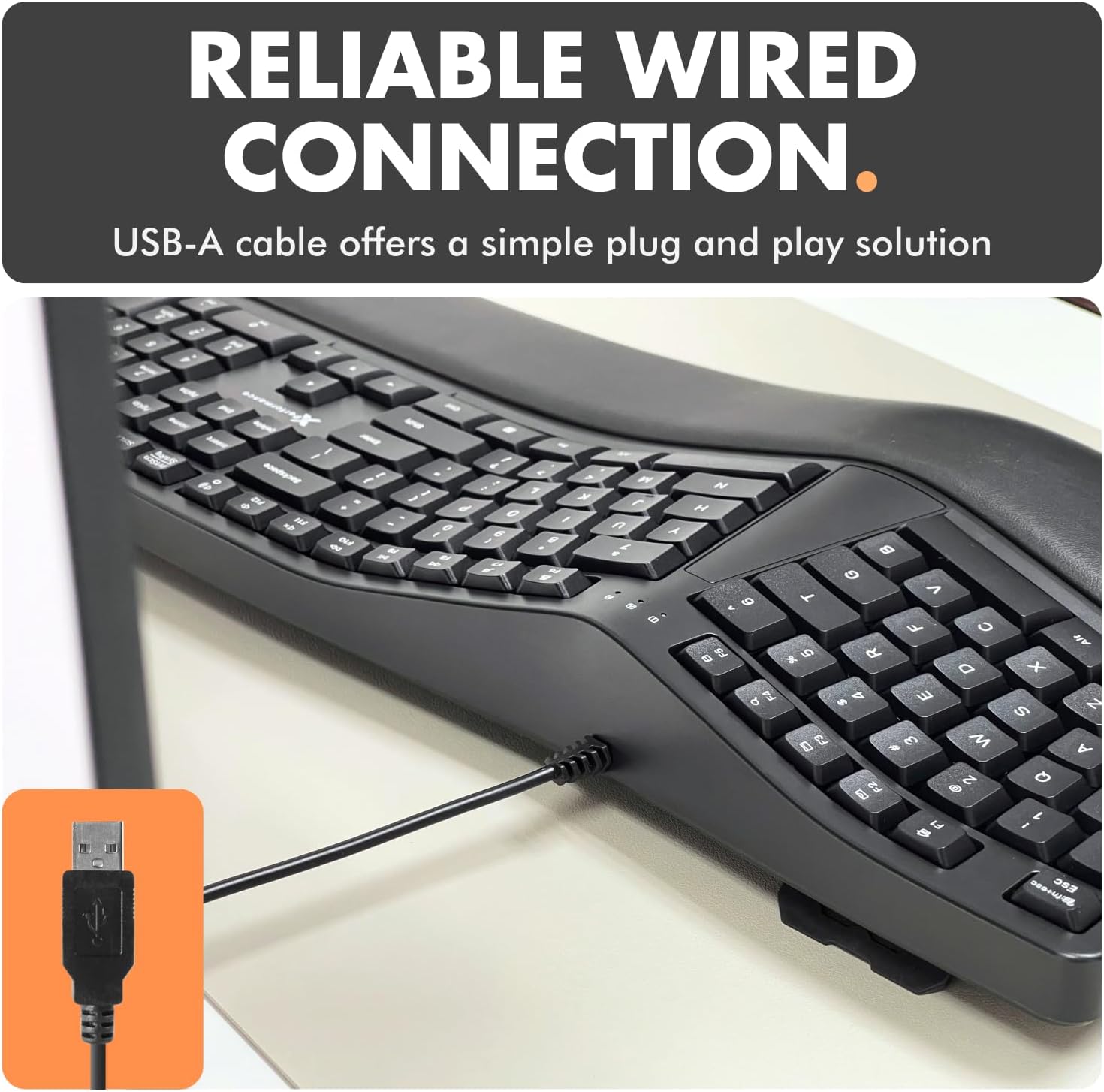
ምስል 3.1፡ The USB-A cable of the X9 Ergonomic Keyboard, ready for connection to a computer's USB port.
4. የአሠራር መመሪያዎች
The X9 Wired Ergonomic Keyboard operates like a standard full-sized keyboard, with added ergonomic benefits and shortcut keys.
Typing Posture:
- Position the keyboard directly in front of you.
- Rest your wrists on the integrated cushioned wrist rest to maintain a neutral wrist position.
- Utilize the split key layout by keeping your hands aligned with their respective halves of the keyboard, allowing your arms to remain in a natural, relaxed posture.
- Adjust the kickstand at the back of the keyboard if you prefer an inclined typing angle.
Using Shortcut Keys:
The keyboard includes 17 dedicated shortcut keys for quick access to various functions. Refer to the keycap legends for specific functions such as media control, volume adjustment, and application shortcuts.
5. ጥገና
Regular cleaning and proper care will help maintain the performance and appearance of your keyboard.
የቁልፍ ሰሌዳውን ማጽዳት;
- ከማጽዳትዎ በፊት የቁልፍ ሰሌዳውን ከኮምፒዩተርዎ ያላቅቁት.
- ለስላሳ፣ ከቆሸሸ ነፃ የሆነ ጨርቅ በትንሹ ተጠቀም መampened with water or a mild cleaning solution to wipe the surface of the keyboard and wrist rest.
- በቁልፍ መካከል አቧራ እና ፍርስራሾች, የታመቀ አየር ይጠቀሙ.
- ኃይለኛ ኬሚካሎችን፣ ሻካራ ማጽጃዎችን ወይም ከመጠን በላይ እርጥበትን ከመጠቀም ይቆጠቡ፣ ምክንያቱም እነዚህ የቁልፍ ሰሌዳን ሊጎዱ ይችላሉ።
አጠቃላይ እንክብካቤ
- በቁልፍ ሰሌዳው ላይ ፈሳሽ ከማፍሰስ ይቆጠቡ።
- የቁልፍ ሰሌዳውን ለረጅም ጊዜ ለከፍተኛ ሙቀት ወይም ለፀሐይ ብርሃን አያጋልጡት።
- Handle the USB cable gently to prevent damage.
6. መላ መፈለግ
If you encounter issues with your X9 Wired Ergonomic Keyboard, please refer to the following common solutions:
| ችግር | ሊሆን የሚችል ምክንያት | መፍትሄ |
|---|---|---|
| የቁልፍ ሰሌዳ ምላሽ እየሰጠ አይደለም | Loose USB connection, incorrect port, system error. | Ensure the USB cable is securely plugged into a working USB-A port. Try a different USB port or a different computer to isolate the issue. Restart your computer. |
| የተወሰኑ ቁልፎች አይሰሩም | በቁልፍ ክዳን ስር ያሉ ፍርስራሾች፣ የሶፍትዌር ግጭት። | Clean the affected keys with compressed air. Check for any software updates or conflicts on your operating system. |
| Ergonomic benefits not felt | Incorrect posture, adjustment needed. | Review the 'Typing Posture' section in this manual. Ensure your wrists are resting on the cushion and your arms are in a natural position. Adjust the keyboard's kickstand to find your optimal angle. |
If the problem persists after trying these solutions, please contact X9 Performance customer support for further assistance.
7. ዝርዝሮች
| ባህሪ | ዝርዝር |
|---|---|
| የሞዴል ቁጥር | X9ERGOKEY |
| ግንኙነት | ባለገመድ ዩኤስቢ-ኤ |
| የቁልፎች ብዛት | 110 |
| ልዩ ባህሪያት | Ergonomic Split Design, Integrated Wrist Rest, Adjustable Kickstand, Shortcut Keys |
| ተስማሚ መሣሪያዎች | Laptop, PC (Windows), Chromebook (Chrome OS) |
| የምርት ልኬቶች | 19 x 9.85 x 1.5 ኢንች |
| የእቃው ክብደት | 2.84 ፓውንድ |
| የኬብል ርዝመት | 5 ጫማ (በግምት) |
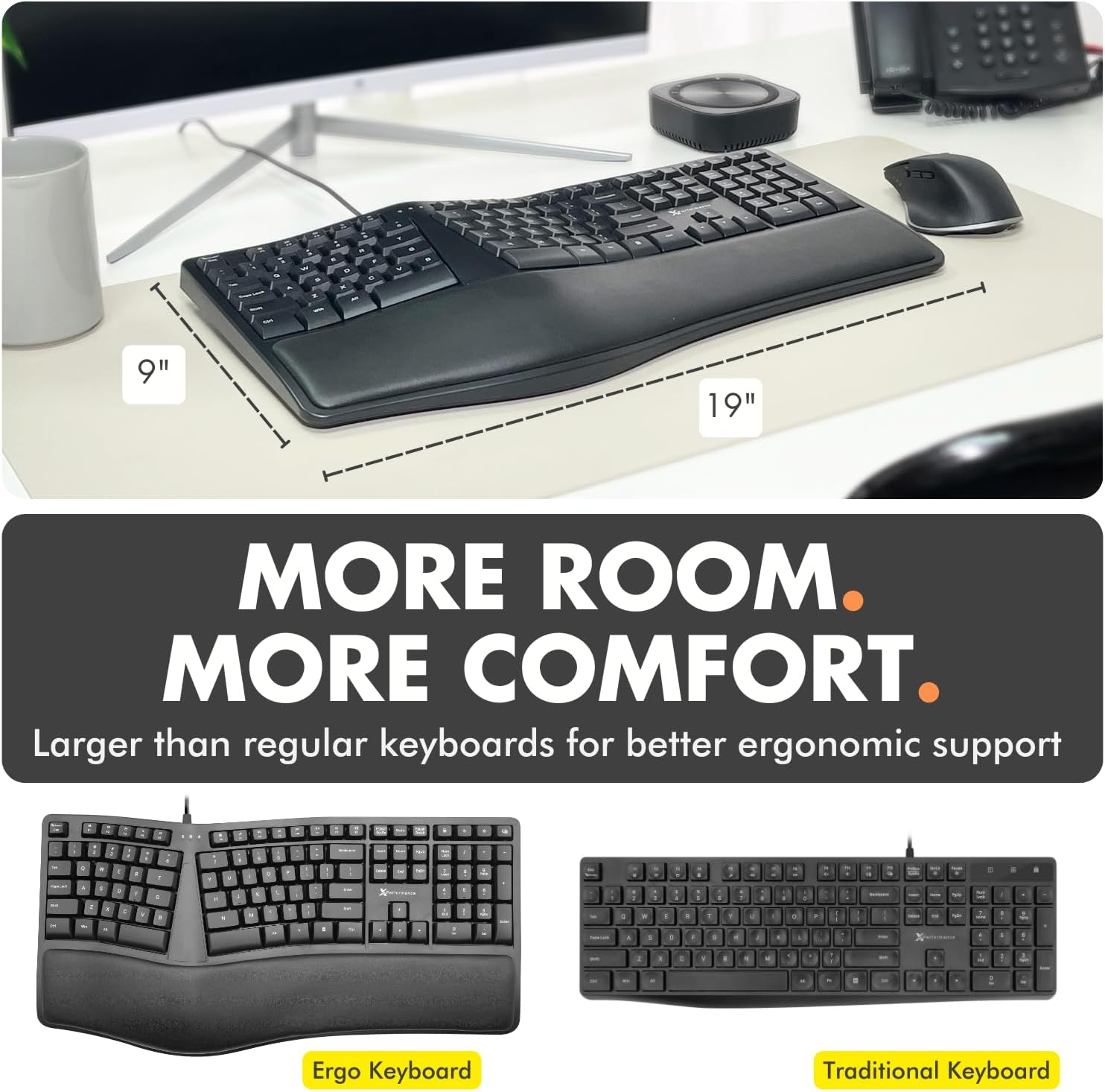
ምስል 7.1፡ Approximate dimensions of the X9 Ergonomic Keyboard (19 inches length, 9 inches width).
8. ዋስትና እና ድጋፍ
X9 Performance values your satisfaction. The X9 Wired Ergonomic Keyboard comes with a የ 2 ዓመት ዋስትና. In case of any issues or for support, please refer to the contact information provided with your product packaging or visit the official X9 Performance website for assistance and easy returns.
For the latest support information and FAQs, please visit the X9 Performance support page.


