TASMOR 10M USB RGB LED Strip Light User Manual
Model: JYX-5050x18N
ብራንድ፡ ታዝሞር
መግቢያ
Thank you for choosing the TASMOR 10M USB RGB LED Strip Light. This product is designed to provide versatile and vibrant lighting for various indoor settings, including bedrooms, living rooms, kitchens, and for special occasions like parties and holidays. This manual provides essential information for safe installation, operation, and maintenance of your LED strip light.
የደህንነት መረጃ
- ይህ ምርት የተዘጋጀው ለ የቤት ውስጥ አጠቃቀም ብቻለውሃ ወይም ለከፍተኛ እርጥበት አያጋልጡ።
- ለትክክለኛ ማጣበቂያ የመጫኛው ወለል ንጹህ፣ ደረቅ እና ለስላሳ መሆኑን ያረጋግጡ።
- Do not connect the LED strip to power while it is still rolled up, as this may cause overheating.
- የቀረበውን የኃይል አስማሚ እና ክፍሎችን ብቻ ይጠቀሙ።
- Do not attempt to repair or modify the product. Refer to qualified personnel for service.
- ልጆች በማይደርሱበት ቦታ ያስቀምጡ.
- The LED strip can be cut at designated marks (every 4 poles, 10mm wide). Ensure power is disconnected before cutting.
ምርት አልቋልview
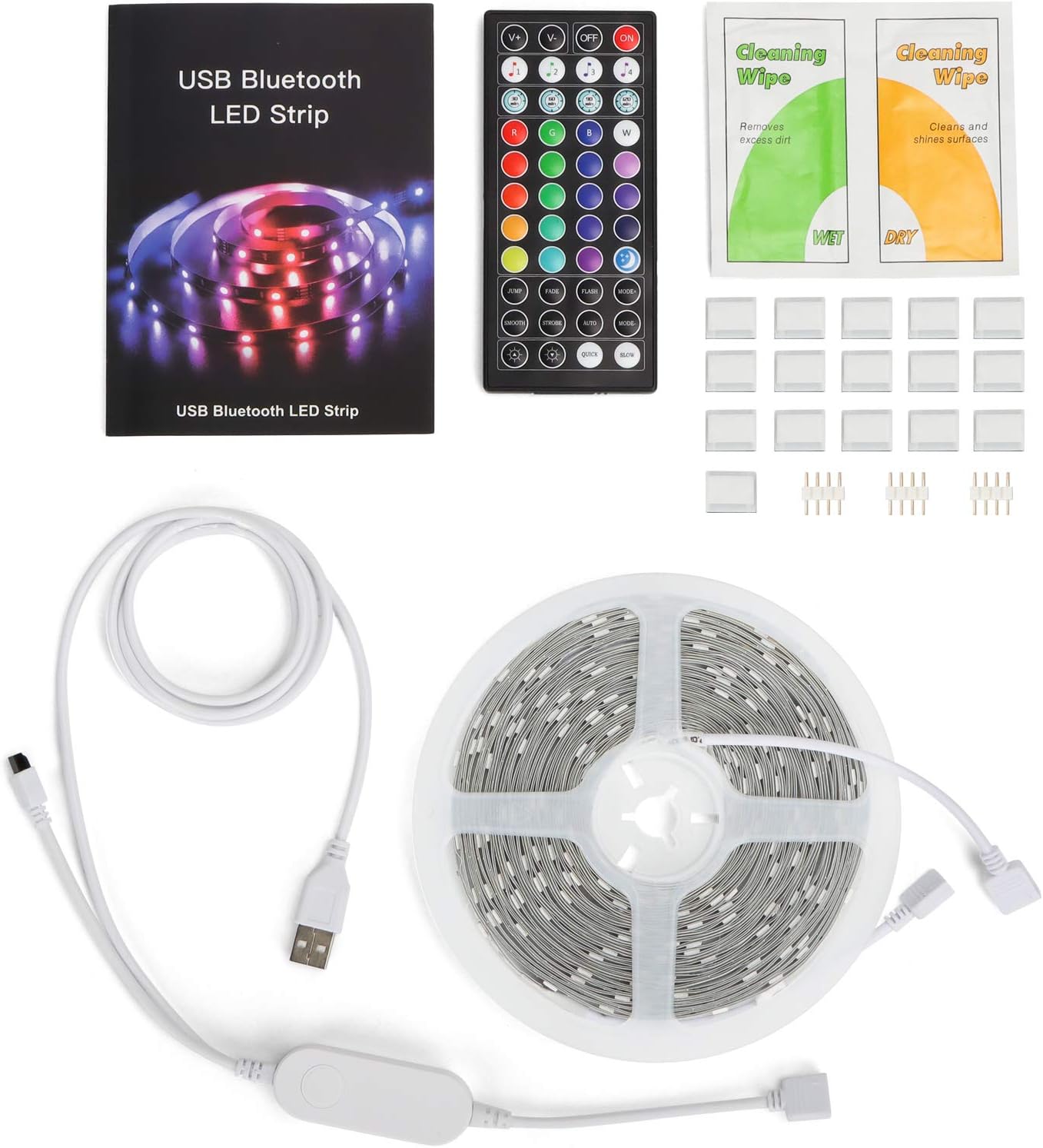
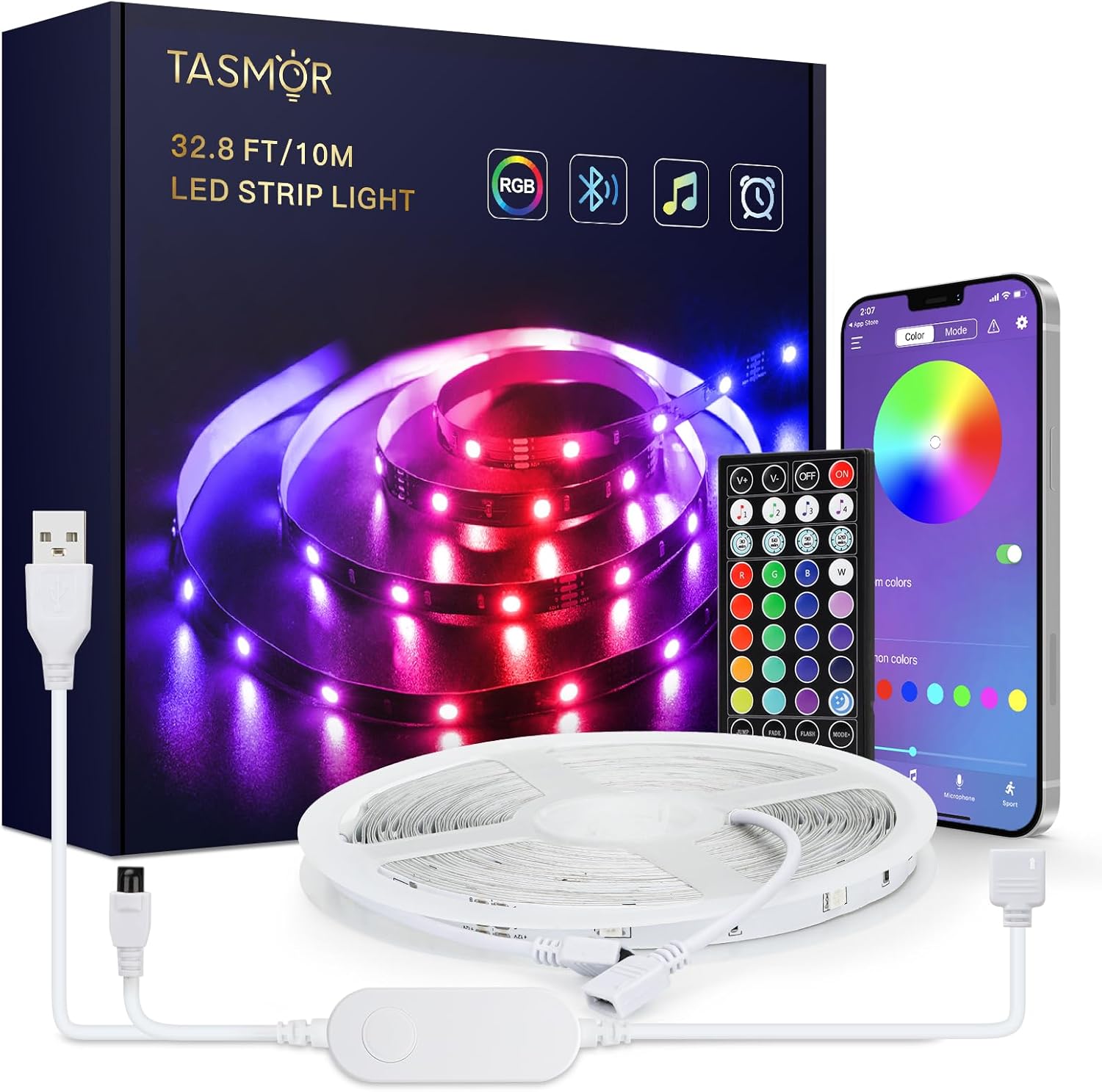
The TASMOR 10M USB RGB LED Strip Light system includes the following components:
- 10-meter RGB LED Strip Light
- 44-key IR Remote Control
- In-line Control Box with USB power cable
- የተጠቃሚ መመሪያ
- Cleaning Wipes (may be included)
- Adhesive clips/mounts (may be included)
ማዋቀር እና መጫን
- ወለሉን ያዘጋጁ; Choose a clean, dry, and smooth surface for installation. Wipe the surface with the provided cleaning wipes (if applicable) and allow it to dry completely.
- Unroll the LED Strip: Fully unroll the LED strip before connecting it to power to prevent overheating.
- አካላትን ያገናኙ፡
- Connect the LED strip to the in-line control box. Ensure the arrows on the connectors align.
- Connect the USB plug from the in-line control box to a 5V USB power source (e.g., USB wall adapter, power bank, computer USB port).

Figure 3: Connection Diagram. This diagram illustrates the correct way to connect the LED strip to its controller and power source. - ማሰሪያውን ያክብሩ፡ Peel off the self-adhesive backing from the LED strip gradually as you press it firmly onto the prepared surface.

Figure 4: Installation Features. This image demonstrates the strong 3M adhesive, the ability to cut the strip at marked intervals, and its flexibility for bending around corners. - ክር መቁረጥ (አማራጭ): If the strip is too long, you can cut it at the designated cutting marks (indicated by copper pads and a scissor icon) every 4 poles. Ensure power is disconnected before cutting.
የአሠራር መመሪያዎች
Your TASMOR LED Strip Light offers three convenient control methods:

1. In-line Control Box
The small button on the in-line control box allows for basic control:
- Press once to turn ON/OFF.
- Press repeatedly to cycle through basic colors and dynamic modes.
2. 44-Key IR Remote Control
The remote control provides comprehensive access to various functions:
- የኃይል ቁልፍ፡- አብራ/አጥፋ።
- የብሩህነት ማስተካከያ; የብርሃን ጥንካሬን ይጨምሩ ወይም ይቀንሱ።
- የማይንቀሳቀሱ ቀለሞች፡ 20 preset static colors.
- የእራስዎ አዝራሮች Customize and save your own colors.
- ተለዋዋጭ ሁነታዎች 6 dynamic modes (e.g., Flash, Strobe, Fade, Smooth).
- የሙዚቃ ሁነታዎች፡- 4 music modes that react to sound.
3. MagicStrip APP (Bluetooth Control)
For advanced features and customization, download the "MagicStrip" app from the App Store or Google Play. Ensure Bluetooth is enabled on your smartphone.
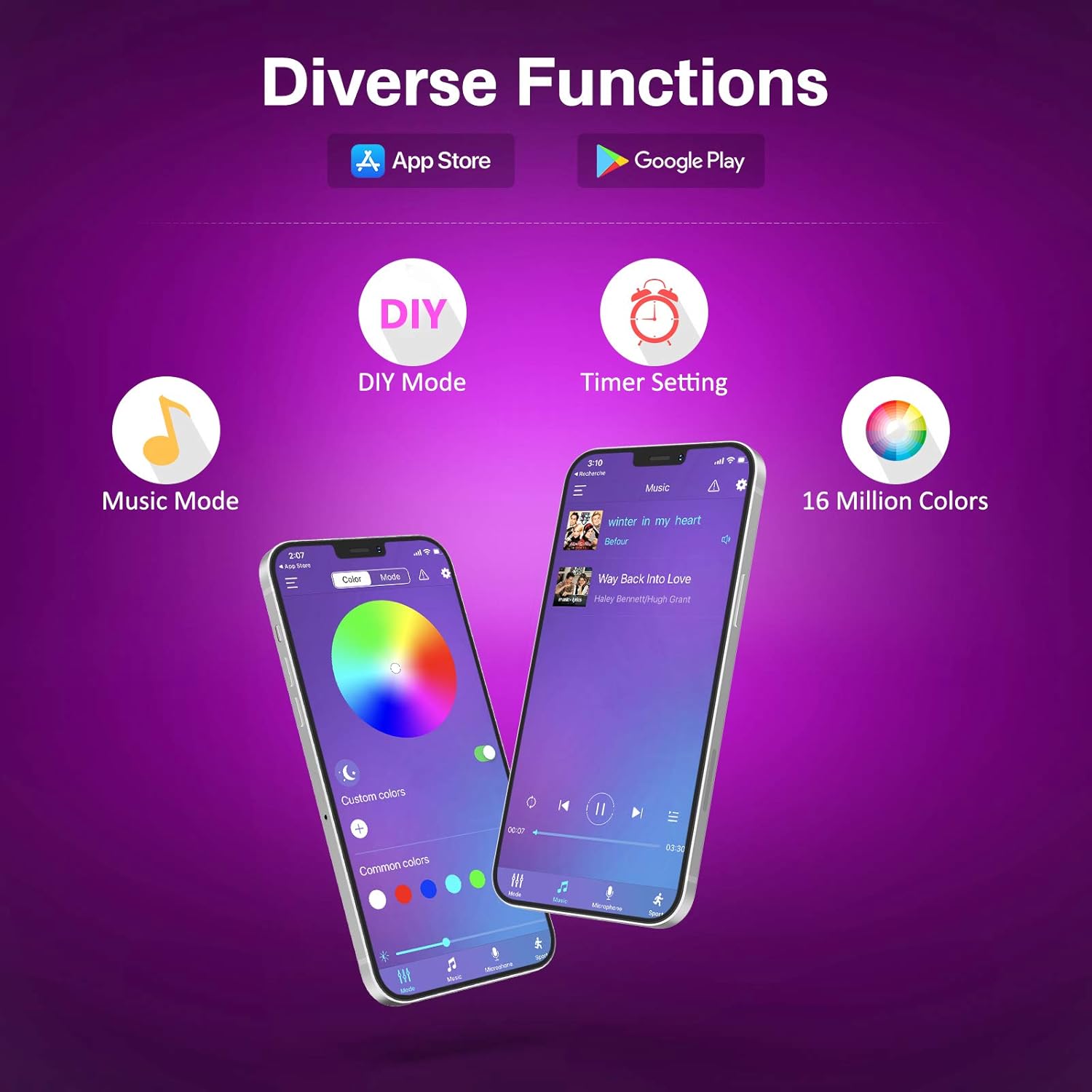
- የቀለም ቤተ-ስዕል Access to 16 million colors for precise selection.
- ብሩህነት እና ሙሌት፡ የብርሃን ጥንካሬን እና የቀለም ንዝረትን በጥሩ ሁኔታ ያስተካክሉ።
- DIY ሁነታዎች፡ Create and save custom lighting effects.
- የሙዚቃ ማመሳሰል ሁነታ፡- The lights change color and speed in sync with music played through your phone's microphone. Adjust sensitivity and mode.
- የሰዓት ቆጣሪ ተግባር Schedule the lights to turn ON/OFF at specific times.
- ተለዋዋጭ ትዕይንቶች፡ Explore over 30 pre-programmed dynamic scenes and modes.


ጥገና
- ማጽዳት፡ አቧራውን ለማስወገድ የኤልዲ ስትሪፕን በደረቅና ለስላሳ ጨርቅ በቀስታ ይጥረጉ። ፈሳሽ ማጽጃዎችን አይጠቀሙ ወይም ስትሪፕውን በውሃ ውስጥ አያጥሉት።
- ማጣበቂያ፡ If the strip begins to peel, reinforce it with additional adhesive clips or double-sided tape.
- ማከማቻ፡ When not in use for extended periods, disconnect from power and store the strip in a cool, dry place.
መላ መፈለግ
| ችግር | ሊሆን የሚችል ምክንያት | መፍትሄ |
|---|---|---|
| መብራቶች አይበሩም. | ምንም ኃይል የለም፣ ልቅ ግንኙነት የለም፣ የርቀት ባትሪው ሞቷል። | Check USB power source. Ensure all connections are secure. Replace remote battery (2 x A batteries required for remote, not included). |
| የርቀት መቆጣጠሪያ አይሰራም። | Remote battery dead, IR sensor blocked, remote too far. | Replace remote battery. Ensure no obstructions between remote and IR receiver on the control box. Operate within 5-8 meters of the receiver. |
| APP cannot connect to the strip. | ብሉቱዝ አልነቃም፣ መተግበሪያ አልተጣመረም፣ ጣልቃ ገብነት። | Ensure Bluetooth is enabled on your phone. Restart the app and the LED strip (unplug/replug USB). Try pairing again. |
| መብራቶች ደብዛዛ ወይም ብልጭ ድርግም ይላሉ። | Insufficient power, damaged strip. | Ensure USB power source provides sufficient current (e.g., 5V/2A). If a section is damaged, it may need replacement. |
| ቀለሞች የተሳሳቱ ናቸው. | Incorrect connection, app/remote setting. | Check that the arrows on the connectors are aligned. Reset the strip by unplugging and replugging. Try different color settings on the remote or app. |
ዝርዝሮች
| የምርት ስም | Tasmor |
| አምራች | Tasmor |
| የሞዴል ቁጥር | JYX-5050x18N |
| የምርት ልኬቶች (L x W x H) | 1000 x 10 x 0.1 cm (10 meters) |
| የእቃው ክብደት | 240 ግራም |
| ቀለም | USB-10m (RGB) |
| ቁሳቁስ | ፕላስቲክ |
| አምፖሎች ብዛት | 180 |
| የተካተቱ አካላት | 10m RGB LED Strip Light, 44-key Remote Control, 1-button Control Box and App for control |
| ጥራዝtage | 5 ቮልት |
| ልዩ አጠቃቀሞች | የቤት ውስጥ አጠቃቀም ብቻ |
| ልዩ ባህሪያት | Non-waterproof, No adapter included (USB powered) |
| መሰኪያ አይነት | Electrical Cable (USB) |
| ባትሪ(ዎች) ተካትቷል | አይ |
| ባትሪ(ዎች) ያስፈልጋል | Yes (2 x A for remote control) |
| አምፖል አይነት | LED |
| ብሩህ ፍሰት | 150 ሊ.ሜ |
| ኃይል | 60 ዋት |
| የአይፒ ደረጃ አሰጣጥ | IP20 |
ዋስትና እና ድጋፍ
For warranty information and technical support, please refer to the seller's policy on the purchase platform or contact the manufacturer directly. Please retain your proof of purchase for any warranty claims.
Manufacturer: Tasmor


