መግቢያ
This manual provides instructions for the MARVO GT-80 Wireless Gamepad. It covers setup, operation, maintenance, and troubleshooting for optimal use with compatible devices including PlayStation 4, PC, Android, and iOS.
የጥቅል ይዘቶች
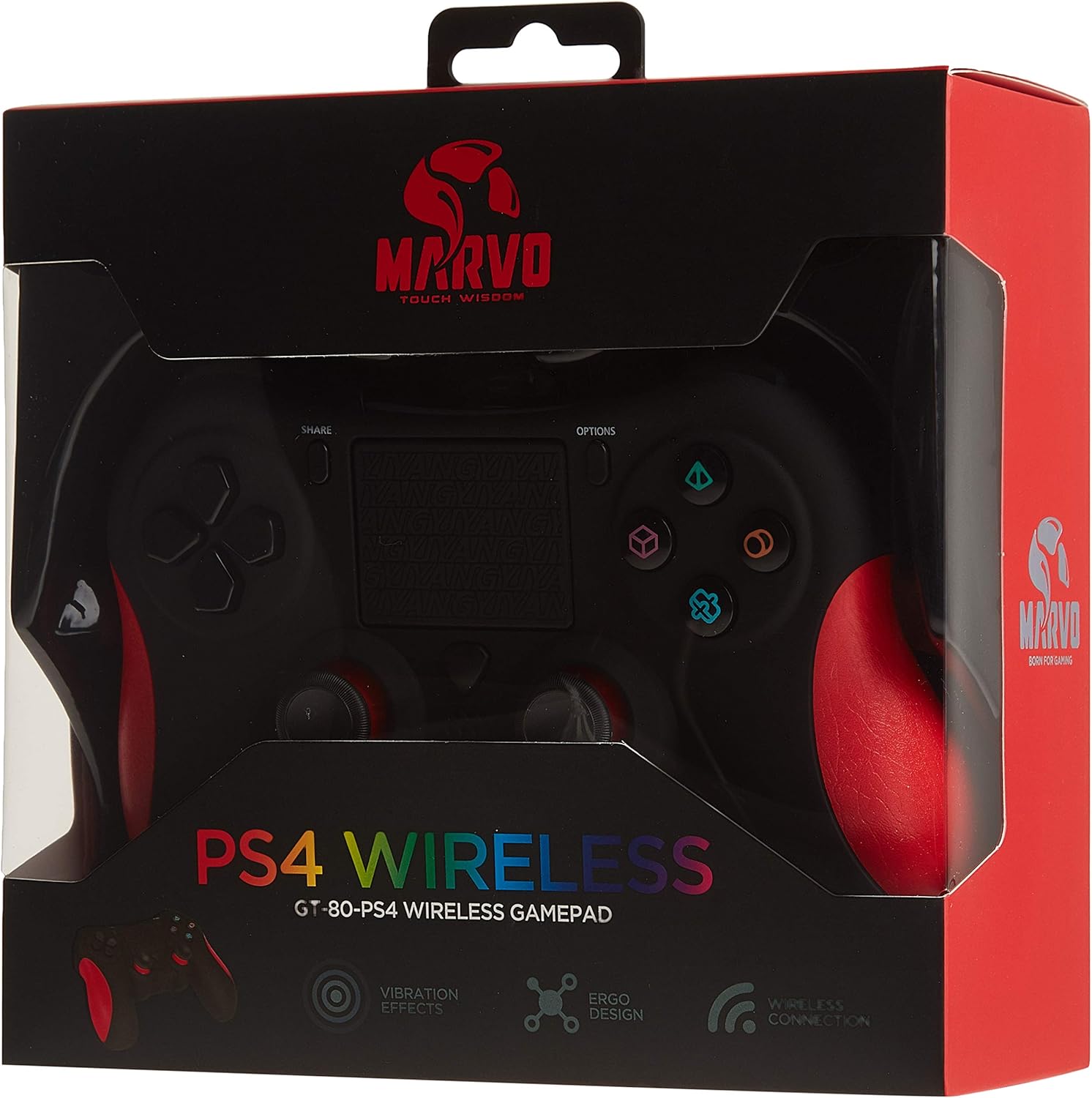
Image: The MARVO GT-80 Wireless Gamepad in its retail packaging.
- MARVO GT-80 ገመድ አልባ የጨዋታ ሰሌዳ
- USB Charging Cable (80 cm)
- የተጠቃሚ መመሪያ (ይህ ሰነድ)
የምርት ባህሪያት
- Wireless connectivity via Bluetooth V4.2
- Wired connectivity via USB cable
- Built-in rechargeable battery (600 mAh capacity)
- Double vibration feedback for immersive gaming
- Integrated 6-axis sensor (3D-Sensor + G-Sensor)
- Large LED light bar
- Built-in loudspeaker function
- 3.5 ሚሜ ስቴሪዮ የጆሮ ማዳመጫ መሰኪያ ድጋፍ
- የመዳሰሻ ሰሌዳ መቆጣጠሪያ
- 19 ፕሮግራም ሊደረጉ የሚችሉ አዝራሮች
ማዋቀር
1. የጨዋታ ሰሌዳውን መሙላት
Before first use, fully charge the gamepad. Connect the supplied USB cable to the Micro USB port on the gamepad and the other end to a USB power source (e.g., console, PC, USB wall adapter).

Image: The MARVO GT-80 Gamepad connected to its USB charging cable.
The LED light bar will indicate charging status. A full charge typically takes approximately 2-3 hours.
2. Connecting to PlayStation 4 (PS4)
- የእርስዎን PS4 ኮንሶል ያብሩ።
- Connect the gamepad to the PS4 console using the USB cable.
- Press the "PS" button on the gamepad. The gamepad will pair with the console.
- አንዴ ከተጣመረ በኋላ፣ ገመድ አልባ ጨዋታ ለማድረግ የዩኤስቢ ገመዱን ማቋረጥ ይችላሉ።
3. ከፒሲ (ዊንዶውስ) ጋር መገናኘት
The gamepad supports both D-input and X-input modes for PC.
ባለገመድ ግንኙነት፡
Connect the gamepad to your PC using the USB cable. The PC should automatically detect and install the necessary drivers. The gamepad will operate in D-input mode by default. Some games may require X-input mode, which can often be toggled via specific button combinations or software.
የብሉቱዝ ግንኙነት
- ኮምፒውተርዎ ብሉቱዝ መብራቱን ያረጋግጡ።
- Put the gamepad into pairing mode (specific button combination, usually "SHARE" + "PS" button until LED flashes rapidly).
- በፒሲዎ ላይ ወደ ብሉቱዝ ቅንብሮች ይሂዱ እና አዳዲስ መሳሪያዎችን ይፈልጉ።
- Select "Wireless Controller" or "GT-80" from the list of available devices to pair.
4. Connecting to Android/iOS Devices
- ብሉቱዝ በአንድሮይድ ወይም በ iOS መሳሪያዎ ላይ መንቃቱን ያረጋግጡ።
- Put the gamepad into pairing mode (specific button combination, usually "SHARE" + "PS" button until LED flashes rapidly).
- On your mobile device, go to Bluetooth settings and search for new devices.
- Select "Wireless Controller" or "GT-80" from the list of available devices to pair.
የአሠራር መመሪያዎች
የአዝራር አቀማመጥ እና ተግባራት

ምስል፡ ፊት ለፊት view of the MARVO GT-80 Wireless Gamepad.

ምስል: የኋላ view of the MARVO GT-80 Wireless Gamepad, highlighting the M-buttons.
- Direction Buttons (D-Pad): Used for directional input.
- አናሎግ ዱላዎች፡ Two analog sticks for precise 3D movement and camera control.
- የድርጊት አዝራሮች (ትሪያንግል፣ ክብ፣ መስቀል፣ ካሬ)፦ ዋና የድርጊት አዝራሮች።
- የማጋራት አዝራር፡ Used for sharing gameplay content (PS4).
- የአማራጮች አዝራር፡ የውስጠ-ጨዋታ ምናሌዎችን ወይም የስርዓት አማራጮችን ይድረሱ።
- PS አዝራር፡- Power on/off the gamepad, access PS4 system menu.
- L1/R1 አዝራሮች፡- የትከሻ አዝራሮች።
- የL2/R2 ቀስቅሴዎች፡ አናሎግ ቀስቅሴዎች።
- የመዳሰሻ ሰሌዳ Multi-touch input surface.
- M1፣ M2፣ M3፣ M4 አዝራሮች፡ Programmable back buttons (refer to device-specific instructions for programming).
ልዩ ተግባራት
- Double Vibration: በጨዋታው ወቅት ንክኪ ግብረመልስ ይሰጣል።
- 6-Axis Sensor: Includes a 3D-Sensor and G-Sensor for motion-controlled gameplay.
- ድምጽ ማጉያ Integrated speaker for enhanced audio effects (PS4).
- የጆሮ ማዳመጫ ተግባር; Connect a 3.5mm stereo headset for audio output and microphone input (PS4).
ጥገና
ማጽዳት
Wipe the gamepad with a soft, dry cloth. Do not use harsh chemicals or abrasive cleaners. Avoid getting moisture into openings.
ማከማቻ
Store the gamepad in a cool, dry place away from direct sunlight and extreme temperatures. Avoid placing heavy objects on the gamepad.
መላ መፈለግ
Gamepad Does Not Power On
- የጨዋታ ሰሌዳው ሙሉ በሙሉ መሙላቱን ያረጋግጡ። የዩኤስቢ ገመዱን በመጠቀም ከኃይል ምንጭ ጋር ያገናኙት።
- Press the PS button to attempt to power it on.
የግንኙነት ጉዳዮች
- ገመድ አልባ፡ Ensure Bluetooth is enabled on your device and the gamepad is in pairing mode. Try re-pairing the device.
- ባለገመድ: Ensure the USB cable is securely connected to both the gamepad and the device. Try a different USB port or cable.
- PS4፡ If issues persist, try resetting the gamepad (a small reset button is usually located on the back, requiring a pin to press).
Buttons or Joysticks Unresponsive
- Ensure the gamepad is properly connected and powered on.
- Test the gamepad with another game or application to rule out software issues.
- If possible, try resetting the gamepad.
ንዝረት አይሰራም
- የንዝረት ግብረመልስ መንቃቱን ለማረጋገጥ የጨዋታ ውስጥ ቅንብሮችን ያረጋግጡ።
- የጨዋታ ሰሌዳው ሙሉ በሙሉ መሙላቱን ያረጋግጡ።
ዝርዝሮች

Image: Technical specifications as printed on the product packaging.
| ባህሪ | ዝርዝር |
|---|---|
| ሞዴል | GT-80 |
| ግንኙነት | Wireless (Bluetooth V4.2), Wired (USB cable) |
| አዝራሮች | 19 |
| የባትሪ አቅም | 600 ሚ.ኤ |
| ተናጋሪ | 6/8Ω-1W |
| በይነገጽ | EXT ድጋፍ፣ 3.5 ሚሜ መሰኪያ |
| ተኳኋኝነት | PS4, PC (D-input & X-input), Android, iOS |
| የእንቅስቃሴ ዳሳሽ | 3D-Sensor + G-Sensor |
| የማይክሮ ዩኤስቢ ገመድ ርዝመት | 80 ሴ.ሜ |
| መጠኖች | 40.49 x 9.5 x 9.5 ሴ.ሜ |
| ክብደት | 310 ግ |
ዋስትና እና ድጋፍ
For warranty information and technical support, please refer to the documentation provided with your purchase or contact MARVO customer service directly. Keep your proof of purchase for warranty claims.


