1. መግቢያ
This instruction manual provides essential information for the safe and effective use of your Sans HEPA 13 Air Purifier. Please read this manual thoroughly before operating the device and retain it for future reference. Your Sans Air Purifier is designed to improve indoor air quality by filtering out various airborne particles and odors, contributing to a healthier living environment.
2. ጠቃሚ የደህንነት መረጃ
- የአየር ማጣሪያውን ከማጽዳትዎ፣ ጥገና ከማድረግዎ ወይም አገልግሎት ላይ በማይውሉበት ጊዜ ሁልጊዜ ከኤሌክትሪክ ሶኬት ይንቀሉ።
- Do not operate the device with a damaged cord or plug. If the cord or plug is damaged, contact customer support.
- Keep the air purifier away from water or wet surfaces. Do not immerse the device in water or other liquids.
- Ensure proper ventilation around the device. Do not block air inlets or outlets.
- በአየር ማናፈሻዎች ውስጥ ማንኛውንም ነገር አያስገቡ ።
- ይህ መሳሪያ ለደህንነታቸው ኃላፊነት ባለው ሰው ቁጥጥር ወይም መመሪያ ካልተሰጣቸው በስተቀር የአካል፣ የስሜት ወይም የአዕምሮ ችሎታዎች ወይም የልምድ እና የእውቀት እጥረት ላላቸው ሰዎች (ልጆችን ጨምሮ) ለመጠቀም የታሰበ አይደለም።
- ልጆች ከመሳሪያው ጋር እንደማይጫወቱ ለማረጋገጥ ክትትል ሊደረግባቸው ይገባል.
3. ምርት አብቅቷልview
The Sans HEPA 13 Air Purifier is engineered to deliver clean air efficiently and quietly. It features a multi-stage filtration system and smart technology for optimal performance.
ቁልፍ ባህሪዎች
- ሽፋን፡ Cleans air in spaces up to 1560 sq. ft. per hour.
- ባለብዙ-ኤስtagኢ ማጣሪያ፡ Includes a pre-filter, medical-grade HEPA 13 filter, activated carbon filter, and internal UV-C light.
- Particle Removal: Removes over 99.9% of particles down to 0.1 microns, including pollutants, allergens, dust, dander, harmful chemicals, gases, and odors.
- ዘመናዊ ቴክኖሎጂ፡- Equipped with precise sensors to measure air quality (AQI) and automatically adjust fan settings.
- የአየር ጥራት ማሳያ፡ Easy-to-read display provides real-time insight into your space's air quality.
- Whisper Quiet Sleep Mode: Operates silently and turns off display lights for undisturbed sleep.

Figure 3.1: Sans HEPA 13 Air Purifier with packaging.
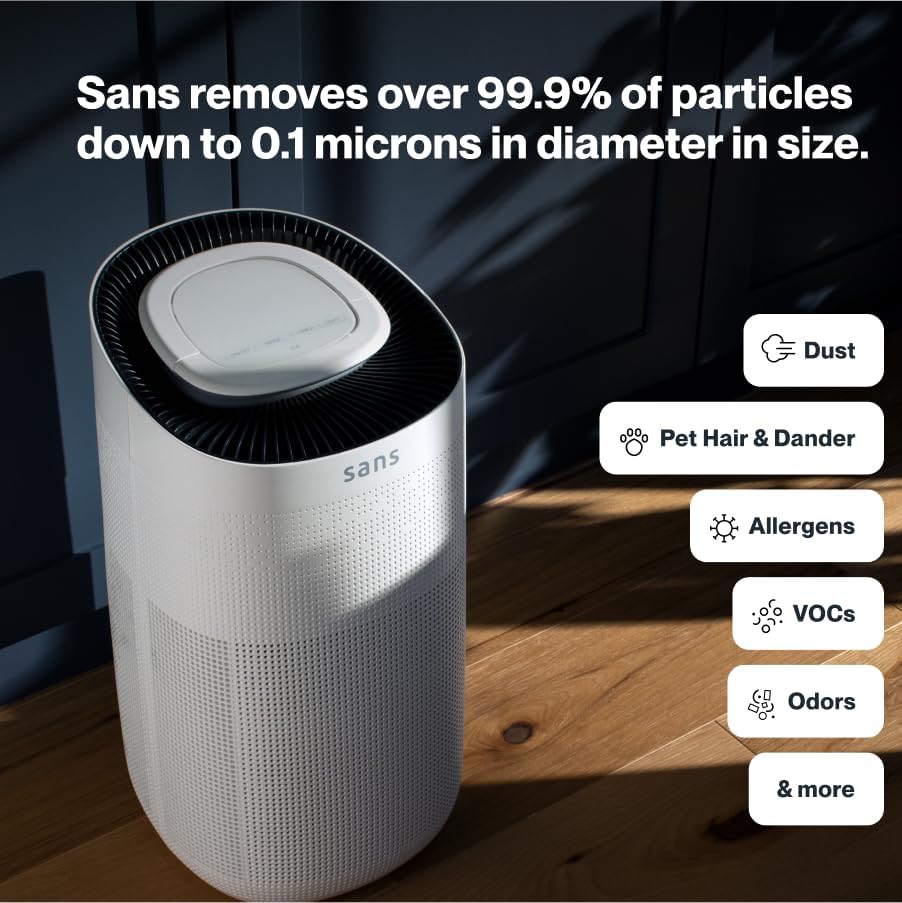
Figure 3.2: Illustration of the air purifier's effectiveness against various airborne particles.
የማጣሪያ ሥርዓት፡
The Sans Air Purifier utilizes a comprehensive four-stagየማጣሪያ ሂደት;
- ቅድመ ማጣሪያ ፦ Captures larger particles such as dust, pet hair, and dander.
- HEPA-13 ማጣሪያ; A medical-grade filter that traps smoke, ash, PM2.5, and PM10 particles.
- የነቃ የካርቦን ማጣሪያ Neutralizes chemicals, odors, and gases.
- Internal UV-C Light: Acts as a final layer of defense against airborne pathogens.
4. ማዋቀር
- ማሸግ ፦ አየር ማጽጃውን ከማሸጊያው በጥንቃቄ ያስወግዱት.
- የማጣሪያ ጭነት Ensure all filters are correctly installed and any protective packaging is removed. Refer to Section 6: Maintenance for detailed filter replacement instructions.
- አቀማመጥ፡- Place the air purifier on a flat, stable surface, ensuring adequate space (at least 6 inches) around all sides for optimal airflow. Avoid placing it directly against walls or furniture.
- የኃይል ግንኙነት; የኤሌክትሪክ ገመዱን ወደ መደበኛ የኤሌክትሪክ ሶኬት ይሰኩት.

Figure 4.1: Proper placement of the air purifier in a living space.
5. የአሠራር መመሪያዎች
The control panel on top of the air purifier allows for easy operation and monitoring.

Figure 5.1: Control panel with SmartPure Display and buttons.
የቁጥጥር ፓነል ተግባራት፡-
- ማብሪያ ማጥፊያ (⏻): ክፍሉን ለማብራት ወይም ለማጥፋት ይጫኑ።
- ሁነታ አዝራር (⏚): Cycles through fan speeds (Low, Medium, High) and Auto Mode.
- Sensor Mode (⌕): Displays PM2.5 or VOC levels.
- የሰዓት ቆጣሪ ቁልፍ (◷): Sets the operating time (e.g., 2H, 4H, 8H).
- የብርሃን ቁልፍ (💡): Turns the ambient light On or Off.
- የእንቅልፍ ሁኔታ: Activates quiet operation and turns off display lights for minimal disturbance.
የአየር ጥራት አመልካች
The ambient light ring and digital display provide real-time air quality feedback:
- ሰማያዊ ብርሃን; Indicates clean air.
- Red/Purple Light: Indicates dirty air, and the unit will increase fan speed in Auto Mode to clean the air.
- ዲጂታል ማሳያ: Shows the Air Quality Index (AQI) or specific pollutant levels (PM2.5, VOC). Lower numbers indicate cleaner air.
Video 5.1: Demonstration of Sans Air Purifier features and operation, including fan speed and air quality indicator.
6. ጥገና
Regular maintenance ensures optimal performance and longevity of your Sans Air Purifier.
የማጣሪያ ምትክ
The Sans filter is designed for approximately three months of continuous use (24/7). A light on the control panel will illuminate to indicate when the filter needs to be changed.
- ኃይል ዝጋ: የአየር ማጽጃውን ከኃይል ማሰራጫው ያላቅቁት.
- የመዳረሻ ማጣሪያ፡ Press down on the release button on the back of the machine to open the filter compartment cover.
- የድሮ ማጣሪያን ያስወግዱ; Gently pull out the used filter.
- አዲስ ማጣሪያ አስገባ፡ Place the new Sans filter into the compartment, ensuring it is seated correctly.
- ክፍል ዝጋ፡ Reattach the filter compartment cover until it clicks securely into place.
- የማጣሪያ አመልካች ዳግም አስጀምር፡ After replacing the filter, press and hold the filter reset button (usually indicated by a filter icon) on the control panel for 3-5 seconds until the indicator light turns off.
Video 6.1: Step-by-step guide on how to change the Sans Air Purifier filter.
ውጫዊውን ማጽዳት;
የአየር ማጽጃውን ውጫዊ ክፍል ለስላሳ እና ደረቅ ጨርቅ ይጥረጉ. ገላጭ ማጽጃዎችን ወይም ፈሳሾችን አይጠቀሙ.
7. መላ መፈለግ
If you encounter any issues with your Sans Air Purifier, refer to the following common problems and solutions:
| ችግር | ሊሆን የሚችል ምክንያት | መፍትሄ |
|---|---|---|
| ክፍል አይበራም። | Power cord not securely plugged in; no power from outlet. | የኃይል ገመድ ግንኙነትን ያረጋግጡ; የተለየ መውጫ ይሞክሩ። |
| የአየር ፍሰት ደካማ ወይም ጫጫታ ነው. | Filter is dirty or blocked; air inlets/outlets are obstructed. | Replace the filter (see Section 6); ensure no obstructions around the unit. |
| Air quality reading (AQI) is consistently high. | High levels of pollutants in the environment; sensor is dirty. | Ensure the unit is running in Auto or High mode; clean the air quality sensor (refer to manufacturer's guide for sensor location). |
| ማጣሪያውን ከቀየሩ በኋላ የማጣሪያ ምትክ አመልካች እንደበራ ይቆያል። | የማጣሪያ አመልካች ዳግም አልተጀመረም። | Press and hold the filter reset button for 3-5 seconds. |
If the problem persists after attempting these solutions, please contact Sans customer support.
8. ዝርዝሮች
- የምርት ስም፡ ሳንስ
- ሞዴል፡ HEPA 13 Air Purifier
- ቀለም፡ ነጭ
- የምርት መጠኖች: 10" ዲ x 11.5" ዋ x 20" ሸ (10 x 11.5 x 20 ኢንች)
- ክብደት፡ 14 ፓውንድ £
- የወለል ስፋት; 1560 ካሬ ጫማ (በሰዓት)
- ማረጋገጫዎች፡- የCARB የተረጋገጠ፣ የETL የተረጋገጠ፣ የFCC የተረጋገጠ
- መጀመሪያ የሚገኝ፡- ጥር 5 ቀን 2021
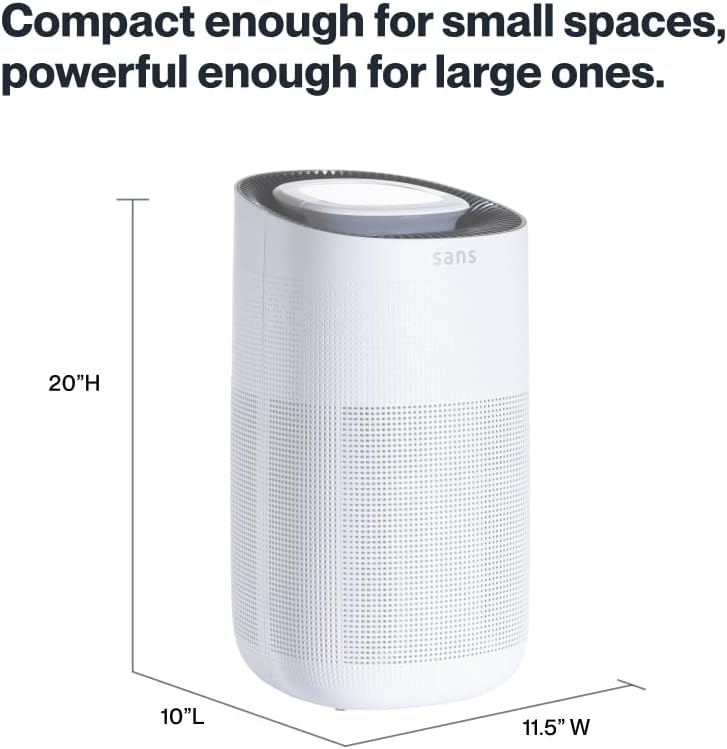
Figure 8.1: Sans Air Purifier dimensions.
9. ዋስትና እና ድጋፍ
For warranty information, product support, or to purchase replacement filters, please visit the official Sans Home Wellness website or contact their customer service directly. Details regarding available protection plans can also be found through authorized retailers.


