መግቢያ
The Newentor Q7-DE Wireless Weather Station provides accurate indoor and outdoor temperature and humidity readings, along with a reliable weather forecast. It features a clear color display, a DCF radio-controlled clock, and supports up to three outdoor sensors for comprehensive environmental monitoring. This manual will guide you through the setup, operation, and maintenance of your weather station.

Image: The Newentor Q7-DE Wireless Weather Station main display unit and its accompanying outdoor sensor.

Image: A detailed diagram showing the layered construction of the display, including LED backlight, polarizer, TFT array, liquid crystal, color filter, and cover window, ensuring consistent clarity from various viewing ማዕዘኖች.

ምስል፡ መቀራረብ view of the independent sensing probe, designed to react instantly to ambient conditions without being influenced by the display's internal heat, ensuring high-precision measurements.

Image: A visual representation of the Swiss high-precision sensor chip (SHTC3), indicating advanced technology for accurate environmental data collection.
የጥቅል ይዘቶች
እባክዎ ቦክስ ሲወጡ የጥቅል ይዘቱን ያረጋግጡ፡-
- 1 x Newentor Q7-DE Main Display Unit
- 1 x ገመድ አልባ የውጪ ዳሳሽ
- 1 x የኃይል አስማሚ
- 1 x የተጠቃሚ መመሪያ (ይህ ሰነድ)
ማዋቀር
1. ዋናውን ክፍል ማብቃት
The main display unit can be powered by the included power adapter or by batteries (not included).
- የኃይል አስማሚን በመጠቀም; Connect the power adapter to the DC port on the back of the main unit and plug it into a wall outlet. The backlight will remain continuously on.
- ባትሪዎችን መጠቀም; Insert 3 x AAA batteries (not included) into the battery compartment on the back of the main unit. The backlight will illuminate for 10 seconds when a button is pressed.

Image: Illustration of the two power modes for the main unit: continuous backlight when plugged in, and 10-second backlight when running on batteries.
2. በውጫዊ ዳሳሽ ውስጥ ባትሪዎችን መጫን
Open the battery compartment of the outdoor sensor and insert 2 x AA batteries (not included), observing the correct polarity. Close the compartment securely.
3. የውጪ ዳሳሹን ማጣመር
Once both units are powered, the main unit will automatically attempt to connect with the outdoor sensor. The outdoor temperature and humidity should appear on the display within a few minutes. If connection fails, press the "CHANNEL" button on the main unit to initiate a manual search, or reset both units.

Image: The weather station main unit indoors and the outdoor sensor mounted outside, illustrating the wireless transmission range of up to 100 meters (350 feet).
4. DCF Radio Clock Synchronization
The weather station will automatically attempt to synchronize its time with the DCF radio signal. This process may take several minutes or hours depending on your location and signal strength. Ensure the main unit is placed away from electronic interference.
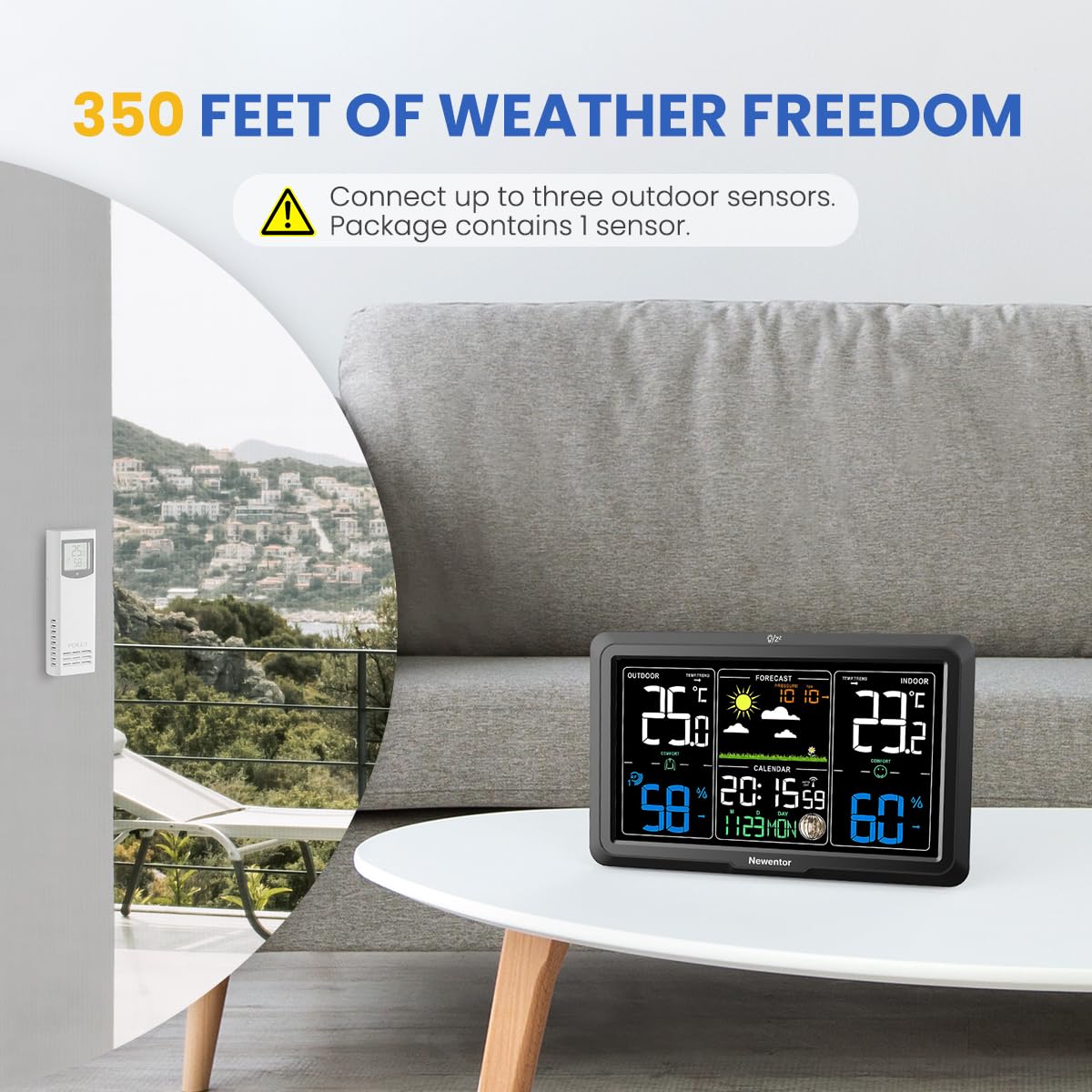
Image: The weather station display highlighting the DCF signal icon, indicating automatic time and date synchronization.
5. የአቀማመጥ ምክሮች
- ዋና ክፍል፡ Place the main unit indoors on a flat surface or mount it on a wall, away from direct sunlight, heat sources, and drafts.
- የውጪ ዳሳሽ፡- Mount the outdoor sensor in a shaded, dry location, protected from direct rain and sunlight, to ensure accurate readings. Avoid placing it near metal structures or large electrical appliances that could interfere with the wireless signal.
የአሠራር መመሪያዎች
1. ማሳያ በላይview
The color display shows the following information:
- የቤት ውስጥ ሙቀት እና እርጥበት
- ከቤት ውጭ ያለው ሙቀት እና እርጥበት
- Weather Forecast Icons (Sunny, Partly Cloudy, Cloudy, Rainy, Heavy Rain, Snowy)
- ሰዓት እና ቀን
- የምቾት ደረጃ አመልካች
- Min/Max Temperature and Humidity Records

Image: A visual representation of the weather forecast icons displayed on the screen, including sunny, partly cloudy, cloudy, rainy, heavy rain, and snowy conditions.
2. ቅንብሮችን ማስተካከል
Use the buttons on the back or side of the main unit to adjust time, date, alarm, and temperature units (°C/°F). Refer to the specific button labels (e.g., "MODE", "SET", "UP", "DOWN") for detailed adjustments.
3. Backlight Brightness
The display features adjustable backlight brightness. Press the dedicated backlight button (often labeled "LIGHT" or similar) to cycle through different brightness levels (e.g., high, medium, low, off) when powered by the adapter.
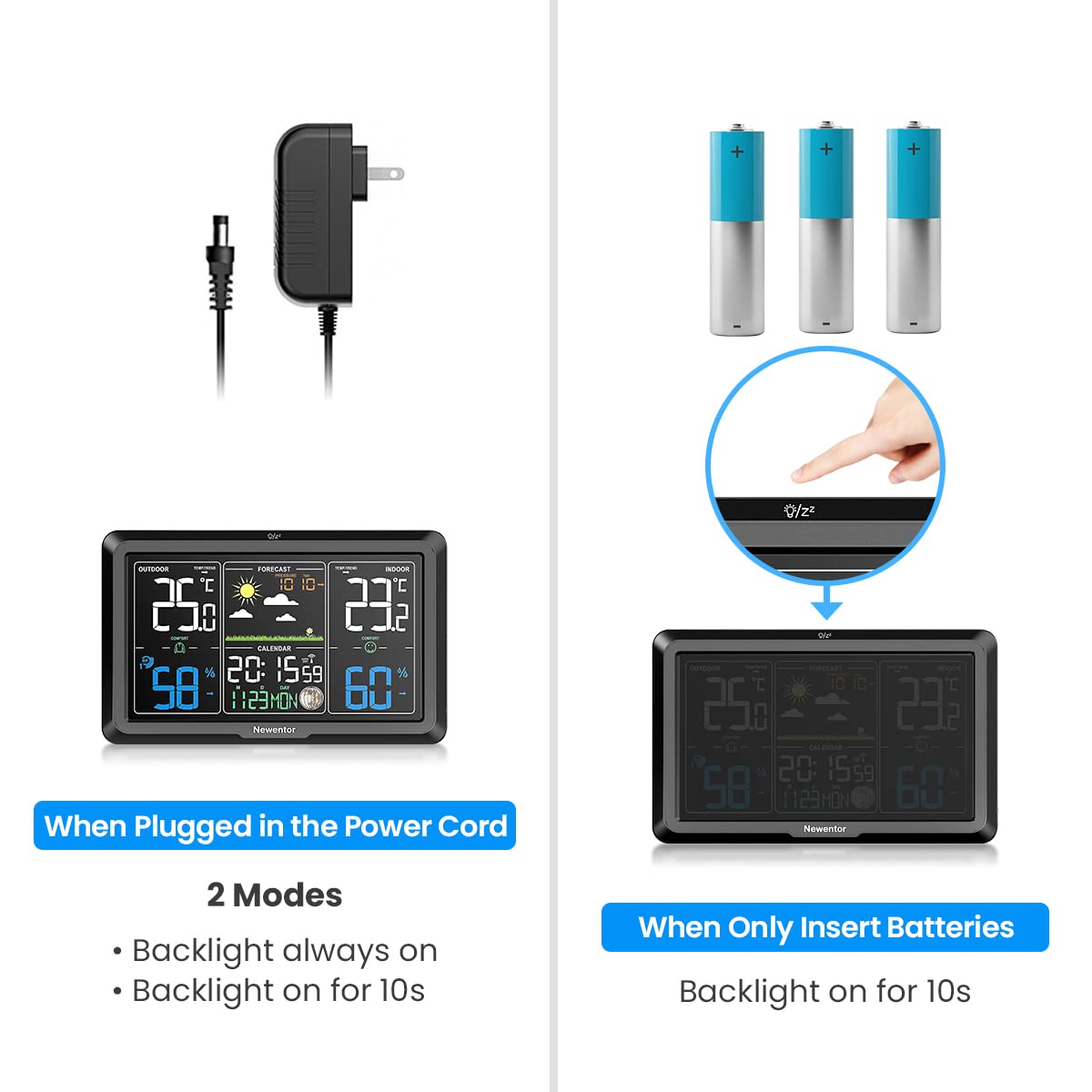
Image: The weather station display demonstrating three distinct adjustable backlight brightness levels for optimal viewበተለያዩ የብርሃን ሁኔታዎች ውስጥ።
4. የምቾት ደረጃ አመልካች
The display includes a comfort level indicator based on indoor temperature and humidity, typically showing "DRY", "COMFORT", or "WET". This helps you maintain a healthy indoor environment.
5. Multiple Outdoor Sensors (Optional)
The main unit can support up to three outdoor sensors (additional sensors sold separately). To switch between sensor channels, press the "CHANNEL" button on the main unit. The display will cycle through the connected sensors or show all in rotation.
ጥገና
- ማጽዳት፡ Wipe the display and unit surfaces with a soft, damp ጨርቅ. ገላጭ ማጽጃዎችን ወይም ፈሳሾችን አይጠቀሙ.
- የባትሪ መተካት፡ Replace batteries in both the main unit and outdoor sensor when the low battery indicator appears on the display.
- የዳሳሽ ጥበቃ፡- የውጪ ዳሳሹ የአገልግሎት ዘመኑን እና ትክክለኛነቱን ለማራዘም ከከባድ የአየር ሁኔታ ሁኔታዎች የተጠበቀ መሆኑን ያረጋግጡ።
መላ መፈለግ
| ችግር | ሊሆን የሚችል ምክንያት | መፍትሄ |
|---|---|---|
| ከቤት ውጭ የአየር ሙቀት/የእርጥበት ንባብ የለም። | Sensor not paired, out of range, or low battery. | Ensure sensor batteries are fresh. Press "CHANNEL" button on main unit to re-scan. Move sensor closer to main unit. Reset both units. |
| የሙቀት/እርጥበት ትክክለኛ ያልሆነ አሃዝ። | Sensor exposed to direct sunlight/rain, or near heat/cold sources. | Relocate the outdoor sensor to a shaded, protected area. Ensure main unit is not near drafts or heat sources. |
| የDCF የጊዜ ማመሳሰል አልተሳካም። | ደካማ ምልክት፣ ጣልቃ ገብነት ወይም የተሳሳተ የሰዓት ሰቅ ቅንብር። | Move the main unit to a window or an area with better signal reception. Avoid placing near electronic devices. Manually set time if necessary. |
| ማሳያው ደብዛዛ ወይም ባዶ ነው። | Low batteries or power adapter disconnected. | Replace batteries or ensure power adapter is securely connected. Adjust backlight brightness. |
ዝርዝሮች
- ሞዴል፡ Q7-DE
- የምርት ስም፡ ኒውኤንተር
- የኃይል ምንጭ (ዋና ክፍል): Power Adapter (included) or 3 x AAA Batteries (not included)
- የኃይል ምንጭ (የቤት ውጭ ዳሳሽ): 2 x AA ባትሪዎች (አልተካተተም)
- የማሳያ አይነት፡ LCD ቀለም ማሳያ
- ልዩ ባህሪያት፡ Alarm, Clock, Weather Forecast, Indoor/Outdoor Temperature & Humidity, DCF Radio Clock
- የገመድ አልባ ክልል፡ ክፍት ቦታ ላይ እስከ 100 ሜትር (328 ጫማ)
- መጠኖች (ጥቅል) 21.1 x 18.2 x 5.1 ሴ.ሜ
- ክብደት (ጥቅል) 530 ግ
- ዩፒሲ፡ 889086019720
ዋስትና እና ድጋፍ
Newentor products are designed for reliability and performance. For warranty information or technical support, please refer to the contact details provided with your purchase documentation or visit the official Newentor webጣቢያ. ለዋስትና ጥያቄዎች እባክዎ የግዢ ማረጋገጫዎን ያቆዩ።


