መግቢያ
Thank you for choosing the Baseus 100W 4-Port GaN II Wall Charger. This advanced charging device utilizes cutting-edge GaN II technology to provide high-speed, efficient, and safe power delivery for a wide array of electronic devices. Its compact design and multiple ports make it an ideal solution for both home and travel use, allowing you to charge up to four devices simultaneously.
እባክዎን ምርቱን ከመጠቀምዎ በፊት ትክክለኛውን አሠራር ለማረጋገጥ እና የአገልግሎት እድሜውን ከፍ ለማድረግ ይህንን መመሪያ በደንብ ያንብቡ።
ምርት አልቋልview

Image: The Baseus 100W 4-Port GaN II Wall Charger, showcasing its compact white design with two USB-C and two USB-A ports, alongside two white USB-C cables.
ቁልፍ ባህሪዎች
- 100 ዋ የኃይል አቅርቦት Capable of delivering up to 100W of power, ideal for charging laptops like MacBook Pro.
- ባለ 4-ወደብ ዲዛይን፡ Equipped with two USB-C ports and two USB-A ports for versatile charging options.
- የ GaN II ቴክኖሎጂ፡ Ensures a compact size, higher efficiency, and lower operating temperatures.
- BPS II Intelligent Power Allocation: Automatically distributes optimal power to connected devices for efficient simultaneous charging.
- ሰፊ ተኳኋኝነት Supports various fast-charging protocols including PD3.0, QC3.0, and PPS.
- ሊታጠፍ የሚችል መሰኪያ፡ በጉዞ ወቅት የመንቀሳቀስ ችሎታን ያሻሽላል እና የመገጣጠሚያዎችን ይከላከላል።
በሣጥኑ ውስጥ ያለው
- 1x Baseus 100W USB C Charger
- 1x 3.3ft USB-C to USB-C 100W Charging Cable with E-marker chip
- 1 x የተጠቃሚ መመሪያ
የማዋቀር መመሪያዎች
- መሰኪያውን ይክፈቱ፡ የኤሲ ገመዶቹን ከቻርጀር አካል በቀስታ ይክፈቱ።
- ከኃይል መውጫ ጋር ይገናኙ፡ Plug the charger into a standard wall outlet. The indicator light on the charger will illuminate, confirming it is powered on.
- መሣሪያዎችዎን ያገናኙ፡ Use appropriate charging cables (USB-C to USB-C, USB-A to USB-C, etc.) to connect your devices to the available ports on the charger.
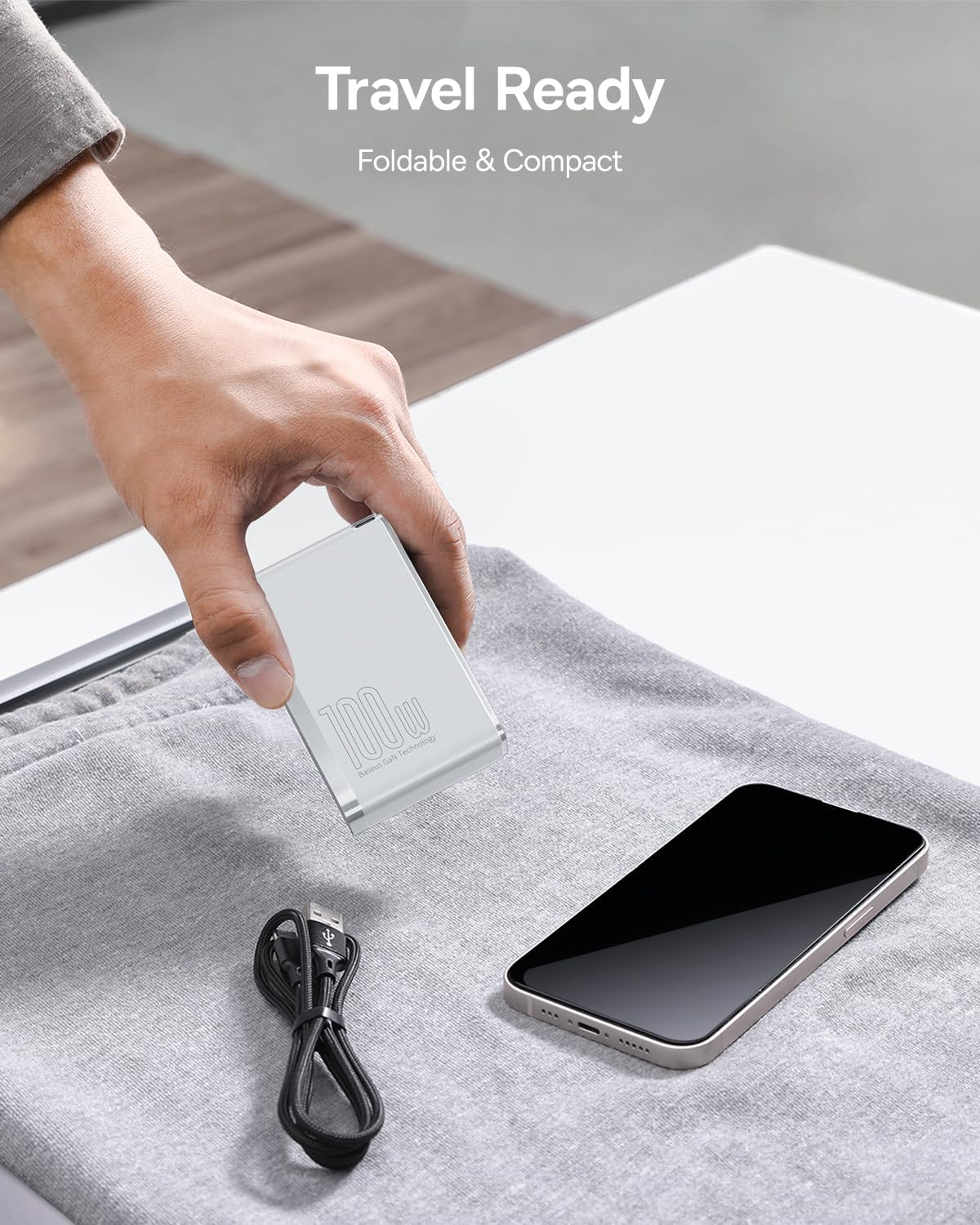
Image: A hand placing the compact, foldable Baseus 100W charger into a bag next to a smartphone, illustrating its travel-ready design.
የአሠራር መመሪያዎች
ነጠላ መሳሪያ መሙላት፡
Connect your device to any available USB-C or USB-A port. The charger will automatically detect your device's power requirements and deliver the optimal charging speed. For maximum power output (e.g., 100W for laptops), use one of the USB-C ports.

Image: The Baseus 100W charger plugged into a wall outlet, charging a laptop via a USB-C cable, highlighting its high-speed charging capability for laptops.
Charging Multiple Devices (BPS II Intelligent Power Allocation):
The charger features BPS II technology, which intelligently distributes power across all connected ports. This allows for efficient simultaneous charging of up to four devices without compromising charging speed for individual devices within their power limits.

Image: The Baseus 100W charger connected to four devices (Apple Watch, AirPods, iPhone, MacBook), demonstrating its ability to charge multiple devices simultaneously.
Power Distribution Exampያነሰ፡
The charger dynamically adjusts power output based on the number and type of connected devices. Here are some common power distribution scenarios:
- One USB-C Device: Up to 100W (Max)
- ሁለት የዩኤስቢ-ሲ መሳሪያዎች፡ Up to 65W + 30W
- One USB-C + One USB-A Device: Up to 65W + 30W
- Two USB-C + Two USB-A Devices: Power is intelligently distributed, for example, 60W (USB-C1) + 20W (USB-C2) + 15W (USB-A1) + 5W (USB-A2).

Image: A diagram illustrating various power output combinations when different ports on the Baseus 100W charger are in use, showing maximum wattage per port in different scenarios.
ጥገና
- ማጽዳት፡ ከማጽዳትዎ በፊት ቻርጀሩን ከኃይል መውጫው እና ከሁሉም መሳሪያዎች ያላቅቁ። ወለሉን ለማጽዳት ለስላሳ እና ደረቅ ጨርቅ ይጠቀሙ። ፈሳሽ ማጽጃዎችን ወይም ኤሮሶሎችን አይጠቀሙ።
- ማከማቻ፡ ቻርጀሩን በማይጠቀሙበት ጊዜ፣ በቀጥታ የፀሐይ ብርሃን እና ከፍተኛ የሙቀት መጠን ራቅ ባለ ቀዝቃዛና ደረቅ ቦታ ያስቀምጡት። ጉዳት እንዳይደርስባቸው የሚታጠፉት ዘንጎች ወደ ኋላ መመለሳቸውን ያረጋግጡ።
- አያያዝ፡ Avoid dropping or subjecting the charger to strong impacts. Do not disassemble or attempt to repair the charger yourself.
መላ መፈለግ
| ጉዳይ | ሊሆን የሚችል ምክንያት | መፍትሄ |
|---|---|---|
| መሣሪያ እየሞላ አይደለም። | Loose connection, faulty cable, incompatible device. | Ensure cables are securely connected. Try a different cable or port. Verify device compatibility. |
| ቀርፋፋ የኃይል መሙያ ፍጥነት | Cable not supporting fast charging, multiple high-power devices connected, device not supporting fast charging protocol. | Use the included 100W USB-C cable or another high-quality fast-charging cable. Check power distribution diagrams if charging multiple devices. Ensure your device supports the charger's fast-charging protocols. |
| ቻርጀር በጣም ሞቃት ነው | Normal operation under heavy load, poor ventilation. | It is normal for the charger to become warm during operation, especially when charging multiple devices or high-power devices. Ensure adequate ventilation around the charger. If it becomes excessively hot or emits smoke/odor, disconnect immediately and contact customer support. |
ዝርዝሮች
| ባህሪ | ዝርዝር |
|---|---|
| የሞዴል ቁጥር | CCGA100US |
| የምርት ልኬቶች | 3.34 x 2.12 x 1.18 ኢንች |
| የእቃው ክብደት | 9.9 አውንስ |
| ግብዓት Voltage | 240 ቮልት |
| የግንኙነት ቴክኖሎጂ | ዩኤስቢ |
| የማገናኛ አይነት | የዩኤስቢ ዓይነት C ፣ የዩኤስቢ ዓይነት A |
| ቀለም | ነጭ |
ተስማሚ መሣሪያዎች
This charger is compatible with a wide range of devices, including but not limited to:
- ላፕቶፖች፡ MacBook Air 2020, MacBook Pro 13"/15"/16", Dell XPS, HP Spectre, Lenovo ThinkPad, ASUS ROG/Zenbook, Microsoft Surface, Chromebooks, Steam Deck.
- ዘመናዊ ስልኮች፡ iPhone 15/14/13/12 series, Samsung Galaxy S/Note series, Google Pixel, OnePlus, LG.
- ታብሌቶች፡- iPad Pro/Air/mini series.
- ሌላ፥ AirPods, Apple Watch, PS4, PS5, Xbox, USB-C headphones, Oculus, Nintendo Switch Dock.

Image: A visual representation of various devices compatible with the Baseus 100W charger, including laptops, smartphones, tablets, and gaming consoles.
ዋስትና እና ድጋፍ
Baseus provides a worry-free 12-month warranty for this product. If you encounter any issues or have questions regarding the charger, please contact our friendly customer service team. Please retain your proof of purchase for warranty claims.
የደህንነት መረጃ
- ቻርጅ መሙያውን ለፈሳሾች፣ ለእርጥበት እና ለከፍተኛ ሙቀት አያጋልጡት።
- Avoid dropping or disassembling the charger.
- ልጆች በማይደርሱበት ቦታ ያስቀምጡ.
- Use only original or certified charging cables with the product.
- If the charger appears damaged, stop using it immediately and contact customer support.


