1. የደህንነት መረጃ
Please read this manual carefully before operating the GYMAX Walking Pad. Retain this manual for future reference.
- ሁልጊዜ ትሬድሚልን ጠፍጣፋ እና የተረጋጋ መሬት ላይ ያድርጉት።
- በሚሠራበት ጊዜ ልጆችን እና የቤት እንስሳትን ከመርገጫ ማሽን ያርቁ።
- ትሬድሚል በሚጠቀሙበት ጊዜ ተገቢ የሆኑ የአትሌቲክስ ጫማዎችን ያድርጉ።
- Attach the safety key clip to your clothing before starting your workout. In case of emergency, pulling the safety key will immediately stop the treadmill.
- Do not use the treadmill on thick carpet, as this may obstruct ventilation and cause overheating.
- የኤሌክትሪክ ገመዱ መቆንጠጥ ወይም መበላሸቱን ያረጋግጡ.
- ከፍተኛ የተጠቃሚ ክብደት፡ 265 ፓውንድ (120 ኪ.ግ.)
2. የጥቅል ይዘቶች
ሁሉም ክፍሎች መኖራቸውን እና ያልተበላሹ መሆናቸውን ያረጋግጡ፡-
- የጂአይማክስ የእግር ጉዞ ፓድ የትሬድሚል ክፍል
- የርቀት መቆጣጠሪያ
- የደህንነት ቁልፍ
- የስልክ ቅንፍ
- የኃይል ገመድ
- የተጠቃሚ መመሪያ (ይህ ሰነድ)
- የመገጣጠሚያ መሳሪያዎች (የአለን መፍቻ፣ ዊንድራይቨር)
3. ማዋቀር እና መሰብሰብ
The GYMAX Walking Pad comes mostly pre-assembled. Follow these steps for final setup:
- ማሸግ፡ ትሬድሚልን ከማሸጊያው በጥንቃቄ ያስወግዱት። ሁሉም የማሸጊያ ቁሳቁሶች መወገዳቸውን ያረጋግጡ።
- Raise the Handrails (if applicable): If using in running mode, lift the handrails into the upright position. Secure them by inserting and tightening the provided screws on each side, both at the bottom and top of the handrail supports.
- Attach Phone Bracket: Remove the screws from the designated area on the handrail. Align the phone bracket and secure it with the removed screws using the provided screwdriver.
- የማዘንበል ማስተካከያ፡ For manual incline, remove the foot covers at the rear of the treadmill. Use the provided M8*30 screws and M8 nuts to fix the folding foot pedals on the treadmill platform. The same operation is performed on the other side. For higher incline, place the red incline blocks under the rear of the treadmill.
- የኃይል ግንኙነት; Plug the power cord into the treadmill's power port and then into a standard electrical outlet. Locate the red on/off toggle switch at the front of the treadmill and switch it to the 'ON' position. The display will light up.
- የርቀት መቆጣጠሪያ ባትሪዎች; 2 የ AAA ባትሪዎችን (ያልተካተተ) ወደ የርቀት መቆጣጠሪያው ያስገቡ።
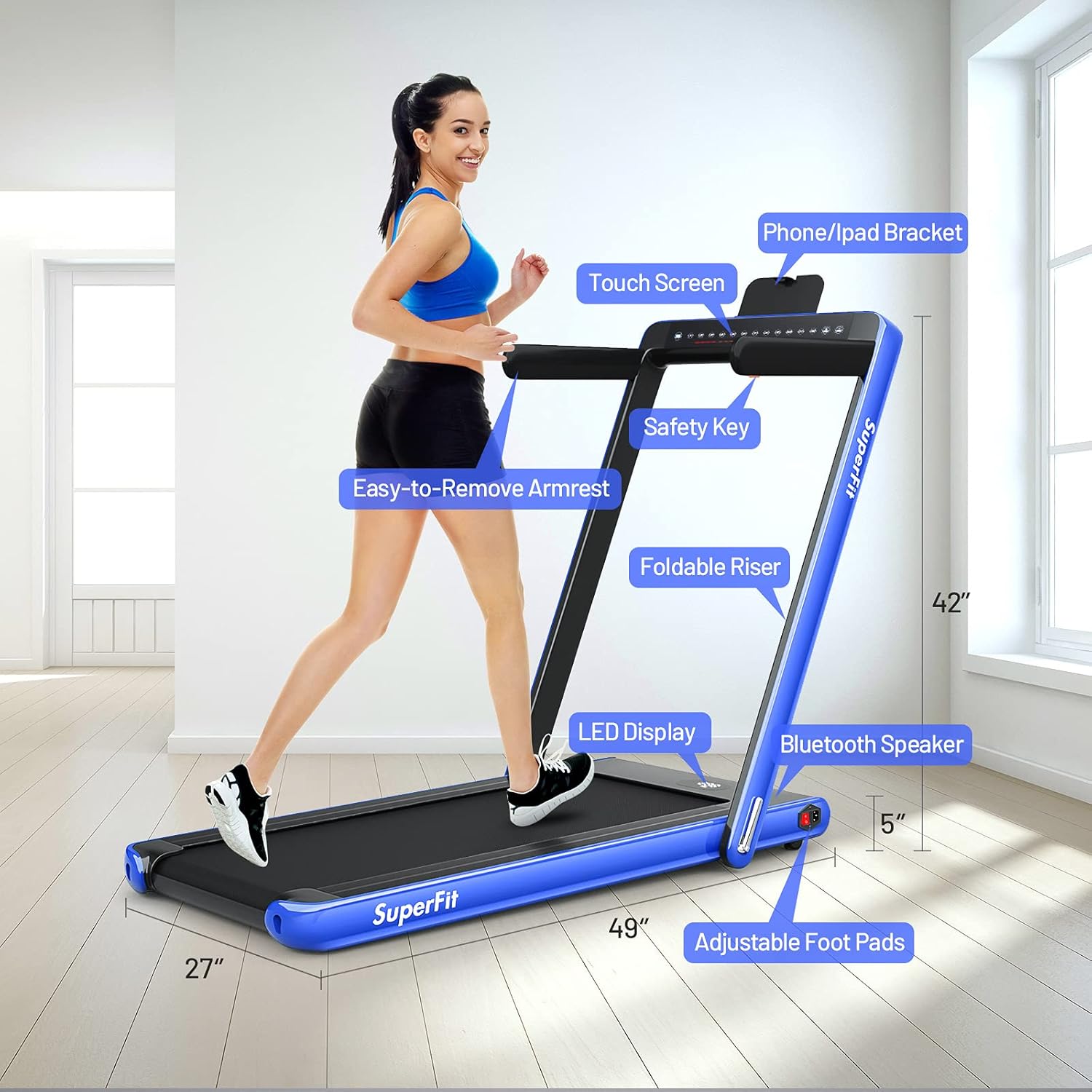
ምስል፡ አልቋልview of GYMAX Walking Pad components including the LED display, phone/iPad bracket, safety key, foldable riser, easy-to-remove armrest, Bluetooth speaker, and adjustable foot pads.

Image: Illustration of the treadmill's folding mechanism, showing how the handrails can be lowered for compact storage.

ምስል፡ ዝርዝር view of the treadmill's control panel, showing touch screen buttons and the power switch location.
4. የአሠራር መመሪያዎች
4.1 ማብራት / ማጥፋት
- To turn on, ensure the power cord is connected and the red toggle switch at the front is 'ON'. The display will illuminate.
- To turn off, switch the red toggle switch to 'OFF' and unplug the power cord.
4.2 Using the Display and Controls
The dual LED display shows real-time data including time, speed, distance, and calories burned. You can control the treadmill via the touch screen, remote control, or the GYMAX App.
- ጀምር/አቁም፡ Press the 'Start/Stop' button on the touch screen or remote to begin or end your workout. A 3-second countdown will precede belt movement.
- የፍጥነት ማስተካከያ; Use the '+' and '-' buttons on the touch screen or remote to increase or decrease speed.
- የደህንነት ቁልፍ፡- The red magnetic safety key must be in place for the treadmill to operate. Clip the cord to your clothing. If the key is dislodged, the treadmill will stop immediately.
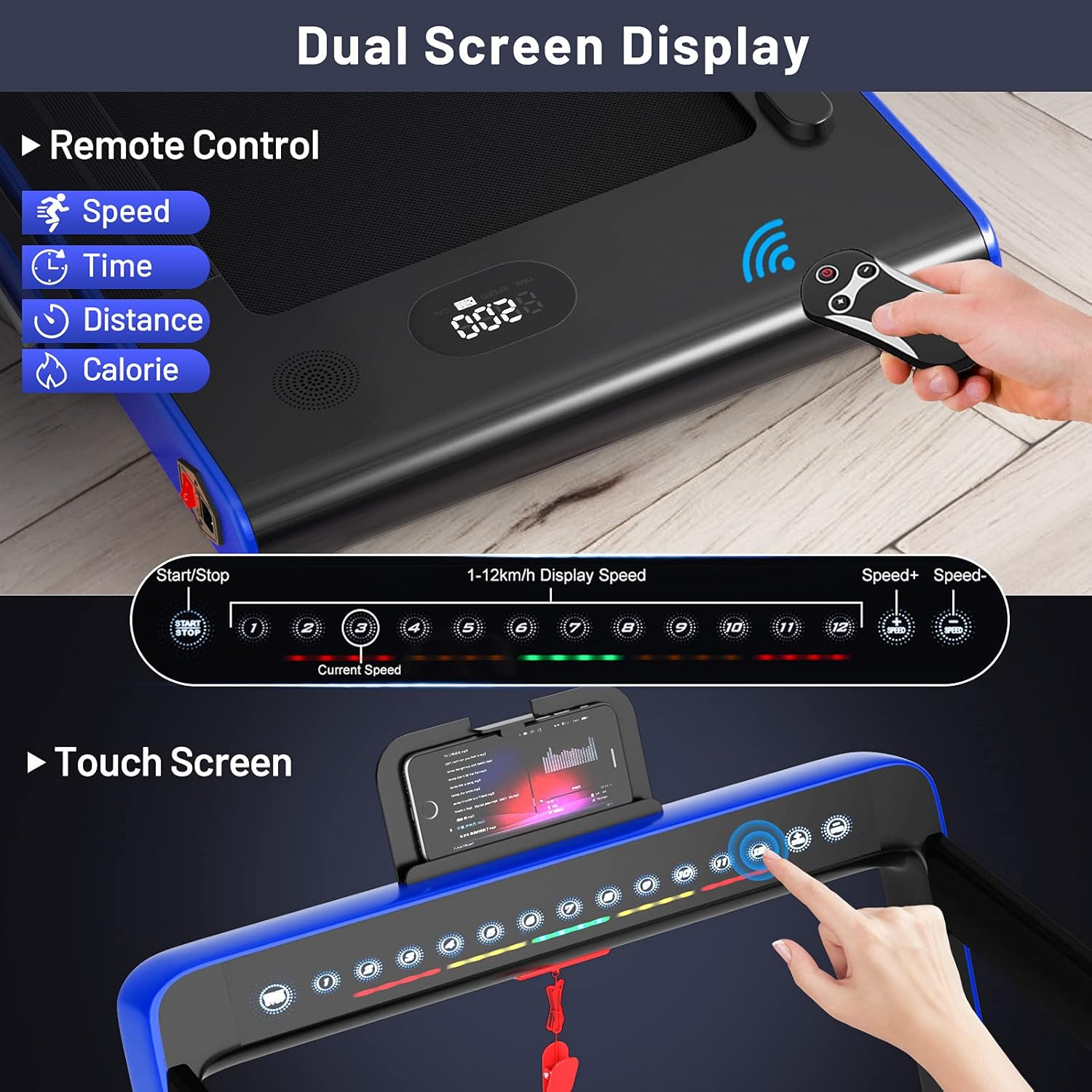
Image: Close-up of the dual LED display showing time, speed, distance, and calories, along with the remote control for operation.
4.3 የአሠራር ዘዴዎች
- Walking Mode (Handrails Down): Speed range from 1 km/h to 4 km/h (approx. 0.6-2.5 MPH). Ideal for under-desk use or light walking.
- Running Mode (Handrails Up): Speed range from 1 km/h to 12 km/h (approx. 0.6-7.5 MPH). Suitable for jogging and running.

Image: Demonstrates the treadmill in both walking mode (under a desk) and running mode (with handrails up).

Image: Visual representation of the treadmill's two modes: walking (0.5-2.5 MPH) and running (0.5-7.5 MPH).
4.4 GYMAX App Control
Download the 'GYMAX App' from Google Play or the App Store to control your treadmill and track your workout data. The app allows for speed adjustment, mode selection, and monitoring of your progress.

Image: Shows a smartphone screen displaying the GYMAX App interface and icons for downloading from Google Play and the App Store.

Image: Demonstrates connecting the treadmill to the GYMAX App via Bluetooth, showing app screenshots and a user exercising.
4.5 የሚዲያ ውህደት
- የስልክ መያዣ፡ Use the integrated phone bracket to securely hold your mobile device for entertainment or app control during your workout.
- የብሉቱዝ ድምጽ ማጉያ Connect your mobile phone to the treadmill's built-in speaker via Bluetooth to enjoy music or audio content.
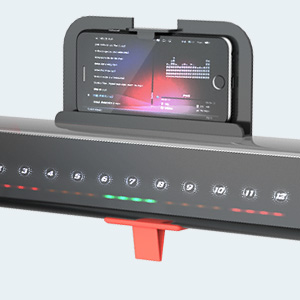
ምስል፡ መቀራረብ view of the integrated phone holder on the treadmill's console.

Image: Depiction of the treadmill's Bluetooth speaker playing music during a workout.
5. ባህሪያት በላይview
- 2-በ-1 ንድፍ Easily switch between walking (under desk) and running modes by adjusting the handrails.
- ጸጥ ያለ ሞተር; Equipped with a 2.25HP motor designed for quiet operation, making it suitable for home and office environments without causing disturbance.
- Advanced Running Belt: Features a 40" x 16" spacious, 5-layer running belt that is shock-absorbing and non-slip, providing comfort and knee protection during workouts.
- የሚታጠፍ እና ተንቀሳቃሽ፡- The treadmill's foldable design allows for easy storage under a sofa or against a wall. Built-in moving wheels facilitate effortless relocation.
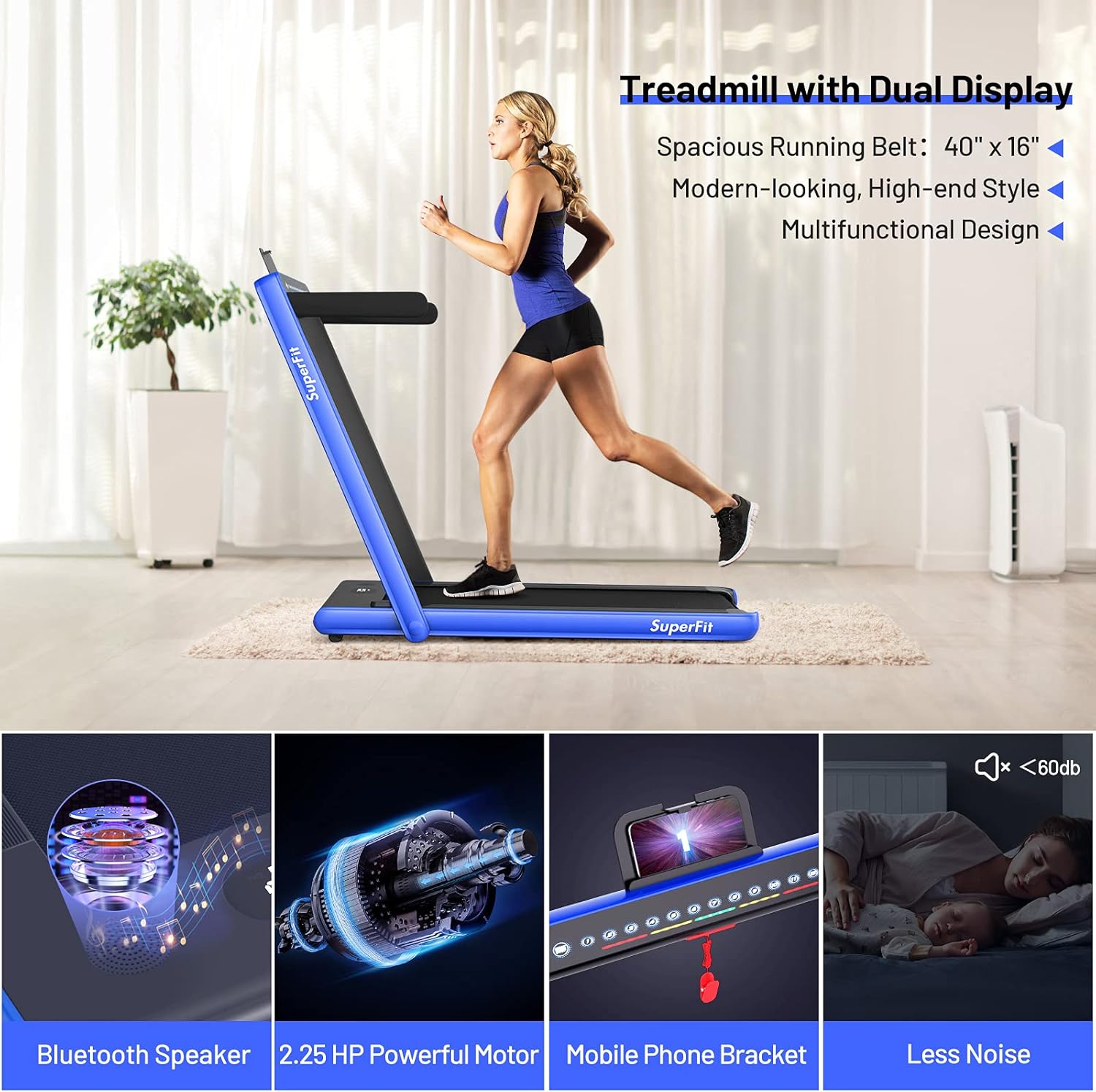
Image: Highlights key features including the dual display, Bluetooth speaker, 2.25 HP powerful motor, mobile phone bracket, and low noise level.
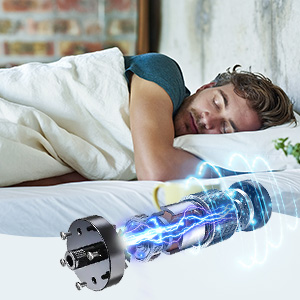
Image: Illustrates the quiet operation of the treadmill's motor, suitable for use without disturbing others.

Image: Diagram showing the five layers of the running belt: wear-resistant surface, sound insulation layer, high strength support layer, shock absorbing layer, and compression layer.
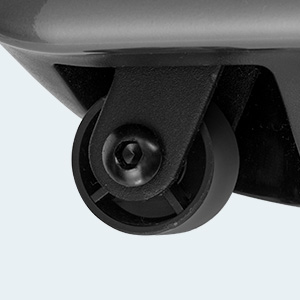
Image: Close-up of the integrated moving wheels for easy transport of the treadmill.
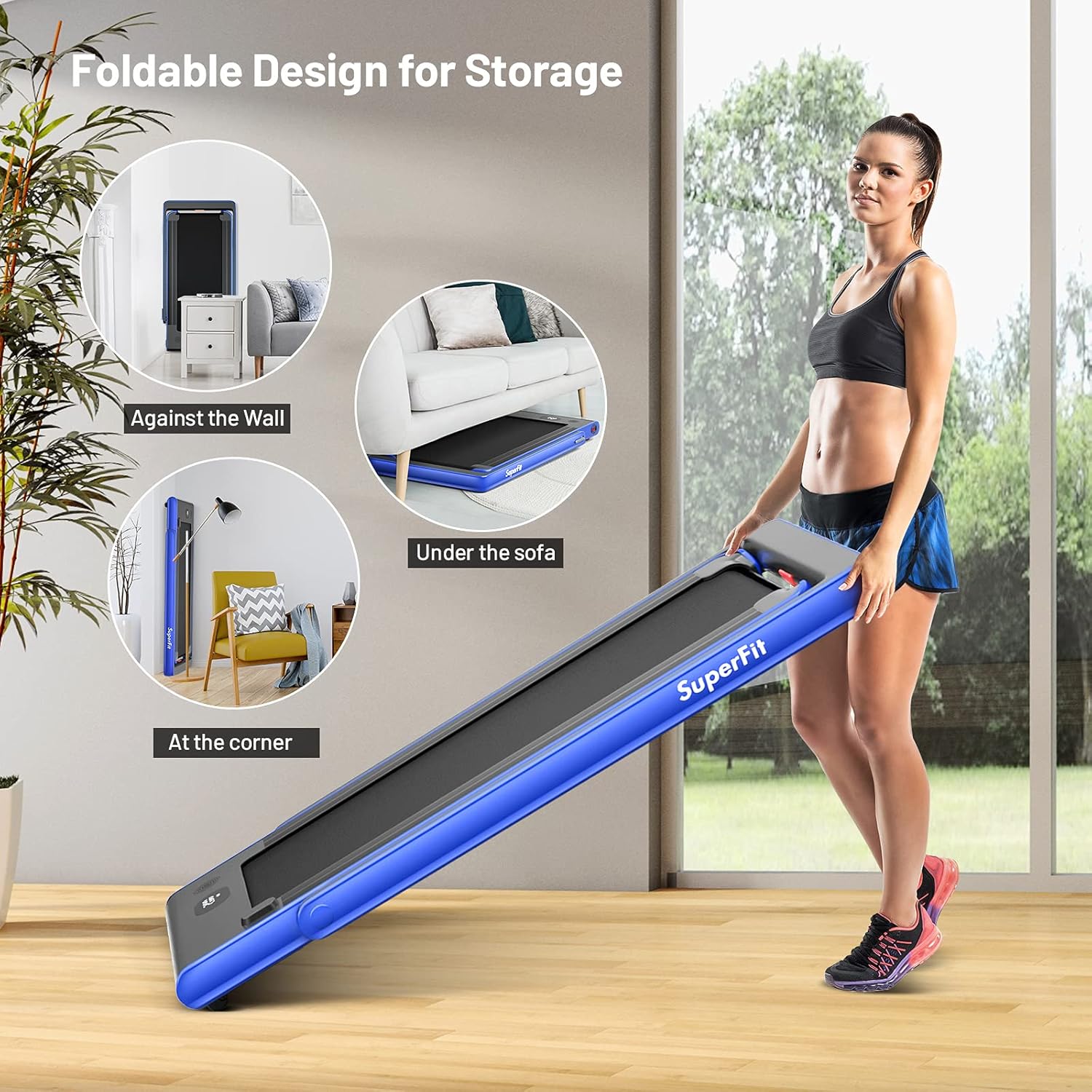
Image: Demonstrates various storage options for the foldable treadmill, such as against a wall, under a sofa, or in a corner.
6. ጥገና
መደበኛ ጥገና የመሮጫ ማሽንዎን ረጅም ዕድሜ እና ጥሩ አፈፃፀም ያረጋግጣል።
- ማጽዳት፡ የትሬድሚል ንጣፎችን በማስታወቂያ ይጥረጉamp ከእያንዳንዱ አጠቃቀም በኋላ ጨርቅ. ገላጭ ማጽጃዎችን ያስወግዱ.
- ቀበቶ መቀባት; Periodically lubricate the running belt according to the instructions in the full product manual to ensure smooth operation and prevent wear.
- ቀበቶ ማስተካከል; If the running belt shifts or slips, refer to the full product manual for instructions on how to adjust the belt tension and alignment.
- ማከማቻ፡ When not in use, fold the treadmill and store it in a dry, clean area away from direct sunlight and extreme temperatures.
7. መላ መፈለግ
If you encounter issues with your GYMAX Walking Pad, refer to the following common solutions:
- የትሬድሚል ስራ አልጀመረም፦ Ensure the power cord is securely plugged in, the red toggle switch is 'ON', and the safety key is correctly placed on the console.
- ቀበቶ ማንሸራተት ወይም ያልተስተካከለ; The running belt may require lubrication or adjustment. Consult the maintenance section or the full product manual.
- ያልተለመዱ ድምፆች; Check for loose parts or foreign objects under the belt. Lubrication may also be needed.
- የርቀት መቆጣጠሪያ አይሰራም; Check the batteries in the remote control and ensure they are inserted correctly.
For further assistance, please contact GYMAX customer support.
8. ዝርዝሮች
| ባህሪ | ዝርዝር |
|---|---|
| የምርት ስም | ጂማክስ |
| ሞዴል | B0993NTMCX |
| የምርት ልኬቶች (L x W x H) | 52" ዲ x 27" ዋ x 42" ኤች |
| የታጠፈ መጠን (L x W x H) | 52" x 27" x 5" |
| የእቃው ክብደት | 38.4 ኪሎግራም (በግምት 84.6 ፓውንድ) |
| ቁሳቁስ | አክሬሎኒትሪል ቡታዲኔ ስታይሪን (ኤቢኤስ)፣ ቅይጥ ብረት |
| የሞተር ፈረስ ኃይል | 2.25 ኤች.ፒ |
| የፍጥነት ክልል | 1-12 Kilometers per Hour (approx. 0.6-7.5 MPH) |
| Running Belt Size (L x W) | 40" x 16" |
| ከፍተኛው የክብደት ምክር | 265 ፓውንድ £ |
| የማሳያ ዓይነት | LED |
| የመቆጣጠሪያ ፕሮግራም ስም | GYMAX App |
| የተካተቱ አካላት | Remote Control, Safety Key, Phone Bracket |
9. ዋስትና እና ድጋፍ
GYMAX offers customer support for any inquiries or issues you may have with your walking pad. For specific warranty details, please refer to the documentation included with your purchase or contact GYMAX directly.
The product is eligible for 30-day easy returns.
ለደንበኛ አገልግሎት፣ እባክዎን ይጎብኙ የጂአይማክስ መደብር በአማዞን ላይ.
10. የምርት ቪዲዮ በላይview
ቪዲዮ: በዝርዝር የተጠናቀቀview of the GYMAX Walking Pad, demonstrating its display features, safety clip, cup holders, phone holder, power switch, running belt quality, incline adjustment, and quiet motor operation. This video highlights the ease of assembly and comfortable user experience.


