መግቢያ
Thank you for choosing the Bytech BYMSWR104BK 3 Button Gaming Mouse. This manual provides essential information for setting up, operating, and maintaining your new gaming mouse. Please read this manual thoroughly before use to ensure optimal performance and longevity of your device.
ባህሪያት
- ትክክለኛ መዳፊት፦ Designed for accurate tracking and responsive control.
- የሚስተካከለው ዲፒአይ፡ Customize sensitivity for various gaming and productivity needs.
- Three Responsive Buttons: Includes left-click, right-click, and scroll wheel/middle-click for efficient operation.
- Colorful Backlight: Features multi-color LED lighting with 7 distinct color modes for an enhanced aesthetic experience.
- Ergonomic ንድፍ; Shaped to fit comfortably in your palm, reducing fatigue during extended use.
ዝርዝሮች
| የምርት ስም | ባይቴክ |
| የሞዴል ቁጥር | BYMSWR104BK |
| የአዝራሮች ብዛት | 3 |
| የእንቅስቃሴ ጥራት | 1,000 ዲፒአይ |
| የቀለም ሁነታዎች | 7 Colors (Multi-color Backlight) |
| የኬብል ርዝመት | 5 ጫማ |
| ደረጃ ቀይር | 1 ሚሊዮን ጠቅታዎች |
| የእቃው ክብደት | 4.9 አውንስ |
| የጥቅል ልኬቶች | 7.17 x 4.06 x 2.68 ኢንች |
| ቀለም | ጥቁር |
| የኃይል ምንጭ | ባለገመድ ኤሌክትሪክ (ዩኤስቢ) |
| የሃርድዌር መድረክ | PC |
የጥቅል ይዘቶች
- 1 x Bytech BYMSWR104BK Wired Gaming Mouse
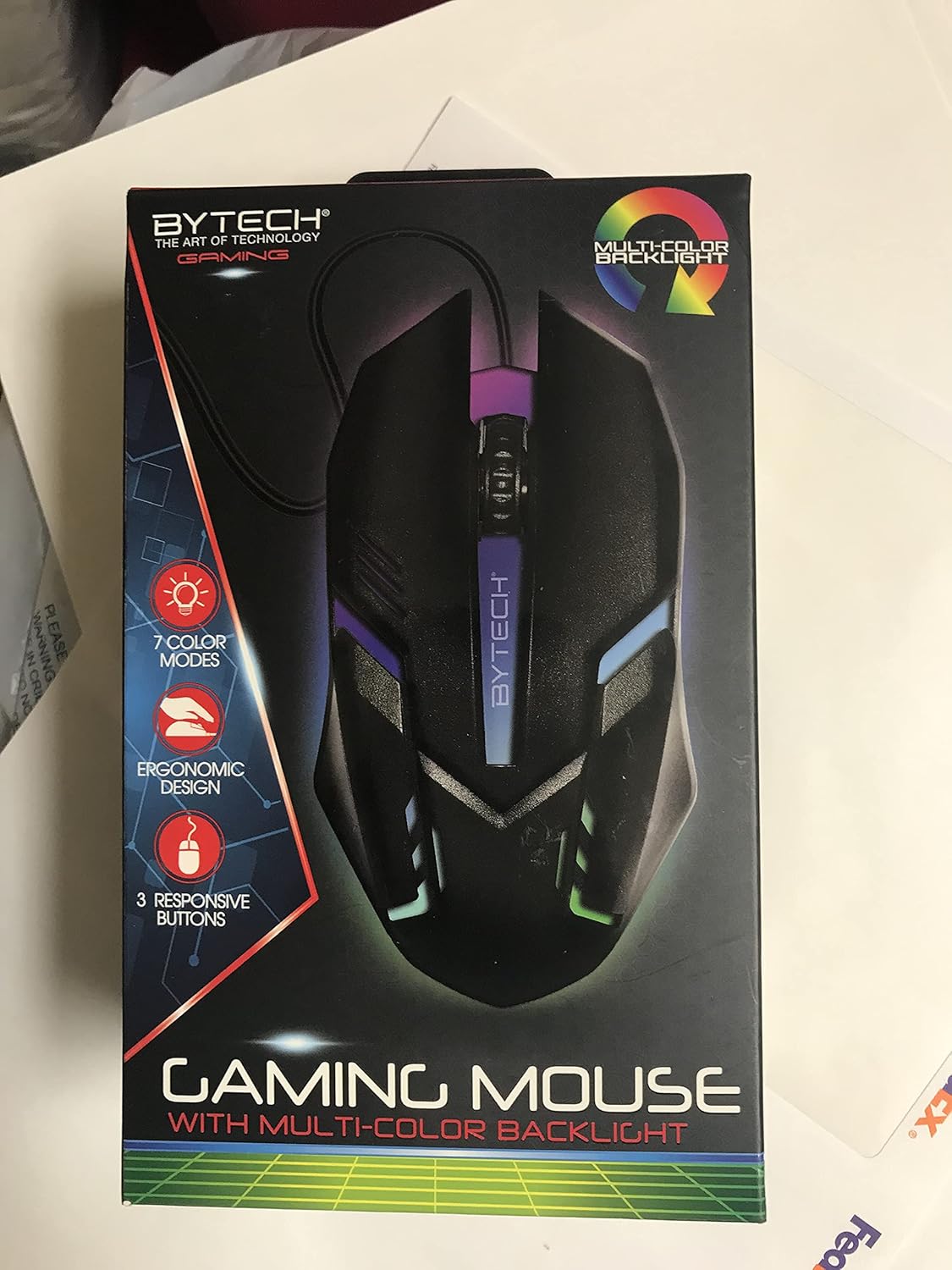
ምስል፡ ፊት ለፊት view of the Bytech BYMSWR104BK Gaming Mouse in its retail packaging, highlighting its multi-color backlight and ergonomic design.
ማዋቀር
- ማሸግ ፦ Carefully remove the gaming mouse from its packaging.
- አገናኝ፡ Locate an available USB port on your computer (PC, laptop, etc.). Insert the USB connector of the Bytech BYMSWR104BK Gaming Mouse firmly into the USB port.
- የአሽከርካሪ ጭነት; The mouse is plug-and-play. Your operating system should automatically detect and install the necessary drivers. This process may take a few moments.
- ለመጠቀም ዝግጁ፡- Once the drivers are installed, the mouse will be ready for immediate use. The multi-color backlight will illuminate.

ምስል: የኋላ view of the Bytech BYMSWR104BK Gaming Mouse retail packaging, detailing features, specifications, and universal compatibility.
የአሠራር መመሪያዎች
መሰረታዊ ኦፕሬሽን
- የግራ አዝራር፡ የዋና ጠቅታ ተግባር፣ በተለምዶ ንጥሎችን ለመምረጥ፣ ለመክፈት ያገለግላል files, or interacting with software.
- የቀኝ አዝራር፡- Secondary click function, usually opens context menus or provides additional options.
- ሸብልል ጎማ (መካከለኛ አዝራር)፡- ሰነዶችን ለማሰስ ወደ ላይ ወይም ወደ ታች ይሸብልሉ እና web pages. Pressing the scroll wheel acts as a middle-click button, often used for opening links in new tabs or auto-scrolling.
የዲፒአይ ማስተካከያ
The Bytech BYMSWR104BK Gaming Mouse features adjustable DPI settings. While specific buttons for DPI adjustment are not explicitly listed on the packaging, many gaming mice allow DPI changes through a dedicated button (often located near the scroll wheel) or through software. Refer to your computer's mouse settings or Bytech's official website for advanced customization options if available.
LED ጀርባ ብርሃን
The mouse features a dynamic multi-color LED backlight with 7 different color modes. These lights will automatically cycle through the modes once the mouse is connected and powered on. There is no manual control for changing modes on the mouse itself.
ጥገና
- ማጽዳት፡ የመዳፊቱን ገጽታ ለማጽዳት ለስላሳ እና ደረቅ ጨርቅ ይጠቀሙ. ለግትር ቆሻሻ፣ በትንሹ መampበጨርቁ ላይ በውሃ ወይም ለስላሳ የጽዳት መፍትሄ. ኃይለኛ ኬሚካሎችን ወይም ሻካራ ቁሳቁሶችን ከመጠቀም ይቆጠቡ.
- የዳሳሽ እንክብካቤ ትክክለኛ ክትትልን ለማረጋገጥ በመዳፊት ግርጌ ላይ ያለውን የጨረር ዳሳሽ ንፁህ እና ከአቧራ ወይም ከቆሻሻ ነጻ ያቆዩት።
- የኬብል አስተዳደር ጉዳት እንዳይደርስ ለመከላከል ሹል መታጠፍ ወይም የዩ ኤስ ቢ ገመዱን ከመጠን በላይ መጎተትን ያስወግዱ።
- ማከማቻ፡ ጥቅም ላይ በማይውልበት ጊዜ አይጤውን ከከፍተኛ ሙቀት ርቆ ንጹህና ደረቅ አካባቢ ያከማቹ።

ምስል: ጎን view of the Bytech BYMSWR104BK Gaming Mouse retail packaging, showcasing the multi-color backlight effect.
መላ መፈለግ
| ችግር | ሊሆን የሚችል መፍትሄ |
|---|---|
| አይጥ ምላሽ እየሰጠ አይደለም። |
|
| ጠቋሚው የተዛባ ወይም ያለችግር አይንቀሳቀስም። |
|
| የ LED የጀርባ ብርሃን አይሰራም |
|
ዋስትና እና ድጋፍ
ዋስትና፡- This Bytech product comes with a 12-month warranty from the date of purchase. Please retain your proof of purchase for warranty claims.
የእውቂያ መረጃ፡-
- አድራሻ፡- 2585 West 13th Street, Brooklyn, NY 11223, USA
- Webጣቢያ፡ www.bytechintl.com
⚠ ማስጠንቀቂያ፡- ይህ ምርት በካሊፎርኒያ ግዛት ካንሰርን፣ የወሊድ ጉድለቶችን ወይም ሌሎች የመራቢያ ጉዳቶችን እንደሚያመጣ የሚታወቀው DEHPን ጨምሮ ለኬሚካሎች ሊያጋልጥዎት ይችላል። ለበለጠ መረጃ ወደ ይሂዱ www.p65warnings.ca.gov.

ምስል፡ ከታች view of the Bytech BYMSWR104BK Gaming Mouse retail packaging, showing contact information, warranty details, and California Proposition 65 warning.


