መግቢያ
The Philips S7505 Wireless Bluetooth Speaker is designed to deliver powerful, portable audio with a range of convenient features. This manual provides essential information for setting up, operating, maintaining, and troubleshooting your speaker to ensure optimal performance and longevity. Key features include a built-in power bank, IPX7 waterproof rating, and up to 20 hours of playtime.

Image: The Philips S7505 Wireless Bluetooth Speaker, showcasinለስላሳ ዲዛይኑ እና የጨርቅ አጨራረሱ።
በሣጥኑ ውስጥ ያለው
ሁሉም እቃዎች በማሸጊያው ውስጥ መኖራቸውን ያረጋግጡ፡-
- የዩኤስቢ ባትሪ መሙያ ገመድ
- ፈጣን የመጫኛ መመሪያ
- World Wide Warranty Leaflet
- የዋስትና ካርድ
ምርት አልቋልview
Familiarize yourself with the speaker's controls and indicators.

Image: Close-up of the speaker's top panel, highlighting the embossed control buttons for power, Bluetooth, playback, and volume.
The top panel features embossed buttons for easy control:
- የኃይል ቁልፍ፡- ድምጽ ማጉያውን ያበራል ወይም ያጠፋል.
- የብሉቱዝ አዝራር፡- የብሉቱዝ ማጣመሪያ ሁነታን ይጀምራል።
- አጫውት/አፍታ አቁም አዝራር፡- የድምጽ መልሶ ማጫወትን ይቆጣጠራል።
- የድምጽ ከፍ / ታች አዝራሮች የተናጋሪውን ድምጽ ያስተካክላል።
- የባትሪ አመልካች መብራቶች፡- የአሁኑን የባትሪ ደረጃ ያሳያል።
ማዋቀር
1. አፈጉባ Charውን ኃይል መሙላት
Before first use, fully charge your Philips S7505 speaker. Use the included USB-C cable to connect the speaker to a power source. A full charge takes approximately 4.5 hours.

Image: The USB-C charging port on the side of the speaker with a cable inserted, indicating the charging process.
2. የብሉቱዝ ማጣመር
- የኃይል አዝራሩን በመጫን ድምጽ ማጉያውን ያብሩ.
- The Bluetooth indicator will flash, indicating it is in pairing mode. If not, press and hold the Bluetooth button until it flashes.
- በተንቀሳቃሽ መሳሪያዎ (ስማርትፎን ፣ ታብሌት ፣ ላፕቶፕ) ላይ ብሉቱዝን ያንቁ እና የሚገኙ መሳሪያዎችን ይፈልጉ።
- Select "Philips S7505" from the list of devices.
- Once connected, the Bluetooth indicator will glow solid, and you will hear a confirmation tone.
መሳሪያው በክልል ውስጥ ከሆነ እና ብሉቱዝ ከነቃ ድምጽ ማጉያው ሲበራ ከመጨረሻው የተጣመረ መሣሪያ ጋር በራስ-ሰር ይገናኛል።

Image: A person holding a smartphone, displaying a low battery icon, connected via cable to the Philips S7505 speaker, which is placed on a picnic blanket.
የአሠራር መመሪያዎች
1. መሰረታዊ መልሶ ማጫወት መቆጣጠሪያዎች
- አጫውት/ ለአፍታ አቁም፡ Play/Pause የሚለውን ቁልፍ አንዴ ተጫን።
- ድምጽ ጨምር የ'+' ቁልፍን ተጫን።
- ጥራዝ ታች '-' የሚለውን ቁልፍ ተጫን።
- ቀጣይ ትራክ፡ የ"+" ቁልፍን ተጭነው ይያዙ።
- ቀዳሚ ትራክ የ'-' ቁልፍን ተጭነው ይያዙ።
2. የኃይል ባንክ ተግባር
The Philips S7505 features a built-in power bank, allowing you to charge your mobile devices. Connect your device to the USB-A port on the speaker using a compatible charging cable.

Image: A smartphone connected to the Philips S7505 speaker via a USB cable, demonstrating the power bank functionality.
3. Stereo Pairing (Twin Mode)
For an enhanced audio experience, you can pair two identical Philips S7505 speakers together to create a stereo sound system.
- ሁለቱም ድምጽ ማጉያዎች መብራታቸውን እና ከማንኛውም የብሉቱዝ መሳሪያ ጋር አለመገናኘታቸውን ያረጋግጡ።
- On one speaker (this will be the primary speaker), press and hold the Bluetooth button until you hear a prompt or see an indicator for stereo pairing mode.
- ዋናው ተናጋሪ ሁለተኛ ተናጋሪውን ይፈልጋል።
- አንዴ ከተገናኙ በኋላ ሁለቱም ድምጽ ማጉያዎች በስቲሪዮ ድምጽ ያጫውታሉ።

Image: Two Philips S7505 speakers positioned side-by-side, illustrating the stereo pairing capability.
4. ከእጅ ነፃ ጥሪ
The built-in microphone allows you to handle hands-free calls when your speaker is connected to a smartphone. When a call comes in, press the Play/Pause button to answer or end the call.
ጥገና
1. የውሃ መከላከያ (IPX7)
The Philips S7505 speaker is IPX7 waterproof, meaning it can be immersed in water up to 1 meter for up to 30 minutes. This makes it suitable for use in wet environments like showers or by the pool. Ensure all port covers are securely closed before exposing the speaker to water.
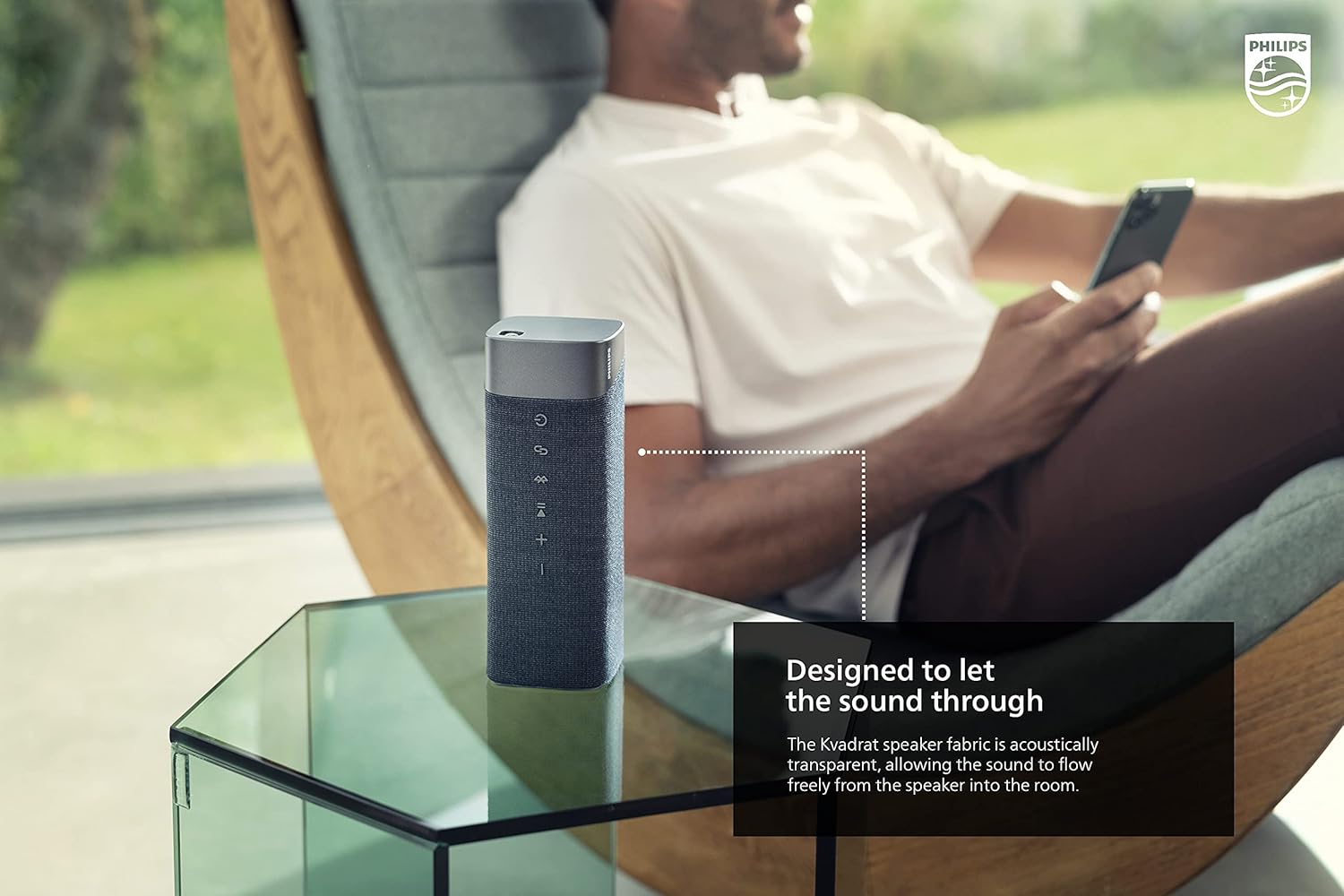
Image: The Philips S7505 speaker placed on a picnic blanket outdoors, highlighting its suitability for various environments due to its waterproof design.
2. የጨርቅ እንክብካቤ
The speaker features a premium Kvadrat fabric. To clean, gently wipe with a soft, damp cloth. Avoid using harsh chemicals or abrasive materials, as these may damage the fabric or speaker components.
መላ መፈለግ
If you encounter issues with your Philips S7505 speaker, refer to the following common problems and solutions:
- ድምጽ ማጉያው አያበራም፦ Ensure the battery is charged. Connect the speaker to a power source using the USB-C cable and allow it to charge for a few minutes before attempting to power on again.
- ምንም ድምፅ ወይም የተዛባ ድምጽ የለም;
- የድምጽ ደረጃውን በድምጽ ማጉያው እና በተገናኘው መሳሪያዎ ላይ ያረጋግጡ።
- Ensure the speaker is properly paired via Bluetooth. Disconnect and re-pair if necessary.
- ጣልቃ ገብነትን ለማስወገድ ድምጽ ማጉያውን ወደ መሳሪያዎ ያቅርቡ።
- የብሉቱዝ ማጣመር አልተሳካም፦
- ድምጽ ማጉያው በማጣመር ሁነታ ላይ መሆኑን ያረጋግጡ (የብሉቱዝ አመልካች ብልጭ ድርግም ይላል)።
- ለመገናኘት እየሞከሩ ባሉ ሌሎች በአቅራቢያ ባሉ መሳሪያዎች ላይ ብሉቱዝን ያጥፉ።
- ሁለቱንም ድምጽ ማጉያውን እና መሳሪያዎን እንደገና ያስጀምሩ.
- Speaker automatically turns off: The speaker is designed to power off after a period of inactivity to conserve battery. This feature cannot be disabled. To prevent this, ensure audio playback is active.
ዝርዝሮች
Detailed technical specifications for the Philips S7505 Wireless Bluetooth Speaker:

Image: The Philips S7505 speaker with overlaid measurements, indicating its dimensions of 9.1 inches (width), 3.3 inches (depth), and 3.4 inches (height).
| የሞዴል ቁጥር | S7505 |
| የምርት ስም | ፊሊፕስ ኦዲዮ |
| የግንኙነት ቴክኖሎጂ | ብሉቱዝ ፣ ዩኤስቢ |
| ገመድ አልባ የመገናኛ ቴክኖሎጂ | ብሉቱዝ |
| የድምጽ ማጉያ ከፍተኛ የውጤት ኃይል | 30 ዋት |
| የድምጽ ማጉያ መጠን | 4 ኢንች |
| እክል | 3 ኦኤም |
| የድምጽ ውፅዓት ሁኔታ | Mono (can be paired for Stereo) |
| የኃይል ምንጭ | ባትሪ የተጎላበተ (1 ሊቲየም አዮን ባትሪ ተካትቷል) |
| የጨዋታ ጊዜ | እስከ 20 ሰዓታት ድረስ |
| የኃይል መሙያ ጊዜ | 4.5 ሰዓታት |
| የውሃ መቋቋም ደረጃ | IPX7 የውሃ መከላከያ |
| የምርት ልኬቶች (D x W x H) | 3.3" ዲ x 9.1" ዋ x 3.4" ኤች |
| የእቃው ክብደት | 2.2 ፓውንድ (1 ኪሎ) |
| የመቆጣጠሪያ ዘዴ | ንካ |
ዋስትና እና ድጋፍ
Your Philips S7505 Wireless Bluetooth Speaker comes with a full warranty. Please refer to the included Warranty Card and World Wide Warranty Leaflet for detailed terms and conditions.
For further assistance, technical support, or warranty claims, please visit the official Philips Audio support website or contact their customer service. Contact information can typically be found on the Philips Audio webጣቢያ ወይም የዋስትና ሰነዶች ውስጥ.


