MARKLIFE Label Maker Machine User Manual
Model: P50 | Brand: MARKLIFE
ምርት አልቋልview
The MARKLIFE P50 Label Maker is a mini portable Bluetooth thermal label printer designed for various labeling needs in homes, offices, and small businesses. It utilizes thermal printing technology, eliminating the need for ink or toner, and supports black and white printing.
ቁልፍ ባህሪያት የሚከተሉትን ያካትታሉ:
- ሰፊ መተግበሪያ፡ Supports label widths from 0.59'' to 2.24'', suitable for address, clothing, price, cable, jewelry, and ingredient labels.
- ገመድ አልባ እና ተንቀሳቃሽ፡ Lightweight design with Bluetooth 4.0 connectivity for convenient, smooth, and fast printing from smartphones (Android & iOS) within 33 feet.
- Smart Printing Features: Offers voice and image recognition, barcode generation from scans, PDF batch printing, and the ability to print photos on labels. USB connection and online software are available for Windows PC.
- ዘላቂ መለያዎች Labels are designed to be tear-proof, watertight, and oil-proof, ensuring longevity.
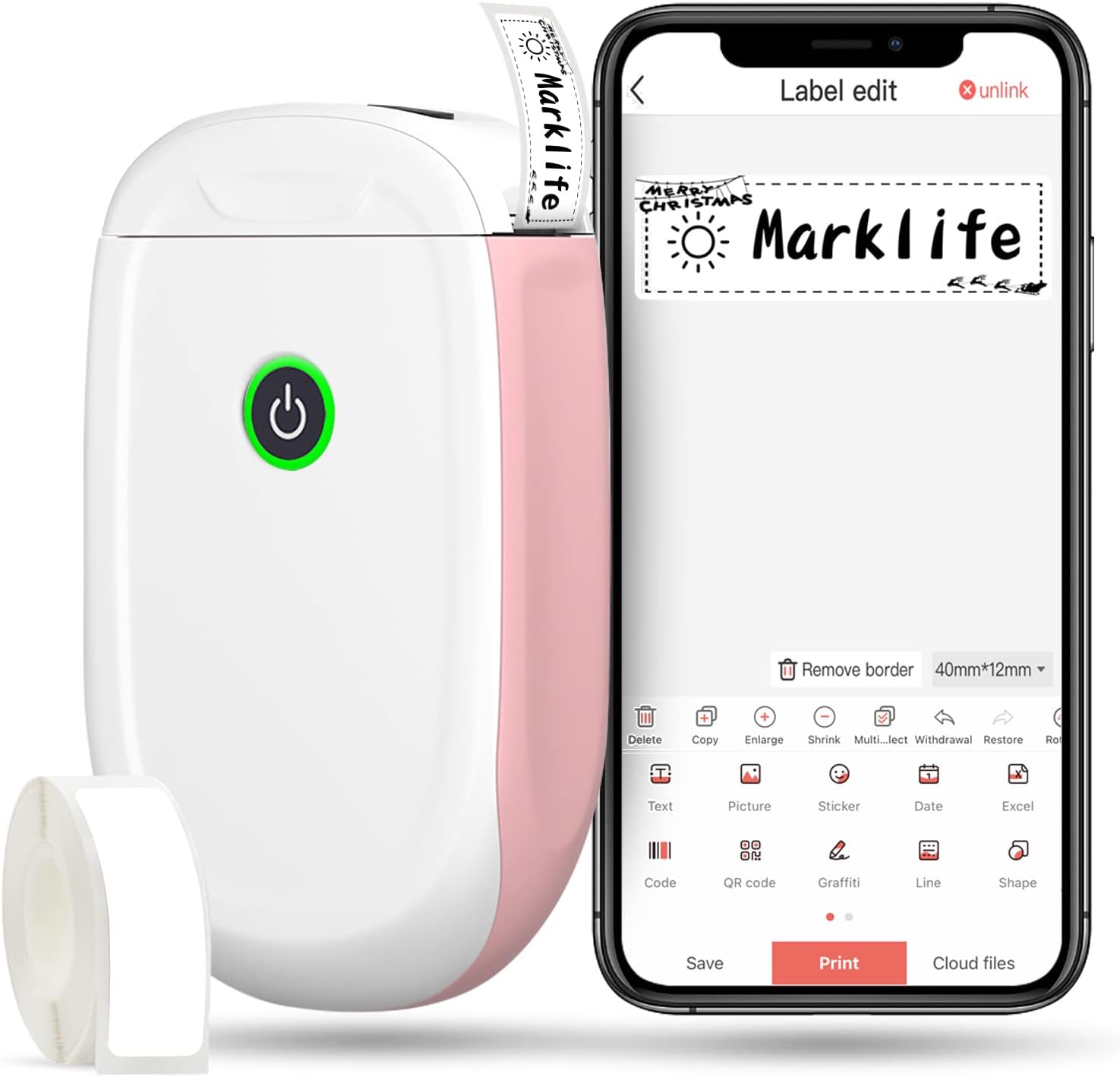
Figure 1: MARKLIFE P50 Label Maker and companion app.
የማዋቀር መመሪያ
Follow these steps to set up your MARKLIFE P50 Label Maker:
- Load Label Paper: Open the cover and insert the label roll with the printing side facing up. Close the cover securely.
- መተግበሪያውን ያውርዱ፡- ፈልግ "Marklife" in your smartphone's app store (available for Android and iOS) and install it.
- ብሉቱዝን ያብሩ፡ በእርስዎ ዘመናዊ ስልክ ላይ ብሉቱዝን ያንቁ።
- ከመሳሪያ ጋር ተገናኝ፡ Open the Marklife app, turn on the labeler, and connect to the device via Bluetooth. The device name will typically start with "P11" or "P50".

Figure 2: Quick setup guide for the Marklife P50.
Video 1: Demonstrates the setup and basic usage of the Marklife P11 (similar to P50) label maker, including loading paper, connecting via Bluetooth, and printing a label.
የአሠራር መመሪያዎች
Once connected, you can begin creating and printing labels:
- Choose a Template: In the Marklife app, select from various pre-designed templates or start a new blank label.
- Edit Label Content: Double-click on the label area to input text. You can customize font, size, alignment, and add elements like images, icons, dates, or barcodes.
- ቅድመview እና አትም: ከማተም በፊት, ቅድመview your label to ensure it looks as desired. Then, tap the "Print" button to send the design to the label maker.
- የላቁ ባህሪያት፡
- Barcode/QR Code: Generate barcodes or QR codes directly from the app. Example barcode: 46745875478655
- Image Recognition (OCR): Use your phone's camera as an OCR scanner within the app to convert text from images into editable label content.
- ባች ማተም፡ Print multiple labels from a PDF or a list for efficiency.
- ማበጀት፡ Access over 600 combinations of templates, 9 languages, 600+ symbols, 27+ frames, and 15+ fonts.

Figure 3: Customize your own labels with various design elements.

Figure 4: Many designing items available in the app.
ጥገና
To ensure the longevity and optimal performance of your MARKLIFE P50 Label Maker, follow these maintenance guidelines:
- ማጽዳት፡ የመሳሪያውን ውጫዊ ክፍል ለስላሳና ደረቅ ጨርቅ አዘውትረው ይጥረጉ። ለህትመት ጭንቅላቱ፣ የጥጥ መጥረጊያ በትንሹ ይጠቀሙampened with rubbing alcohol, ensuring the device is off and disconnected from power. Allow it to dry completely before use.
- ማከማቻ፡ የማሸጊያ ማሽኑን ከፀሐይ ብርሃን እና ከፍተኛ የሙቀት መጠን ራቅ ባለ ቀዝቃዛና ደረቅ ቦታ ያስቀምጡ።
- Label Roll Care: Keep unused label rolls in their original packaging to protect them from dust and moisture.
- የባትሪ እንክብካቤ ለተሻለ የባትሪ ዕድሜ፣ መሳሪያውን በተደጋጋሚ ባይጠቀሙም እንኳ በየጊዜው ቻርጅ ያድርጉ። ባትሪውን ለረጅም ጊዜ ሙሉ በሙሉ ከማድረቅ ይቆጠቡ።

Figure 5: Thermal printing technology requires no ink, simplifying maintenance.

Figure 6: Labels are designed for durability and resistance to water and oil.
መላ መፈለግ
If you encounter issues with your MARKLIFE P50 Label Maker, try the following solutions:
| ችግር | ሊሆን የሚችል ምክንያት | መፍትሄ |
|---|---|---|
| መሣሪያው አይበራም። | ዝቅተኛ ባትሪ. | የቀረበውን የዩኤስቢ ገመድ ተጠቅመው መሳሪያውን ይሙሉት። |
| በብሉቱዝ መገናኘት አልተቻለም። | Bluetooth is off on phone/device, or device is out of range. | Ensure Bluetooth is enabled on your phone and the label maker is within 33 feet. Restart both devices. |
| ደካማ የህትመት ጥራት ወይም ባዶ መለያዎች። | Incorrect label paper loading, dirty print head, or low battery. | Re-load label paper correctly. Clean the print head. Charge the device. |
| መተግበሪያው ይበላሻል ወይም ይቆማል። | የሶፍትዌር ችግር ወይም ጊዜው ያለፈበት የመተግበሪያ ስሪት። | Restart the app. Check for app updates in your app store. Reinstall the app if necessary. |
| መለያዎች በትክክል አለመመገብ። | Paper jam or incorrect paper type. | Open the cover and clear any jammed paper. Ensure you are using compatible Marklife label rolls. |
ዝርዝሮች
| ባህሪ | ዝርዝር |
|---|---|
| የሞዴል ስም | P50 |
| የምርት ስም | MARKLIFE |
| የህትመት ቴክኖሎጂ | ሙቀት |
| የግንኙነት ቴክኖሎጂ | ብሉቱዝ |
| የአታሚ ውፅዓት | Monochrome (Black ink) |
| ከፍተኛ የህትመት ፍጥነት (ሞኖክሮም) | 30 ፒፒኤም |
| ከፍተኛ የሚዲያ መጠን | 3 x 5 ኢንች |
| Label Width Range | 0.59'' - 2.24'' |
| የእቃው ክብደት | 9.6 አውንስ (272 ግራም) |
| የምርት ልኬቶች | 3.14 x 5.5 x 1.18 ኢንች (በግምት. 7.5 x 13.6 x 2.8 ሴሜ) |
| ተስማሚ መሣሪያዎች | Android & iOS mobile devices, Windows PC (via USB) |
| የተካተቱ አካላት | Label Maker, Label Tape |
መተግበሪያዎች
The MARKLIFE P50 Label Maker is versatile and can be used in various scenarios:
- የቤት ድርጅት፡ Labeling spice jars, storage containers, baby items, and personal belongings.
- የቢሮ አጠቃቀም ማደራጀት። files, marking cables, labeling office tools, and creating name tags. ዘፀample barcode: 6953124066961
- አነስተኛ ንግድ፡ ዋጋ መፍጠር tags, product labels, barcode labels, and shipping labels for retail, clothing, and jewelry.
- የግል አጠቃቀም፡- Labeling gifts, creating custom stickers, and marking food expiration dates.
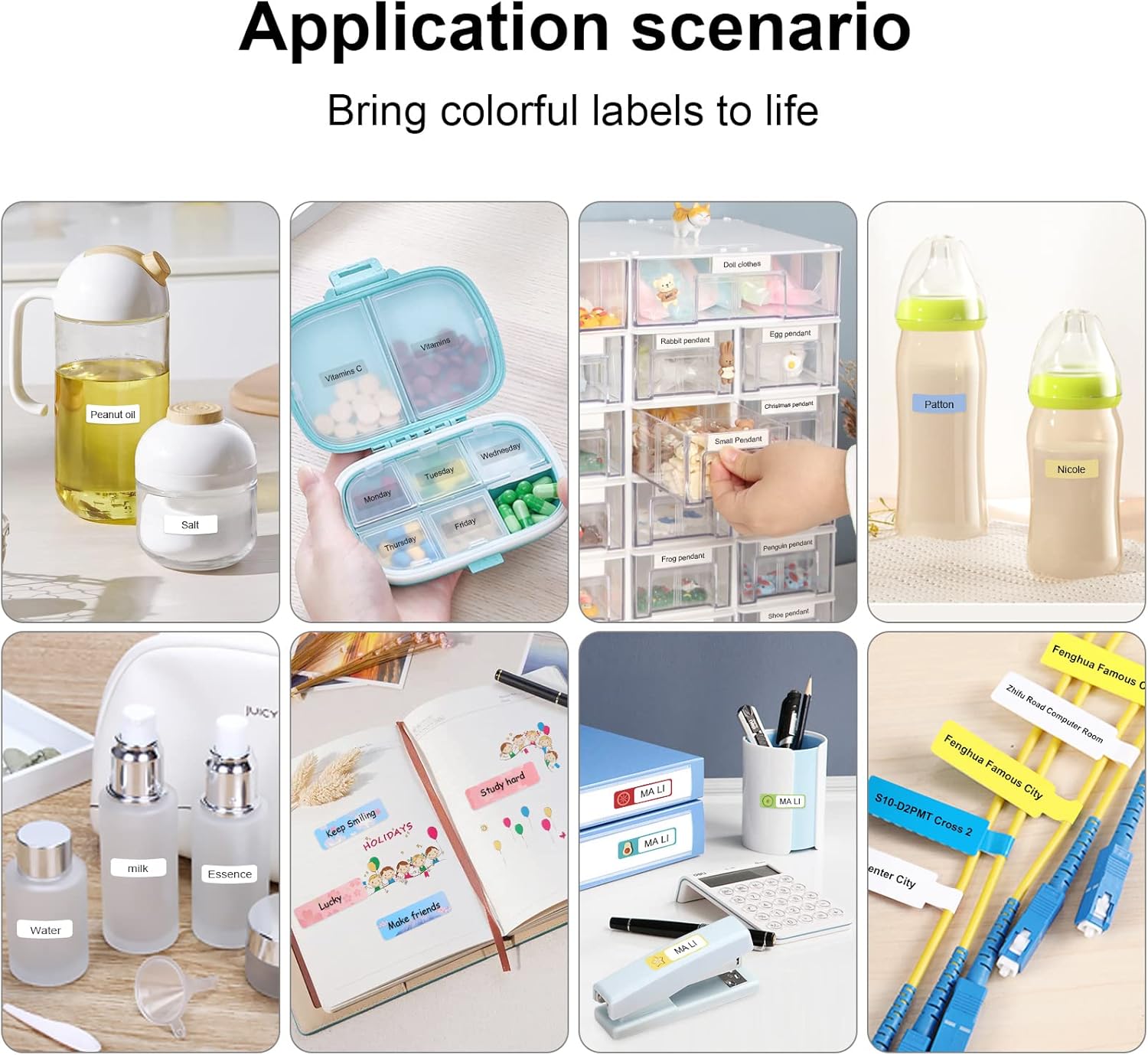
Figure 7: Diverse application scenarios for home and personal use.
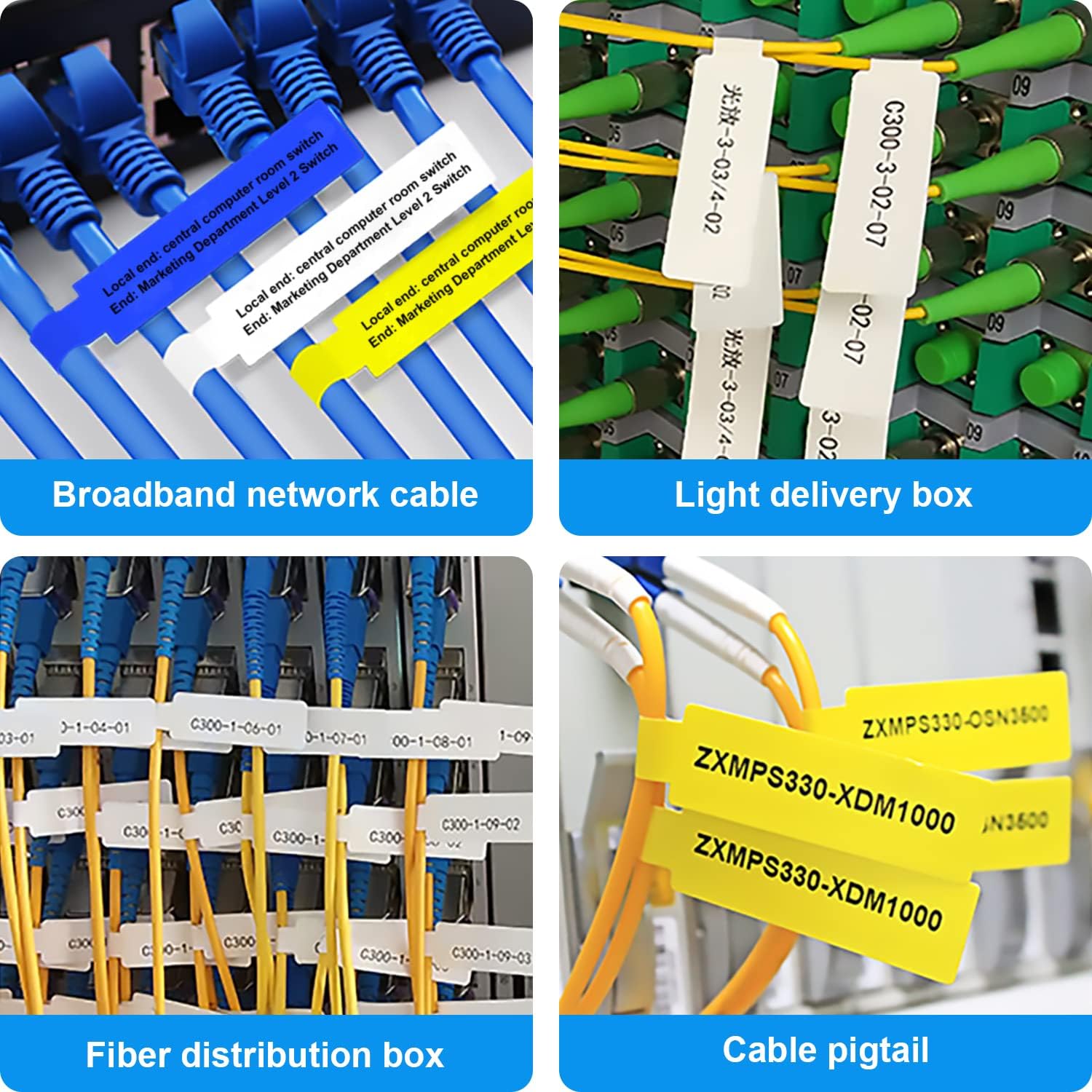
Figure 8: Labeling solutions for various types of cables and wiring.

Figure 9: Practical applications for office organization.

Figure 10: Creative uses for gift labeling.
ዋስትና እና ድጋፍ
MARKLIFE products are designed for reliability and performance. For specific warranty information and support, please refer to the warranty card included with your product or visit the official MARKLIFE website. For common inquiries, please consult the troubleshooting section of this manual or the FAQ section within the Marklife app.
You can also visit the official MARKLIFE store on Amazon for more information and product updates: MARKLIFE Store.