መግቢያ
ስለገዙ እናመሰግናለንasing the Fenton FT210LED Party Speaker. This manual provides essential information for the safe and correct operation of your device. Please read it thoroughly before use and retain it for future reference.
The FT210LED is a versatile portable party speaker designed for various audio needs, featuring Bluetooth connectivity, a built-in MP3 player, AUX input, and a microphone for karaoke. Its integrated battery and trolley system ensure portability, while colorful LED lighting enhances the atmosphere.
አስፈላጊ የደህንነት መመሪያዎች
- መሳሪያውን ከመጠቀምዎ በፊት ሁሉንም መመሪያዎች በጥንቃቄ ያንብቡ.
- ይህንን መመሪያ ለወደፊት ማጣቀሻ ያቆዩት።
- እሳትን ወይም የኤሌክትሪክ ንዝረትን ለመከላከል ክፍሉን ለዝናብ ወይም ለእርጥበት አያጋልጡት።
- የኃይል አቅርቦቱን ጥራዝ ያረጋግጡtagሠ በክፍሉ ላይ ከተገለጹት መስፈርቶች ጋር ይዛመዳል.
- ሐ አይክፈቱasinሰ. በውስጥም ለተጠቃሚ አገልግሎት የሚሰጡ ክፍሎች የሉም። ሁሉንም አገልግሎቶች ብቁ ለሆኑ ባለሙያዎች ያመልክቱ።
- ክፍሉን በሙቀት ምንጮች አጠገብ ወይም በቀጥታ የፀሐይ ብርሃን ውስጥ ከማስቀመጥ ይቆጠቡ.
- በደረቅ ጨርቅ ብቻ አጽዳ.
- የአየር ማናፈሻ ክፍተቶችን አያግዱ።
- በአምራቹ የተገለጹ አባሪዎችን/መለዋወጫዎችን ብቻ ይጠቀሙ።
- Disconnect the unit during lightning storms or when unused for long periods.
የጥቅል ይዘቶች
ሲከፍቱ፣ ከዚህ በታች የተዘረዘሩት ሁሉም እቃዎች መኖራቸውን እና በጥሩ ሁኔታ ላይ መሆናቸውን ያረጋግጡ፡
- Fenton FT210LED Party Speaker
- ባለ ገመድ ማይክሮፎን
- የርቀት መቆጣጠሪያ
- የኃይል ገመድ
- የተጠቃሚ መመሪያ (ይህ ሰነድ)

ምስል 1፡ The Fenton FT210LED speaker shown with its accompanying remote control, power cable, and wired microphone.
ማዋቀር
1. ባትሪውን በመሙላት ላይ
The FT210LED features an integrated rechargeable battery for portable use. Before first use, fully charge the speaker.
- Connect the provided power cable to the speaker's power input and a suitable wall outlet (230V / 50Hz).
- የኃይል መሙያ አመልካች መብራቱ ያበራል።
- Allow several hours for a full charge. The indicator light may change or turn off when fully charged (refer to the specific behavior of your unit's indicator).
ድምጽ ማጉያው ኃይል እየሞላ እያለ ሊሠራ ይችላል።
2. ተናጋሪውን ማስቀመጥ
The FT210LED is designed for portability and can be used in various locations. It features a trolley system for easy transport.
- Using the Trolley System: Extend the retractable handle and tilt the speaker to roll it on its integrated wheels.
- በጉዞ ላይ፡- The speaker is equipped with a hat (pole mount) for placement on a standard speaker tripod (not included). Ensure the tripod is stable and rated for the speaker's weight (11.55 kg).

ምስል 2፡ The base of the speaker, illustrating the wheels, retractable handle, and the pole mount for tripod placement.
የአሠራር መመሪያዎች
የቁጥጥር ፓነል አልቋልview

ምስል 3፡ The main control panel located on the rear of the speaker, featuring media player controls, volume, tone adjustments, and input ports.

ምስል 4፡ ዝርዝር view of the input section and control knobs on the speaker's rear panel.
Familiarize yourself with the control panel (Figures 3 & 4) before operation. Key controls include:
- የኃይል መቀየሪያ ድምጽ ማጉያውን ያበራል/ያጠፋል።
- የመብራት መቀየሪያ; Controls the LED lighting.
- የሚዲያ ማጫወቻ፡ USB/MicroSD slots, display, and playback controls (Play/Pause, Next, Previous, Mode).
- የድምፅ ቁልፍ; የአጠቃላይ ማስተር ድምጽን ያስተካክላል.
- ትሬብል ኖብ፡ ከፍተኛ ድግግሞሾችን ያስተካክላል።
- ባስ ኖብ፡ ዝቅተኛ ድግግሞሾችን ያስተካክላል.
- Mic Vol Knob: የማይክሮፎን መጠን ያስተካክላል።
- Echo Knob፡ የማሚቶ ውጤትን ለማይክሮፎን ያስተካክላል።
- ማይክሮፎን ውስጥ 6.3mm jack for microphone connection.
- AUX በ፡ 3.5 ሚሜ መሰኪያ ለውጫዊ የድምጽ መሳሪያዎች.
- ውጫዊ DC12V: Input for external 12V power source (e.g., car battery, not for charging).
1. ማብራት / ማጥፋት
ን ያግኙ ኃይል switch on the control panel and toggle it to the ON position to power on the speaker. Toggle to ጠፍቷል ኃይል ለማጥፋት.
2. የብሉቱዝ ግንኙነት
Stream audio wirelessly from your smartphone, tablet, or laptop.
- በተናጋሪው ላይ ኃይል ፡፡
- የሚለውን ይጫኑ MODE button on the control panel or remote control until "Bluetooth" or "BT" appears on the display. The speaker will enter pairing mode, indicated by a flashing Bluetooth icon or sound.
- በመሳሪያዎ ላይ ብሉቱዝን ያንቁ እና የሚገኙ መሳሪያዎችን ይፈልጉ።
- Select "Fenton FT210LED" from the list.
- አንዴ ከተገናኘ በኋላ፣ ተናጋሪው የማረጋገጫ ድምጽ ያሰማል፣ እና የብሉቱዝ አመልካች ብልጭ ድርግም ማለት ያቆማል።
- አሁን በድምጽ ማጉያው በኩል ከመሳሪያዎ ላይ ድምጽ ማጫወት ይችላሉ።
3. የዩኤስቢ/ማይክሮ ኤስዲ መልሶ ማጫወት
MP3 ኦዲዮን አጫውት። files directly from a USB flash drive or MicroSD card.
- የዩኤስቢ ፍላሽ አንፃፊን ወደ ውስጥ ያስገቡ ዩኤስቢ port or a MicroSD card into the ማይክሮ ኤስዲ ማስገቢያ.
- The speaker will automatically switch to USB/MicroSD mode and begin playing audio. If not, press the MODE ትክክለኛውን ግቤት ለመምረጥ አዝራር.
- የመልሶ ማጫወት መቆጣጠሪያዎችን ይጠቀሙ (አጫውት/አፍታ አቁም, ቀጣይ, የቀድሞ) on the control panel or remote control to manage playback.
4. AUX ግብዓት
ውጫዊ የድምጽ መሳሪያዎችን በ3.5ሚሜ የድምጽ ገመድ ያገናኙ።
- የ3.5ሚሜ የድምጽ ገመድ አንድ ጫፍ (ያልተካተተ) ያገናኙ ኤክስኤክስ IN በድምጽ ማጉያው ላይ ወደብ.
- Connect the other end to the headphone jack or audio output of your external device (e.g., MP3 player, TV).
- የሚለውን ይጫኑ MODE "AUX" በማሳያው ላይ እስኪታይ ድረስ አዝራሩን ይጫኑ።
- Adjust the volume on both the speaker and your external device.
5. የማይክሮፎን አጠቃቀም (ካራኦኬ)
The speaker comes with a wired microphone for karaoke or public address.
- ባለገመድ ማይክሮፎኑን ከ ጋር ያገናኙ MIC ውስጥ jack on the control panel.
- Ensure the microphone's ON/OFF switch is in the ON አቀማመጥ.
- በመጠቀም የማይክሮፎን ድምጽ ያስተካክሉ ሚክ ከተሰራው እንቡጥ.
- Apply an echo effect using the ኢኮ እንቡጥ.

ምስል 5፡ The wired microphone, model DM-100, with its power switch.
6. የ LED መብራት
The integrated colorful LED lights on the woofers can be turned on or off.
- ን ያግኙ ብርሃን የቁጥጥር ፓነልን ያብሩ።
- መቀየሪያውን ወደ ቀይር ON to activate the LED lights.
- መቀየሪያውን ወደ ቀይር ጠፍቷል to deactivate the LED lights.

ምስል 6፡ The speaker with its LED lights active, displaying blue and purple hues.

ምስል 7፡ አንግል view of the speaker showcasing its dynamic green and blue LED lighting.
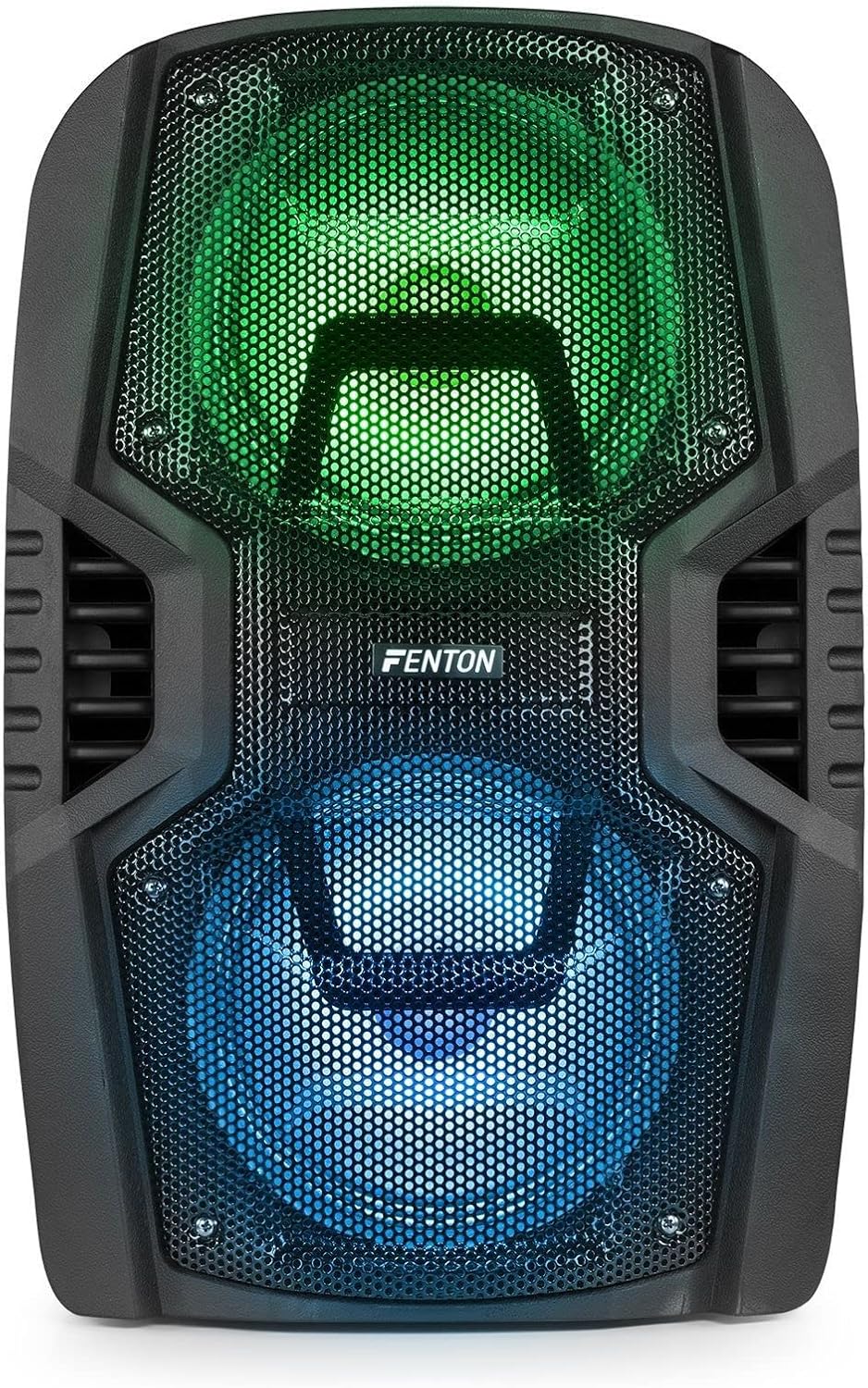
ምስል 8፡ The front of the speaker with its LED lights displaying vibrant green and blue colors.

ምስል 9፡ The speaker positioned in a room with low lighting, demonstrating the atmospheric effect of its blue LED lights.
ጥገና
- ማጽዳት፡ የድምጽ ማጉያውን ውጫዊ ክፍል ለማጽዳት ለስላሳና ደረቅ ጨርቅ ይጠቀሙ። ሻካራ ማጽጃዎችን፣ ሰሞችን ወይም ሟሟቶችን አይጠቀሙ።
- ማከማቻ፡ ረዘም ላለ ጊዜ ጥቅም ላይ በማይውልበት ጊዜ ድምጽ ማጉያውን በቀጥታ ከፀሀይ ብርሀን እና ከከፍተኛ ሙቀት ርቆ በቀዝቃዛና ደረቅ ቦታ ያከማቹ።
- የባትሪ እንክብካቤ To prolong battery life, avoid fully discharging the battery frequently. Recharge the battery periodically if the speaker is stored for a long time.
- የአየር ማናፈሻ; ከመጠን በላይ ሙቀትን ለመከላከል የአየር ማናፈሻ ክፍተቶች ከአቧራ እና ከቆሻሻ የፀዱ መሆናቸውን ያረጋግጡ።
መላ መፈለግ
| ችግር | ሊሆን የሚችል ምክንያት | መፍትሄ |
|---|---|---|
| ኃይል የለም | Battery discharged; Power cable not connected; Power switch OFF. | Charge the battery; Connect power cable securely; Turn power switch ON. |
| ድምጽ የለም። | የድምጽ መጠኑ በጣም ዝቅተኛ ነው፤ የተሳሳተ የግቤት ሁነታ ተመርጧል፤ መሳሪያው በትክክል አልተገናኘም። | Increase volume; Select correct input (Bluetooth, USB, AUX); Reconnect device. |
| ብሉቱዝ አይጣመርም። | Speaker not in pairing mode; Device Bluetooth OFF; Too far from speaker. | Ensure speaker is in BT mode; Enable Bluetooth on device; Move device closer (within 10m). |
| ማይክሮፎን አይሰራም | Microphone OFF; Mic Vol too low; Microphone not connected. | Turn microphone ON; Increase Mic Vol; Connect microphone securely. |
| የ LED መብራቶች አይሰሩም | Light switch OFF. | Turn Light switch ON. |
ዝርዝሮች
| የምርት ስም | ፌንቶን |
| የሞዴል ቁጥር | FT210LED (170.022) |
| የኃይል ውፅዓት | 700 ዋ |
| የድግግሞሽ ምላሽ | 50 Hz - 18000 ኸርዝ |
| Woofer | ባለሁለት 10-ኢንች |
| ባትሪ | 7.4 ቮ / 3 አህ |
| የግንኙነት ጥራዝtage | 230 ቮ / 50 ኤች |
| የድምፅ ግብዓቶች | Bluetooth, USB, MicroSD, AUX (3.5mm), Wired Microphone (6.3mm) |
| ልዩ ባህሪያት | Integrated LED lighting, Trolley system, Echo effect for microphone |
| የምርት ልኬቶች (L x W x H) | 48.5 x 39.5 x 75.5 ሴ.ሜ |
| የእቃው ክብደት | 11.55 ኪ.ግ |
| አምራች | ትሮኒዮስ ቢ.ቪ |
ዋስትና እና ድጋፍ
የዋስትና መረጃ ወይም የቴክኒክ ድጋፍ ለማግኘት፣ እባክዎን በግዢው ጊዜ የቀረቡትን ሰነዶች ይመልከቱ ወይም ቸርቻሪዎን ያነጋግሩ። ለማንኛውም የዋስትና ጥያቄ የግዢ ማረጋገጫዎን ያስቀምጡ።


