1. ምርት አብቅቷልview
The Apple iPhone 13 Pro Max, released in September 2021, is a high-performance smartphone designed for advanced users. This device combines a powerful processor with an exceptional camera system and a vibrant display, all encased in a durable design.
ቁልፍ ባህሪዎች
- ማሳያ፡- 6.7-inch Super Retina XDR display with ProMotion, offering superfast downloads and high-quality streaming.
- ፕሮሰሰር፡ A15 Bionic chip with a new 6-core CPU (2 performance, 4 efficiency cores), new 5-core GPU, and new 16-core Neural Engine.
- የካሜራ ስርዓት፡ Advanced triple-camera system with Cinematic mode for professional video, Dolby Vision HDR video recording up to 4K at 60 fps, and 6X optical zoom range.
- ባትሪ፡ እስከ 28 ሰዓታት ቪዲዮ መልሶ ማጫወት።
- ዘላቂነት፡ Ceramic Shield front cover and surgical-grade stainless steel frame, with IP68 water and dust resistance.
- ደህንነት፡ Face ID for secure authentication.
አካላዊ መግለጫ
The iPhone 13 Pro Max features a sleek design with flat edges and a textured matte glass back. The device weighs approximately 7 ounces (200 grams) and has dimensions of 5.78 x 2.81 x 0.3 inches. It is available in various colors, including Gold, Graphite, Silver, and Sierra Blue.
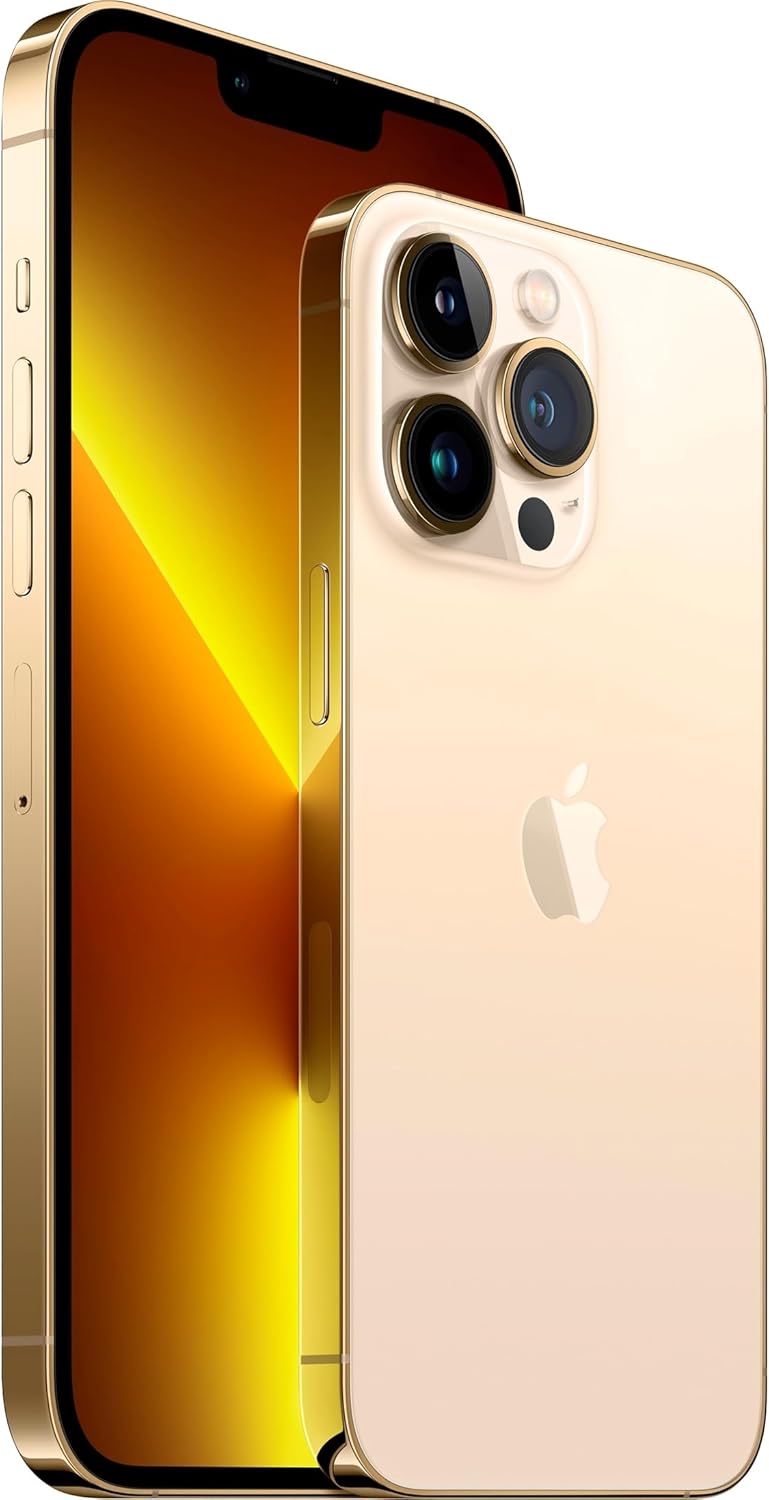
ምስል፡ ፊትና ጀርባ view of the Apple iPhone 13 Pro Max in Gold, showcasing its triple camera system and display.
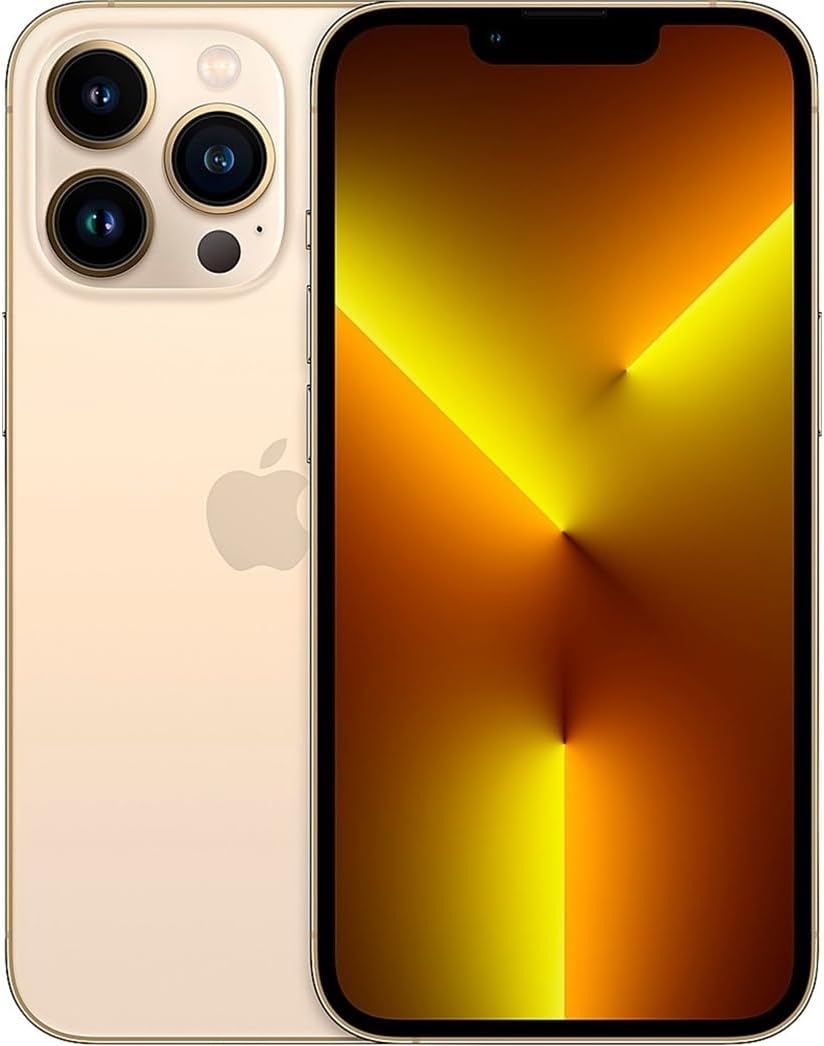
ምስል፡ ፊት ለፊት view of the Apple iPhone 13 Pro Max in Gold, displaying the screen.
2. በሳጥኑ ውስጥ ያለው
የአፕል አይፎን 13 ፕሮ ማክስዎን ከሳጥኑ በኋላ የሚከተሉትን ነገሮች ማግኘት አለብዎት፡
- Apple iPhone 13 Pro Max device
- Charging Cable (USB-C to Lightning)
- የሲም ማስወገጃ መሣሪያ
ማሳሰቢያ፡ የኃይል አስማሚ እና የጆሮ ማዳመጫዎች ለየብቻ ይሸጣሉ።
3. የማዋቀር መመሪያ
3.1 የመነሻ ኃይል በርቷል
- ተጭነው ይያዙት። የጎን አዝራር on the right side of the device until the Apple logo appears.
- ቋንቋዎን እና ክልልዎን ለመምረጥ የማያ ገጽ ላይ መመሪያዎችን ይከተሉ።
3.2 ሲም ካርድ ያስገቡ
- Locate the SIM tray on the left side of the iPhone.
- Insert the SIM removal tool into the small hole on the SIM tray and press firmly until the tray ejects.
- የወርቅ ንክኪዎች ወደ ታች እያዩ ናኖ-ሲም ካርድዎን ወደ ትሪው ውስጥ ያስቀምጡት።
- Carefully reinsert the SIM tray into the iPhone.
3.3 መሠረታዊ ቅንብር
After inserting the SIM card, continue with the on-screen setup process:
- ከWi-Fi አውታረ መረብ ጋር ይገናኙ።
- Set up Face ID (facial recognition) for secure unlocking and purchases.
- ለተጨማሪ ደህንነት የይለፍ ኮድ ይፍጠሩ።
- Restore data from a previous iPhone backup (iCloud or computer) or set up as a new iPhone.
- በአፕል መታወቂያዎ ይግቡ ወይም አዲስ ይፍጠሩ።
- Configure location services, Siri, and other settings as prompted.
4. የአሠራር መመሪያዎች
4.1 አሰሳ እና የእጅ ምልክቶች
- መነሻ ስክሪን፡ Swipe up from the bottom edge of the screen to go to the Home Screen.
- መተግበሪያ መቀየሪያ፡- ከታችኛው ጠርዝ ወደ ላይ ያንሸራትቱ እና በማያ ገጹ መሃል ላይ ለአፍታ ያቁሙ view open apps. Swipe left or right to switch between them, or swipe up on an app to close it.
- የመቆጣጠሪያ ማዕከል፡- Swipe down from the top-right corner of the screen to access quick settings like Wi-Fi, Bluetooth, brightness, and volume.
- ማሳወቂያዎች፡- Swipe down from the top-center of the screen to view የእርስዎ ማሳወቂያዎች.
4.2 የካሜራ አጠቃቀም
The iPhone 13 Pro Max features a versatile camera system:
- ክፈት የካሜራ መተግበሪያ.
- Swipe left or right to switch between modes (Photo, Video, Cinematic, Portrait, Pano, Slo-Mo, Time-Lapse).
- መታ ያድርጉ የመዝጊያ ቁልፍ ፎቶ ለማንሳት ወይም የቪዲዮ ቀረጻ ለመጀመር/ለማቆም።
- Use the zoom options (0.5x, 1x, 3x) or pinch the screen to adjust zoom.
- For Cinematic mode, tap the icon to enable depth-of-field effects in videos.
4.3 የባትሪ አስተዳደር
የባትሪ ዕድሜን ለማመቻቸት፡-
- አንቃ ዝቅተኛ የኃይል ሁነታ via Control Center or Settings > Battery.
- Adjust screen brightness (lower brightness consumes less power).
- አገልግሎት ላይ በማይሆንበት ጊዜ ዋይፋይ ወይም ብሉቱዝ ያጥፉ።
- ይፈትሹ የባትሪ ጤና in Settings > Battery > Battery Health & Charging.
5. ጥገና
5.1 Cleaning Your iPhone
- Unplug all cables and turn off your iPhone.
- Use a soft, lint-free cloth (e.g., a lens cloth) to gently wipe the screen and exterior.
- Avoid using abrasive materials, aerosols, solvents, or ammonia-based cleaners.
- Do not spray cleaners directly onto the iPhone.
5.2 የሶፍትዌር ዝመናዎች
Regularly update your iPhone's software to ensure optimal performance, security, and access to new features:
- ወደ ሂድ ቅንብሮች > አጠቃላይ > የሶፍትዌር ዝማኔ.
- ዝማኔ ካለ፣ መታ ያድርጉ ያውርዱ እና ይጫኑ. Ensure your iPhone is connected to Wi-Fi and has sufficient battery charge or is connected to power.
5.3 የውሃ እና አቧራ መቋቋም
The iPhone 13 Pro Max is rated IP68, meaning it can withstand submersion in water up to 6 meters for up to 30 minutes. However, water and dust resistance are not permanent conditions and may decrease over time with normal wear. To prevent liquid damage:
- Avoid swimming or bathing with your iPhone.
- Avoid exposing your iPhone to pressurized water or high-velocity water.
- Avoid using your iPhone in a sauna or steam room.
- Avoid intentionally submerging your iPhone in water.
- If your iPhone gets wet, wipe it with a soft, lint-free cloth. Do not charge it until it is completely dry.
6. መላ መፈለግ
6.1 የተለመዱ ጉዳዮች እና መፍትሄዎች
- መሳሪያ ምላሽ የማይሰጥ፡ Press and quickly release the Volume Up button. Press and quickly release the Volume Down button. Then, press and hold the Side button until you see the Apple logo.
- ባትሪ በፍጥነት እየፈሰሰ ነው; Check battery usage in Settings > Battery to identify apps consuming the most power. Enable Low Power Mode.
- የWi-Fi/ብሉቱዝ ግንኙነት ችግሮች፡- Try toggling Wi-Fi/Bluetooth off and on in Control Center or Settings. Restart your iPhone and/or your router.
- የሚበላሹ መተግበሪያዎች Ensure apps are updated to their latest versions. Restart the app or your iPhone.
6.2 የፋብሪካ ዳግም ማስጀመር
A factory reset erases all data and settings from your iPhone and restores it to its original state. This should be considered a last resort for persistent software issues.
- ወደ ሂድ ቅንብሮች > አጠቃላይ > iPhoneን ያስተላልፉ ወይም ዳግም ያስጀምሩ > ሁሉንም ይዘቶች እና ቅንብሮችን ያጥፉ.
- Follow the on-screen prompts. You may need to enter your Apple ID password.
7. ዝርዝሮች
| ባህሪ | ዝርዝር |
|---|---|
| የሞዴል ስም | አይፎን 13 ፕሮ ማክስ |
| የስክሪን መጠን | 6.7 ኢንች |
| የማህደረ ትውስታ ማከማቻ አቅም | 128 ጊባ |
| የምርት ልኬቶች | 5.78 x 2.81 x 0.3 ኢንች |
| የእቃው ክብደት | 7 አውንስ |
| ባትሪዎች | 1 ሊቲየም ion ባትሪዎች ያስፈልጋሉ (ተጨምሯል) |
| የገመድ አልባ አገልግሎት አቅራቢ | ቲ-ሞባይል |
| ሴሉላር ቴክኖሎጂ | 5G |
| የግንኙነት ቴክኖሎጂ | Wi-Fi, CDMA, GSM, LTE |
| SIM card slot count | ድርብ ሲም |
| ቀለም | ወርቅ |
| አምራች | አፕል ኮምፒውተር |
| የመጀመሪያ ቀን ይገኛል። | ህዳር 11፣ 2021 |
8. ዋስትና እና ድጋፍ
8.1 የአማዞን የታደሰ ዋስትና
This Apple iPhone 13 Pro Max is an Amazon Renewed product. It comes with the Amazon Renewed Guarantee, which provides a replacement or refund within 90 days of receipt if the product does not work as expected.
8.2 Apple Support
For technical assistance, software issues, or further product information, you can visit the official Apple Support webጣቢያ ወይም የአፕል ደንበኛ አገልግሎትን ያነጋግሩ።


