መግቢያ
Thank you for choosing the Nedis SmartLife Wireless Camera System SLNVR201CWT. This system is designed to provide comprehensive home security with advanced features. This manual will guide you through the installation, operation, and maintenance of your new camera system, ensuring optimal performance and security.
The system includes a Network Video Recorder (NVR) and two Full HD (1080p) wireless cameras. Key features include motion and sound detection with adjustable sensitivity, instant smartphone notifications, a wide 180-degree viewing angle, night vision capabilities up to 5 meters, and two-way audio communication. Recordings are stored on a Micro SD card (not included) for convenient playback.
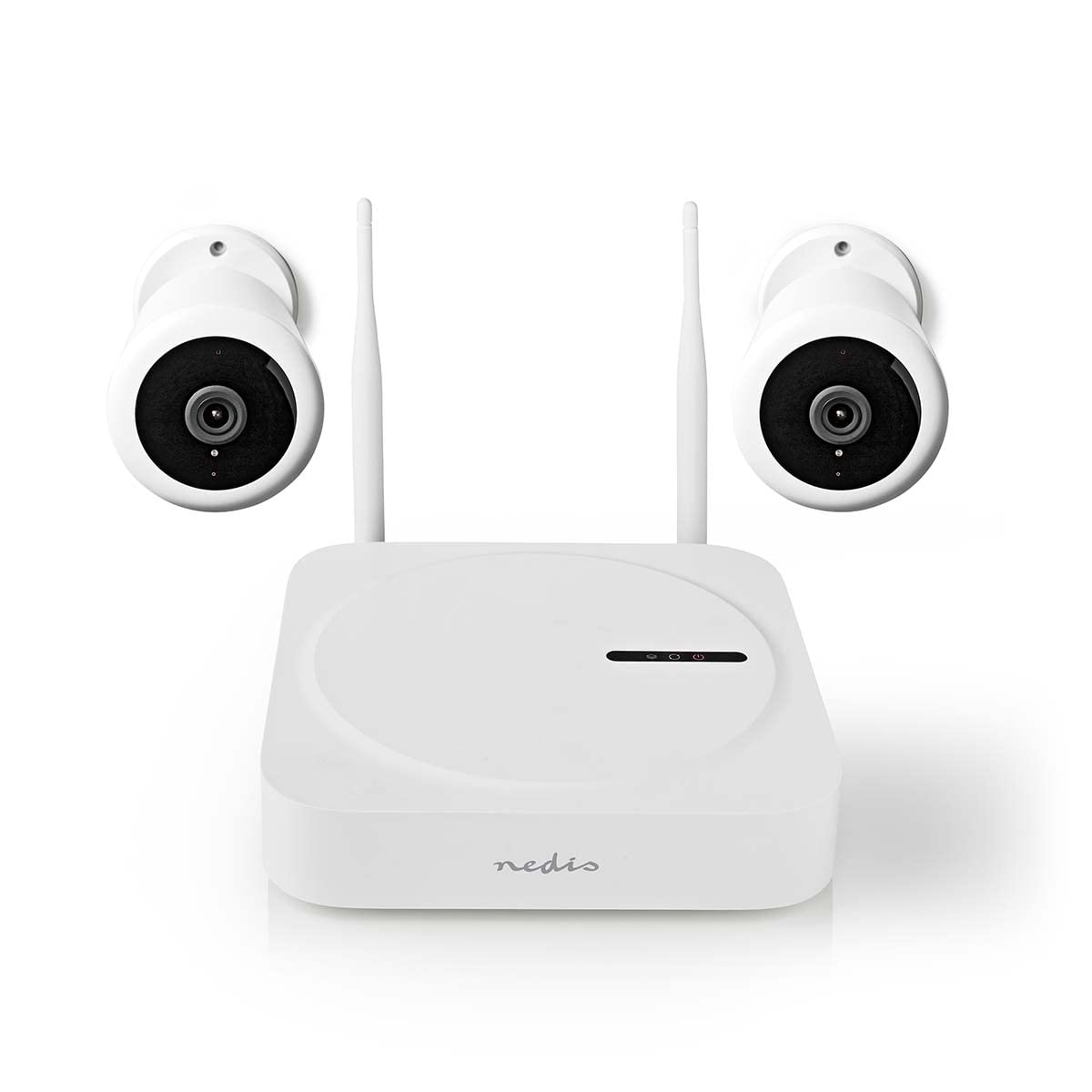
Image: The Nedis SmartLife Wireless Camera System, showing the central NVR unit and two wireless cameras.
የደህንነት መረጃ
- ከመጠቀምዎ በፊት ሁሉንም መመሪያዎች በጥንቃቄ ያንብቡ.
- ይህንን መመሪያ ለወደፊት ማጣቀሻ ያቆዩት።
- Use only the power adapters supplied with the product. Using unauthorized power sources may damage the device and void the warranty.
- መሳሪያውን ለከፍተኛ ሙቀት፣ እርጥበት ወይም ቀጥተኛ የፀሐይ ብርሃን አያጋልጡት።
- Ensure proper ventilation around the NVR unit to prevent overheating.
- Avoid placing the cameras in locations where they could be easily tampered with or damaged.
- ይህ ምርት አሻንጉሊት አይደለም. ልጆች በማይደርሱበት ቦታ ያስቀምጡ.
- For indoor and outdoor use. Ensure outdoor cameras are installed in a sheltered location to protect from direct heavy rain.
የጥቅል ይዘቶች
ሳጥኑን በጥንቃቄ ይክፈቱ እና ሁሉም እቃዎች መኖራቸውን እና በጥሩ ሁኔታ ላይ መሆናቸውን ያረጋግጡ. ማንኛቸውም እቃዎች ከጠፉ ወይም ከተበላሹ እባክዎን ቸርቻሪዎን ያነጋግሩ።
- 1 x Nedis SmartLife Wireless NVR Unit
- 2 x Nedis SmartLife Wireless Cameras
- 3 x Power Adapters (for NVR and cameras)
- 1 x የዩኤስቢ መዳፊት
- መስቀያ ብሎኖች እና ግድግዳ ተሰኪዎች
- ቁፋሮ አብነቶች
- የተጠቃሚ መመሪያ (ይህ ሰነድ)
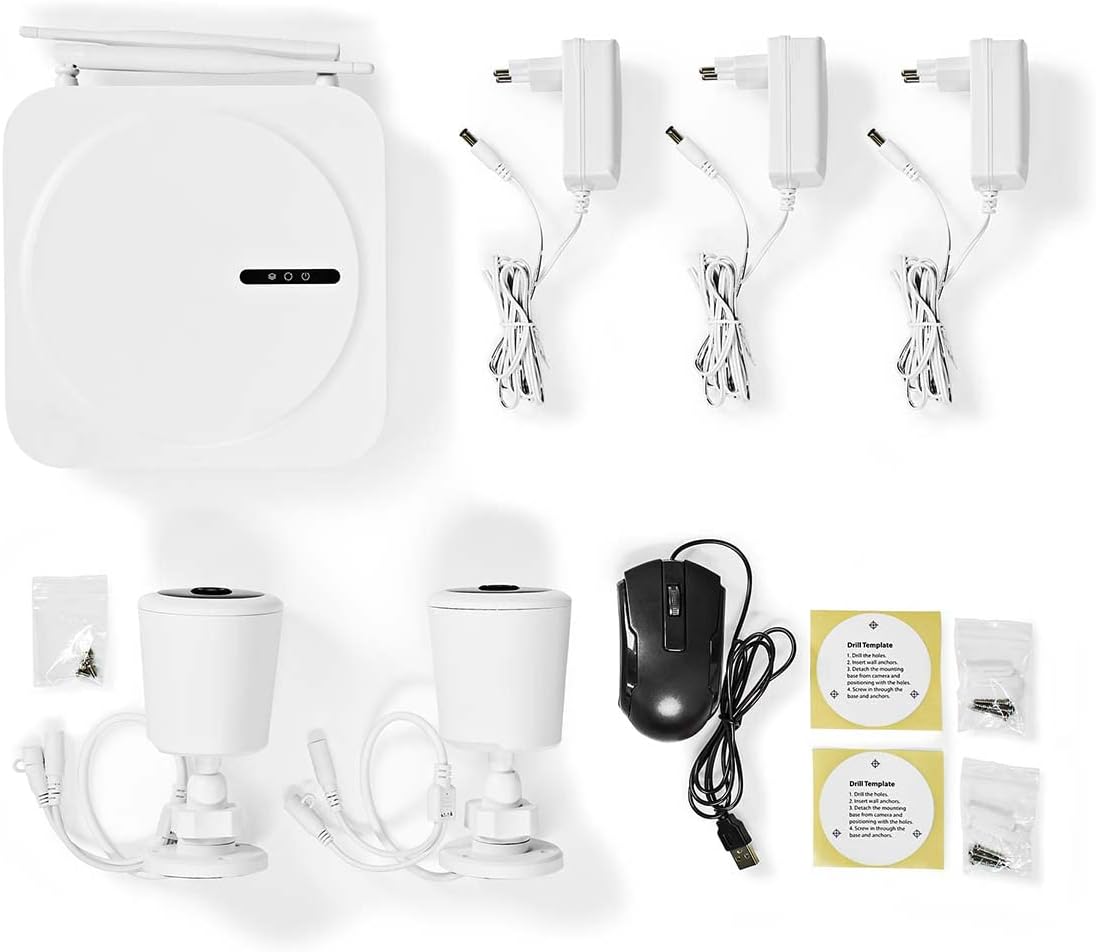
Image: All components included in the Nedis SmartLife Wireless Camera System package.
ማዋቀር
1. NVR Unit Connection
- Place the NVR unit in a central location, ensuring good Wi-Fi signal strength for the cameras.
- Connect the NVR to a power outlet using one of the provided power adapters.
- የዩኤስቢ መዳፊቱን ከNVR የዩኤስቢ ወደብ ጋር ያገናኙ።
- If desired, connect the NVR to your router via an Ethernet cable for a stable network connection.

ምስል፡ ፊት ለፊት view of the Nedis SmartLife NVR unit with indicator lights.
2. የካሜራ ጭነት
- Choose suitable locations for your cameras, considering the 180-degree viewing angle and night vision range (up to 5 meters).
- Use the drill templates to mark the screw positions on the wall or ceiling.
- Drill holes, insert wall plugs, and secure the camera mounts with screws.
- Attach the cameras to their mounts and adjust the angle as needed.
- Connect each camera to a power outlet using the remaining power adapters.

Image: Close-up of a Nedis SmartLife camera, highlighting the lens and sensor.
3. የመተግበሪያ ጭነት እና ማጣመር
- Download the 'Nedis SmartLife' app from your smartphone's app store (available for Android and iOS).
- ለአዲስ መለያ ይመዝገቡ ወይም አስቀድመው ካለዎት ይግቡ።
- Follow the in-app instructions to add your NVR system. The app will guide you through the pairing process for the cameras.
- Insert a Micro SD card (up to 128GB, not included) into the NVR for local storage of recordings.
ስርዓቱን በማንቀሳቀስ ላይ
ቀጥታ View እና መልሶ ማጫወት
- Open the Nedis SmartLife app on your smartphone.
- Select your camera system to view ከሁሉም የተገናኙ ካሜራዎች የቀጥታ ምግቦች።
- Use the app interface to switch between cameras, access recorded footage, and adjust settings.
- ለ view ተመዝግቧል footagሠ፣ በመተግበሪያው ውስጥ ወዳለው የመልሶ ማጫዎቻ ክፍል ይሂዱ እና የሚፈለገውን ቀን እና ሰዓት ይምረጡ።
እንቅስቃሴ እና ድምጽ ማወቂያ
- The system is equipped with motion and sound detection. When triggered, it sends instant notifications to your smartphone.
- Adjust the sensitivity of both motion and sound detection within the Nedis SmartLife app settings for each camera to minimize false alarms.
- You can set specific detection zones for motion detection to focus on critical areas.
ባለሁለት መንገድ ኦዲዮ
- The cameras feature built-in microphones and speakers, enabling two-way communication.
- ከቀጥታ view in the app, tap the microphone icon to speak through the camera's speaker. Tap again to end.
- This feature allows you to communicate with visitors or deter intruders remotely.
የምሽት ራዕይ
- The cameras automatically switch to night vision mode in low-light conditions.
- Night vision provides clear black-and-white video footage up to 5 meters, ensuring 24-hour surveillance.
ጥገና
ማጽዳት
- ከማጽዳትዎ በፊት መሳሪያው መጥፋቱን እና መሰካቱን ያረጋግጡ።
- Use a soft, dry cloth to clean the NVR unit and camera bodies.
- For camera lenses, use a specialized lens cleaning cloth to avoid scratches.
- Do not use liquid or aerosol cleaners, as they may damage the components.
የጽኑ ዝመናዎች
- Periodically check the Nedis SmartLife app for available firmware updates.
- Keeping your system's firmware up-to-date ensures optimal performance, security, and access to new features.
- Follow the in-app instructions carefully when performing updates.
ማከማቻ
- If storing the system for an extended period, ensure it is clean and dry.
- ከፀሀይ ብርሀን እና ከከፍተኛ ሙቀት ርቆ በቀዝቃዛና ደረቅ ቦታ ያከማቹ።
መላ መፈለግ
| ችግር | ሊሆን የሚችል ምክንያት | መፍትሄ |
|---|---|---|
| ከካሜራ ምንም ምስል/ቪዲዮ የለም | Camera not powered on; Wi-Fi signal too weak; Camera not paired. | Check power connection; Move camera closer to NVR/router; Re-pair camera via app. |
| ምንም ማሳወቂያዎች አልደረሱም። | Notifications disabled in app/phone settings; Detection sensitivity too low. | Enable notifications in Nedis SmartLife app and phone settings; Increase motion/sound sensitivity. |
| ደካማ የምሽት እይታ ጥራት | Obstruction in front of camera; Camera too far from subject. | Clear any obstructions; Ensure subject is within 5-meter night vision range. |
| ባለሁለት መንገድ ኦዲዮ አይሰራም | Microphone/speaker permissions not granted; Volume too low. | Check app permissions for microphone; Adjust volume settings in app. |
| System offline in app | NVR not connected to internet; NVR powered off. | Check NVR's internet connection (Ethernet/Wi-Fi); Ensure NVR is powered on. |
ዝርዝሮች
| ባህሪ | ዝርዝር መግለጫ |
|---|---|
| የሞዴል ቁጥር | SLNVR201CWT |
| የምርት ስም | ኔዲስ |
| የቪዲዮ ቀረጻ ጥራት | 1080 ፒ (ሙሉ ኤችዲ) |
| ቀለም | ነጭ |
| የሰርጦች ብዛት | 4 |
| ገመድ አልባ ቴክኖሎጂ | ዋይ ፋይ |
| Viewማእዘን | 180 ዲግሪ |
| የፍሬም መጠን | በሰከንድ 30 ፍሬሞች |
| ጥራዝtage | 220 ቮልት |
| ዋትtage | 48 ዋት |
| የስርዓተ ክወና ተኳኋኝነት | አንድሮይድ፣ አይኦኤስ |
| ባትሪዎች ተካትተዋል። | አይ |
| የሚመከር አጠቃቀሞች | Night Vision, Home Security |
| ልዩ ባህሪያት | High Definition, Motion Sensor, Two-Way Audio |
| የአጠቃቀም አካባቢ | የቤት ውስጥ ፣ ከቤት ውጭ |
| ተስማሚ መሣሪያዎች | ስማርትፎን |
| የኃይል ምንጭ | ባለገመድ ኤሌክትሪክ |
| የግንኙነት ፕሮቶኮል | ዋይ ፋይ |
ዋስትና እና ድጋፍ
Nedis products are manufactured to high quality standards and are covered by a warranty period from the date of purchase. For detailed warranty terms and conditions, please refer to the warranty card included with your product or visit the official Nedis webጣቢያ.
For technical support, troubleshooting assistance, or to report any issues with your product, please contact Nedis customer service. Contact information can typically be found on the Nedis webጣቢያ ወይም በምርት ማሸጊያዎ ውስጥ።
Please have your model number (SLNVR201CWT) and proof of purchase ready when contacting support.


