1. መግቢያ
Thank you for choosing the XTREMTEC Wireless Keyboard and Mouse Combo. This ultra-slim, retro-style peripheral set is designed for comfortable and quiet operation across various devices. This manual provides essential information for setup, operation, maintenance, and troubleshooting to ensure optimal performance.
2. የጥቅል ይዘቶች
- XTREMTEC Wireless Keyboard
- XTREMTEC Wireless Mouse
- 2.4G Nano USB Receiver (stored inside the keyboard's battery compartment)
- የዩኤስቢ-ሲ አስማሚ
- የሲሊኮን ቁልፍ ሰሌዳ ሽፋን
- የተጠቃሚ መመሪያ
3. ማዋቀር
Follow these steps to set up your XTREMTEC Wireless Keyboard and Mouse Combo:
- ባትሪዎችን ይጫኑ
- For the mouse: Open the battery compartment on the underside of the mouse and insert 1 AA battery (not included), ensuring correct polarity.
- For the keyboard: Open the battery compartment on the back of the keyboard and insert 2 AAA batteries (not included), ensuring correct polarity.
- የዩኤስቢ ተቀባይን ያገናኙ፡
- Locate the 2.4G Nano USB receiver stored inside the keyboard's battery compartment. Remove it.
- Plug the USB receiver into an available USB port on your computer. If your device only has USB-C ports, use the provided USB-C adapter.
- አብራ፡
- Slide the ON/OFF switch on the bottom of the mouse to the 'ON' position.
- Slide the ON/OFF switch on the back of the keyboard to the 'ON' position.
- ራስ-ሰር ግንኙነት; The keyboard and mouse should automatically connect to your computer. No additional drivers are typically required.

Image: The 2.4GHz wireless connection setup, showing the USB receiver plugged into a laptop.
Video: A demonstration of the XTREMTEC Slim Wireless 2.4G Keyboard and Mouse Combo setup process.
4. የአሠራር መመሪያዎች
Maximize your productivity and comfort with these operating features:
- ጸጥ ያለ የትየባ ልምድ፡- The keyboard features noise-reduced scissor switches and vintage typewriter-inspired round keycaps for a comfortable and quiet typing experience. The mouse also offers noiseless clicks.
- የዲፒአይ ማስተካከያ The optical wireless mouse allows you to adjust the DPI (dots per inch) sensitivity between 3 different levels with a single click, adapting to your preference.
- የመልቲሚዲያ አቋራጮች፡ Access common functions quickly with 15 multimedia shortcuts integrated into the keyboard. These include controls for music, volume, homepage, email, and more.
- የማያ ገጽ መቆለፊያ ተግባር፡- The keyboard includes a dedicated button to quickly lock your screen for privacy and security.
- ራስ-ሰር የእንቅልፍ ሁነታ; Both the keyboard and mouse feature an auto-sleep mode to conserve battery life when not in use. They will wake instantly with a single click or key press.

Image: Detail of the keyboard showcasing whisper-quiet keys and noiseless mouse technology.
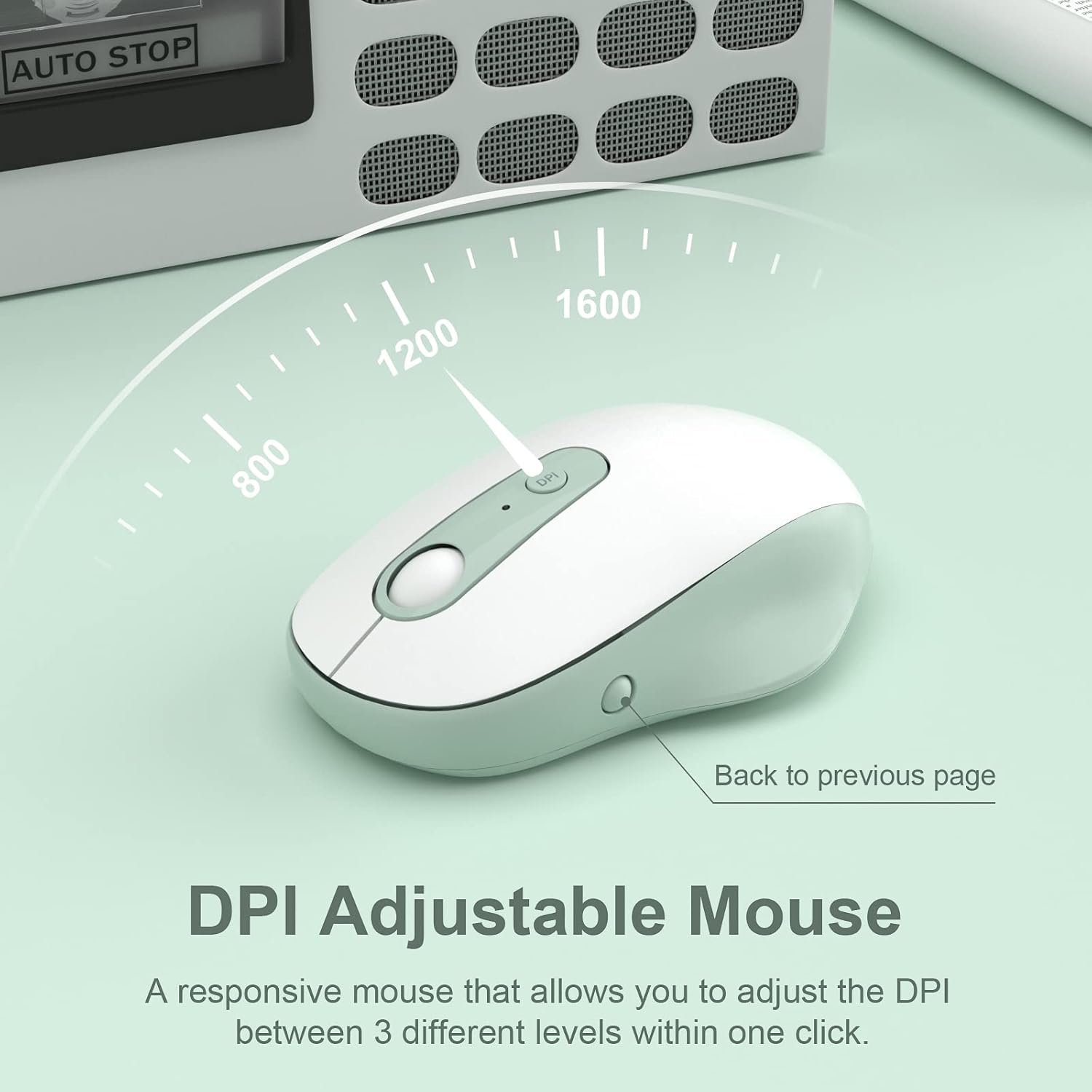
Image: The DPI adjustable mouse, illustrating its responsiveness and settings.
Video: A demonstration of the XTREMTEC Wireless Keyboard and Mouse Combo, highlighting its quiet round keys.
5. ጥገና
To ensure the longevity and optimal performance of your XTREMTEC combo:
- የሲሊኮን ሽፋን; Use the provided soft silicone cover to protect your keyboard from dust, spills, and scratches when not in use.
- Durable Keys: The keys are designed to withstand up to 3 million presses and feature a UV coating to prevent letters from fading or scratching easily.
- ማጽዳት፡ Regularly wipe down the surfaces with a soft, dry cloth. For deeper cleaning, carefully remove the silicone cover and clean the keyboard keys.

Image: The keyboard with its water and dust resistant silicone cover, also showing a USB-C adapter.
6. መላ መፈለግ
ማንኛውም ችግር ካጋጠመዎት፣ እባክዎን የሚከተሉትን ደረጃዎች ይሞክሩ፡
- ግንኙነት የለም:
- ሁለቱም የቁልፍ ሰሌዳ እና መዳፊት መብራታቸውን ያረጋግጡ።
- Check that the USB receiver is securely plugged into your computer's USB port. Try a different USB port if necessary.
- Verify that the batteries in both devices are correctly installed and not depleted. Replace batteries if needed.
- የተቆራረጠ ወይም የተቆራረጠ ግንኙነት;
- የቁልፍ ሰሌዳውን እና መዳፊቱን ወደ ዩኤስቢ ተቀባይው ቅርብ ያድርጉት።
- Avoid placing the receiver near other electronic devices that might cause interference (e.g., Wi-Fi routers, other wireless devices).
- የኮምፒውተርዎ ኦፐሬቲንግ ሲስተም ወቅታዊ መሆኑን ያረጋግጡ።
- የመዳፊት ጠቋሚ የማይንቀሳቀስ፡
- Check the mouse's power switch and battery.
- Ensure the mouse is on a suitable surface (a mouse pad is recommended).
7. ዝርዝሮች
| የሞዴል ቁጥር | KB-K101A |
| የምርት ልኬቶች | 15.31 x 5.3 x 0.16 ኢንች |
| የእቃው ክብደት | 1.3 ፓውንድ |
| ባትሪዎች ያስፈልጋሉ። | 1 AA battery (for mouse), 2 AAA batteries (for keyboard) |
| የግንኙነት ቴክኖሎጂ | 2.4G USB Wireless Technology |
| ተስማሚ መሣሪያዎች | Mac OS, Windows, PC, Desktop computer, Laptop |
| ልዩ ባህሪ | Round Key, Scissor Switch, DPI Adjustment |
8. ዋስትና እና ድጋፍ
For warranty information and customer support, please refer to the documentation included with your product or visit the official XTREMTEC website. You may also contact XTREMTEC customer service directly for assistance.


