1. መግቢያ
Thank you for choosing the boAt Wave Call Smart Watch. This manual provides essential information for setting up, operating, and maintaining your device. Please read it thoroughly to ensure optimal performance and a seamless user experience.
The boAt Wave Call Smart Watch is designed to keep you connected and track your fitness with ease. It features Bluetooth calling, a vibrant HD display, multiple sports modes, and comprehensive health monitoring capabilities.
2. በሳጥኑ ውስጥ ያለው
- boAt Wave Call Smart Watch
- የዩኤስቢ መግነጢሳዊ ኃይል መሙያ ገመድ
- የተጠቃሚ መመሪያ
- የዋስትና ካርድ
3. መሣሪያ አብቅቷልview
Familiarize yourself with the key components of your boAt Wave Call Smart Watch.
ምስል፡ ፊት ለፊት view of the boAt Wave Call Smart Watch in Active Black.

Image: The ultra-slim and lightweight design of the smartwatch, highlighting its sleek metal body and 45-gram weight.
4. ማዋቀር እና ማጣመር
To begin using your smartwatch, follow these steps:
- መሣሪያውን መሙላት; Before first use, fully charge your smartwatch using the provided USB magnetic charging cable. Connect the magnetic end to the charging pins on the back of the watch and the USB end to a 3.7V-5V adapter or a laptop's USB port.
- አብራ፡ ስማርት ሰዓቱን ለማብራት የጎን አዝራሩን ተጭነው ይያዙ።
- መተግበሪያውን ያውርዱ፡- Scan the QR code in the quick start guide or search for the "boAt Wearables" app on your smartphone's app store (Android & iOS compatible).
- ማጣመር፡ Open the app, create an account, and follow the on-screen instructions to pair your smartwatch via Bluetooth. Ensure Bluetooth is enabled on your phone.
- የብሉቱዝ ጥሪን አንቃ፡ After initial pairing, navigate to the Bluetooth settings on your phone and connect to "boAt Wave Call_BT" to enable the calling feature.
5. የአሠራር መመሪያዎች
5.1. ማሳያ እና አሰሳ
The boAt Wave Call features a 1.69-inch HD display with a 2.5D curved touch interface and 550 nits of brightness for clear visibility.

Image: Close-up of the smartwatch display showing its 1.69" HD screen with 2.5D curved touch and 550 nits brightness.
- ወደ ላይ/ወደታች ያንሸራትቱ፦ ፈጣን ቅንብሮችን እና ማሳወቂያዎችን ይድረሱ።
- ወደ ግራ/ቀኝ ያንሸራትቱ፦ Navigate through widgets and main menu options.
- መታ ያድርጉ፡ አንድ አማራጭ ይምረጡ ወይም መተግበሪያ ይክፈቱ።
- የጎን አዝራር፡- ወደ መነሻ ማያ ገጽ ለመመለስ ወይም ማሳያውን ለማንቃት ይጫኑ።
5.2. የብሉቱዝ ጥሪ
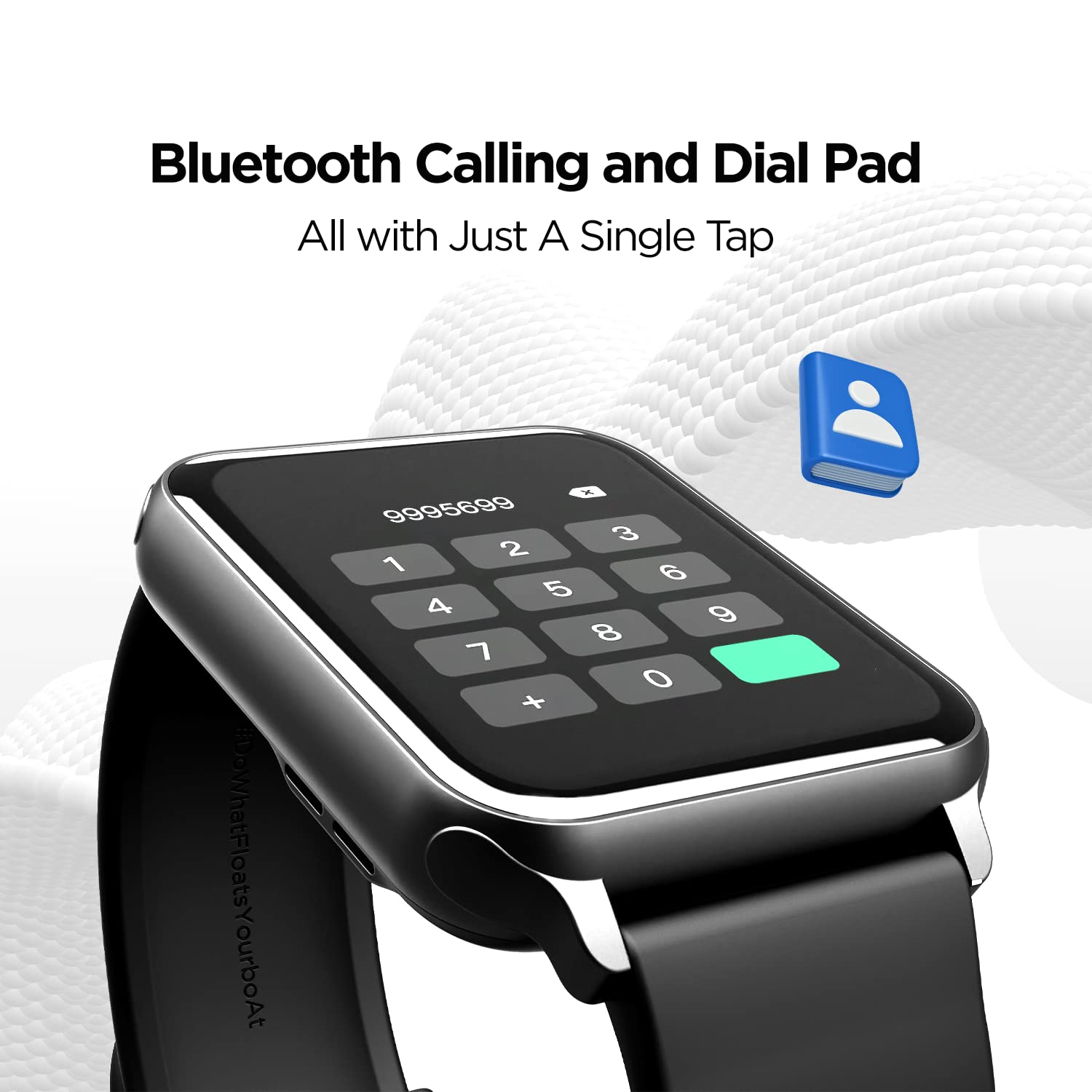
With the built-in speaker and microphone, you can make and receive calls directly from your wrist. The dial pad is responsive, and you can save up to 10 contacts for quick access.

Image: The smartwatch display showing the Bluetooth calling interface with a dial pad and contact icon.
Video: A demonstration of the Bluetooth calling feature, showing how to answer and manage calls directly from the smartwatch.
5.3. የሰዓት መልኮች
Personalize your smartwatch with over 150 cloud watch faces available through the companion app. You can also create custom watch faces using the DIY Watch Face Studio.

Image: Smartwatch displaying notification alerts, the 'Find My Phone' feature, and a selection of watch faces.
Video: A user customizing watch faces using the companion app, demonstrating the DIY Watch Face Studio and applying a custom background.
5.4. የስፖርት ሁነታዎች
The smartwatch supports multiple sports modes to track your workouts accurately. These include Walking, Running, Cycling, Climbing, Yoga, Basketball, Football, Badminton, Skipping, and Swimming.

Image: A man playing football, illustrating the multi-sport tracking capabilities of the smartwatch.
Video: A user navigating through the various sports modes on the smartwatch, including walking, running, cycling, and more.
5.5. የጤና ክትትል
Monitor your health with integrated sensors for Heart Rate (HR) and Blood Oxygen (SpO2) levels. The watch also includes a fitness tracker, pedometer, and guided breathing exercises. Note: HR and SpO2 readings are not for medical usage.

Image: Three smartwatches displaying Heart Rate, SpO2, and Guided Breathing interfaces.
5.6. ማሳወቂያዎች እና ማንቂያዎች
Receive notifications for calls, messages, and social media alerts directly on your wrist. The watch also provides sedentary and hydration alerts to help you maintain a healthy lifestyle.
Image: Smartwatch displaying notification alerts, the 'Find My Phone' feature, and a selection of watch faces.
5.7. የሙዚቃ ቁጥጥር
Control music playback on your connected smartphone directly from your smartwatch. Play, pause, skip tracks, and adjust volume without reaching for your phone.
5.8. Cricket Scores
For cricket enthusiasts, the boAt Wave Call can provide live cricket scores, keeping you updated on matches directly from your wrist.
6. የባትሪ ህይወት እና ባትሪ መሙላት
The smartwatch is equipped with a 220 mAh Lithium Polymer battery. It offers:
- Up to 7 days of battery life on extensive usage.
- Up to 2 days of battery life with Bluetooth calling activated.
Use the provided USB magnetic charging cable to charge the device. Ensure the charging pins align correctly.
Video: A general product overview of the boAt Wave Call Smart Watch, highlighting its features and design.
7. የውሃ መቋቋም
The boAt Wave Call Smart Watch has an IP68 rating, making it dust, sweat, and splash resistant. This allows you to wear it during workouts and in various weather conditions without concern.

Image: Smartwatches shown with water splashes, illustrating the IP68 dust, sweat, and splash resistance.
8. ዝርዝሮች
| ባህሪ | ዝርዝር |
|---|---|
| የምርት ስም | ቦአት |
| የሞዴል ቁጥር | የሞገድ ጥሪ |
| የማሳያ መጠን | 1.69 Inches (4.2 cm) HD Display |
| ብሩህነት | 550 NITS |
| ቀለም ጋሙት | 70% Color Gamut |
| ግንኙነት | ብሉቱዝ |
| የባትሪ አቅም | 220 ሚአሰ ሊቲየም ፖሊመር |
| የባትሪ ህይወት (የተለመደ) | እስከ 7 ቀናት ድረስ |
| የባትሪ ዕድሜ (ብሉቱዝ ጥሪ) | እስከ 2 ቀናት ድረስ |
| የውሃ መቋቋም | IP68 Dust, Sweat, and Splash Resistant |
| የጤና ክትትል | HR, SpO2, Fitness Tracker, Pedometer |
| የስፖርት ሁነታዎች | Walking, Running, Cycling, Climbing, Yoga, Basketball, Football, Badminton, Skipping, Swimming |
| የስርዓተ ክወና ተኳኋኝነት | አንድሮይድ እና አይኦኤስ |
| የእቃው ክብደት | 45 ግ |
| መጠኖች | 26 x 5 x 1 ሴ.ሜ |
9. መላ መፈለግ
- ሳይበራ ይመልከቱ፡ ሰዓቱ ሙሉ በሙሉ መሙላቱን ያረጋግጡ። ቢያንስ ለ 30 ደቂቃዎች ከኃይል መሙያው ጋር ያገናኙት.
- ከስልክ ጋር ማጣመር አይቻልም፡-
- በስልክዎ እና በሰዓቱ ላይ ብሉቱዝ መንቃቱን ያረጋግጡ።
- ሰዓቱ በስልክዎ ክልል ውስጥ መሆኑን ያረጋግጡ።
- ሁለቱንም ስልክዎን እና ሰዓቱን እንደገና ያስጀምሩ እና እንደገና ለማጣመር ይሞክሩ።
- Check if the "boAt Wearables" app has necessary permissions.
- የብሉቱዝ ጥሪ አይሰራም፦
- Ensure you have connected to "boAt Wave Call_BT" in your phone's Bluetooth settings in addition to the main device pairing.
- Check the volume settings on both the watch and your phone.
- ትክክለኛ ያልሆነ የጤና ንባቦች; Ensure the watch is worn snugly on your wrist, not too tight or too loose. Clean the sensors regularly. Remember, readings are not for medical use.
- ማሳወቂያዎች አይታዩም:
- Verify that app notifications are enabled in the "boAt Wearables" app.
- Check your phone's notification settings to ensure the app has permission to send notifications.
- ሰዓቱ በብሉቱዝ በኩል ከስልክዎ ጋር መገናኘቱን ያረጋግጡ።
10. ዋስትና እና ድጋፍ
Your boAt Wave Call Smart Watch comes with a 1-year standard brand warranty from the date of purchase. Please refer to the included Warranty Card for detailed terms and conditions.
ለተጨማሪ እርዳታ፣ የቴክኒክ ድጋፍ ወይም የዋስትና ጥያቄዎች፣ እባክዎን ኦፊሴላዊውን ቦአትን ይጎብኙ website or contact their customer service. Keep your purchase receipt and warranty card handy.
አምራች፡ ኢማጅ ማርኬቲንግ ሊሚትድ፣ ክፍል ቁጥር 204 እና 205፣ 2ኛ ፎቅ፣ ዲ-ዊንግ እና ኢ-ዊንግ፣ ኮርፖሬት አቨኑ፣ አንዴሪ ጋትኮፓር ሊንክ ሮድ፣ ሙምባይ፣ ማሃራሽትራ-400093፣ ህንድ።


