1. መግቢያ
This manual provides instructions for the Lexon MINO+ Portable Bluetooth Mini Speaker. The MINO+ is a compact, rechargeable speaker designed for high-definition audio playback, hands-free calling, and remote selfie functionality. It features True Wireless Stereo (TWS) technology for pairing two speakers.
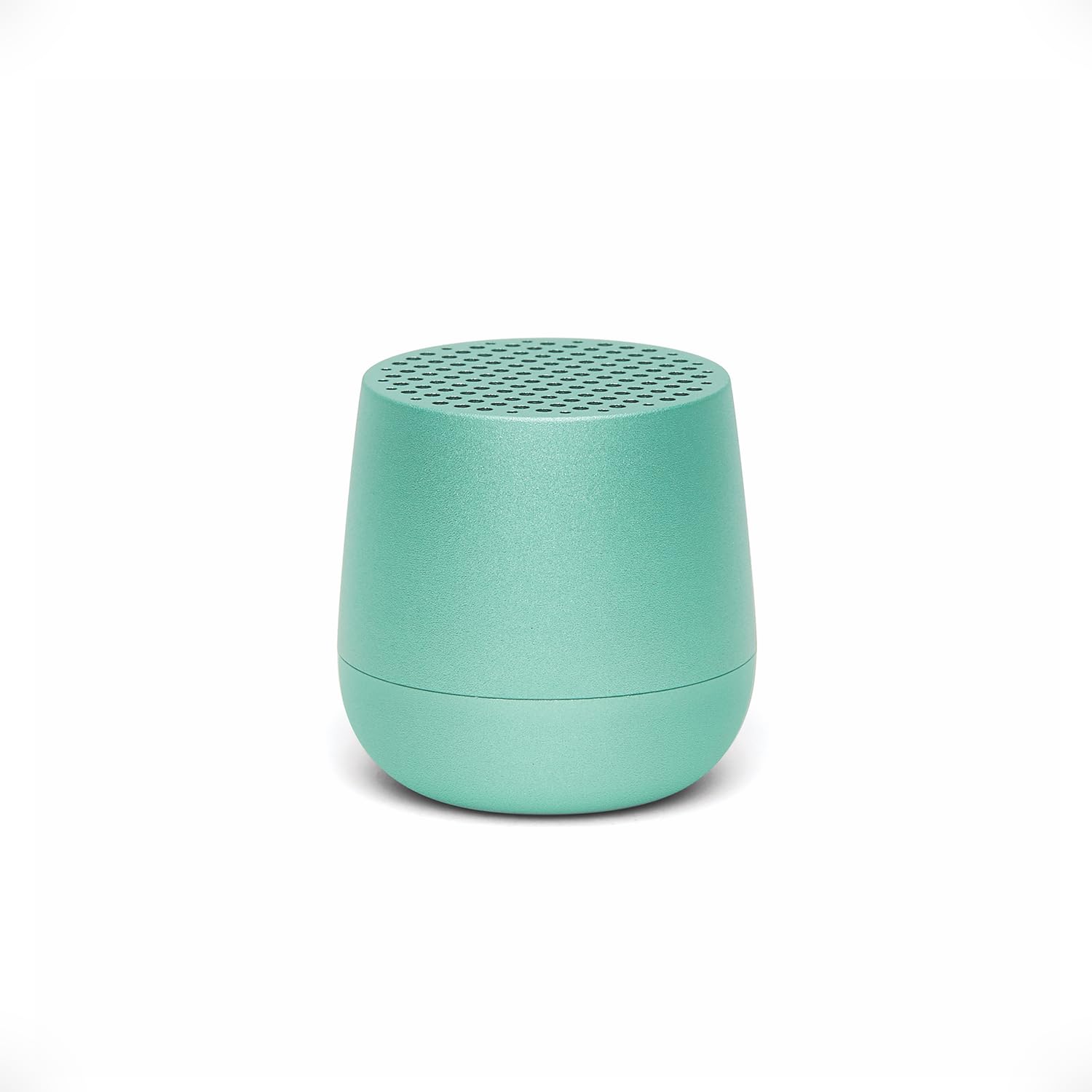
Image: The Lexon MINO+ speaker, showcasing በውስጡ የታመቀ ንድፍ.
ቪዲዮ: አልቋልview of the Lexon MINO+ Bluetooth speaker, highlighting its features and design.
2. በሳጥኑ ውስጥ ያለው
- Lexon MINO+ Portable Bluetooth Mini Speaker
- የ USB-C ገመድ
3. የምርት ባህሪዎች
- የታመቀ ንድፍ Fits in the palm of your hand.
- የድምጽ ውፅዓት፡- Delivers 3W high-quality sound.
- ዳግም ሊሞላ የሚችል ባትሪ፡ እስከ 3 ሰዓቶች የጨዋታ ጊዜ።
- የመሙያ አማራጮች፡- Supports wireless charging (Qi-enabled pad not included) and USB-C charging.
- እውነተኛ ገመድ አልባ ስቴሪዮ (TWS) Allows pairing of two MINO+ speakers for stereo sound.
- ከእጅ-ነጻ ማይክሮፎን; አብሮ የተሰራ ማይክሮፎን ለጥሪዎች።
- Selfie Remote Control: Use the speaker button to trigger your phone's camera.
- ቁሳቁስ፡ የብረታ ብረት ግንባታ.
- ግንኙነት፡ Bluetooth wireless technology (range up to 10 meters / 32.8 feet).

Image: The MINO+ speaker comfortably held in a hand, illustrating its compact form factor.
4. ማዋቀር
4.1 ማብራት / ማጥፋት
- To power on: Press and hold the button located on the bottom of the speaker until you hear an audible cue or see an indicator light.
- To power off: Press and hold the button again until the speaker powers down.
4.2 የመጀመሪያ የብሉቱዝ ማጣመር
- Ensure the MINO+ speaker is powered on and within 10 meters (32.8 feet) of your device.
- ድምጽ ማጉያው በራስ-ሰር ወደ ማጣመሪያ ሁነታ ይገባል፣ ይህም በሚያብረቀርቅ የ LED መብራት ይጠቁማል።
- በስማርትፎንዎ፣ በጡባዊዎ ወይም በኮምፒውተርዎ ላይ ወደ ብሉቱዝ ቅንብሮች ይሂዱ።
- Select "MINO+" from the list of available devices.
- Once connected, the LED indicator will typically show a solid light, and you may hear a confirmation tone.
5. የአሠራር መመሪያዎች
5.1 ኦዲዮን በማጫወት ላይ
After successful pairing, audio played on your connected device will stream through the MINO+ speaker. Control playback (play/pause, skip tracks) directly from your connected device.
5.2 የድምጽ መጠን ማስተካከል
Adjust the volume directly from your connected Bluetooth device (smartphone, tablet, etc.).
5.3 Hands-Free Calls
- When a call comes in, the speaker will ring. Press the button on the bottom of the speaker once to answer the call.
- To end a call, press the button once again.
- ገቢ ጥሪን ላለመቀበል አዝራሩን ተጭነው ለጥቂት ሰከንዶች ይያዙ።
5.4 Selfie Remote Control
With your phone's camera app open and the MINO+ connected via Bluetooth, press the button on the bottom of the speaker to remotely trigger the camera shutter and take a photo.
6. መሙላት
The MINO+ speaker can be charged using the included USB-C cable or wirelessly with a Qi-enabled charging pad (sold separately).
6.1 USB-C ባትሪ መሙላት
- የዩኤስቢ-ሲ ገመዱን በድምጽ ማጉያው ላይ ካለው የኃይል መሙያ ወደብ ያገናኙ።
- የዩኤስቢ-ሲ ገመዱን ሌላኛውን ጫፍ ከተኳሃኝ የዩኤስቢ የኃይል አስማሚ (ያልተካተተ) ወይም ከኮምፒዩተር የዩኤስቢ ወደብ ጋር ያገናኙ።
- የኤልኢዲ አመልካች የኃይል መሙያ ሁኔታን ያሳያል (ለምሳሌ፣ ለኃይል መሙላት ጠንካራ ቀይ፣ ሙሉ በሙሉ ለመሙላት ጠፍቷል ወይም አረንጓዴ)።
6.2 ገመድ አልባ ባትሪ መሙላት
- Place the MINO+ speaker on a Qi-enabled wireless charging pad.
- Ensure the speaker is centered on the charging pad for optimal contact.
- የ LED አመልካች የኃይል መሙያ ሁኔታን ያሳያል.

Image: The MINO+ speaker being charged wirelessly on a compatible charging pad.
7. እውነተኛ ገመድ አልባ ስቴሪዮ (TWS) ማጣመር
To achieve a stereo sound experience, you can pair two MINO+ speakers together.
- Ensure both MINO+ speakers are powered off.
- Power on both speakers simultaneously. They will enter pairing mode.
- Double-press the button on the bottom of one of the speakers. This speaker will become the primary unit.
- ሁለቱ ድምጽ ማጉያዎች በራስ-ሰር እርስ በእርስ ይገናኛሉ። አንዴ ከተገናኘ በኋላ የማረጋገጫ ድምጽ ይሰማሉ።
- Now, connect your device to the primary MINO+ speaker via Bluetooth as described in Section 4.2. Audio will play in stereo through both speakers.

Image: Two MINO+ speakers positioned to illustrate their True Wireless Stereo (TWS) pairing function.
8. ጥገና
- ማጽዳት፡ ድምጽ ማጉያውን ለማጽዳት ለስላሳ እና ደረቅ ጨርቅ ይጠቀሙ. ገላጭ ማጽጃዎችን ወይም ፈሳሾችን አይጠቀሙ.
- ማከማቻ፡ ድምጽ ማጉያውን በቀጥታ ከፀሀይ ብርሀን እና ከከፍተኛ ሙቀት ርቆ በቀዝቃዛና ደረቅ ቦታ ያከማቹ።
- የውሃ መቋቋም; ይህ ምርት ውሃን የማያስተላልፍ አይደለም. ለውሃ ወይም ለከፍተኛ እርጥበት መጋለጥን ያስወግዱ.
9. መላ መፈለግ
| ችግር | መፍትሄ |
|---|---|
| ተናጋሪው አይበራም። | Ensure the speaker is charged. Connect it to a power source using the USB-C cable or a wireless charging pad. |
| ከብሉቱዝ መሳሪያ ጋር ማጣመር አይቻልም። |
|
| ምንም ድምጽ ወይም ዝቅተኛ ድምጽ የለም. |
|
| TWS ማጣመር አልተሳካም። | Ensure both speakers are powered off before attempting TWS pairing. Follow the steps in Section 7 carefully. Make sure no other devices are connected to either speaker during TWS pairing. |
10. ዝርዝሮች
| ባህሪ | ዝርዝር |
|---|---|
| የሞዴል ስም | MINO+ |
| የንጥል ሞዴል ቁጥር | LA125M1 |
| የምርት ስም | ሌክሰን |
| የድምጽ ማጉያ አይነት | አብሮገነብ |
| የድምጽ ማጉያ ከፍተኛ የውጤት ኃይል | 3 ዋት |
| የግንኙነት ቴክኖሎጂ | ብሉቱዝ |
| የብሉቱዝ ክልል | 10 ሜትር (32.8 ጫማ) |
| የኃይል ምንጭ | ባትሪ (1 ሊቲየም ፖሊመር ባትሪ ያስፈልጋል) |
| የጨዋታ ጊዜ | እስከ 3 ሰዓታት ድረስ |
| በመሙላት ላይ | USB-C, Wireless (Qi-compatible) |
| ልዩ ባህሪያት | Built-In Microphone, Stereo Pairing (TWS), USB Port, Selfie Remote |
| ቁሳቁስ | ብረት |
| የምርት ልኬቶች | 1.45" ዲ x 1.45" ዋ x 1.45" ኤች |
| የእቃው ክብደት | 33 ግራም (1.16 አውንስ) |
| የውሃ መቋቋም ደረጃ | የውሃ መቋቋም አይደለም |
11. የደህንነት መረጃ
- ድምጽ ማጉያውን ለከፍተኛ ሙቀት፣ ቀጥተኛ የፀሐይ ብርሃን ወይም ከፍተኛ እርጥበት አያጋልጥ።
- ተናጋሪውን ለጠንካራ ተጽእኖዎች ከመጣል ወይም ከማስገዛት ተቆጠብ።
- ድምጽ ማጉያውን ለመበተን፣ ለመጠገን ወይም ለማሻሻል አይሞክሩ። ይህ ዋስትናውን ሊያሳጣ እና የደህንነት አደጋዎችን ሊያስከትል ይችላል።
- ተናጋሪውን ከልጆች እና ከቤት እንስሳት ያርቁ.
- በአካባቢው ደንቦች መሰረት ምርቱን እና ባትሪውን በሃላፊነት ያስወግዱ.
12. ዋስትና እና ድጋፍ
For warranty information or technical support, please refer to the official Lexon website or contact Lexon customer service directly. Keep your proof of purchase for warranty claims.


