መግቢያ
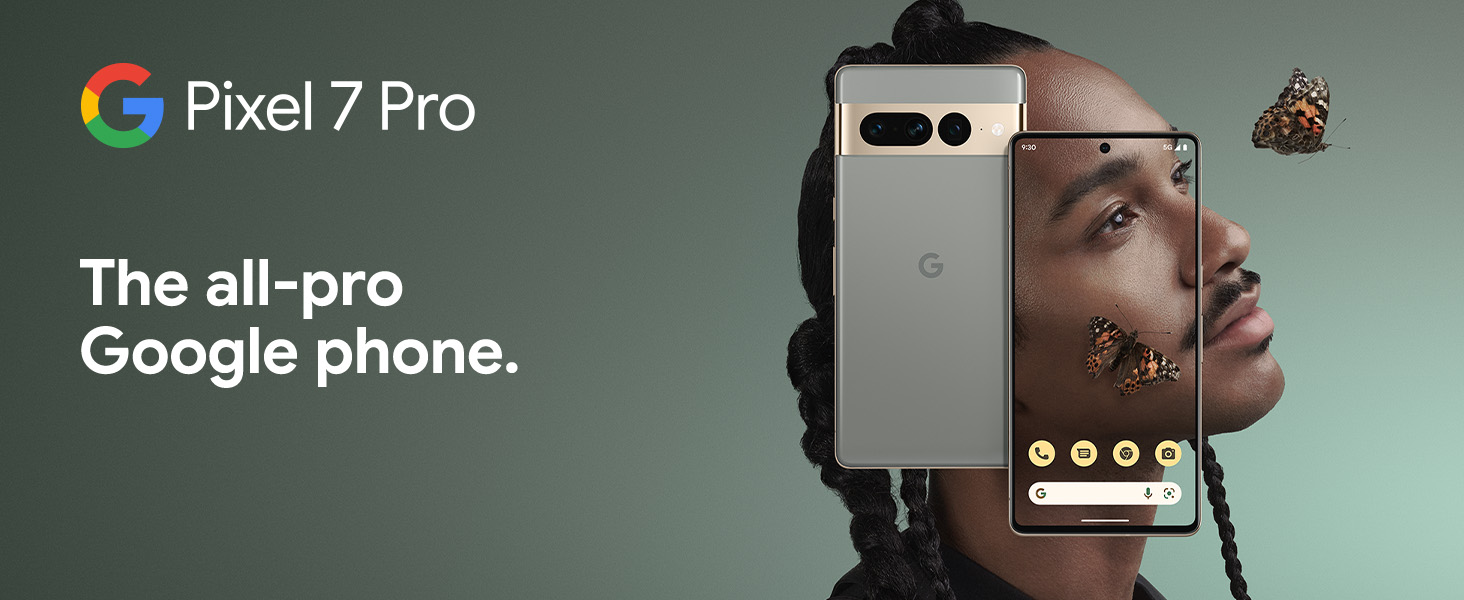
The Google Pixel 7 Pro is a powerful 5G Android smartphone designed for an exceptional user experience. Powered by the Google Tensor G2, it offers fast and secure performance, an immersive display, and extended battery life. This manual provides essential information for setting up, operating, maintaining, and troubleshooting your device.
በሣጥኑ ውስጥ ያለው
Upon unboxing your Google Pixel 7 Pro, you should find the following items:
- Cell Phone (Google Pixel 7 Pro)
- የዩኤስቢ ገመድ (ለመሙላት እና ለመረጃ ማስተላለፍ)
- SIM Tray Ejector (for accessing the SIM card slot)
- Quick Switch Adapter (for easy data transfer from your old phone)
- Quick Start Guide (a brief setup guide)

ማዋቀር
Follow these steps to set up your new Google Pixel 7 Pro:
- ሲም ካርድ አስገባ፡ Use the provided SIM tray ejector tool to open the SIM card slot on the side of the phone. Insert your nano-SIM card into the tray and reinsert it into the phone.
- አብራ፡ የጉግል አርማ እስኪታይ ድረስ በመሳሪያው ጎን ላይ ያለውን የኃይል ቁልፍ ተጭነው ይያዙ።
- የመጀመሪያ ማዋቀር፡- ቋንቋዎን ለመምረጥ፣ ከ Wi-Fi ጋር ለመገናኘት እና በGoogle መለያዎ ለመግባት በማያ ገጹ ላይ ያሉትን መመሪያዎች ይከተሉ።
- የውሂብ ማስተላለፍ; If you are transferring data from an old device, use the Quick Switch Adapter and follow the instructions. Note that some third-party apps and data may not transfer automatically. For more information, visit g.co/pixel/copydatahelp.
- የጣት አሻራ መክፈቻ Set up the on-screen fingerprint sensor for secure and convenient unlocking.

መሣሪያዎን በመስራት ላይ
ቁልፍ ባህሪያት
- የጉግል ቴንሰር ጂ2 ፕሮሰሰር፡ Experience fast and efficient performance with improved AI capabilities for smarter features.
- 5ጂ ግንኙነት፡- Enjoy high-speed internet access on major carrier networks (requires a 5G data plan, sold separately).
- የሚለምደዉ ባትሪ፡ Designed to last over 24 hours with typical usage, extending up to 72 hours with Extreme Battery Saver mode.
- Smooth 120Hz Display: The 6.7-inch display intelligently adjusts its refresh rate for smooth scrolling and responsive interactions.
- Titan M2 Security Chip: Multiple layers of hardware security protect your personal information and data.
- Google Assistant and Find My Device: Utilize hands-free voice commands and easily locate your device if lost.
- Durable and Water Resistant Design: Built to withstand daily use, with an IP68 rating for dust and water resistance.
የካሜራ ባህሪያት
The Pixel 7 Pro features an advanced triple camera system, enabling you to capture stunning photos and videos in various conditions:
- 50 ሜፒ ዋና ዳሳሽ፦ ለከፍተኛ ጥራት፣ ዝርዝር ምስሎች።
- 12MP Ultrawide Lens: ሰፋ ያሉ ትዕይንቶችን በሰፊ መስክ ያንሱ view.
- 48MP Telephoto Lens: Offers 4x optical zoom for clear, detailed shots from a distance.
Advanced features include Macro Focus for extreme close-ups, Cinematic Blur for professional-looking videos, and improved low-light photography.

የውሃ እና አቧራ መቋቋም (IP68)
Your Pixel 7 Pro is designed to be water and dust resistant, with an IP68 rating under IEC standard 60529. This means it can withstand submersion in up to 1.5 meters of fresh water for up to 30 minutes. While durable, water and dust resistance are not permanent conditions and may diminish over time with normal wear and tear. Avoid intentional submersion or exposure to harsh chemicals.

ጥገና
የGoogle Pixel 7 Proዎን ረጅም ዕድሜ እና ምርጥ አፈጻጸም ለማረጋገጥ፣ የሚከተሉትን የጥገና መመሪያዎች ይከተሉ፦
- ማጽዳት፡ የስልኩን ስክሪን እና አካል ለማጽዳት ለስላሳ፣ ከላጣ ነፃ የሆነ ጨርቅ ይጠቀሙ። ለጠንካራ ቆሻሻዎች፣ ትንሽ ቆንጥጦ ያስቀምጡ።ampen the cloth with water. Avoid abrasive materials or harsh cleaning agents.
- ጥበቃ፡ Consider using a protective case and screen protector to guard against scratches and accidental drops.
- የሙቀት መጠን፡ Avoid exposing your phone to extreme temperatures (very hot or very cold) as this can affect battery life and internal components.
- በመሙላት ላይ፡ Use only Google-approved chargers and cables to prevent damage to the battery and charging port.
- የሶፍትዌር ማሻሻያ Keep your device's software updated to the latest version to benefit from security patches, bug fixes, and new features.
መላ መፈለግ
If you encounter issues with your Pixel 7 Pro, try the following common troubleshooting steps:
- መሣሪያውን እንደገና ያስጀምሩ A simple restart can often resolve minor software glitches. Press and hold the power button, then tap "Restart."
- ዝማኔዎችን ያረጋግጡ፡ Ensure your Android operating system is up to date. Go to Settings > System > System update.
- የመተግበሪያ መሸጎጫ አጽዳ፡ If a specific app is causing issues, try clearing its cache. Go to Settings > Apps > See all apps, select the app, then Storage & cache > Clear cache.
- ደህንነቱ የተጠበቀ ሁነታ; Booting into Safe Mode can help identify if a third-party app is causing problems. Press and hold the power button, then touch and hold "Power off." Tap "OK" when prompted to restart in Safe Mode.
- ፍቅር: እንደ የመጨረሻ አማራጭ, የፋብሪካ ዳግም ማስጀመርን ማከናወን ይችላሉ. ማስጠንቀቂያ፡ ይህ በስልክዎ ላይ ያለውን ሁሉንም ውሂብ ይሰርዛል። ከመቀጠልዎ በፊት አስፈላጊ ውሂብን ያስቀምጡ። ወደ ቅንብሮች> ስርዓት> አማራጮች ዳግም ማስጀመር> ሁሉንም ውሂብ ደምስስ (የፋብሪካ ዳግም ማስጀመር) ይሂዱ።
- ድጋፍ ሰጪን ያነጋግሩ፡ If the issue persists, contact Google Support for further assistance.
ዝርዝሮች
Detailed technical specifications for the Google Pixel 7 Pro (Obsidian, 256GB model):
| ባህሪ | ዝርዝር መግለጫ |
|---|---|
| የምርት ልኬቶች | 6.42 x 3.02 x 0.34 ኢንች |
| የእቃው ክብደት | 7.4 አውንስ |
| ASIN | B0BCQVFQHD |
| የንጥል ሞዴል ቁጥር | GE2AE |
| ባትሪዎች | 1 ሊቲየም አዮን ባትሪዎች ያስፈልጋሉ። (ተካቷል) |
| ስርዓተ ክወና | አንድሮይድ 13.0 |
| ራም | 12 ጊባ |
| የማህደረ ትውስታ ማከማቻ አቅም | 256 ጊባ |
| ገመድ አልባ የመገናኛ ቴክኖሎጂዎች | ብሉቱዝ |
| የግንኙነት ቴክኖሎጂዎች | ብሉቱዝ፣ NFC፣ ዋይፋይ |
| ጂፒኤስ | እውነት ነው። |
| የሰው በይነገጽ ግቤት | የንክኪ ማያ ገጽ |
| የስካነር ጥራት | 2560 x 1440 |
| ሌሎች የካሜራ ባህሪዎች | ከፊት ፣ ከኋላ |
| ኦዲዮ ጃክ | የጆሮ ማዳመጫ መሰኪያ የለም። |
| የቅጽ ምክንያት | ባር |
| ቀለም | Obsidian |
| የባትሪ ሃይል ደረጃ | 4926 ሚአሰ |
| የስልክ ንግግር ጊዜ | 24 ሰዓታት |
| አምራች | በጉግል መፈለግ |
| የመጀመሪያ ቀን ይገኛል። | ጥቅምት 6 ቀን 2022 ዓ.ም |
| የቋሚ ማያ ገጽ ማሳያ መጠን | 6.7 ኢንች |
| የሲፒዩ ፍጥነት | 2.85 ጊኸ |
| የማደስ ደረጃ | 120 Hz |
| የሞዴል ስም | Pixel 7 Pro |
| የገመድ አልባ አገልግሎት አቅራቢ | ለሁሉም አጓጓriersች ተከፍቷል |
ዋስትና እና ድጋፍ
Your Google Pixel 7 Pro comes with a የ 1 ዓመት የአምራች ዋስትና, providing comprehensive coverage for peace of mind.
For additional support, frequently asked questions, or to contact customer service, please visit the official Google Support website or the Google Store:


