1. መግቢያ
Thank you for choosing the Soundcore by Anker Space Q45 Adaptive Active Noise Cancelling Headphones. These headphones are designed to provide an immersive audio experience with advanced noise cancellation, high-resolution sound, and extended battery life. This manual will guide you through the setup, operation, and maintenance of your new headphones.
2. በሳጥኑ ውስጥ ያለው
- Soundcore Space Q45 Noise Cancelling Headphones
- የ USB-C ገመድ
- 3.5 ሚሜ ኤክስኤክስ ገመድ
- የጉዞ ጉዳይ

3. ምርት አብቅቷልview
The Soundcore Space Q45 headphones feature a foldable design for portability and intuitive controls for ease of use. Key components include:
- የኃይል ቁልፍ፡- Located on the right earcup, used for turning the headphones on/off.
- ኤንሲ አዝራር፡- Located on the left earcup, cycles through Noise Cancellation, Normal, and Transparency modes.
- የድምጽ ከፍ / ታች አዝራሮች የድምጽ መጠን ያስተካክላል።
- አጫውት/አፍታ አቁም አዝራር፡- የሚዲያ መልሶ ማጫወትን እና የጥሪ አስተዳደርን ይቆጣጠራል።
- የዩኤስቢ-ሲ ኃይል መሙያ ወደብ፡- የጆሮ ማዳመጫዎችን ለመሙላት.
- 3.5ሚሜ AUX ወደብ፡ ባለገመድ የድምጽ ግንኙነት.

Video demonstrating the operation and functions of the Soundcore Space Q45 headphones, including button usage and features.
4. ማዋቀር
4.1. ማብራት / ማጥፋት
- ለማብራት፡- የኃይል አዝራሩን ተጭነው ለ3 ሰከንዶች ይቆዩ። የ LED አመልካች ያበራል።
- ለማጥፋት፡- የኃይል አዝራሩን ለ3 ሰከንዶች ተጭነው ይያዙት። የ LED አመልካች ይጠፋል።
4.2. የብሉቱዝ ማጣመር
- With the headphones powered off, press and hold the Power button for 5 seconds until the LED indicator flashes blue. This indicates pairing mode.
- On your device (smartphone, tablet, laptop), enable Bluetooth and search for "Soundcore Space Q45".
- Select the headphones from the list to connect. Once connected, the LED indicator will turn solid blue.
- The headphones support multipoint connection, allowing simultaneous connection to two devices. To connect a second device, repeat the pairing process.

4.3. Soundcore መተግበሪያ መጫን
Download the Soundcore app from your device's app store to unlock full features, customize settings, and update firmware.
- ፈልግ "ሳውንድኮር" በመተግበሪያ መደብር (iOS) ወይም በGoogle Play መደብር (አንድሮይድ)።
- Install the app and follow the on-screen instructions to connect your Space Q45 headphones.
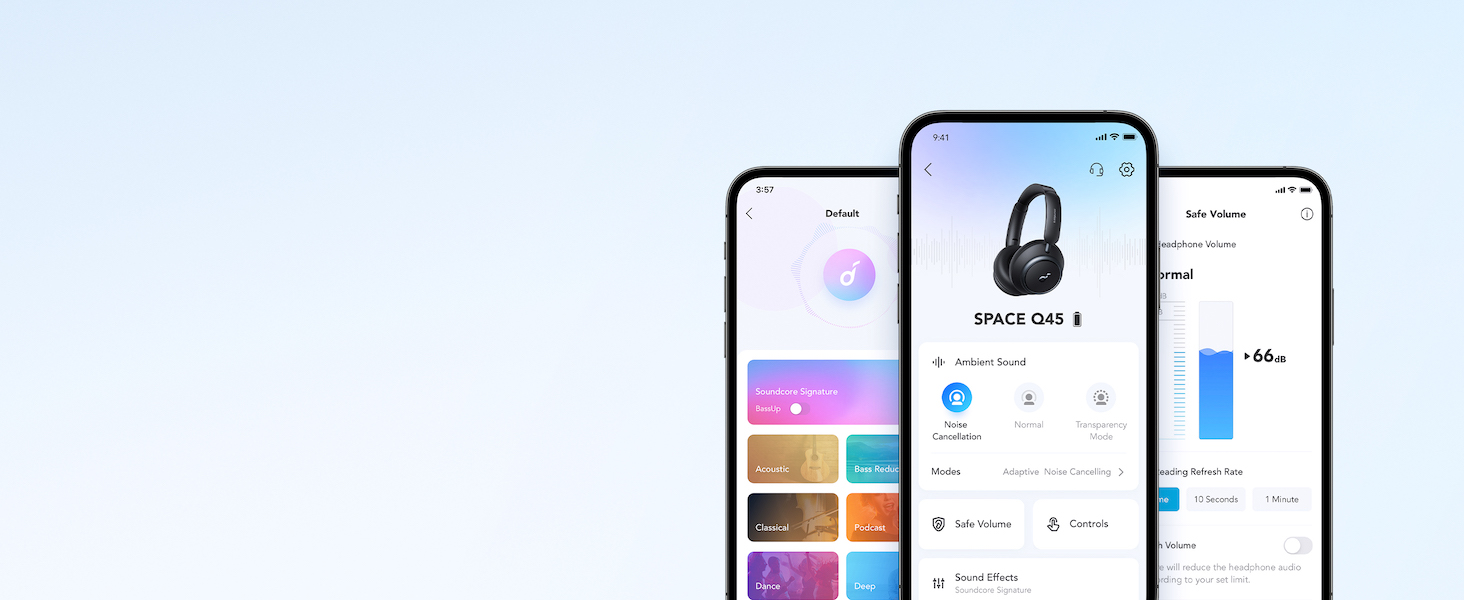
የቪዲዮ ማሳያasing the features and listening controls available through the Soundcore app for the Space Q45 headphones.
5. የአሠራር መመሪያዎች
5.1. መሰረታዊ ቁጥጥሮች
- ድምጽ ወደ ላይ/ወደታች፡ የ'+' ወይም '-' ቁልፎችን ይጫኑ።
- አጫውት/ ለአፍታ አቁም፡ Play/Pause የሚለውን ቁልፍ አንዴ ተጫን።
- ቀጣይ ትራክ፡ የ'+' አዝራሩን ለ2 ሰከንዶች ተጭነው ይያዙት።
- ቀዳሚ ትራክ የ'-' አዝራሩን ለ2 ሰከንዶች ተጭነው ይያዙት።
5.2. የጥሪ አስተዳደር
- መልስ/ጥሪ ጨርስ፡ Play/Pause የሚለውን ቁልፍ አንዴ ተጫን።
- ጥሪን ውድቅ አድርግ፡ አጫውት/አፍታ አቁም የሚለውን ቁልፍ ተጭነው ለ2 ሰከንድ ያህል ይያዙ።
5.3. Switching Noise Cancellation Modes
Press the NC button on the left earcup to cycle through the following modes:
- ጫጫታ መሰረዝ; የድባብ ድምጽን ያግዳል።
- መደበኛ፡ መደበኛ የድምጽ መልሶ ማጫወት ያለ ንቁ የድምጽ መሰረዝ ወይም ግልጽነት።
- ግልጽነት፡- ኦዲዮን በሚያዳምጡበት ጊዜ አካባቢዎን እንዲሰሙ ይፈቅድልዎታል።
6. Adaptive Noise Cancellation
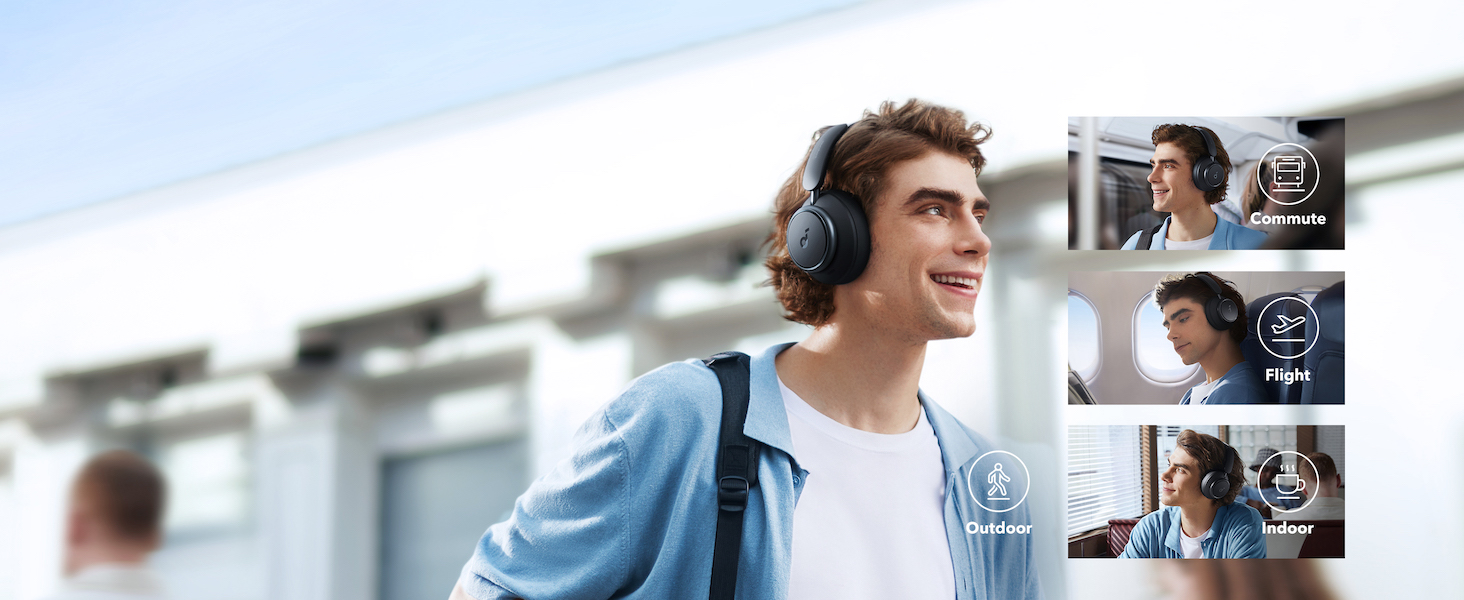
The Space Q45 headphones feature an advanced noise-cancelling system that reduces up to 98% of ambient noise. The adaptive noise cancellation automatically selects a suitable level based on your environment, whether you are indoors, outdoors, commuting, or on a flight. You can also manually select from 5 noise-cancelling levels via the Soundcore app.

7. የድምጽ ጥራት
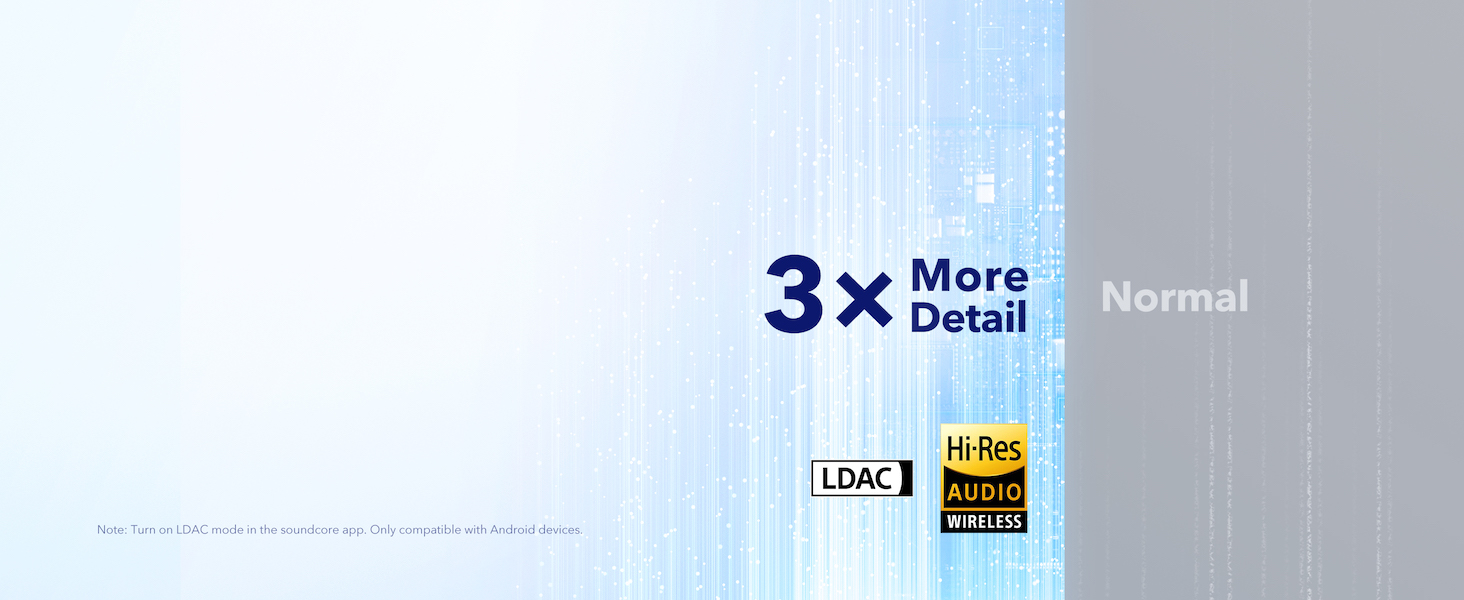
The Space Q45 headphones are equipped with 40mm double-layer diaphragm drivers, crafted from silk and ceramic materials. This innovative design produces sound with intense bass and crisp treble, ensuring every detail of your audio is heard. The headphones also support LDAC for Hi-Res Audio Wireless sound, delivering 3 times more detail than standard Bluetooth codecs.

8. የባትሪ ህይወት እና ባትሪ መሙላት
The Space Q45 headphones offer impressive battery performance:
- Up to 50 hours of playtime with Noise Cancellation mode activated.
- Up to 65 hours of playtime in Normal mode.
- ፈጣን ኃይል መሙላት; የ5 ደቂቃ ክፍያ በግምት 4 ሰአታት የሚቆይ የጨዋታ ጊዜ ይሰጣል።
- ሙሉ ክፍያ ጊዜ፡- በግምት 2 ሰአታት.

9. ጥገና
9.1. ማጽዳት
- Use a soft, dry cloth to clean the earcups and headband.
- ኃይለኛ ኬሚካሎችን ወይም ሻካራ ቁሳቁሶችን ከመጠቀም ይቆጠቡ.
- የጆሮ ማዳመጫውን በውሃ ውስጥ አታስጡ።
9.2. ማከማቻ
- ጥቅም ላይ በማይውሉበት ጊዜ፣ ጉዳት እንዳይደርስባቸው የጆሮ ማዳመጫዎቹን በመከላከያ የጉዞ መያዣቸው ውስጥ ያስቀምጡ።
- በከፍተኛ ሙቀት ወይም ከፍተኛ እርጥበት ውስጥ ማከማቸት ያስወግዱ.
10. መላ መፈለግ
If you encounter any issues with your Soundcore Space Q45 headphones, please refer to the following common solutions:
- ኃይል የለም፡ የጆሮ ማዳመጫው ሙሉ በሙሉ መሙላቱን ያረጋግጡ። የዩኤስቢ-ሲ ገመድ በመጠቀም ከኃይል ምንጭ ጋር ያገናኙዋቸው።
- ድምጽ የለም፡ Check the volume levels on both the headphones and your connected device. Ensure the headphones are properly paired via Bluetooth or the 3.5mm AUX cable is securely connected.
- የማጣመሪያ ጉዳዮች፡- Turn off Bluetooth on all other devices, then try re-pairing the headphones with your desired device. If issues persist, reset the headphones (refer to the Soundcore app or online support for specific reset instructions).
- የድምጽ ስረዛ አይሰራም፡ Ensure the Noise Cancellation mode is activated. Adjust the noise cancellation levels via the Soundcore app.
For further assistance, consult the Soundcore app or visit the official Soundcore support webጣቢያ.
11. ዝርዝሮች
| የሞዴል ስም | አ3040 |
| የድምጽ መቆጣጠሪያ | የሚለምደዉ ገባሪ ድምጽ ስረዛ |
| የግንኙነት ቴክኖሎጂ | ገመድ አልባ (ብሉቱዝ 5.3) |
| የብሉቱዝ ክልል | 10 ሜትር |
| የድምጽ ነጂ መጠን | 40 ሚሊሜትር |
| የባትሪ ህይወት (ኤኤንሲ በርቷል) | 50 ሰዓታት |
| የባትሪ ህይወት (መደበኛ ሁነታ) | 65 ሰዓታት |
| የኃይል መሙያ ጊዜ | 2 ሰዓታት |
| የእቃው ክብደት | 295 ግራም (10.4 አውንስ) |
| የምርት ልኬቶች | 6.34 x 3.46 x 7.44 ኢንች |
| የጆሮ ማዳመጫዎች ጃክ | 3.5 ሚሜ ሚሜ |
| የመቆጣጠሪያ ዘዴ | App, Media Control Buttons |
12. ዋስትና እና ድጋፍ
Soundcore products are backed by a limited warranty. For detailed warranty information, frequently asked questions, and customer support, please visit the official Soundcore website or contact their customer service team. You can also find support resources within the Soundcore app.
Webጣቢያ፡ www.soundcore.com
ኢሜይል፡- service@soundcore.com


