መግቢያ
This manual provides comprehensive instructions for the ENDORFY Omnis Pudding Onyx White Red mechanical keyboard (Model EY5A036). This full-size keyboard features Kailh Red mechanical switches, durable PBT Pudding keycaps, and customizable ARGB backlighting. It is designed for various applications, including gaming, creative work, and general office use, offering a responsive and comfortable typing experience. Key features include a reinforced chassis, a detachable magnetic wrist rest, and a metal volume wheel for convenient audio control.
የጥቅል ይዘቶች
- ENDORFY Omnis Pudding Onyx White Red Mechanical Keyboard
- Detachable USB-A Cable
- መግነጢሳዊ አንጓ እረፍት
- የተጠቃሚ መመሪያ (ይህ ሰነድ)
ማዋቀር
1. የቁልፍ ሰሌዳውን በማገናኘት ላይ
Connect the detachable USB-A cable to the USB-C port on the keyboard and then to an available USB-A port on your computer. The keyboard is plug-and-play and should be recognized automatically by your operating system.
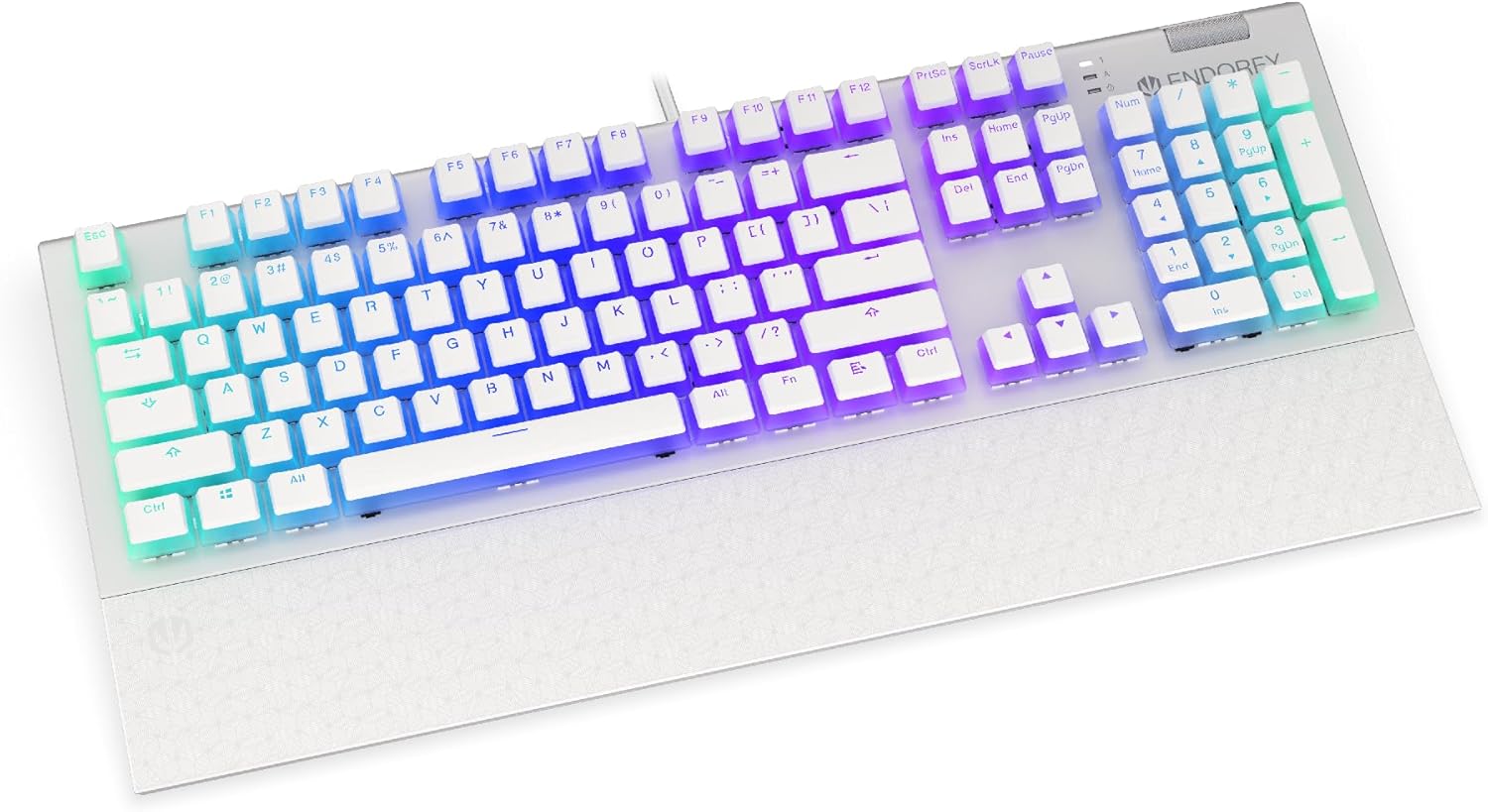
ምስል፡ ፊት ለፊት view of the ENDORFY Omnis Pudding Onyx White Red mechanical keyboard, showcasing its full layout and connected cable.
2. የእጅ አንጓውን እረፍት ማያያዝ
Align the magnetic wrist rest with the front edge of the keyboard. The magnets will automatically secure it in place, providing ergonomic support during use.

ምስል: አንግል view of the ENDORFY Omnis Pudding Onyx White Red mechanical keyboard with the magnetic wrist rest attached, highlighting the seamless integration.
3. የሶፍትዌር ጭነት (አማራጭ)
For advanced customization of lighting effects, key assignments, and macros, download the official ENDORFY software from the manufacturer's webጣቢያ. ለመጫን የማያ ገጽ ላይ መመሪያዎችን ይከተሉ።
የአሠራር መመሪያዎች
መሰረታዊ የቁልፍ ሰሌዳ ተግባራት
The keyboard features a standard full-size layout with a dedicated numpad, function keys (F1-F12), and navigation keys. All keys operate as standard input devices for your computer.
Volume Wheel Operation
The metal volume wheel located on the top right of the keyboard allows for quick audio adjustments:
- ወደ ላይ አዙር፦ የድምጽ መጠን ጨምር.
- ወደ ታች አዙር፦ ድምጽን ይቀንሱ.
- ወደ ታች ይጫኑ፡- የድምጽ ድምጸ-ከል አንሳ/አጥፋ።
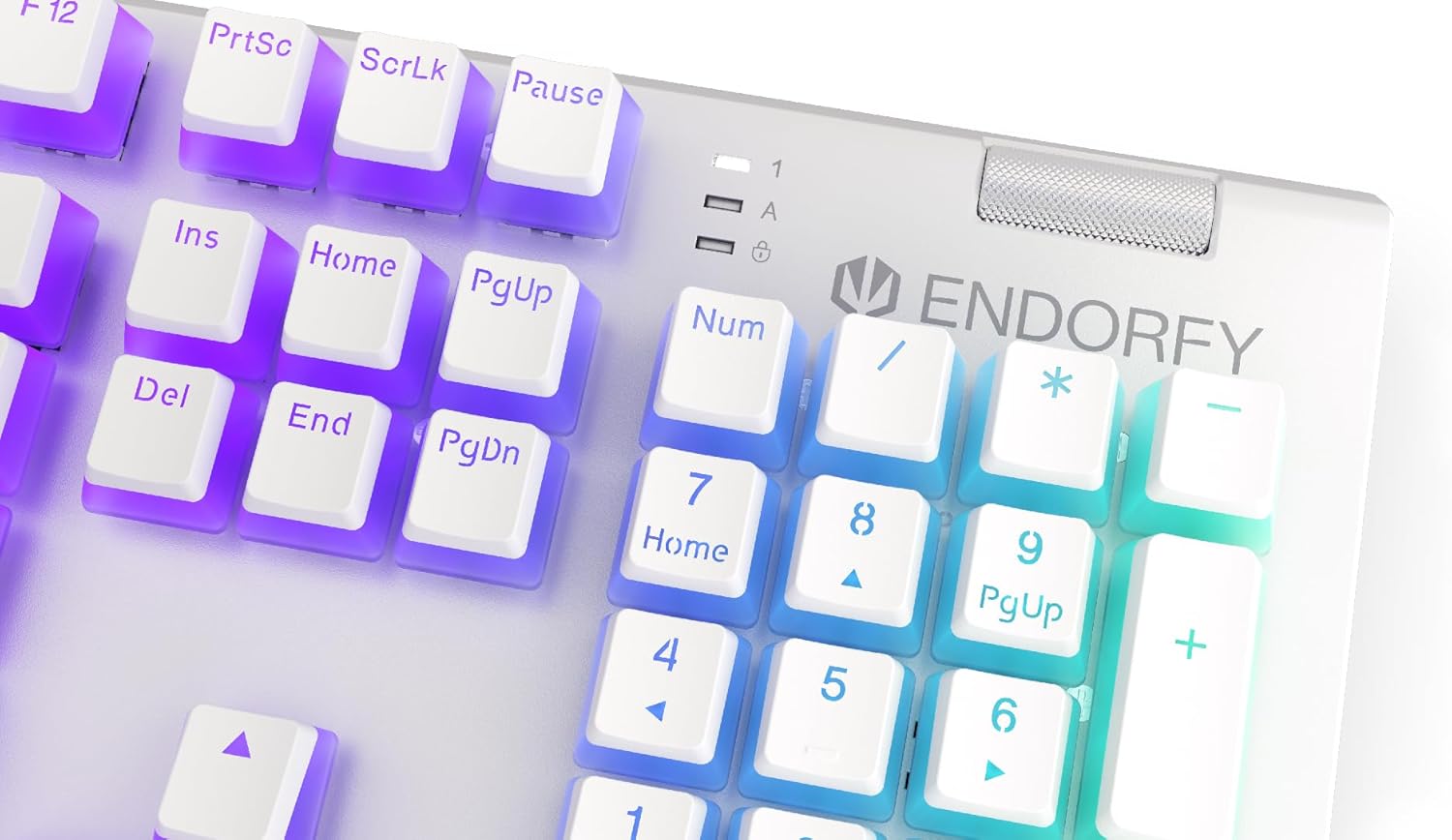
ምስል፡ መቀራረብ view of the keyboard's numpad and the prominent metal volume wheel, indicating its position for easy access.
RGB የኋላ ብርሃን መቆጣጠሪያ
The keyboard features customizable ARGB backlighting. Lighting effects and brightness can be adjusted using the dedicated ENDORFY software. Some basic lighting modes and brightness levels may also be accessible via keyboard shortcuts (e.g., Fn + arrow keys or specific function keys), though advanced customization is recommended through the software.

Image: The ENDORFY Omnis Pudding Onyx White Red mechanical keyboard illuminated with vibrant RGB backlighting, showcasing the Pudding keycaps.
N-Key Rollover (NKRO)
The keyboard supports N-Key Rollover, which means every key press is registered independently, regardless of how many other keys are being pressed simultaneously. This feature is particularly beneficial for fast typists and gamers, preventing ghosting or missed inputs.
የሶፍትዌር ተግባር
The ENDORFY software allows users to:
- Customize ARGB lighting effects and colors.
- የግል ቁልፎችን እንደገና ካርታ ያውጡ።
- ለተወሳሰቡ የትዕዛዝ ቅደም ተከተሎች ማክሮዎችን ይፍጠሩ እና ይመድቡ።
- ባለብዙ ፕሮፌሽናልን ያስተዳድሩfiles ለተለያዩ መተግበሪያዎች ወይም ጨዋታዎች.
ጥገና
የቁልፍ ሰሌዳውን ማጽዳት
ጥሩ አፈጻጸምን እና ገጽታን ለመጠበቅ፡-
- ከማጽዳትዎ በፊት የቁልፍ ሰሌዳውን ከኮምፒዩተርዎ ያላቅቁት.
- ለስላሳ፣ ከቆሸሸ ነፃ የሆነ ጨርቅ በትንሹ ተጠቀምampየቁልፍ ክዳኖቹን እና ቻሲስን ለማጽዳት በውሃ ወይም በትንሽ የጽዳት መፍትሄ ተሸፍኗል።
- በቁልፍ ክዳኖች መካከል ለአቧራ እና ፍርስራሽ፣ የተጨመቀ አየር ይጠቀሙ።
- ኃይለኛ ኬሚካሎችን ወይም ሻካራ ቁሳቁሶችን ከመጠቀም ይቆጠቡ.
የቁልፍ ክዳን ማስወገድ እና መተካት
The PBT Pudding keycaps can be removed for thorough cleaning or replacement. Use a keycap puller (not included) to gently lift keycaps straight up. When replacing, align the keycap with the switch stem and press down firmly until it clicks into place.

ምስል፡ መቀራረብ view of the Kailh Red mechanical switches, visible when keycaps are removed, illustrating the switch mechanism.
መላ መፈለግ
- የቁልፍ ሰሌዳ ምላሽ አይሰጥም፡
Ensure the USB cable is securely connected to both the keyboard and the computer. Try connecting the keyboard to a different USB port or a different computer to rule out port or system issues. Restart your computer. - የጀርባ ብርሃን አይሰራም ወይም የተሳሳተ ነው;
Check the brightness settings via the ENDORFY software or any onboard shortcuts. Ensure the software is up to date. If specific keys have incorrect lighting, reset the lighting profile በሶፍትዌሩ ውስጥ. - የማይመዘገቡ ቁልፎች፡-
Clean under the affected keycaps to remove any debris that might be obstructing the switch. If the issue persists, it may indicate a hardware fault; refer to the Warranty and Support section. - Wrist Rest Not Attaching Securely:
Ensure there is no debris between the keyboard and the wrist rest that might interfere with the magnetic connection.
ዝርዝሮች
| ባህሪ | ዝርዝር |
|---|---|
| የምርት ስም | ENDORFY |
| የሞዴል ቁጥር | EY5A036 |
| ቀለም | ነጭ |
| የቁልፍ መቀየሪያዎች | Kailh Red Mechanical |
| የቁልፍ ሰሌዳዎች | PBT Pudding |
| አቀማመጥ | Full-size (US Layout) |
| የኋላ መብራት | ARGB (Configurable RGB) |
| ግንኙነት | USB-A (Detachable Cable) |
| የእጅ አንጓ እረፍት | Magnetic, Detachable |
| የድምጽ መቆጣጠሪያ | Metal Volume Wheel |
| N-ቁልፍ ሮሎቨር | አዎ |
| ተስማሚ ስርዓተ ክወናዎች | Linux, Mac OS X 10.12 Sierra, Windows 7, Windows 8, Windows 10 |
| የሚመከር አጠቃቀም | Gaming, Multimedia |
| ቁሳቁስ | ፖሊቡቲሊን ቴሬፍታሌት (PBT) |
ዋስትና እና ድጋፍ
ENDORFY products are covered by a manufacturer's warranty. For detailed warranty terms, technical support, or service inquiries, please refer to the official ENDORFY webጣቢያ ወይም የአካባቢዎን ቸርቻሪ ያነጋግሩ። ለዋስትና ጥያቄዎች የግዢ ማረጋገጫዎን ያስቀምጡ።


