መግቢያ
Thank you for choosing the SURFOU Wireless Doorbell N98. This manual provides detailed instructions for the installation, operation, and maintenance of your new doorbell system. Please read this manual thoroughly before use to ensure proper functionality and safety.
The SURFOU Wireless Doorbell N98 offers a reliable and convenient solution for your home, featuring a long wireless range, multiple melodies, adjustable volume, and a durable, waterproof design.
የጥቅል ይዘቶች
ከመጫንዎ በፊት እባክዎ ሁሉም ክፍሎች በጥቅልዎ ውስጥ መኖራቸውን ያረጋግጡ፡-
- 2 x ተሰኪ ተቀባዮች
- 3 x Transmitters (Push Buttons)
- 3 x 12V23A Batteries (for transmitters)
- 1 x Screwdriver
- 4 x የዊንጮች ስብስቦች
- 4 x Double-sided Adhesive Tapes
- 1 x የተጠቃሚ መመሪያ (ይህ ሰነድ)
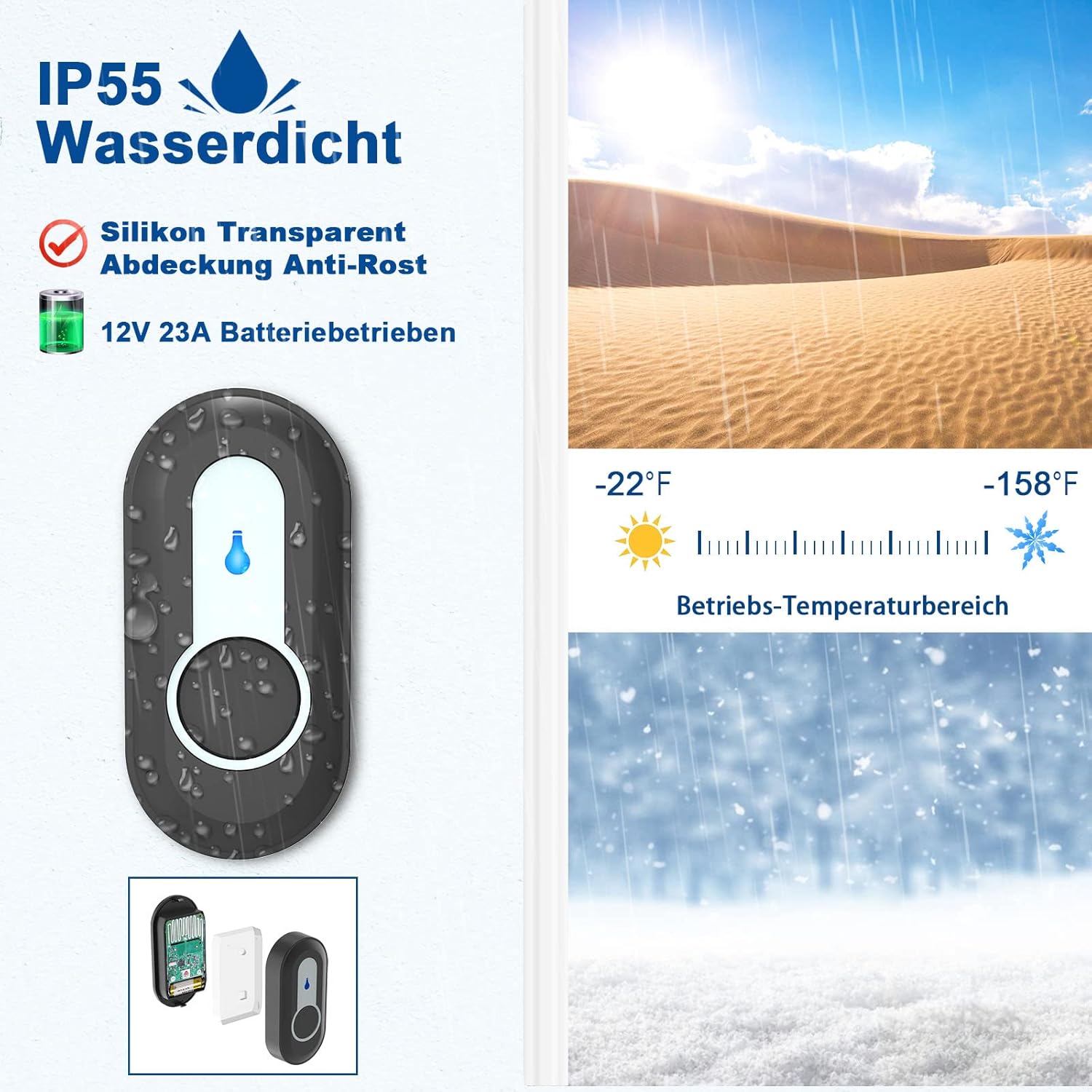
Image: Illustration of the SURFOU Wireless Doorbell N98 kit components, including receivers, transmitters, and installation accessories.
ማዋቀር እና መጫን
1. የማሰራጫ (የግፊት አዝራር) ጭነት
- ባትሪ አስገባ፡ Open the back cover of the transmitter and insert the provided 12V23A battery, ensuring correct polarity.
- ቦታ ይምረጡ፡- Select a flat, vertical surface near your door. Ensure the surface is clean and dry for optimal adhesion.
- የመጫኛ ዘዴ፡-
- የሚለጠፍ ቴፕ፡ Peel off one side of the double-sided adhesive tape and stick it to the back of the transmitter. Peel off the other side and firmly press the transmitter onto the desired location for at least 30 seconds.
- ብሎኖች For a more secure installation, use the provided screws. Mark the screw holes on the wall, drill pilot holes if necessary, and then secure the transmitter using the screws.
- ሙከራ፡- Press the transmitter button to ensure it activates the receiver.

Image: Visual guide demonstrating the two installation methods for the transmitter: using double-sided adhesive tape or screws.
2. ተቀባይ መጫን
- መሰካት፥ Simply plug the receiver into any standard electrical outlet within range of the transmitter.
- አቀማመጥ፡- Choose an outlet in a central location or where you are most likely to hear the chime. The compact design ensures it does not block adjacent outlets.

Image: The compact design of the receiver, showing it plugged into an outlet without obstructing the adjacent one.
የአሠራር መመሪያዎች
1. አስተላላፊዎችን ከተቀባዮች ጋር ማጣመር
Your doorbell kit comes pre-paired. If you need to re-pair or add new transmitters, follow these steps:
- የማጣመሪያ ሁነታን ያስገቡ ፦ On the receiver, press and hold the የድምጽ መጠን አዝራር (usually indicated by a speaker icon) for 5-8 seconds until the receiver emits a "ding" sound and its LED indicator flashes. This indicates it is in learning mode.
- Send Signal: Quickly press the push button on the desired transmitter. The receiver will emit two "ding" sounds and its LED will flash, confirming successful pairing.
- ከማጣመሪያ ሁነታ ውጣ፦ The receiver will automatically exit learning mode after 8 seconds if no further signal is received.

Image: Diagram illustrating the steps for pairing a transmitter with a receiver, showing the volume button, forward button, and the process of sending a signal from the push button.
2. ዜማዎችን መቀየር
The doorbell offers 55 different melodies. To change the melody:
- Select Melody: በተቀባዩ ላይ ይጫኑ፣ የማስተላለፊያ አዝራር (usually indicated by a music note icon) to cycle through the available melodies. Each press will play the next melody.
- Set Melody: Once you find your preferred melody, stop pressing the button. The receiver will remember this selection.
Note: The doorbell features a memory function, retaining your last chosen melody even after a power outage.

Image: Receiver displaying icons for 55 different melodies and 5 volume levels, indicating customization options.
3. የድምጽ መጠን ማስተካከል
The doorbell has 5 adjustable volume levels, with a maximum of 110 dB.
- የድምጽ መጠን አስተካክል; በተቀባዩ ላይ ይጫኑ፣ የድምጽ መጠን አዝራር (speaker icon) to cycle through the 5 volume levels.
- የፀጥታ ሁኔታ: One of the volume levels is a silent mode (0 dB) where only the LED indicator flashes, providing a visual notification without sound.

Image: Receiver in silent mode (0 dB), showing only the LED indicator flashing, suitable for quiet environments or hearing-impaired users.
ጥገና
1. የባትሪ መተካት (ማስተላለፊያ)
The transmitter uses a 12V23A alkaline battery. When the LED indicator on the transmitter no longer lights up or the signal range decreases significantly, it's time to replace the battery.
- Open Transmitter: Use the provided screwdriver or a small flat-head screwdriver to carefully open the back cover of the transmitter.
- ባትሪ ይተኩ፡ Remove the old battery and insert a new 12V23A alkaline battery, ensuring the positive (+) and negative (-) terminals are correctly aligned.
- ሽፋን ዝጋ፡ የጀርባውን ሽፋን በጥንቃቄ ይዝጉ.
- ሙከራ፡- Press the transmitter button to confirm it is working.

ምስል፡ ፈነዳ view of the transmitter, showing the internal circuit board, battery compartment, LED indicator, and waterproof silicone ring.
2. ማጽዳት
- Wipe the surfaces of the transmitter and receiver with a soft, dry cloth.
- የማጽጃ ማጽጃዎችን ወይም መሟሟቶችን አይጠቀሙ፣ ምክንያቱም እነዚህ ማጠናቀቂያውን ወይም የውስጥ ክፍሎችን ሊጎዱ ይችላሉ።
መላ መፈለግ
| ችግር | ሊሆን የሚችል ምክንያት | መፍትሄ |
|---|---|---|
| Receiver does not ring when transmitter is pressed. |
|
|
| አጭር የገመድ አልባ ክልል። |
|
|
| Melody or volume settings reset after power outage. | This model features a memory function. If settings reset, it might indicate a rare internal issue or a very brief power fluctuation. | Re-set your preferred melody and volume. If the issue persists, contact customer support. |
ዝርዝሮች
| የሞዴል ቁጥር | N98 |
| የምርት ስም | SURFOU |
| ገመድ አልባ ክልል | ክፍት ቦታዎች ላይ እስከ 400 ሜትር (1300 ጫማ) ድረስ |
| ዜማዎች | 55 ሊመረጡ የሚችሉ ዜማዎች |
| የድምጽ ደረጃዎች | 5 adjustable levels (0 dB to 110 dB) |
| የውሃ መከላከያ ደረጃ (ማስተላለፊያ) | IP55 |
| የአሠራር ሙቀት | -30°ሴ እስከ 70°ሴ (-22°F እስከ 158°ፋ) |
| አስተላላፊ ባትሪ | 1 x 12V23A Alkaline battery |
| የተቀባይ ኃይል | AC_DC (Plug-in) |
| የምርት ልኬቶች (ተቀባይ) | በግምት 7.2 x 7.2 x 6.7 ሴሜ |
| የምርት ክብደት (ኪት) | በግምት. 301 ግራም |

Image: Diagram illustrating the extensive 400-meter (1300 feet) wireless coverage of the doorbell system in an unobstructed area, showing signal reach across a house and garden.

Image: Close-up of the IP55 waterproof transmitter, highlighting its durability against water splashes and its wide operating temperature range from -22°F to 158°F.
ዋስትና እና ድጋፍ
For warranty information or technical support, please refer to the contact details provided with your purchase or visit the official SURFOU webጣቢያ. ለማንኛውም የዋስትና የይገባኛል ጥያቄዎች የግዢ ደረሰኝዎን እንደ ግዢ ማረጋገጫ ያቆዩት።


