1. በላይview
The ZTW Beatles G2 40A Electronic Speed Controller (ESC) is designed for RC fixed-wing airplanes, multi-copters, and DIY projects. It features a 32-bit microprocessor for enhanced computing ability and faster running speed, ensuring stable and efficient performance. This ESC includes multiple protection features and offers programmable functions for precise control.
ቁልፍ ባህሪዎች
- 32-bit microprocessor for stronger computing ability and faster running speed.
- ብዙ መከላከያዎች: ጅምር, ከመጠን በላይ ሙቀት, ዝቅተኛ-ቮልtagሠ መቁረጥ፣ የምልክት ማጣት፣ የደረጃ መጥፋት።
- Stronger BEC output up to 4A/5V, 6V continuous and peak to 8A.
- Super smooth, accurate, and programmable throttle linearity and response.
- Supports high RPM motors and is programmable by LCD card or transmitter.
- Synchronous rectification for energy-saving and high efficiency.

Image: ZTW Beatles G2 40A ESC with XT60 power connector and 3.5mm bullet motor connectors.
2. የደህንነት መረጃ
Always exercise caution when operating RC equipment. Improper use can lead to serious injury or damage. Please observe the following safety guidelines:
- ከማብራትዎ በፊት ሁሉም ግንኙነቶች ደህንነታቸው የተጠበቀ መሆኑን ያረጋግጡ።
- Never operate the ESC with damaged wiring or connectors.
- Keep hands and loose clothing away from rotating propellers and motors.
- ተስማሚ የባትሪ ዓይነቶችን እና ጥራዝ ተጠቀምtages as specified in the product specifications.
- እርጥብ በሆኑ ሁኔታዎች ወይም ከፍተኛ የሙቀት መጠን ውስጥ ከመሥራት ይቆጠቡ።
- Perform throttle calibration before first use or when changing transmitters.
- Always disconnect the battery after use.
3. የጥቅል ይዘቶች
ጥቅሉ የሚከተሉትን ነገሮች ያካትታል:
- 1 x ZTW Beatles G2 40A ESC
- 1 x የተጠቃሚ መመሪያ

Image: ZTW Beatles G2 40A ESC in its retail packaging, showing the ESC and user manual.
4. ዝርዝሮች
| ባህሪ | ዝርዝር |
|---|---|
| ልኬቶች (LxWxH) | 68ሚሜ x 25ሚሜ x 10ሚሜ (2.4 x 0.98 x 0.39 ኢንች) |
| ክብደት | 37 ግ (2.08 አውንስ) |
| የባትሪ ድጋፍ | 2-4S Lipo / 5-12NC |
| ጥራዝtagሠ ክልል | 7.6 ቪ - 15.8 ቪ |
| ቀጣይነት ያለው ወቅታዊ | 40 ኤ |
| ከፍተኛ የአሁኑ | 55A (ለ10 ሰከንዶች) |
| BEC ውፅዓት | 4A/5V or 6V (peak 8A) |
| የሞተር ዓይነት | ብሩሽ አልባ |
| RPM Support | 200,000 for 2-Pole, 82,000 for 6-Pole, 42,000 for 12-Pole |
| የኃይል ማገናኛዎች | XT60 |
| የሞተር አገናኞች | 3.5mm bullet female |
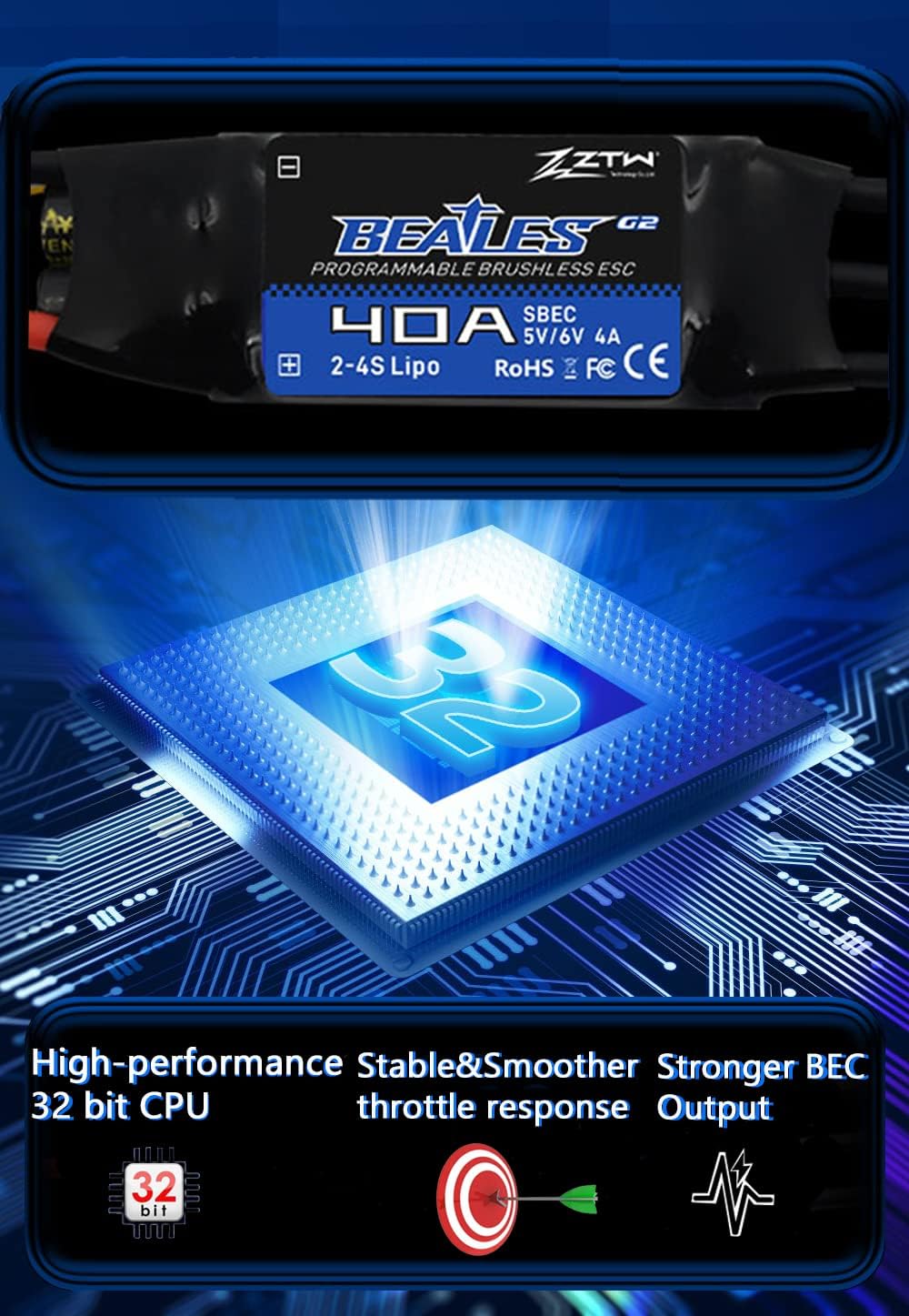
Image: Internal diagram illustrating the 32-bit CPU, stable performance, and strong BEC output.
5. ማዋቀር እና መጫን
Proper installation of the ESC is crucial for safe and optimal performance. Follow these steps for connecting your ZTW Beatles G2 40A ESC:
- የሞተር ሽቦዎችን ያገናኙ; Connect the three black motor wires from the ESC to your brushless motor's connectors. The order of connection determines the motor's rotation direction. This can be adjusted later during commissioning.
- Connect Receiver Signal Wire: Connect the ESC's black-red-white 3-pin signal wire to your receiver's throttle channel.
- Secure ESC: Secure the ESC and its XT60 power connector to the arm of your RC model using zip ties or other appropriate fasteners. Ensure they are firmly secured to prevent movement during operation.
- የኃይል አቅርቦት; Connect the XT60 plug from the ESC to your battery.
Video: This video demonstrates the installation process of a Brushless ESC for a drone or RC plane, including connecting motor wires and securing the ESC.
6. ኦፕሬሽን
6.1. Throttle Calibration
Throttle calibration is essential for the ESC to correctly recognize the throttle range of your transmitter. This procedure should be performed before the first use or if you change your transmitter.
- Turn on your transmitter and move the throttle stick to the highest position.
- Connect the ESC's power wires to the battery.
- Listen for two beeps from the ESC.
- Immediately move the transmitter's throttle stick to the lowest position.
- Listen for a confirmation tone from the ESC. This indicates successful calibration.
- Disconnect the battery and then reconnect it. If the throttle responds normally, calibration is complete.
Video: This video demonstrates the throttle calibration procedure for the Mantis Slim G2 ESC series.
Video: A general guide on how to calibrate an ESC, applicable to the ZTW Beatles G2 40A ESC.
6.2. Programming the ESC
The ZTW Beatles G2 40A ESC offers several programmable functions such as brake type, cut-off voltage, soft start, and motor direction. Programming can be done using your transmitter or an optional LCD Program Card G2.
Programming via Transmitter:
- አስተላላፊውን ያብሩ እና ስሮትሉን በትሩ ወደ ላይኛው ቦታ ያንቀሳቅሱት።
- አንድ ባትሪ ከ ESC ጋር ያገናኙ።
- Listen for a series of beeps indicating entry into programming mode. Each beep sequence corresponds to a specific parameter.
- Move the throttle stick to the bottom position to enter the corresponding parameter item.
- Move the throttle stick to the top position to save the selected parameter value. Programming is completed.
- Disconnect the battery to exit programming mode.
Video: This video demonstrates how to program your ESC using the transmitter.
Programming via LCD Program Card G2:
- Unplug the ESC throttle cable from the receiver.
- Insert the LCD Program Card G2 into the ESC's throttle cable.
- ESCን ከባትሪው ጋር ያገናኙ።
- Wait for the LCD screen to display the power-on interface.
- Press the "ITEM" or "OK" button to select parameters and program.
- Upon completion of programming, press the "OK" button to save the parameters.
Video: This video shows how to set parameters for the Mantis Slim G2 ESC using an LCD Program Card.
6.3. SMR (Switch Motor Rotation) Function
The SMR function allows you to change the motor rotation direction. This is particularly useful for aircraft landing, as it can effectively shorten the landing distance.
- Ensure the SMR function is set to "ON" in the ESC programming.
- With the throttle below 50%, flip the 2-stage switch on your transmitter to change the motor rotation.
Note: The SMR function is only effective when the throttle is below 50% and is primarily intended for use during aircraft landing to shorten the landing distance.
Video: This video demonstrates how to set and use the SMR (Switch Motor Rotation) function of your ESC.
7. ጥገና
To ensure the longevity and optimal performance of your ZTW Beatles G2 40A ESC, follow these maintenance tips:
- Keep the ESC clean and free from dust, dirt, and moisture.
- Regularly inspect all wires and connectors for signs of wear, fraying, or damage. Replace any damaged components immediately.
- Ensure adequate airflow around the ESC during operation to prevent overheating.
- ESCን ከፀሐይ ብርሃን እና ከፍተኛ የሙቀት መጠን ራቅ ባለ ደረቅና ቀዝቃዛ ቦታ ያስቀምጡ።
8. መላ መፈለግ
If you encounter issues with your ZTW Beatles G2 40A ESC, consider the following common troubleshooting steps:
- ሞተር የማይሽከረከር;
- Check all power connections (battery to ESC, ESC to motor).
- Ensure the throttle is calibrated correctly.
- Verify that the receiver is properly bound to the transmitter.
- Inspect motor wires for loose connections or damage.
- Motor stutters or runs irregularly:
- Check motor timing settings (can be adjusted via programming).
- Ensure motor phase wires are correctly connected.
- የባትሪውን መጠን ያረጋግጡtage በተጠቀሰው ክልል ውስጥ ነው.
- ESC overheating:
- Ensure adequate ventilation around the ESC.
- Check for excessive current draw (e.g., oversized propeller, motor issues).
- Verify motor timing is not set too aggressively.
- No response from ESC after power-on:
- የባትሪውን ግንኙነት እና የድምጽ መጠን ያረጋግጡtage.
- Ensure the ESC's signal wire is correctly plugged into the receiver.
- Re-perform throttle calibration.
9. ዋስትና እና ድጋፍ
ZTW and HAWK HOBBY offer a 100% free warranty for this ESC. For warranty claims or technical support, please contact your retailer or the manufacturer directly with your proof of purchase.
For further assistance, refer to the official ZTW webጣቢያ ወይም የደንበኛ አገልግሎታቸውን ያነጋግሩ።


