1. መግቢያ
This manual provides essential information for setting up, operating, maintaining, and troubleshooting your HP ProDesk 600 G4 Small Form Factor (SFF) Desktop PC. The HP ProDesk 600 G4 SFF is designed for various computing needs, offering a compact design with robust performance.
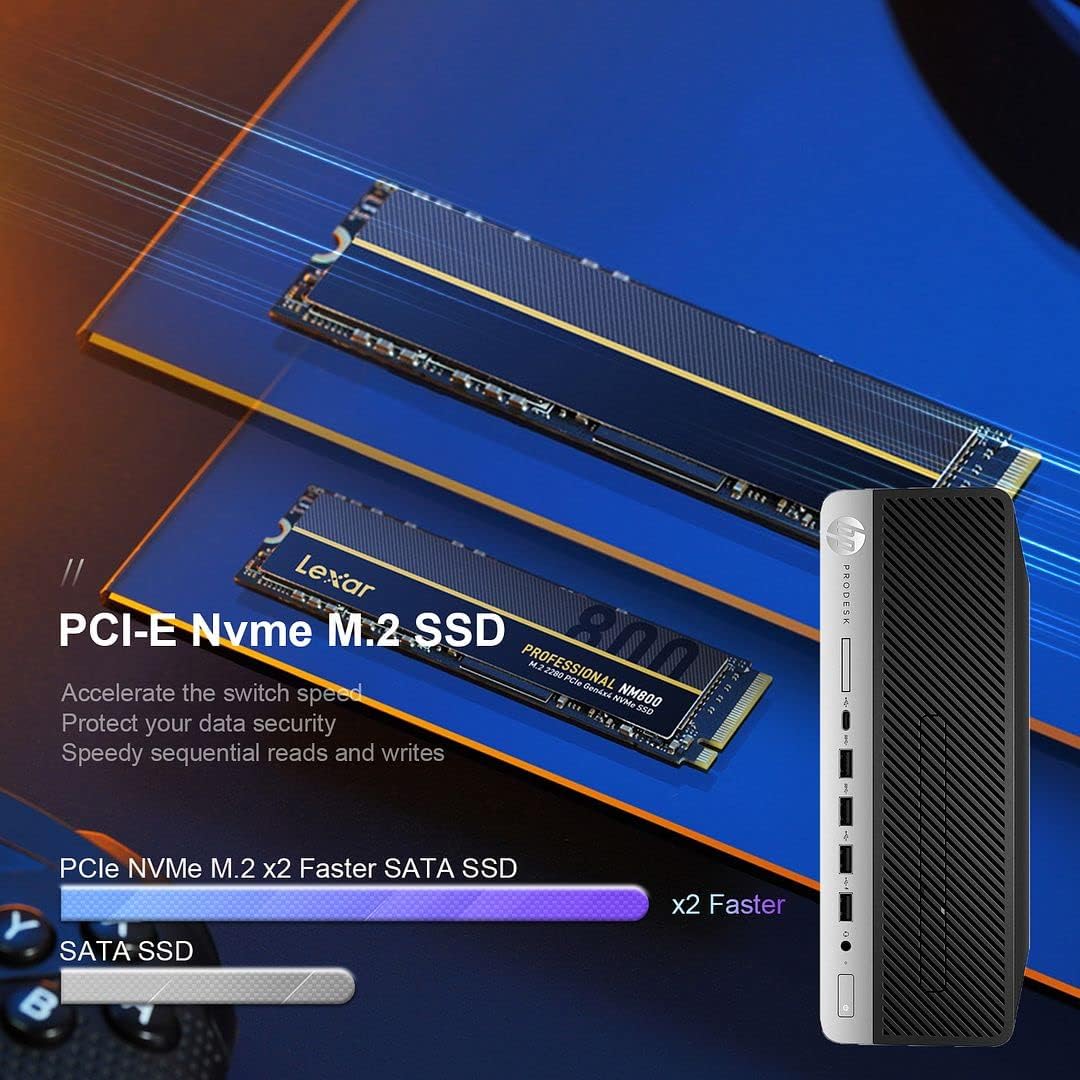
This system comes pre-installed with Windows 11 Pro and features an Intel i7-8700 processor, 32GB DDR4 RAM, a 512GB NVMe M.2 SSD, and a 1TB HDD for ample storage. Integrated Wi-Fi and Bluetooth 6E AX210 provide wireless connectivity, while a range of ports including USB-C, USB-A, HDMI (via adapter), and DisplayPort ensure broad compatibility with peripherals.

2. የማዋቀር መመሪያ
2.1 ማሸግ
ሁሉንም ንጥረ ነገሮች ከማሸጊያው ውስጥ በጥንቃቄ ያስወግዱ. የሚከተሉት እቃዎች መኖራቸውን ያረጋግጡ:
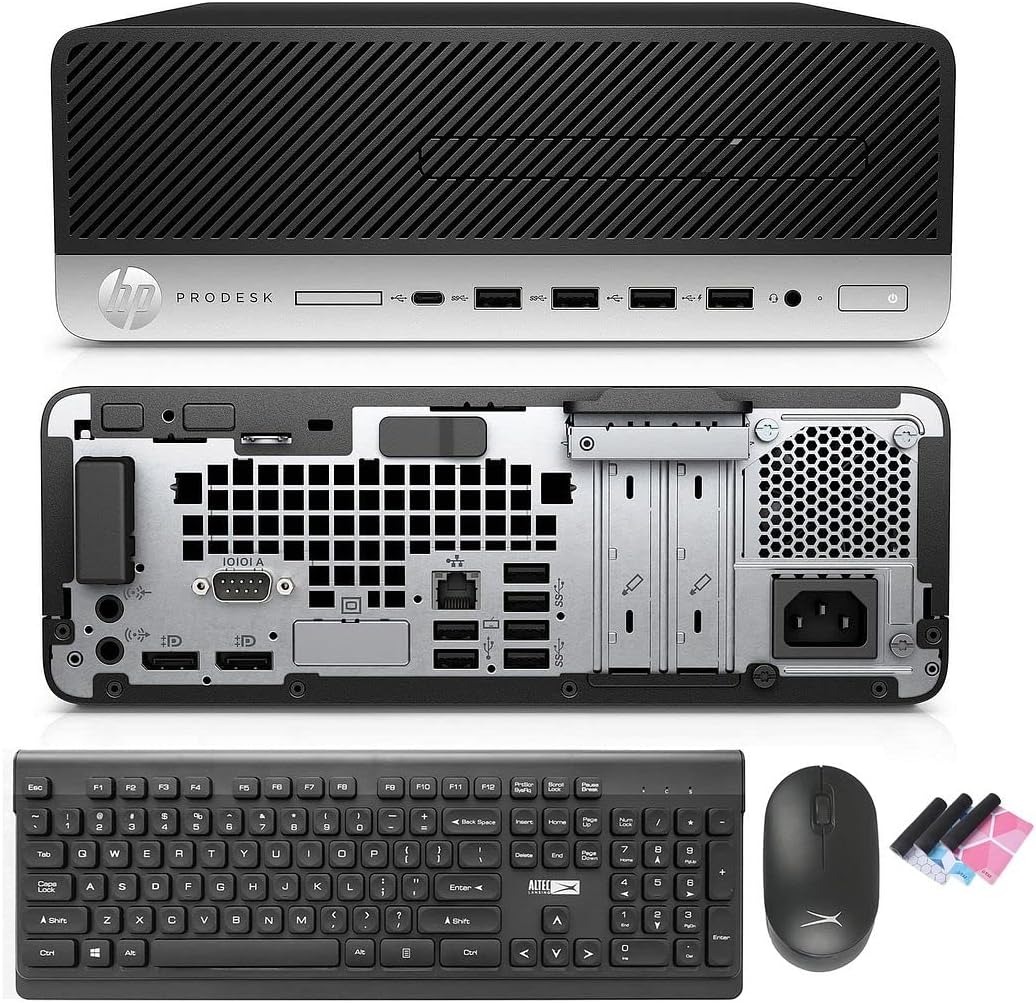
- HP ProDesk 600 G4 SFF Computer Desktop PC
- Altec Wireless Keyboard and Mouse Combo
- TJJ Large Mouse Pad (color may vary)
- የኃይል ገመድ
- ዲፒ ወደ ኤችዲኤምአይ አስማሚ
2.2 ማገናኛ ፔሪፈራል
Follow these steps to connect your computer:
- ተያያዥ ሞኒተር፡ Use the provided DP to HDMI adapter or a DisplayPort cable to connect your monitor to one of the DisplayPort outputs on the rear of the PC.
- የቁልፍ ሰሌዳ እና መዳፊት ያገናኙ፡ Insert the wireless USB receiver for the Altec keyboard and mouse combo into any available USB-A port on the front or rear of the PC.
- የግንኙነት ኃይል; Plug the power cord into the power input on the rear of the PC, then plug the other end into a wall outlet or surge protector.
- አማራጭ ግንኙነቶች፡- Connect any other peripherals such as speakers, printers, or external drives to the appropriate ports.
2.3 የመጀመሪያ ቡት-አፕ
Press the power button on the front of the PC. The system will boot into Windows 11 Pro. Follow the on-screen instructions for initial Windows setup, including language, region, and user account creation.
3. የአሠራር መመሪያዎች
3.1 ዊንዶውስ 11 ፕሮ ኦቨርview
Your PC comes with Windows 11 Pro. Familiarize yourself with the new Start Menu, taskbar, and multi-window snapping layout for improved productivity.

3.2 የአውታረ መረብ ግንኙነት
The HP ProDesk 600 G4 features built-in Wi-Fi 6E AX210 for wireless internet access. To connect to a Wi-Fi network:
- በተግባር አሞሌው ላይ የ Wi-Fi አዶን ጠቅ ያድርጉ ፡፡
- ከዝርዝሩ ውስጥ የሚፈልጉትን አውታረ መረብ ይምረጡ።
- ከተጠየቁ የአውታረ መረብ ይለፍ ቃል ያስገቡ።
For wired connections, connect an Ethernet cable to the Ethernet port on the rear of the PC.

3.3 የማሳያ ውቅር
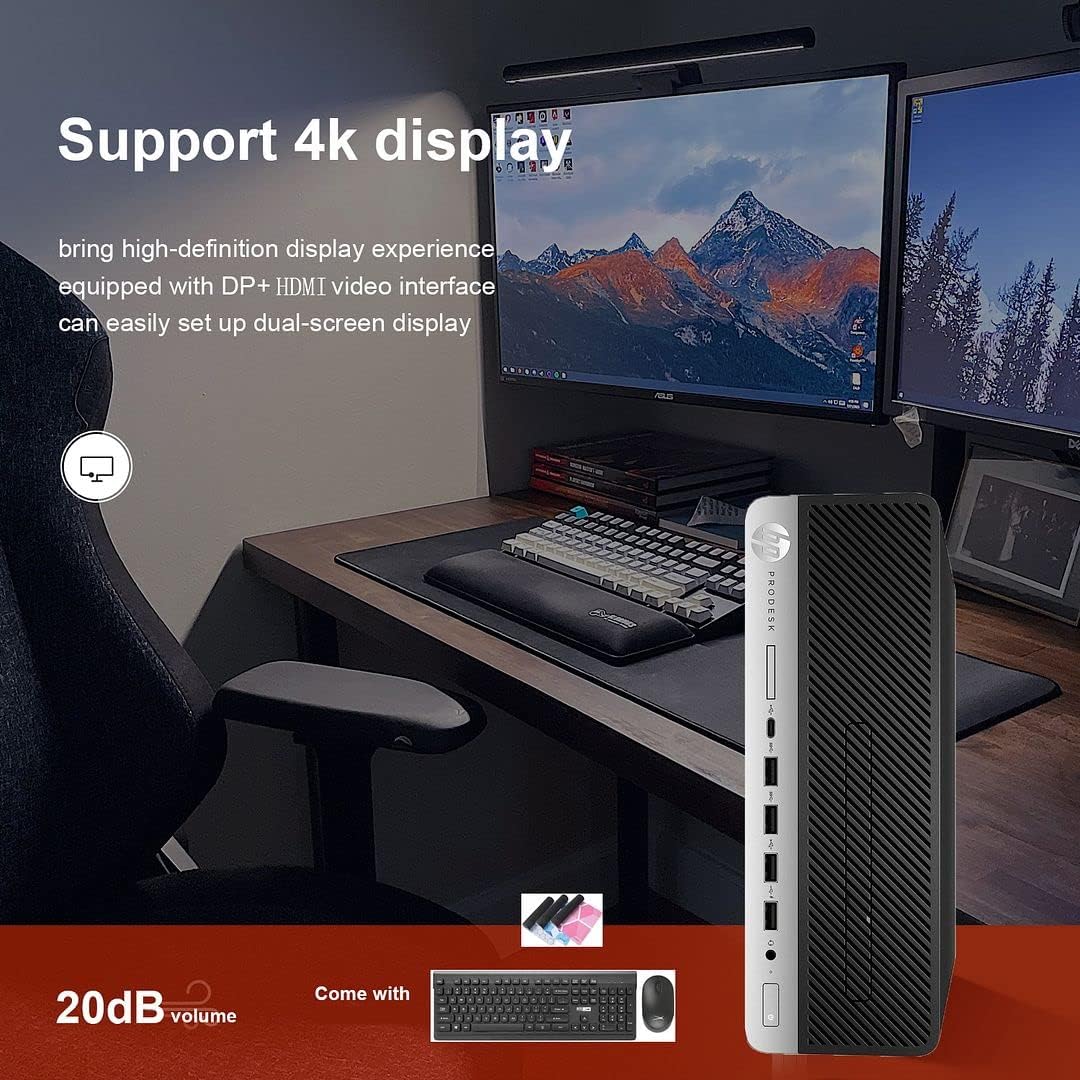
The PC supports 4K display output and dual-screen configurations using its DisplayPort outputs. Use the provided DP to HDMI adapter for HDMI-only monitors. To configure multiple displays in Windows 11:
- በዴስክቶፕ ላይ በቀኝ ጠቅ ያድርጉ እና "የማሳያ ቅንብሮችን" ይምረጡ።
- Detect and arrange your displays as needed.
3.4 የኦፕቲካል ድራይቭ አጠቃቀም
The integrated DVD-RW drive allows you to read and write CDs and DVDs. Insert the disc into the drive, and Windows will typically prompt you with options for playback or burning.
4. ጥገና
4.1 የስርዓት ጽዳት
To ensure optimal performance and longevity, regularly clean your PC:
- ውጫዊውን ክፍል ለማጥፋት ለስላሳ እና ደረቅ ጨርቅ ይጠቀሙ.
- Use compressed air to clear dust from vents and ports. Ensure the PC is powered off before cleaning.
- Keep the area around the PC clear to allow for proper airflow.
4.2 የሶፍትዌር ዝመናዎች
Regularly update Windows and device drivers to maintain security and performance. Windows Update can be accessed via Settings > Windows Update.
4.3 የውሂብ ምትኬ
የውሂብ መጥፋትን ለመከላከል አስፈላጊ መረጃዎችን ወደ ውጫዊ ድራይቭ ወይም የደመና ማከማቻ በመደበኛነት ምትኬ ማስቀመጥ ይመከራል።
4.4 ማሻሻል
The Small Form Factor design allows for some internal upgrades, such as adding a low-profile graphics card or additional storage, thanks to its PCIe slots.
5. መላ መፈለግ
If you encounter issues with your HP ProDesk 600 G4, refer to the following common troubleshooting steps:
- ኃይል የለም፡ Ensure the power cord is securely connected to both the PC and the power outlet. Try a different outlet.
- ማሳያ የለም፡ Verify that the monitor is powered on and correctly connected to the PC. Check that the correct input source is selected on your monitor.
- የበይነመረብ ግንኙነት የለም፡ For Wi-Fi, ensure you are connected to the correct network and have entered the password correctly. For wired connections, check the Ethernet cable and router status.
- ምላሽ የማይሰጥ አካባቢ፡ Ensure the keyboard, mouse, or other peripherals are properly connected. Try connecting them to a different USB port.
- የስርዓት መቀነሻ Close unnecessary applications. Check for background processes in Task Manager. Ensure sufficient free space on your drives.
For more complex issues or persistent problems, please contact technical support.
6. ዝርዝሮች
Below are the key technical specifications for the HP ProDesk 600 G4 SFF Desktop PC:
| አካል | ዝርዝር መግለጫ |
|---|---|
| ፕሮሰሰር | Intel Core i7-8700 (3.20-4.60 GHz, 6 Cores, 12 Threads, 12 MB Cache) |
| ስርዓተ ክወና | ዊንዶውስ 11 ፕሮ |
| ማህደረ ትውስታ (ራም) | 32GB DDR4 |
| ማከማቻ | 512GB NVMe M.2 SSD + 1TB HDD |
| ግራፊክስ | ኢንቴል ዩኤችዲ ግራፊክስ 630 |
| የገመድ አልባ ግንኙነት | Built-in Wi-Fi + Bluetooth 6E AX210 Combo |
| የዩኤስቢ-ሲ ወደቦች | 1 (ዩኤስቢ 3.1) |
| የዩኤስቢ-ኤ ወደቦች | 4 (USB 3.1) + 2 (USB 3.0) + 4 (USB 2.0) |
| የማሳያ ወደቦች | 2 (with 1x DP to HDMI Adapter included) |
| የኤተርኔት ወደብ | 1 |
| ኦፕቲካል ድራይቭ | ዲቪዲ-አርደብሊው |
| ልኬቶች (LxWxH) | 16 x 11 x 7 ኢንች |
| ክብደት | 22 ፓውንድ |
7. የዋስትና እና የቴክኒክ ድጋፍ
Your HP ProDesk 600 G4 SFF Desktop PC comes with a የ 90 ቀን ዋስትና. ይህ ዋስትና በመደበኛ አጠቃቀም ላይ የቁሳቁሶች እና የአሠራር ጉድለቶችን ይሸፍናል ።
For any technical issues, questions, or warranty claims, please contact the seller's technical support. They are committed to responding within 24 hours to assist you.
እባክዎ ለዋስትና ማረጋገጫ የግዢ ማረጋገጫዎን ያቆዩ።