1. መግቢያ
This manual provides essential information for setting up, operating, maintaining, and troubleshooting your HP ProDesk 600 G4 Mini PC. The HP ProDesk 600 G4 is a compact and powerful micro-form-factor computer designed for various applications, from business to home entertainment. It features an Intel i7 Hexa-Core processor, 32GB DDR4 RAM, and a 512GB NVMe M.2 SSD, running on Windows 11 Pro.

ምስል 1.1፡ ፊት view of the HP ProDesk 600 G4 Mini PC, showcasing በውስጡ የታመቀ ንድፍ.
2. የጥቅል ይዘቶች
ማዋቀሩን ከመቀጠልዎ በፊት ሁሉም እቃዎች በጥቅሉ ውስጥ መኖራቸውን ያረጋግጡ.
- HP ProDesk 600 G4 Mini Computer Desktop PC
- Altec Wireless Keyboard Mouse Combo
- TJJ Large Mouse Pad (color may vary)
- የኃይል ገመድ
- ዲፒ ወደ ኤችዲኤምአይ አስማሚ
3. የምርት ባህሪዎች
The HP ProDesk 600 G4 Mini PC offers robust performance and connectivity in a small footprint.
- ፕሮሰሰር፡ Intel i7-8700T (2.40-4.00 GHz, 6 Cores, 12 Threads, 12 MB Cache)
- ስርዓተ ክወና፡ ዊንዶውስ 11 ፕሮ
- ማህደረ ትውስታ፡ 32GB DDR4 ራም
- ማከማቻ፡ 512GB NVMe M.2 Solid State Drive
- ግራፊክስ፡ Intel UHD Graphics 630 (supports 4K resolution)
- ገመድ አልባ ግንኙነት: Built-in WiFi + Bluetooth 6E AX210 Combo
- ወደቦች፡
- 1x USB-C 3.1 Port
- 3 x ዩኤስቢ-ኤ 3.1 ወደቦች
- 3 x ዩኤስቢ-ኤ 3.0 ወደቦች
- 2x ማሳያ ወደብ
- 1x Ethernet Port (RJ-45)
- 1x HDMI (via included DP to HDMI Adapter)
- መጠኖች፡- 7.1 x 1.3 x 7 ኢንች
- ክብደት፡ 4.1 ፓውንድ

Image 3.1: The HP ProDesk 600 G4 Mini PC is suitable for office, education, and home entertainment.
4. የማዋቀር መመሪያዎች
4.1 ማገናኛ ፔሪፈራል
Before powering on your Mini PC, connect the necessary peripherals.
- የግንኙነት ማሳያ; Use a DisplayPort cable or the included DP to HDMI adapter to connect your monitor(s) to the DisplayPort(s) on the back of the Mini PC. The system supports up to two 4K displays.
- የቁልፍ ሰሌዳ እና መዳፊት ያገናኙ፡ Plug the USB receiver for the Altec wireless keyboard and mouse combo into any available USB-A port.
- አውታረ መረብን ያገናኙ (ከተፈለገ) For a wired internet connection, connect an Ethernet cable to the RJ-45 port. For wireless, the device has built-in Wi-Fi.
4.2 በማብራት ላይ
- የግንኙነት ኃይል; Plug the power cord into the power connector on the back of the Mini PC, then plug the other end into a power outlet.
- አብራ፡ Press the power button located on the front of the Mini PC. The system will boot up, and the Windows 11 Pro operating system will load.
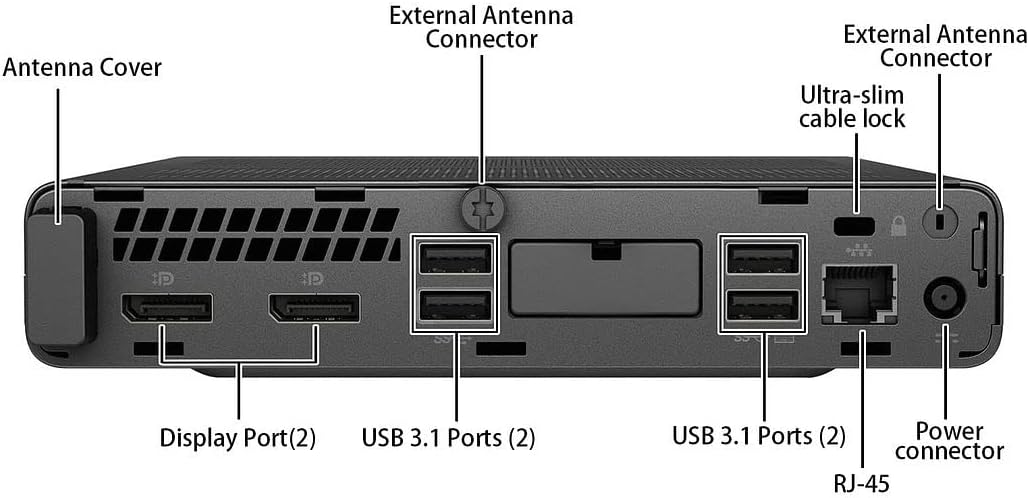
ምስል 4.1፡ ዝርዝር view of the rear ports, including DisplayPort, USB 3.1, Ethernet, and power connector.
5. የአሠራር መመሪያዎች
5.1 Initial Windows 11 Setup
Upon first boot, you may be guided through the Windows 11 initial setup process, which includes setting up your region, keyboard layout, network connection, and user account.
5.2 ከ Wi-Fi ጋር በመገናኘት ላይ
If you did not connect an Ethernet cable during setup, you can connect to a wireless network:
- የሚለውን ጠቅ ያድርጉ አውታረ መረብ አዶ (Wi-Fi ወይም Ethernet) በተግባር አሞሌው ውስጥ።
- ከዝርዝሩ ውስጥ የሚፈልጉትን የ Wi-Fi አውታረ መረብ ይምረጡ።
- ከተጠየቀ የአውታረ መረብ ደህንነት ቁልፍ (የይለፍ ቃል) ያስገቡ እና ጠቅ ያድርጉ ተገናኝ.
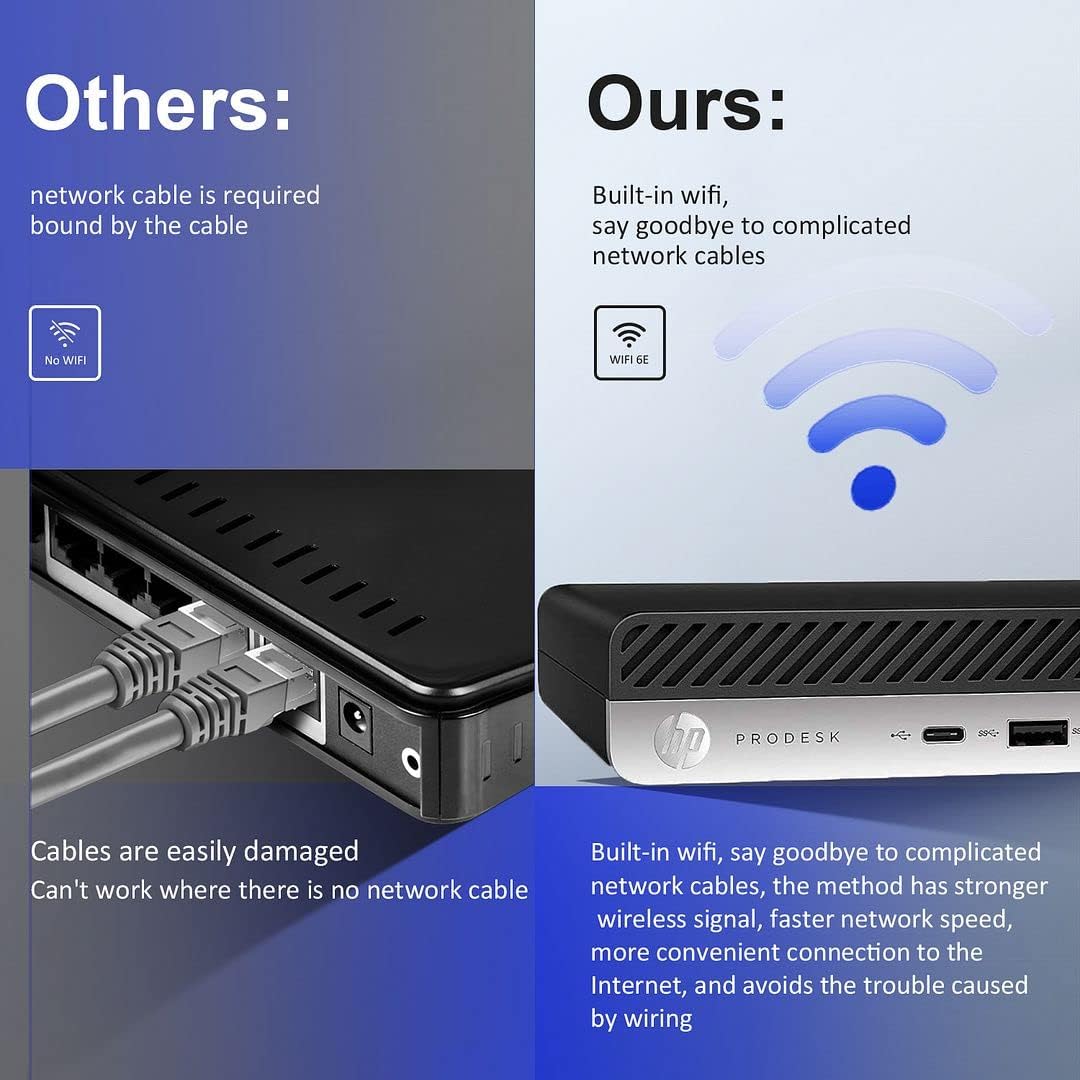
Image 5.1: The HP ProDesk 600 G4 features built-in Wi-Fi 6E for convenient wireless connectivity.
5.3 በርካታ ማሳያዎችን መጠቀም
The HP ProDesk 600 G4 supports up to two 4K displays simultaneously via its DisplayPort outputs. To configure multiple displays in Windows 11:
- በዴስክቶፕ ባዶ ቦታ ላይ በቀኝ ጠቅ ያድርጉ እና ይምረጡ የማሳያ ቅንብሮች.
- ስር በርካታ ማሳያዎች section, you can detect, identify, and arrange your displays.
- Choose how you want your desktop to appear: እነዚህን ማሳያዎች ያባዙ, እነዚህን ማሳያዎች ዘርጋ, ወይም Show only on 1/2.

Image 5.2: The Mini PC supports high-definition dual-screen display setups for enhanced productivity.
5.4 ዊንዶውስ 11 ባህሪያት
Familiarize yourself with the new features of Windows 11 Pro, including the redesigned Start menu, Snap Layouts for multitasking, and improved widgets.
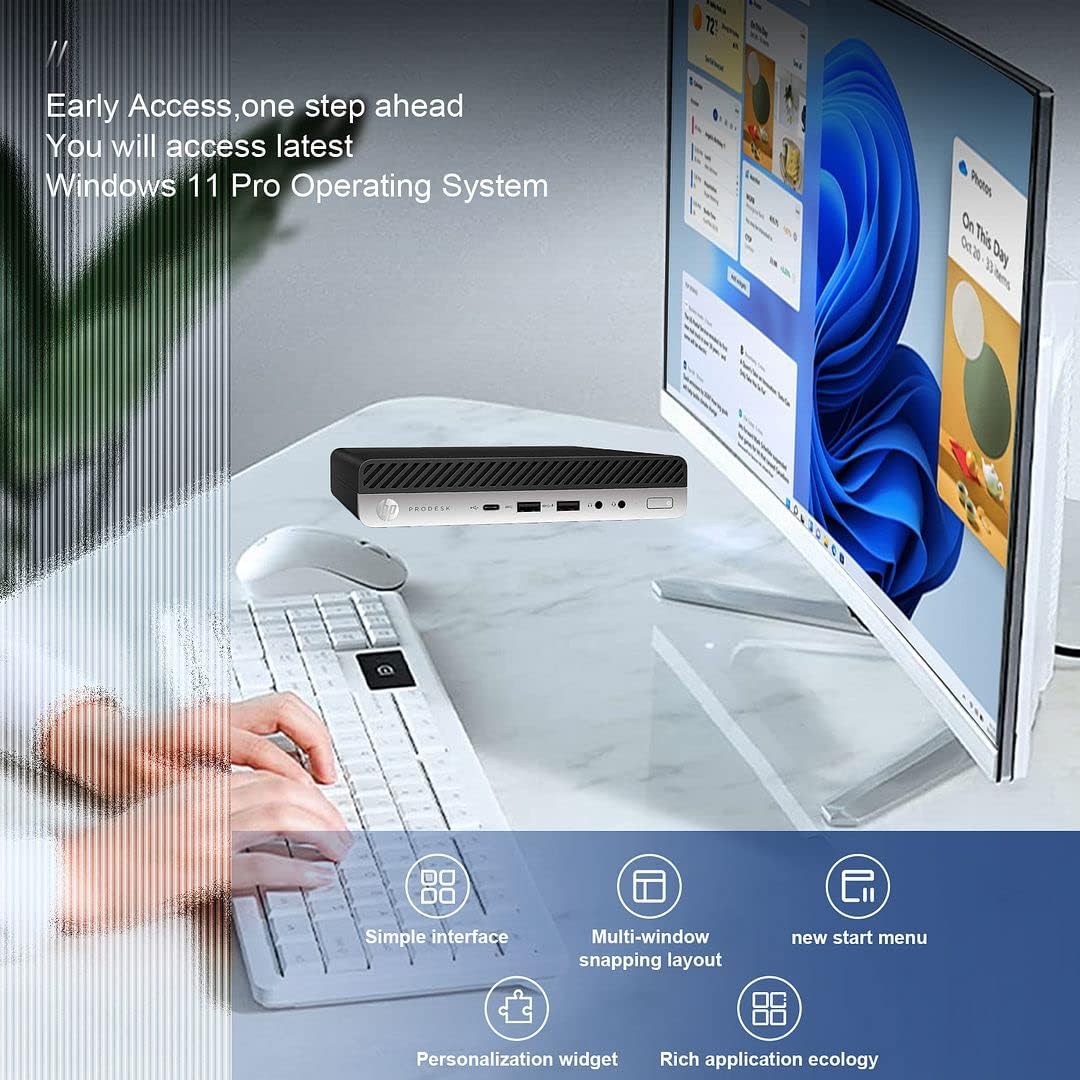
Image 5.3: The HP ProDesk 600 G4 comes pre-installed with Windows 11 Pro, offering a modern and efficient user experience.
6. ጥገና
Proper maintenance ensures the longevity and optimal performance of your HP ProDesk 600 G4 Mini PC.
- ማጽዳት፡ Regularly clean the exterior of the PC with a soft, dry cloth. Use compressed air to clear dust from vents to ensure proper airflow and prevent overheating. Do not use liquid cleaners directly on the device.
- የሶፍትዌር ማሻሻያ Keep your Windows 11 operating system and drivers updated. Go to ቅንብሮች> የዊንዶውስ ዝመና ዝመናዎችን ለመፈተሽ እና ለመጫን.
- የማከማቻ አስተዳደር፡ በየጊዜው እንደገናview እና አላስፈላጊውን ሰርዝ files to free up storage space. Windows 11 includes a Storage Sense feature (ቅንብሮች > ስርዓት > ማከማቻ) that can automate this process.
- ምትኬ ውሂብ፡ የውሂብ መጥፋትን ለመከላከል አስፈላጊ ውሂብን በመደበኛነት ወደ ውጫዊ አንጻፊ ወይም የደመና ማከማቻ ያስቀምጡ።
7. መላ መፈለግ
ይህ ክፍል ሊያጋጥሙዎት የሚችሉ የተለመዱ ጉዳዮችን ይመለከታል።
7.1 ምንም ኃይል የለም
- Ensure the power cord is securely connected to both the Mini PC and the power outlet.
- ሌላ መሳሪያ በመጫን የኃይል ማከፋፈያው የሚሰራ መሆኑን ያረጋግጡ።
- ለማንኛውም ጉዳት የኃይል አስማሚውን ያረጋግጡ።
7.2 ምንም ማሳያ የለም
- Confirm that the monitor is powered on and the display cable (DisplayPort or HDMI) is securely connected to both the Mini PC and the monitor.
- ትክክለኛው የግቤት ምንጭ በእርስዎ ማሳያ ላይ መመረጡን ያረጋግጡ።
- Try connecting to a different display or using a different cable/adapter if available.
7.3 የ Wi-Fi ግንኙነት ጉዳዮች
- በዊንዶውስ ቅንብሮች ውስጥ Wi-Fi ነቅቶ እንደሆነ ያረጋግጡ (ቅንብሮች > አውታረ መረብ እና በይነመረብ > Wi-Fi).
- የእርስዎን ራውተር እና ሞደም እንደገና ያስጀምሩ።
- ትክክለኛውን የWi-Fi ይለፍ ቃል እያስገባህ መሆንህን አረጋግጥ።
- Update your Wi-Fi drivers through Windows Update or HP's support webጣቢያ.
7.4 የቁልፍ ሰሌዳ ወይም መዳፊት ምላሽ አይሰጥም
- Ensure the USB receiver is properly plugged into a USB port.
- Check the batteries in the wireless keyboard and mouse and replace them if necessary.
- የዩኤስቢ መቀበያውን ወደ ሌላ የዩኤስቢ ወደብ ለመሰካት ይሞክሩ።
8. ዝርዝሮች
| ባህሪ | ዝርዝር መግለጫ |
|---|---|
| ፕሮሰሰር | Intel Core i7-8700T (2.4 GHz, 6 Cores) |
| ስርዓተ ክወና | ዊንዶውስ 11 ፕሮ |
| ራም | 32 ጊባ DDR4 SDRAM |
| ሃርድ ድራይቭ | 512 ጊባ NVMe M.2 SSD |
| ግራፊክስ ኮፕሮሰሰር | ኢንቴል ዩኤችዲ ግራፊክስ 630 |
| ከፍተኛው ማያ ገጽ ጥራት | 3840 x 2160 ፒክስል (4ኬ) |
| የገመድ አልባ አይነት | 802.11ac (Wi-Fi 6E AX210 Combo) |
| ብሉቱዝ | Yes (BT 6E AX210 Combo) |
| የዩኤስቢ-ሲ ወደቦች | 1 (USB-C 3.1) |
| የዩኤስቢ-ኤ ወደቦች | 3 (USB-A 3.1) + 3 (USB-A 3.0) |
| የማሳያ ወደቦች | 2 |
| የኤተርኔት ወደብ | 1 (አርጄ-45) |
| HDMI | 1 (via DP to HDMI Adapter) |
| የንጥል ልኬቶች LxWxH | 7.1 x 1.3 x 7 ኢንች |
| የእቃው ክብደት | 4.1 ፓውንድ |
| ቀለም | ጥቁር |
9. የዋስትና እና የቴክኒክ ድጋፍ
Your HP ProDesk 600 G4 Mini PC comes with a የ 90 ቀን ዋስትና. ይህ ዋስትና በመደበኛ አጠቃቀም ላይ የቁሳቁሶች እና የአሠራር ጉድለቶችን ይሸፍናል ።
For technical assistance or warranty claims, please contact the seller directly. They are committed to providing support and will respond to inquiries within 24 hours to ensure customer satisfaction.