1. መግቢያ
Thank you for choosing the ENDORFY Thock TKL Wireless Keyboard. This manual provides detailed instructions for setting up, operating, maintaining, and troubleshooting your new keyboard. Please read this manual carefully before use to ensure optimal performance and longevity of your device.
2. የጥቅል ይዘቶች
እባክዎ ሁሉም እቃዎች በጥቅልዎ ውስጥ መኖራቸውን ያረጋግጡ፡-
- ENDORFY Thock TKL Wireless Keyboard
- USB-C ወደ USB-A ገመድ
- 2.4 ጊኸ የዩኤስቢ ገመድ አልባ መቀበያ
- የቁልፍ መያዣ/የመጎተቻ መሳሪያ ቀይር
- የተጠቃሚ መመሪያ (ይህ ሰነድ)
3. ማዋቀር
3.1 የመጀመሪያ ማዋቀር እና ኃይል መሙላት
Before first use, it is recommended to fully charge the keyboard. Connect the provided USB-C cable to the keyboard's USB-C port and the USB-A end to a powered USB port on your computer or a wall adapter. The keyboard's indicator light will show charging status.
3.2 የግንኙነት ሁነታዎች
The ENDORFY Thock TKL Wireless Keyboard supports three connection modes: 2.4 GHz Wireless, Bluetooth, and Wired (USB-C).
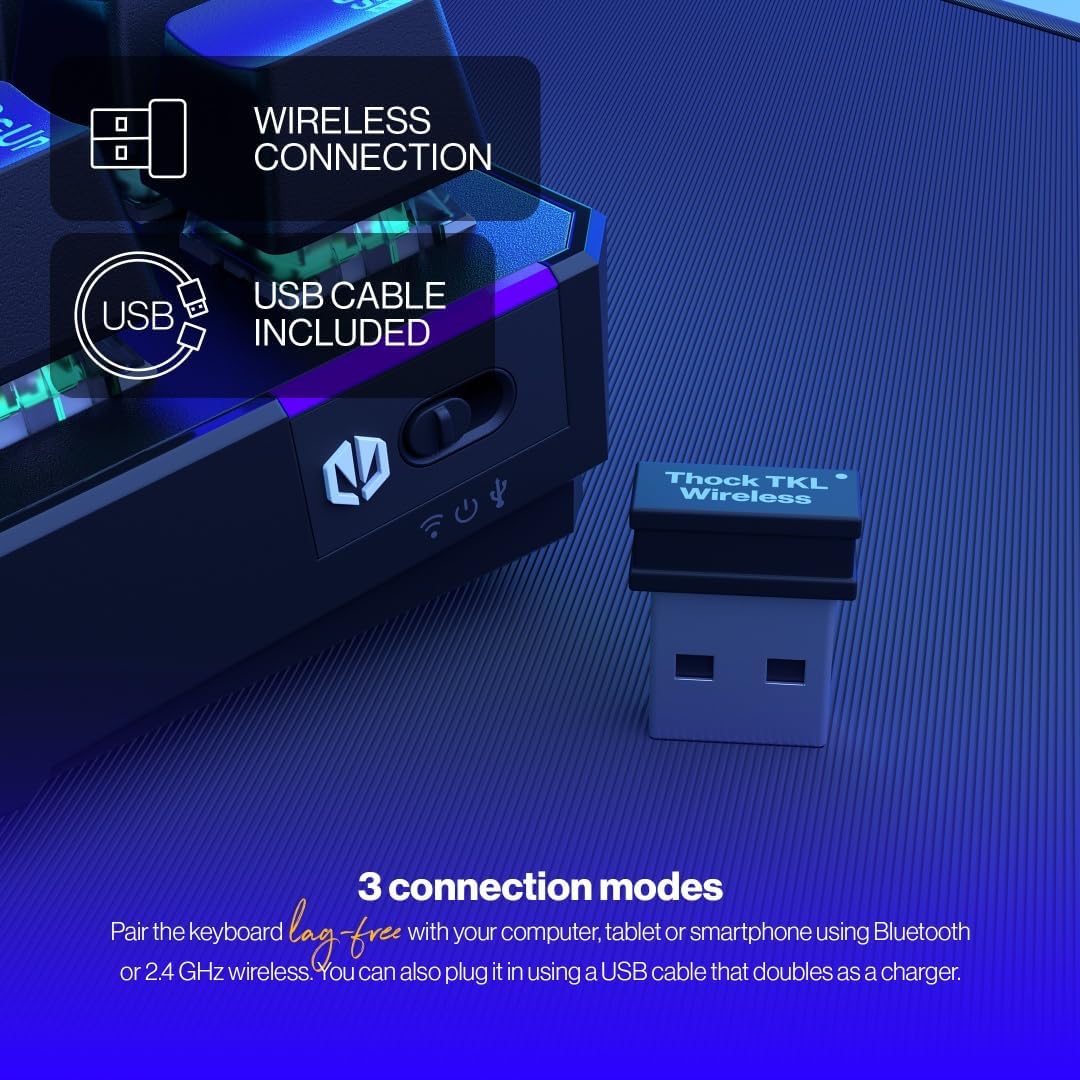
The keyboard offers versatile connectivity options including 2.4 GHz wireless, Bluetooth, and a wired USB connection.
3.2.1 2.4 GHz ገመድ አልባ ግንኙነት
- Locate the 2.4 GHz USB wireless receiver in your package.
- የዩኤስቢ መቀበያውን በኮምፒውተርዎ ላይ ወዳለው የዩኤስቢ ወደብ ይሰኩት።
- On the keyboard, locate the mode switch (usually on the side or back) and set it to the '2.4G' or wireless icon position.
- የቁልፍ ሰሌዳው በራስ-ሰር ከኮምፒዩተርዎ ጋር መገናኘት አለበት።
3.2.2 የብሉቱዝ ግንኙነት
- On the keyboard, set the mode switch to the 'BT' or Bluetooth icon position.
- The keyboard will enter pairing mode (indicator light may flash).
- በኮምፒተርዎ ወይም በመሳሪያዎ ላይ የብሉቱዝ ቅንብሮችን ይክፈቱ እና አዳዲስ መሳሪያዎችን ይፈልጉ።
- Select 'ENDORFY Thock TKL' (or similar name) from the list of available devices to pair.
3.2.3 ባለገመድ ግንኙነት
- Connect the USB-C end of the provided cable to the USB-C port on the keyboard.
- የኬብሉን የዩኤስቢ-ኤ ጫፍ በኮምፒተርዎ ላይ ካለው የዩኤስቢ ወደብ ጋር ያገናኙ።
- The keyboard will function as a wired keyboard and will also charge its internal battery.

The USB-C port on the side of the keyboard allows for wired connection and charging.
4. የአሠራር መመሪያዎች
4.1 ቁልፍ ተግባራት
The Thock TKL keyboard features a standard 87-key US layout. Many keys have secondary functions accessible via the 'Fn' key. Refer to the keycaps for specific Fn combinations (e.g., Fn + F1-F12 for media controls, volume, etc.).
4.2 RGB የጀርባ ብርሃን ማበጀት
The keyboard features programmable ARGB backlighting. You can cycle through various lighting effects and colors directly on the keyboard using specific Fn key combinations, or through the dedicated software for more advanced customization.
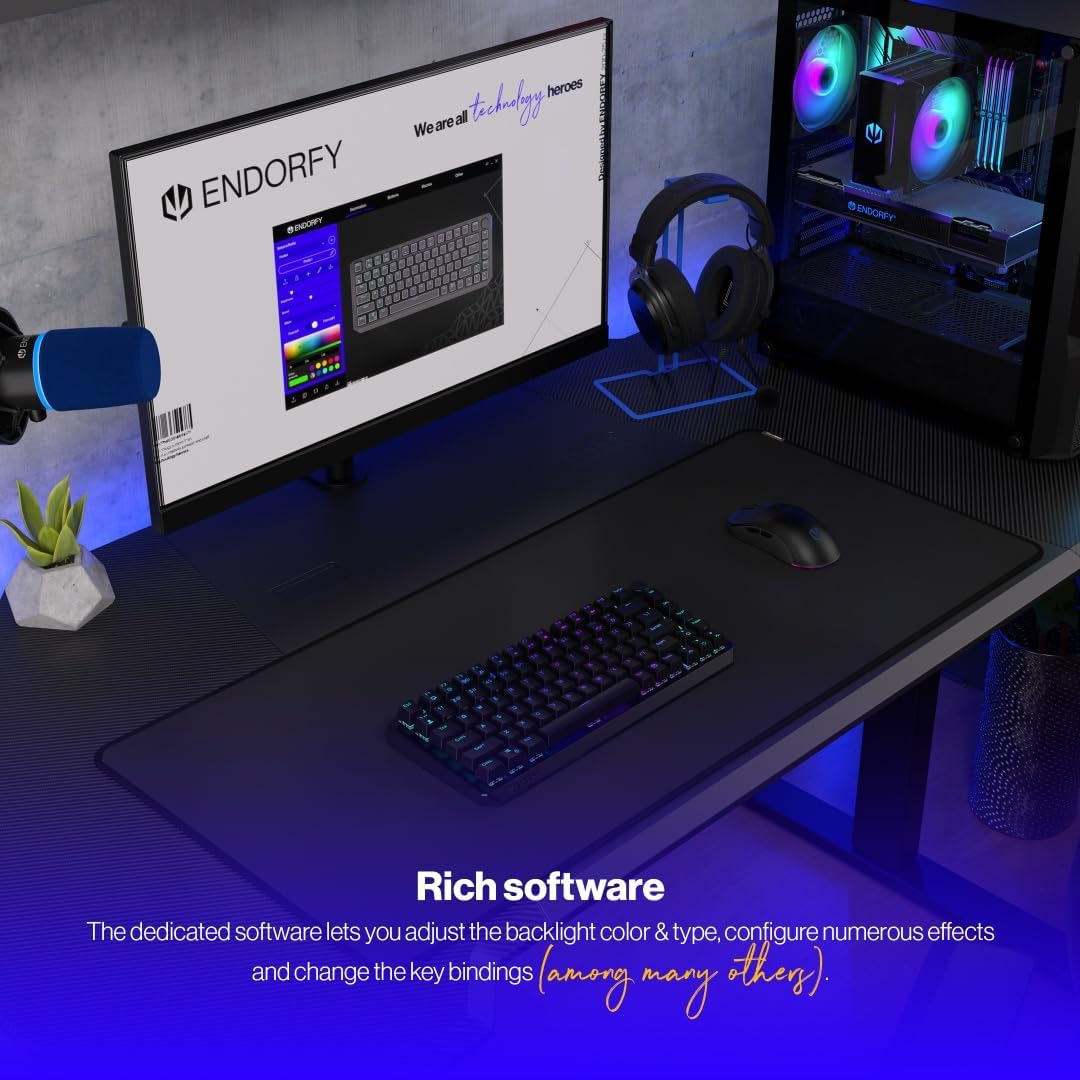
The keyboard features excellent ARGB backlighting, allowing for various color and effect customizations.
4.3 የሶፍትዌር አጠቃቀም
For advanced customization of key bindings, macros, and RGB lighting effects, download and install the dedicated ENDORFY software from the official website. The software provides a graphical interface to fine-tune your keyboard settings.

The dedicated software allows for comprehensive adjustment of backlight color, type, effects, and key bindings.
5. ጥገና
5.1 ጽዳት
To clean your keyboard, first disconnect it from your computer. Use a soft, dry cloth to wipe down the keycaps and chassis. For deeper cleaning, you may use a can of compressed air to remove dust and debris from between the keys. Avoid using harsh chemicals or abrasive materials.
5.2 ትኩስ-መለዋወጥ መቀየሪያዎች
The ENDORFY Thock TKL keyboard features hot-swappable switches, allowing you to easily change them without soldering. Use the provided switch puller tool to carefully remove switches. Align the new switch with the pins and gently press it into place until it clicks.

The hot-swap feature allows for easy replacement of switches using the included tool.

The keyboard comes equipped with Kailh Box Red switches, known for their smooth and linear actuation.
5.3 የቁልፍ ክዳን መተካት
The keyboard uses durable PBT Double Shot keycaps. To remove a keycap, use the keycap puller tool (often combined with the switch puller) to gently pull it upwards. To install a new keycap, align it with the switch stem and press down firmly until it is seated.

The durable PBT Double Shot keycaps are resistant to wear and maintain their appearance over time.
6. መላ መፈለግ
6.1 የቁልፍ ሰሌዳ ምላሽ አይሰጥም
- የቁልፍ ሰሌዳ መሙላቱን ያረጋግጡ።
- የግንኙነት ሁነታ መቀየሪያ (2.4ጂ፣ ቢቲ፣ ሽቦ) በትክክል መዋቀሩን ያረጋግጡ።
- For wireless connections, ensure the USB receiver is properly plugged in or Bluetooth is paired. Try a different USB port.
- For wired connection, try a different USB cable or port.
- ኮምፒተርዎን እንደገና ያስጀምሩ.
6.2 የጀርባ ብርሃን አይሰራም ወይም የተሳሳተ
- የኋላ መብራቱ በ Fn ቁልፍ ጥምረት በኩል መብራቱን ያረጋግጡ።
- የብሩህነት ደረጃውን ይፈትሹ።
- If using the software, ensure settings are applied correctly.
- Perform a factory reset if available (refer to software or advanced Fn commands).
6.3 የማይመዘገቡ ቁልፎች
- የቁልፍ ሰሌዳው ንፁህ እና ከቁልፍ ክዳኖቹ ስር ምንም አይነት ቆሻሻ የሌለበት መሆኑን ያረጋግጡ።
- If a specific key is not working, try hot-swapping the switch with a known working one to diagnose if the issue is with the switch or the keyboard PCB.
- Update keyboard firmware if available.
7. ዝርዝሮች
| የሞዴል ቁጥር | EY5A080 |
| የቁልፍ ሰሌዳ ዓይነት | Mechanical, TKL (Tenkeyless) |
| መቀየሪያዎች | Kailh Box Red (Hot-Swappable) |
| የቁልፍ ሰሌዳዎች | PBT ድርብ Shot |
| አቀማመጥ | US Layout, 87 Keys |
| ግንኙነት | 2.4 GHz Wireless, Bluetooth, USB-C Wired |
| የጀርባ ብርሃን | ARGB Programmable |
| ባትሪ | 1 ሊቲየም አዮን ባትሪ (ተጨምሯል) |
| የምርት ልኬቶች | 14.23 x 5.51 x 1.67 ኢንች (361.50 x 140 x 42.50 ሚሜ) |
| የእቃው ክብደት | 1.74 ፓውንድ |
| ተስማሚ መሣሪያዎች | PC, Gaming Consoles, Tablets, Smartphones |

ከፍተኛ view dimensions of the ENDORFY Thock TKL Wireless Keyboard.

ጎን view dimensions illustrating the adjustable height options of the keyboard.
8. ዋስትና እና ድጋፍ
The ENDORFY Thock TKL Wireless Keyboard comes with a የ 2 ዓመት ዋስትና ከተገዛበት ቀን ጀምሮ. ለዋስትና ጥያቄዎች እባክዎ የግዢ ማረጋገጫዎን ያቆዩ።
For technical support, driver downloads, firmware updates, or further information, please visit the official ENDORFY webጣቢያ፡
http://endorfy.com/kb/EY5A-THOCK-TKL-WIRELESS
You may also contact ENDORFY customer support directly through the contact information provided on their webጣቢያ.


